
BUGANI BUGANI B09
BUGANI True Wireless Earbuds User Manual
Model: BUGANI B09
1. Entwodiksyon
Thank you for choosing BUGANI True Wireless Earbuds. This manual provides detailed instructions on how to set up, operate, and maintain your earbuds to ensure optimal performance and longevity. Please read this manual thoroughly before using the product.
2. Pake kontni
Tanpri verifye sa ki nan pake a pou asire w tout atik yo la:
- 1 x BUGANI B09 Wireless Earbuds
- 1 x ka chaje
- 3 x Different Sizes of Eartips (S, M, L)
- 3 x Different Sizes of Silicone Earwings (S, M, L)
- 1 x USB-C chaje kab
- 1 x manyèl itilizatè
3. Pwodwi souview
The BUGANI B09 True Wireless Earbuds are designed for comfort and high-quality audio, featuring deep bass and ENC noise cancellation for clear calls. The compact charging case provides extended playtime.
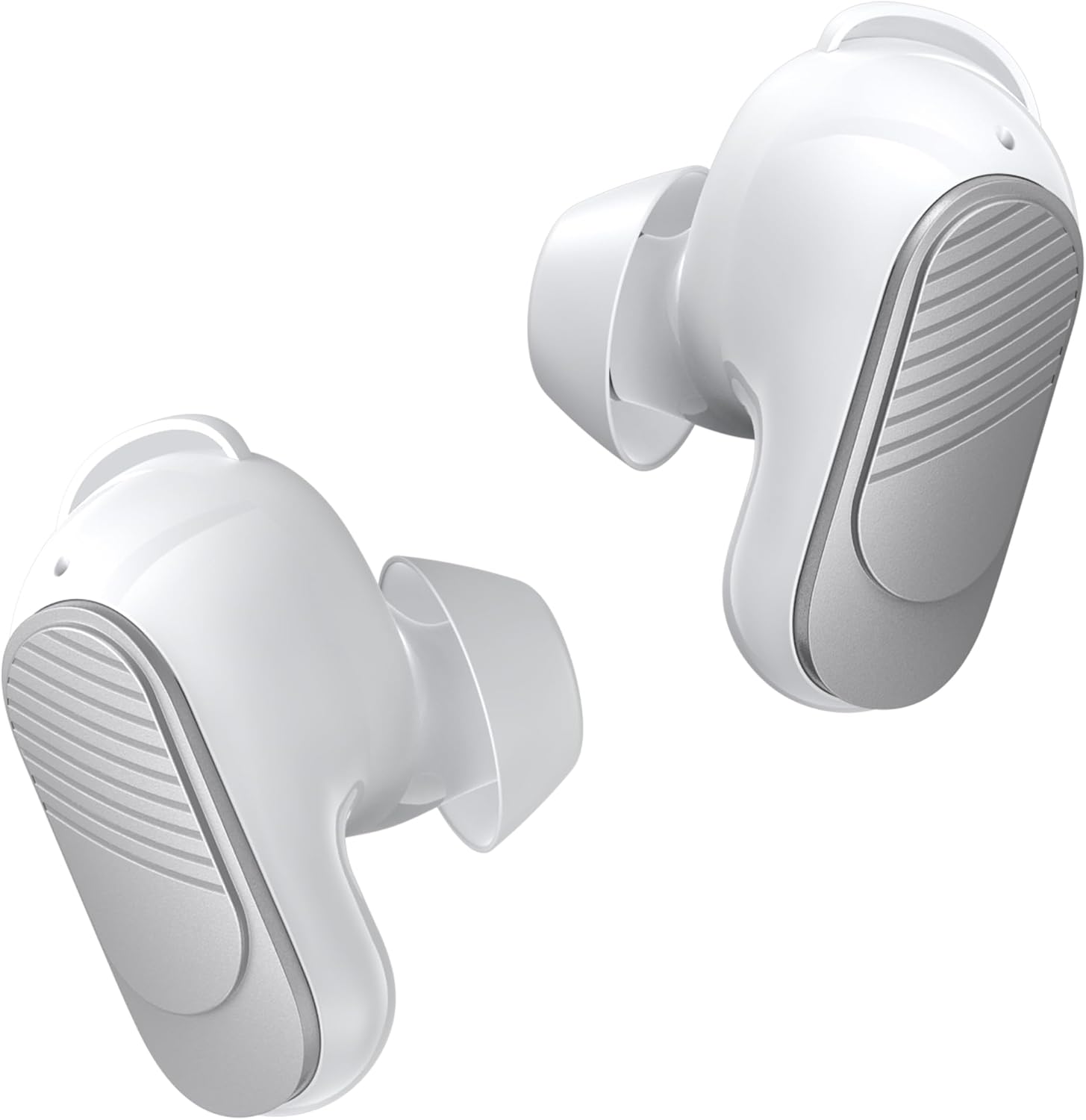
Figure 3.1: BUGANI True Wireless Earbuds (White)

Figure 3.2: Earbuds placed in their charging case with the lid open.
4. Mete ekoutè yo
For optimal sound quality and comfort, it is important to choose the correct ear tips and earwings and wear the earbuds properly.
- Select the Right Fit: Experiment with the three different sizes of eartips (S, M, L) and silicone earwings (S, M, L) included in the package. A snug fit ensures better sound isolation and bass response.
- Mete ekoutè yo: Gently insert the earbuds into your ear canal. Rotate them slightly until they feel secure and comfortable. The earwings should fit into the concha of your ear to provide stability.

Figure 4.1: Proper placement of the earbuds for a secure and comfortable fit.

Figure 4.2: Included eartips and earwings for customizable comfort.
5. Chaje ekoutè yo ak bwat la
Ensure your earbuds and charging case are fully charged before first use.
- Chaje ekoutè yo: Mete ekoutè yo nan bwat chaje a. Ekoutè yo ap kòmanse chaje otomatikman.
- Chaje ka a: Connect the USB-C charging cable to the charging port on the case and to a power source. The indicator lights on the case will show the charging status.
- Lavi batri: A single charge provides up to 6 hours of playtime. The charging case provides an additional 3 charges, extending total playtime to approximately 24 hours. A full charge for the case takes about 1.5 hours.

Figure 5.1: Earbuds in charging case, illustrating the 24-hour total playtime.

Figure 5.2: Visual representation of battery life: 6 hours per single charge, 24 hours with charging case, 1.5 hours for full case charge.
6. Pè Bluetooth
Ekoutè yo itilize Bluetooth 5.3 pou yon koneksyon ki estab e efikas.
- Koup yon sèl etap: Open the charging case, and the earbuds will automatically enter pairing mode.
- Konekte ak aparèy: On your device (smartphone, tablet, laptop), enable Bluetooth and search for "BUGANI B09" in the list of available devices. Select it to connect.
- Rekoneksyon otomatik: Once paired, the earbuds will automatically reconnect to the last paired device when taken out of the charging case.

Figure 6.1: Illustrates the one-step pairing process and wide compatibility with various Bluetooth-enabled devices.
7. Enstriksyon pou itilize (Kontwòl taktil)
The BUGANI B09 earbuds feature intuitive touch controls on each earbud. Refer to the diagram below for specific functions:

Figure 7.1: Detailed diagram of touch control functions for the BUGANI B09 earbuds.
Lektur Mizik:
- Jwe/Poz: Single touch on either L/R earbud.
- Chante Previous: Double touch on the Left earbud.
- Pwochen chante: Double touch on the Right earbud.
- Volim moute: Triple touch on the Left earbud.
- Volim desann: Triple touch on the Right earbud.
Jesyon apèl:
- Reponn apèl: Single touch on either L/R earbud.
- Rele Rele: Single touch on either L/R earbud during a call.
- Rejte apèl: Double touch on either L/R earbud.
Lòt Fonksyon:
- Pouvwa sou: Long press L/R earbud for 3 seconds.
- Pouvwa Off: Long press L/R earbud for 5 seconds.
- Asistan vwa: Long press L/R earbud for 2 seconds.
- Reyajiste: Five quick touches on either L/R earbud.
8. Sound Quality and Call Performance
The BUGANI B09 earbuds are engineered to deliver an immersive audio experience and crystal-clear calls.
- Son Immersion: Equipped with oversized 10mm dynamic drivers, these earbuds produce powerful sound with enhanced bass and clear mids, providing a rich listening experience for music, movies, and games.
- ENC Noise Cancelling Calls: Featuring a BUGANI intelligent noise reduction algorithm and built-in dual microphones, the earbuds accurately pick up your voice while effectively blocking out background noise, ensuring clear communication during calls and video chats.

Figure 8.1: Diagram illustrating the internal components responsible for distortion-free sound.

Figure 8.2: Demonstrates the crystal-clear call quality provided by the dual-mic noise cancellation.
9. Rezistans dlo (IPX6)
The BUGANI B09 earbuds are rated IPX6 water-resistant, protecting them from sweat, splashes, and light rain. This makes them suitable for workouts and outdoor activities.
Enpòtan: Pa plonje ekoutè yo nan dlo.

Figure 9.1: Earbuds are designed to withstand sweat and splashes during physical activity.

Figure 9.2: Visual representation of the earbuds' water resistance.
10. Antretyen ak Swen
Proper care will extend the life of your earbuds.
- Netwayaj: Netwaye ekoutè yo ak bwat chaje a regilyèman avèk yon twal mou, sèk, epi ki pa gen pousyè. Pa sèvi ak pwodui netwayaj abrazif oswa solvan.
- Konsèy zòrèy: Remove and clean the ear tips periodically with mild soap and water. Ensure they are completely dry before reattaching.
- Depo: Lè w pa ap itilize ekoutè yo, sere yo nan bwat chaje yo pou pwoteje yo kont pousyè ak domaj.
- Tanperati: Evite ekspoze ekoutè yo nan tanperati ekstrèm (cho oswa frèt) oswa nan imidite ki wo.
NAN. Depanaj
Si ou rankontre pwoblèm ak ekoutè ou yo, eseye solisyon sa yo:
| Pwoblèm | Solisyon |
|---|---|
| Ekoutè pa asosye |
|
| Pa gen son nan yon sèl ekoutè |
|
| Ka chaje pa chaje |
|
| Kalite apèl pòv |
|
12. Espesifikasyon
| Karakteristik | Detay |
|---|---|
| Non modèl | BUGANI B09 |
| Koneksyon Teknoloji | San fil (Bluetooth) |
| Bluetooth vèsyon | 5.3 |
| Plasman Zòrèy | Nan Zòrèy |
| Kalite kontwòl | Kontwòl manyen |
| Dire batri (ekoutè) | Jiska 6 èdtan |
| Tan total pou jwe (ak bwat) | Jiska 24 èdtan |
| Kalite chofè odyo | Chofè dinamik (10mm) |
| Anile bri | ENC (Anilasyon Bri Anviwònman) pou apèl yo |
| Nivo rezistans dlo | IPX6 |
| Gamme frekans | 20 Hz - 20,000 Hz |
| Materyèl | Plastik |
| Pwa atik | 3.84 ons |
| Manifakti | BUGANI |
13. Garanti ak sipò
BUGANI products are designed and manufactured to the highest quality standards. For warranty information and technical support, please refer to the warranty card included in your package or visit the official BUGANI websit la. Kenbe resi acha ou kòm prèv acha.
For further assistance, please contact BUGANI customer service.
Ask a question about this manual
Ask about setup, troubleshooting, compatibility, parts, safety, or missing instructions. Manuals+ will review the question and use this page’s manual context to help answer it.