
Entwodiksyon
Thank you for choosing BUGANI True Wireless Earbuds. This manual provides detailed instructions on how to set up, operate, and maintain your earbuds to ensure the best possible audio experience. Please read this manual carefully before use and keep it for future reference.

Image: BUGANI True Wireless Earbuds and their charging case.
Ki sa ki nan bwat la
Your BUGANI True Wireless Earbuds package should contain the following items:
- 1 x BUGANI B09 Wireless Earbuds
- 1 x USB-C chaje kab
- 3 x Different Sizes of Eartips (S, M, L)
- 3 x Different Sizes of Silicone Earwings (S, M, L)
- 1 x Manyèl Itilizatè (dokiman sa a)
Pwodwi souview ak Karakteristik kle yo
The BUGANI B09 earbuds are designed for superior sound and user convenience. Here are some of their main features:
Immersive Sound Quality & Extra Deep Bass
Experience rich, powerful audio with oversized 10mm dynamic drivers. These earbuds deliver enhanced bass, clear trebles, and balanced mids for an immersive listening experience across music, movies, and games.

Imaj: Yon eksplozyon view of the earbud, highlighting its internal audio components and dynamic driver for superior sound.
ENC Enhanced Crystal-Clear Calls
Equipped with a BUGANI intelligent noise reduction algorithm and built-in dual microphones, these earbuds precisely pick up your voice while effectively blocking out background noise. This ensures clear communication during calls, video chats, and live sessions.

Image: A woman smiling while wearing the earbuds, illustrating their use for crystal-clear calls with the microphone highlighted.
Extended Playtime & IPX6 Water-Resistant
Enjoy up to 6 hours of listening on a single charge, with the compact charging case providing an additional 3 charges for a total of 24 hours of playtime. The IPX6 water-resistant rating protects your earbuds from sweat, splashes, and light rain, making them ideal for workouts and outdoor activities. Note: Do not submerge in water.

Image: The earbuds in their charging case, illustrating the 24-hour total playtime with the case and 6 hours on a single charge.

Image: A woman exercising, demonstrating the IPX6 waterproof and sweatproof capabilities of the earbuds.
Lightweight & Comfortable Fit
Designed ergonomically, these earbuds ensure comfortable wear for extended periods. They come with three sizes of ear tips and earwings (S, M, L) to help you find the perfect, secure fit for optimal sound performance.

Image: An earbud shown in an ear, alongside various ear tip and earwing sizes to illustrate the customizable and secure fit.
Bluetooth 5.3 and One-Step Pairing
Featuring the latest Bluetooth 5.3 technology, the earbuds offer improved transmission speed and a low-latency listening experience. They automatically connect to your device quickly after the initial pairing, thanks to their memory function.

Image: Earbuds and their charging case positioned near a smartphone and laptop, illustrating the one-step pairing process and wide compatibility.
Enstalasyon
Chaje ekoutè yo ak ka chaje
Anvan premye itilizasyon an, chaje ekoutè yo ak bwat chaje a nèt.
- Mete ekoutè yo nan bwat chaje a. Asire w ke yo byen chita nan plas respektif yo (L pou goch, R pou dwat).
- Konekte kab chaje USB-C a nan pò chaje ki sou bwat la epi lòt bout la nan yon adaptè kouran USB (pa enkli) oswa nan yon pò USB òdinatè.
- Limyè endikatè yo sou bwat chaje a ap montre eta chaj la. Yon fwa li fin chaje nèt, limyè yo ap endike ke li fini oswa yo ap etenn.
- Yon chaj konplè pou bwat la pran apeprè 1.5 èdtan.
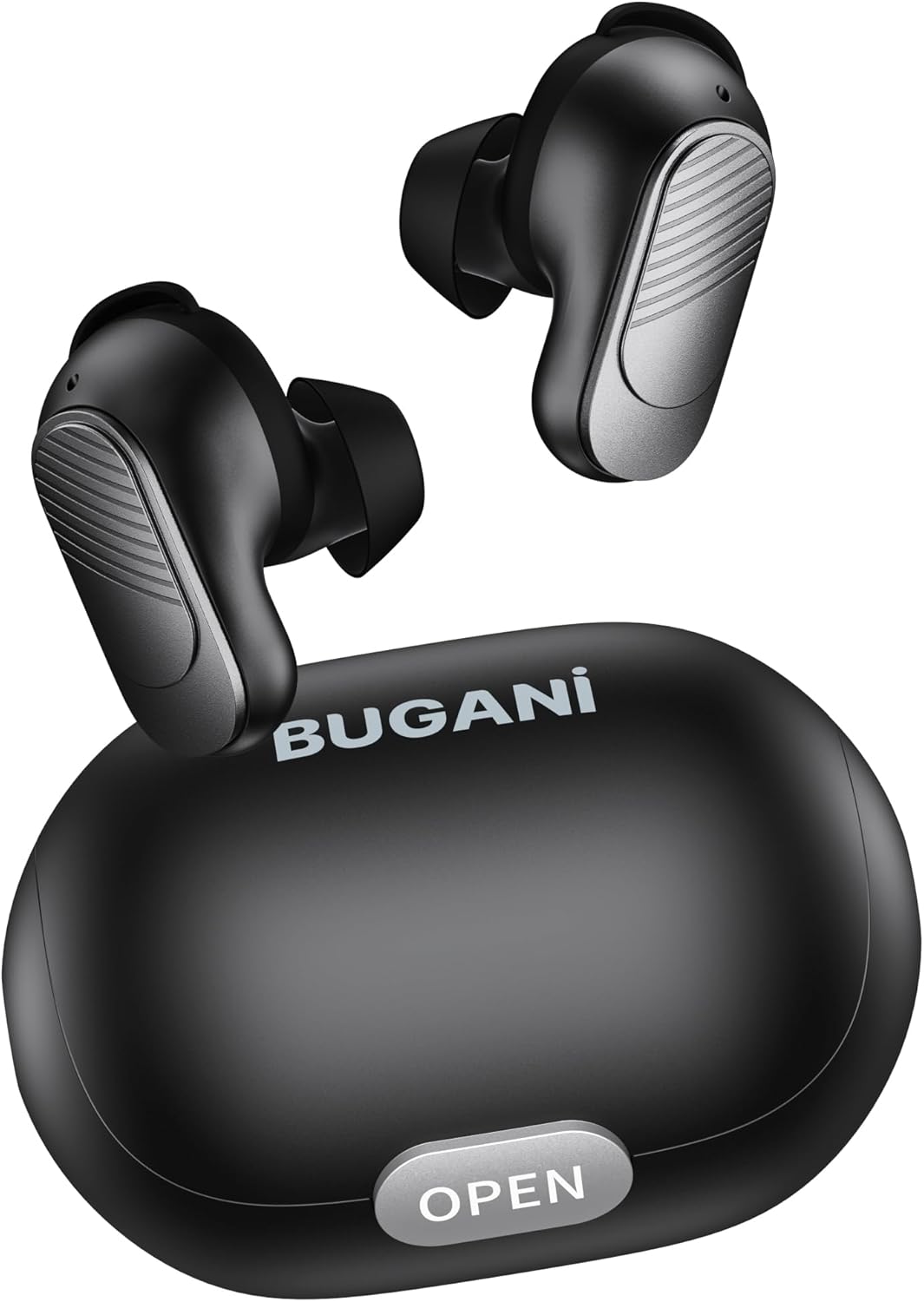
Image: The BUGANI earbuds placed inside their open charging case, ready for charging.
Pè ak aparèy ou an
Follow these steps for initial pairing:
- Asire ke ekoutè yo chaje.
- Louvri bwat chaje a. Ekoutè yo ap limen otomatikman epi antre nan mòd koneksyon.
- Sou telefòn entelijan ou oswa aparèy ki gen Bluetooth, ale nan paramèt Bluetooth epi aktive Bluetooth la.
- Chèche pou available devices. Select "BUGANI B09" from the list.
- Yon fwa konekte, w ap tande yon son konfimasyon, epi limyè endikatè ekoutè yo ap chanje.
- Pou itilizasyon apre sa, ekoutè yo ap konekte otomatikman ak dènye aparèy ki te konekte a lè yo retire yo nan bwat la.
Kijan pou w itilize ekoutè w yo
Kontwòl manyen
The BUGANI B09 earbuds feature intuitive touch controls on each earbud. Refer to the diagram below for specific functions:

Image: A visual guide detailing the touch control functions for the BUGANI earbuds, including power, playback, call management, volume, and voice assistant.
- Pouvwa sou: L/R Long press for 3 seconds.
- Pouvwa Off: L/R Long press for 5 seconds.
- Jwe/Poz: L/R Touch 1 quickly.
- Pwochen chante: R Touch 2 quickly.
- Chante Previous: L Touch 2 quickly.
- Volim moute: R Touch 3 quickly.
- Volim desann: L Touch 3 quickly.
- Reponn apèl: L/R Touch 1 quickly.
- Rele Rele: L/R Touch 1 quickly.
- Rejte apèl: L/R Touch 2 quickly.
- Asistan vwa: L/R Long press for 2 seconds.
- Reyajiste: L & R Touch 5 quickly.
Antretyen
To ensure the longevity and optimal performance of your BUGANI earbuds, follow these maintenance guidelines:
- Netwayaj: Netwaye ekoutè yo ak bwat chaje a regilyèman avèk yon twal mou, sèk, ki pa gen pousyè. Pa sèvi ak pwodui chimik ki agresif oswa materyèl abrazif.
- Konsèy zòrèy: Retire epi netwaye bout zòrèy yo detanzantan avèk piblisite.amp twal. Asire w ke yo byen sèk anvan ou tache yo ankò.
- Pò chaje: Kenbe pò chaje USB-C a pwòp san pousyè ak debri.
- Depo: Lè w pa ap itilize ekoutè yo, sere yo nan bwat chaje yo pou pwoteje yo kont pousyè ak domaj.
- Evite kondisyon ekstrèm: Do not expose the earbuds to extreme temperatures, high humidity, or direct sunlight for prolonged periods.
- Ekspozisyon dlo: While IPX6 water-resistant, avoid submerging the earbuds in water. Dry them thoroughly if they get wet from sweat or splashes.
Depanaj
If you encounter any issues with your BUGANI earbuds, try the following solutions:
- Ekoutè yo pa konekte:
- Asire ke tou de ekoutè yo chaje.
- Etenn Bluetooth sou aparèy ou an, epi aktive l ankò.
- Forget/delete "BUGANI B09" from your device's Bluetooth list and try pairing again.
- Perform a factory reset on the earbuds (refer to 'Reset' in Touch Controls section).
- Se yon sèl ekoutè k ap fonksyone:
- Mete tou de ekoutè yo tounen nan bwat chaje a, fèmen kouvèti a, tann kèk segond, epi retire yo ankò.
- Asire ke tou de ekoutè yo chaje.
- Fè yon reset faktori.
- Pa gen son oswa volim ki ba:
- Ajiste volim nan tou de sou aparèy ou an ak ekoutè yo.
- Asire w ke ekoutè yo byen konekte ak aparèy ou an.
- Netwaye tout debri ki sou may ekoutè a.
- Pwoblèm chaj:
- Tcheke kab chaje a ak adaptè a pou wè si yo domaje.
- Ensure the charging port on the case is clean.
- Asire w ke ekoutè yo byen chita nan bwat chaje a.
If the issue persists after trying these steps, please contact BUGANI customer support.
Espesifikasyon
| Karakteristik | Detay |
|---|---|
| Non modèl | BUGANI B09 |
| Koneksyon Teknoloji | San fil (Bluetooth 5.3) |
| Plasman Zòrèy | Nan Zòrèy |
| Kalite chofè odyo | Chofè dinamik (10mm) |
| Dire batri (ekoutè) | Jiska 6 èdtan |
| Tan total pou jwe (ak bwat) | Jiska 24 èdtan |
| Tan chaje (Ka) | Apeprè. 1.5 èdtan |
| Nivo rezistans dlo | IPX6 (rezistan dlo) |
| Kalite kontwòl | Kontwòl manyen |
| Mikwofòn | Built-in 2 mics with ENC Noise Cancelling |
| Pwa | 4.2 ons (pwa total atik la) |
| Materyèl | Plastik |
Garanti ak sipò
BUGANI products are designed for reliability and performance. For warranty information and customer support, please refer to the warranty card included in your package or visit the official BUGANI website. If you have any questions or require assistance, do not hesitate to contact our support team.
Thank you for choosing BUGANI.