
1. Entwodiksyon
Welcome to the user manual for your new Infinix Smart 9 mobile phone. This guide provides detailed instructions on how to set up, operate, maintain, and troubleshoot your device. Please read this manual carefully to ensure optimal performance and longevity of your phone.
2. Pake kontni
Before you begin, please verify that all items are present in your product package:
- Infinix Smart 9 Device
- Charger
- Kouvèti Pwoteksyon
- Pwoteksyon ekran
3. Pwodwi souview
The Infinix Smart 9 is a feature-rich smartphone designed for an enhanced user experience. It boasts a large 6.7-inch HD+ display, a powerful 5000mAh battery, and a versatile camera system.

Figi 3.1: Devan ak dèyè view of the Infinix Smart 9, showcasing konsepsyon elegant li yo ak modil kamera a.
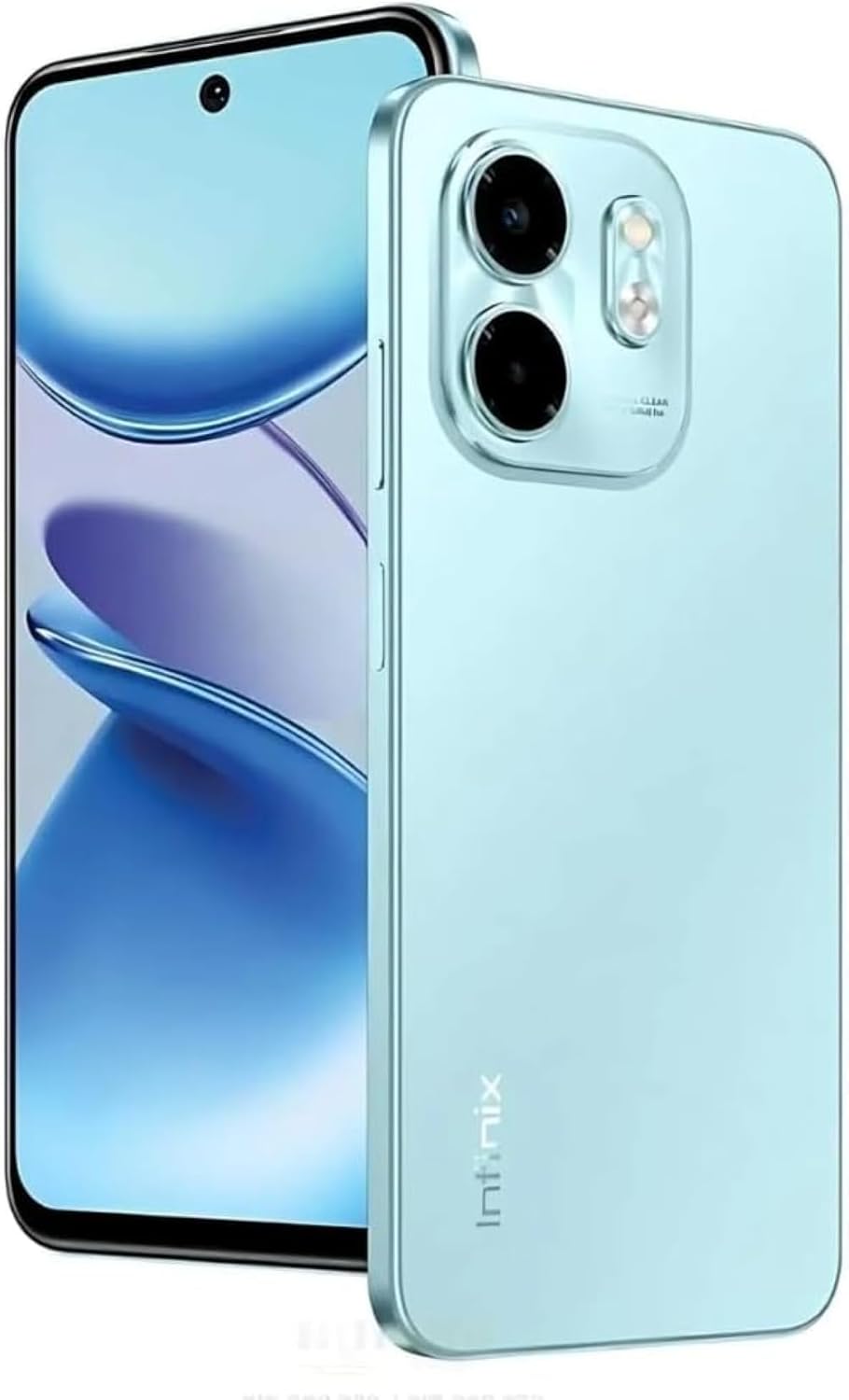
Figi 3.2: Devan detaye view of the Infinix Smart 9, highlighting the 6.7-inch HD+ punch-hole display.

Figi 3.3: Dèyè view of the Infinix Smart 9, showing the 13MP dual AI camera setup and the Infinix branding.
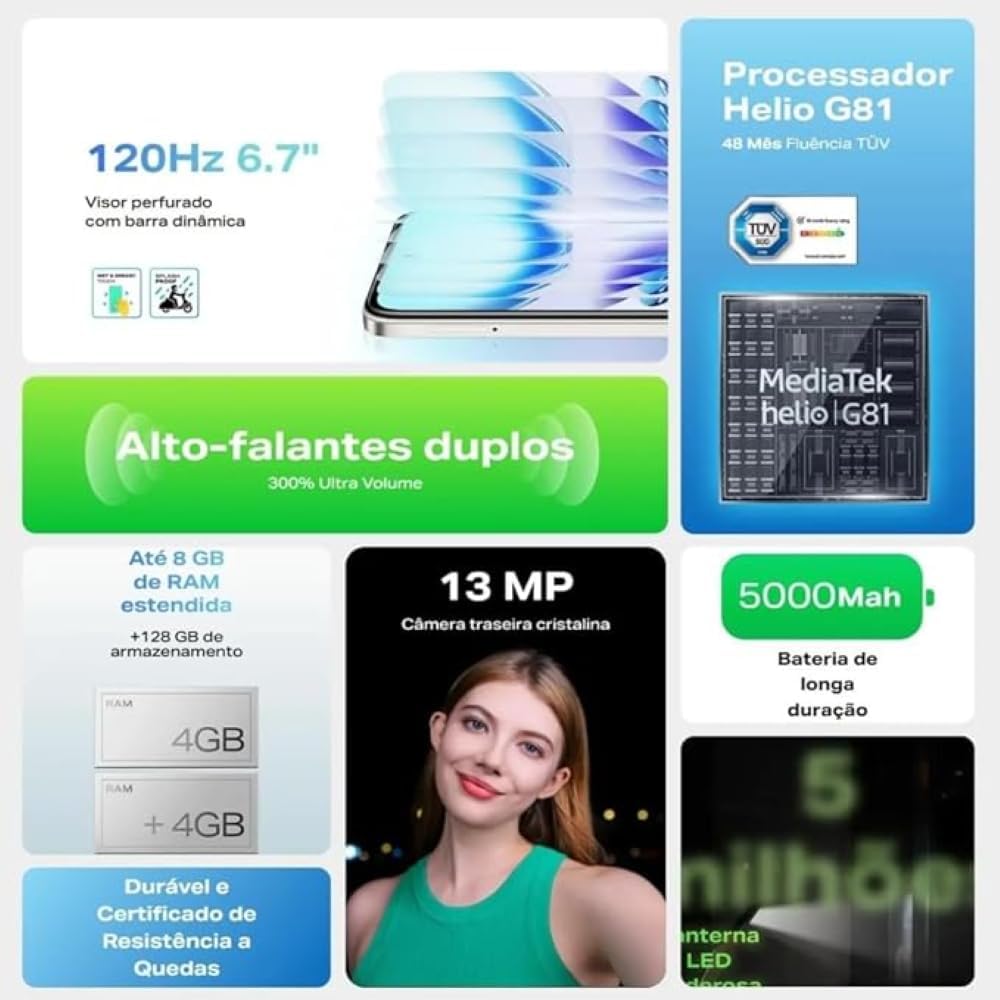
Figi 3.4: Graphic illustrating key features such as the 120Hz display, Helio G81 processor, 5000mAh battery, and 13MP camera.

Figi 3.5: Display of the Infinix Smart 9 in various available color options.
Karakteristik kle:
- Ekspozisyon: 6.7-inch HD+ 120Hz Punch-Hole Display with Dynamic Bar.
- Processeur: Helio G81 for smooth performance.
- Kamera: 13MP Dual AI Rear Camera with flashlight and 8MP Front Camera.
- Batri: Batri 5000mAh ki dire lontan.
- Odyo: Dual speakers with 300% Ultra Volume.
- memwa: 4GB RAM (expandable to 8GB) and 128GB ROM.
- Sistèm operasyon: Android 14.
4. Enstalasyon
4.1 Mete kat SIM ak kat SD
- Jwenn plato SIM lan sou bò aparèy ou an.
- Mete zouti pou retire kat SIM lan nan ti twou ki akote plato a pou ouvri li.
- Place your Nano-SIM cards (up to two) and an optional microSD card into the designated slots on the tray. Ensure the gold contacts face downwards.
- Dousman pouse plato a tounen nan telefòn nan jiskaske li fè yon klik.
4.2 Chaje Aparèy la
- Connect the Type-C end of the charging cable to the charging port at the bottom of your phone.
- Konekte lòt bout kab la ak adaptè pouvwa a.
- Ploge adaptè pouvwa a nan yon priz miray.
- Kite telefòn nan chaje nèt anvan premye itilizasyon li. Endikatè batri a sou ekran an ap montre eta chaj la.
4.3 Limen/Etenyen
- Pou limen: Peze epi kenbe bouton Pouvwa a (anjeneral sou bò dwat la) jiskaske logo Infinix la parèt.
- Pou etenn: Peze epi kenbe bouton pouvwa a jiskaske meni opsyon pouvwa a parèt, answit chwazi "Etein".
- Pou rekòmanse: Peze epi kenbe bouton pouvwa a jiskaske meni opsyon pouvwa a parèt, answit chwazi "Rekòmanse".
4.4 Inisyal Enstalasyon
Upon first powering on, your device will guide you through the initial setup process. Follow the on-screen prompts to:
- Chwazi lang ou.
- Konekte nan yon rezo Wi-Fi.
- Konekte avèk kont Google ou a oubyen kreye yon nouvo.
- Konfigire blokaj ekran an (Kòd PIN, modèl, modpas, anprent dwèt).
- Retabli done ki soti nan yon aparèy anvan (opsyonèl).
5. Operasyon Enstriksyon
5.1 Navigasyon debaz
- Manyen: Tape yon ikòn pou ouvri yon aplikasyon oubyen chwazi yon atik.
- Manyen epi kenbe: Peze epi kenbe yon atik pou jwenn plis opsyon oswa pou deplase li.
- Glise: Trennen dwèt ou sou ekran an pou defile oswa navige ant ekran yo.
- Zongle: Sèvi ak de dwèt pou agrandi oswa diminye foto yo epi web paj.
5.2 Itilizasyon Kamera
Your Infinix Smart 9 features a 13MP dual AI rear camera and an 8MP front camera.
- Louvri aplikasyon Kamera a nan ekran prensipal ou a oswa nan tiwa aplikasyon yo.
- Chanje ant kamera devan ak dèyè a lè w sèvi ak ikòn chanjman kamera a.
- Select your desired mode (e.g., Photo, Video, Portrait, AI Cam).
- Tape bouton deklanchè a pou pran yon foto oswa pou kòmanse/sispann anrejistreman yon videyo.
- Utilize the flashlight for improved low-light photography with the rear camera.
5.3 Audio and Volume
The device is equipped with dual speakers for an immersive audio experience, offering up to 300% Ultra Volume.
- Use the Volume Up/Down buttons on the side of the phone to adjust media volume.
- Access more detailed volume controls (ringtone, alarm) through the Settings menu.
5.4 Koneksyon
Your phone supports 4G connectivity and Wi-Fi for internet access, along with Bluetooth for connecting to accessories.
- Wi-Fi: Ale nan Anviwònman > Rezo ak entènèt > Wi-Fi pou konekte ak rezo ki disponib yo.
- Done mobil: Ensure mobile data is enabled in Settings > Network & internet > Mobile network.
- Bluetooth: Konekte ak aparèy Bluetooth yo atravè Anviwònman > Aparèy konekte > Bluetooth.
6. Antretyen
6.1 Netwaye aparèy ou an
- Sèvi ak yon twal mou ki pa gen pousyè pou siye ekran an ak kò telefòn nan.
- Evite itilize pwodui chimik ki agresif, pwodui netwayaj abrazif, oswa espre ayewosòl.
- Pa ekspoze aparèy la nan imidite twòp.
6.2 Swen Batri
- Pou pwolonje lavi batri a, evite tanperati ekstrèm.
- Pa kite telefòn nan ap chaje pou yon bon bout tan apre li fin chaje nèt.
- Sèvi sèlman ak plato ak kab orijinal ki vini ak aparèy ou an.
6.3 Mizajou lojisyèl
Tcheke epi enstale mizajou lojisyèl regilyèman pou asire aparèy ou an gen dènye karakteristik yo, patch sekirite yo, ak amelyorasyon pèfòmans yo.
- Ale nan Anviwònman > Sistèm > Mizajou sistèm pou tcheke si gen mizajou ki disponib.
- Ensure your phone has sufficient battery and a stable internet connection before starting an update.
6.4 Jesyon Depo
To maintain optimal performance, regularly manage your phone's storage.
- Efase pa nesesè files, foto, ak videyo.
- Dezenstale aplikasyon ki pa itilize yo.
- Efase done kach pou aplikasyon yo nan Anviwònman > Aplikasyon.
NAN. Depanaj
This section addresses common issues you might encounter with your Infinix Smart 9.
| Pwoblèm | Solisyon posib |
|---|---|
| Aparèy pa limen | Asire w batri a chaje. Peze epi kenbe bouton Pouvwa a pou omwen 10-15 segonn pou fòse yon rekòmanse. |
| Batri vide byen vit | Close background apps, reduce screen brightness, disable unnecessary features like Wi-Fi/Bluetooth when not in use. Check for app updates. |
| Aplikasyon yo ap plante oswa yo bloke | Clear the app's cache and data (Settings > Apps > [App Name] > Storage). Reinstall the app. Ensure sufficient free storage. |
| Pa ka konekte ak Wi-Fi | Restart your phone and router. Forget the network and reconnect. Ensure Wi-Fi is enabled. |
| Move kalite apèl oswa pa gen siyal rezo | Check SIM card insertion. Move to an area with better network coverage. Restart the device. Contact your network provider. |
| Device is locked and password forgotten | If you have a Google account linked, you might be able to reset it via Google's Find My Device. Otherwise, a factory reset may be required (this will erase all data). |
7.1 Reset faktori
Yon reset faktori ap efase tout done ki nan telefòn ou epi retabli li nan konfigirasyon faktori orijinal li yo. Fè yon kopi done enpòtan yo anvan ou kontinye.
- Ale nan Anviwònman > Sistèm > Opsyon Reyajiste > Efase tout done yo (reyajisteman faktori).
- Konfime desizyon ou epi swiv enstriksyon ki sou ekran an.
8. Espesifikasyon
Detailed technical specifications for your Infinix Smart 9:
| Karakteristik | Spesifikasyon |
|---|---|
| Sistèm operasyon | Android 14 |
| Dimansyon pwodwi | 16.5 x 7.5 x 16.5 cm |
| Batri | 1 batri ityòm Polymère obligatwa (enkli) |
| Nimewo Modèl Atik | Entelijan 9 |
| Koneksyon teknoloji | 2G, 4G |
| GPS | Wi |
| Karakteristik espesyal | 120Hz Punch-Hole Display |
| Lòt Karakteristik Display | San fil |
| Entèfas Aparèy - Prensipal | Touchscreen |
| Rezolisyon eskanè | 1640 x 720 |
| Lòt Karakteristik Kamera | Dèyè, devan |
| Audio Jack | 3.5 mm |
| Faktè fòm | Adwaz |
| Koulè | Vèt |
| Evalyasyon pouvwa batri | 5000 mAh |
| Ki sa ki nan bwat la | Device, Charger, Cover, Screen Protector |
| Pwa atik | 199 gram |
| Non mak | Enfinix |
| Enstale RAM | 8 GB |
| Modèl CPU | Cortex A13 processeur |
| CPU vitès | 1.26 GHz |
| Kapasite Depo memwa | 128 GB |
| Gwosè ekran | 17 santimèt (6.7 pous) |
| Rezolisyon | 1640 x 720 |
| Rafrechisman pousantaj | 120 Hz |
| Non modèl | Entelijan 9 |
9. Garanti ak sipò
Your Infinix Smart 9 comes with a standard manufacturer's warranty. For specific warranty terms and conditions, please refer to the warranty card included in your package or visit the official Infinix websit.
9.1 Plan Pwoteksyon
Additional protection plans are available for your device:
- Garanti pwolonje 1 an: Provides extended coverage beyond the standard warranty.
- 1-Year Accidental Damage Protection: Covers damages from accidental drops, spills, etc.
- 2-Year Damage Protection + 1-Year Extended Warranty: Comprehensive coverage for a longer period.
Pou sipò teknik, asistans pou depanaj, oswa demann sèvis, tanpri vizite Infinix Official Store oswa kontakte sèvis kliyan yo.