
Entwodiksyon
Thank you for choosing the Devoko Electric Height Adjustable Desk. This manual provides essential information for the safe and efficient assembly, operation, and maintenance of your new desk. Please read these instructions carefully before use and retain them for future reference.
The Devoko Electric Height Adjustable Desk is designed to offer a versatile and ergonomic workspace, allowing seamless transitions between sitting and standing positions. It features a robust dual-motor system, a single-piece tabletop, integrated USB-A charging, and efficient cable management.
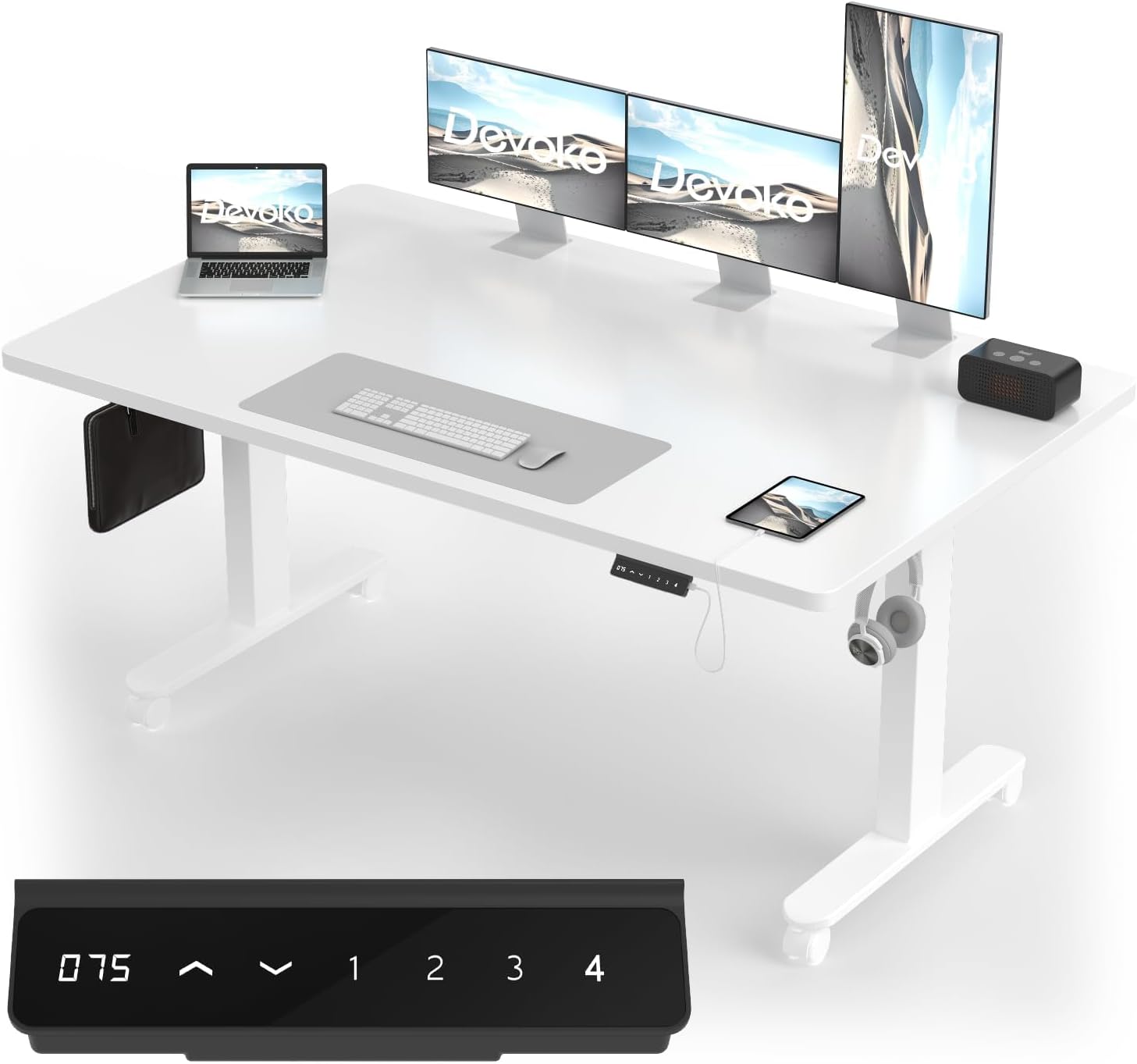
Image: The Devoko Electric Height Adjustable Desk, showcasing its spacious white tabletop, dual monitor setup, laptop, and integrated control panel with USB-A port.
Enfòmasyon sou Sekirite
Pou asire yon operasyon an sekirite epi pou anpeche domaj, tanpri swiv règ sekirite sa yo:
- Ensure all components are correctly assembled before connecting to power.
- Kenbe timoun ak bèt kay lwen biwo a pandan w ap ajiste wotè a.
- Do not place hands or objects near moving parts during operation.
- Avoid overloading the desk. The maximum load capacity is 100 kg (220 lbs).
- Pa chita oswa kanpe sou biwo a.
- Dekonekte pouvwa anvan netwaye oswa antretyen.
- The desk features an anti-collision system. Ensure the area around the desk is clear to allow it to function effectively.
- Sèvi sèlman ak adaptè kouran ak konpozan yo bay la.
Enstalasyon ak Asanble
The Devoko Electric Height Adjustable Desk is designed for straightforward assembly. All necessary tools and detailed instructions are included. Please follow the step-by-step guide provided in the packaging for precise and stable installation.
Karakteristik kle asanblaj:
- Twou pre-perfore: All parts come with pre-drilled holes for quick and accurate alignment.
- Complete Tool Set: A full set of assembly tools is provided.
- Single-Piece Tabletop: The desk features a robust, single-piece tabletop for enhanced stability and durability, unlike multi-panel designs.
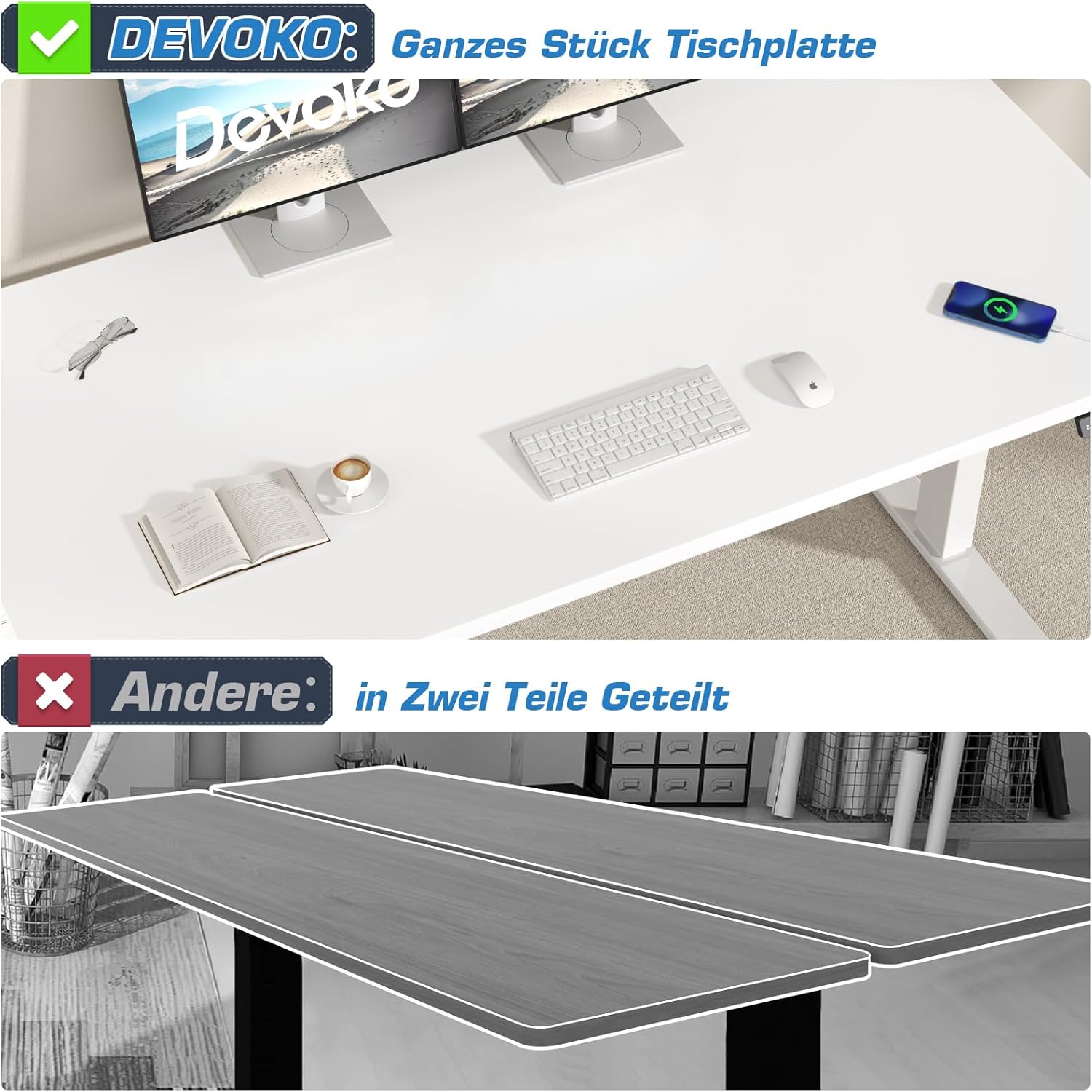
Image: Illustrates the advantage of Devoko's single-piece tabletop construction over a typical multi-piece design, highlighting improved stability and aesthetics.
Jesyon kab:
An integrated cable management system helps keep your workspace tidy and organized. Utilize the provided cable tray and hooks to route and secure power cords and peripheral cables.

Image: Demonstrates the integrated cable management solution, showing a neat setup with cables hidden in an under-desk tray, compared to a cluttered alternative.
Enstriksyon Operasyon
Ajisteman wotè:
Your Devoko desk features an electric height adjustment system with a range of 72 cm to 120 cm (28.3 inches to 47.2 inches). The control panel allows for smooth and precise adjustments.
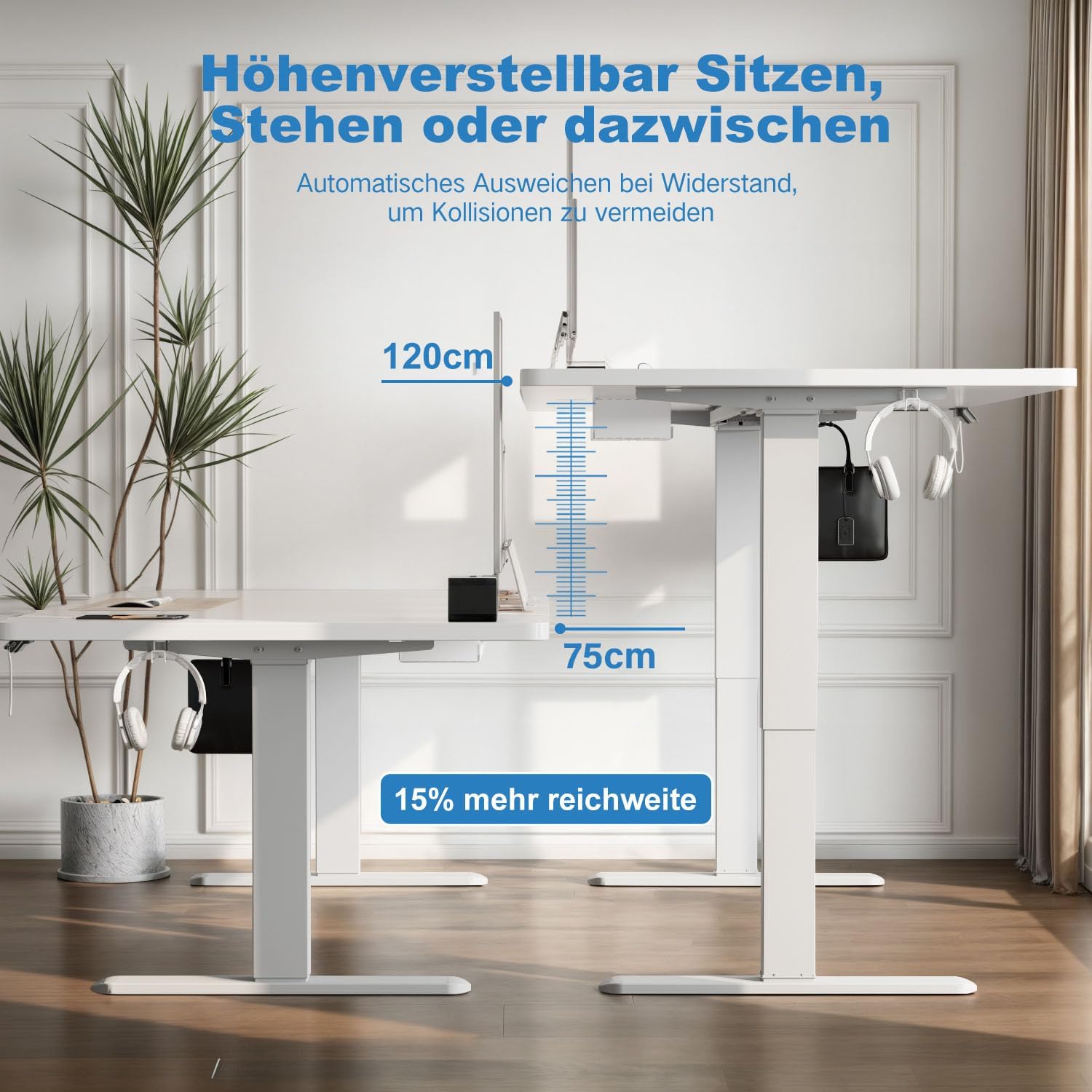
Image: Visual representation of the desk's height adjustment capabilities, illustrating the minimum (75cm) and maximum (120cm) heights.
Fonksyon panèl kontwòl:
The desk is equipped with a 6-button LCD touchscreen control panel. Refer to the image below for button identification and functions:

Imaj: Detaye view of the control panel, indicating the LCD display for current height, up/down adjustment buttons, four memory preset buttons, and the convenient USB-A charging interface.
- Flèch anwo/desann: Peze epi kenbe pou ajiste wotè biwo a kontinyèlman. Lage pou kanpe.
- Prereglaj Memwa (1, 2, 3, 4):
- Ajiste biwo a nan wotè ou vle a.
- Press the "M" button (if present, or hold the number button directly) until the display flashes.
- Press the desired number button (1, 2, 3, or 4) to save the current height.
- To recall a saved height, simply press the corresponding number button.
- USB-A chaje pò: Located on the control panel, this port allows you to charge compatible devices conveniently.
Sistèm Anti-Kolizyon:
The desk is equipped with an anti-collision system that detects obstacles during height adjustment. If an object is detected, the desk will automatically stop and reverse slightly to prevent damage. Ensure the area around the desk is clear for optimal performance of this safety feature.
Sistèm motè doub:
The dual-motor design ensures stable, smooth, and quiet height adjustments. This system enhances the desk's longevity and operational reliability.

Image: Explains the dual-motor mechanism, emphasizing its contribution to faster, smoother, and quieter height adjustments compared to single-motor systems.
Antretyen
- Netwayaj: Siye sifas biwo a ak yon mou, damp cloth. Avoid abrasive cleaners or harsh chemicals that could damage the finish. The tabletop is designed to be waterproof and easy to clean.
- Enspeksyon: Tcheke tout vis ak koneksyon yo detanzantan pou asire yo byen sere. Sere yo ankò si sa nesesè.
- Jesyon kab: Regularly check and organize cables to prevent tangling or damage.
- Kòd pouvwa: Asire w ke kòd elektrik la pa kwense oswa domaje.

Image: Demonstrates the tabletop's durability and ease of cleaning, showing water resistance and its substantial 20mm thickness.
Depanaj
If you encounter issues with your Devoko Electric Height Adjustable Desk, please refer to the following common troubleshooting steps:
| Pwoblèm | Kòz posib | Solisyon |
|---|---|---|
| Biwo a pa deplase. | Power cable disconnected, motor error, or overload. | Check power connections. Reduce load on the desk. Perform a reset (refer to specific reset instructions in your packaged manual, if available). |
| Uneven height adjustment. | Obstruction or uneven weight distribution. | Clear any obstructions. Redistribute weight evenly on the tabletop. |
| Anti-collision system triggers frequently. | Obstacles in the path of movement. | Ensure the area above and below the desk is clear of objects during adjustment. |
| USB-A port not charging. | Device incompatibility or power issue. | Ensure the device is compatible with USB-A charging. Check if the desk is powered on. |
If the problem persists after attempting these solutions, please contact Devoko customer support for further assistance.
Espesifikasyon
| Karakteristik | Detay |
|---|---|
| Mak | Devoko |
| Nimewo Modèl | 0520 |
| Koulè | Blan |
| Dimansyon tab la (L x W) | 160 cm x 80 cm (63 pous x 31.5 pous) |
| Ranje Ajisteman Wotè | 72 santimèt - 120 santimèt (28.3 pous - 47.2 pous) |
| Sistèm motè | Doub motè |
| Lift Speed | 25 mm/s |
| Kapasite chaj maksimòm | 100 kg (220 liv) |
| Materyèl Tabletop | Bwa |
| Materyèl ankadreman | Alloy Steel |
| Karakteristik espesyal | Ergonomic, Height Adjustable, Integrated USB-A Port, Electric, Anti-Collision System, Cable Management, Mobile (with optional wheels) |
| Pwa atik | 19.8 kg (43.6 liv) |
Garanti ak sipò
For warranty information, product support, or to purchase replacement parts, please contact Devoko customer service. Refer to the contact details provided with your product packaging or visit the official Devoko websit.
Devoko Official Store: Visit the Devoko Store on Amazon