
1. Entwodiksyon
Thank you for choosing the Edifier X1 Lite True Wireless Earbuds. This manual provides detailed instructions for setting up, operating, and maintaining your new earbuds to ensure optimal performance and longevity. Please read this manual thoroughly before use.

Image: Edifier X1 Lite True Wireless Earbuds in their open charging case.
2. Ki sa ki nan bwat la
The Edifier X1 Lite package includes the following components:
- Edifier X1 Lite True Wireless Earbuds (Left and Right)
- Ka chaje
- USB Chaje Kab
- Manyèl Itilizatè (dokiman sa a)
3. Enstalasyon
3.1 Premye chaj
Anvan premye itilizasyon an, chaje ekoutè yo ak bwat chaje a nèt.
- Mete tou de ekouteur nan ka chaje a.
- Konekte kab chaje USB a nan pò chaje ki sou bwat la epi nan yon sous kouran (pa egzanp, adaptè miray USB, pò USB òdinatè).
- The indicator light on the charging case will show charging status. Refer to the LED indicator section for details.
- Yon chaj konplè pran apeprè 1.5 èdtan pou kouvèti a ak ekoutè yo.
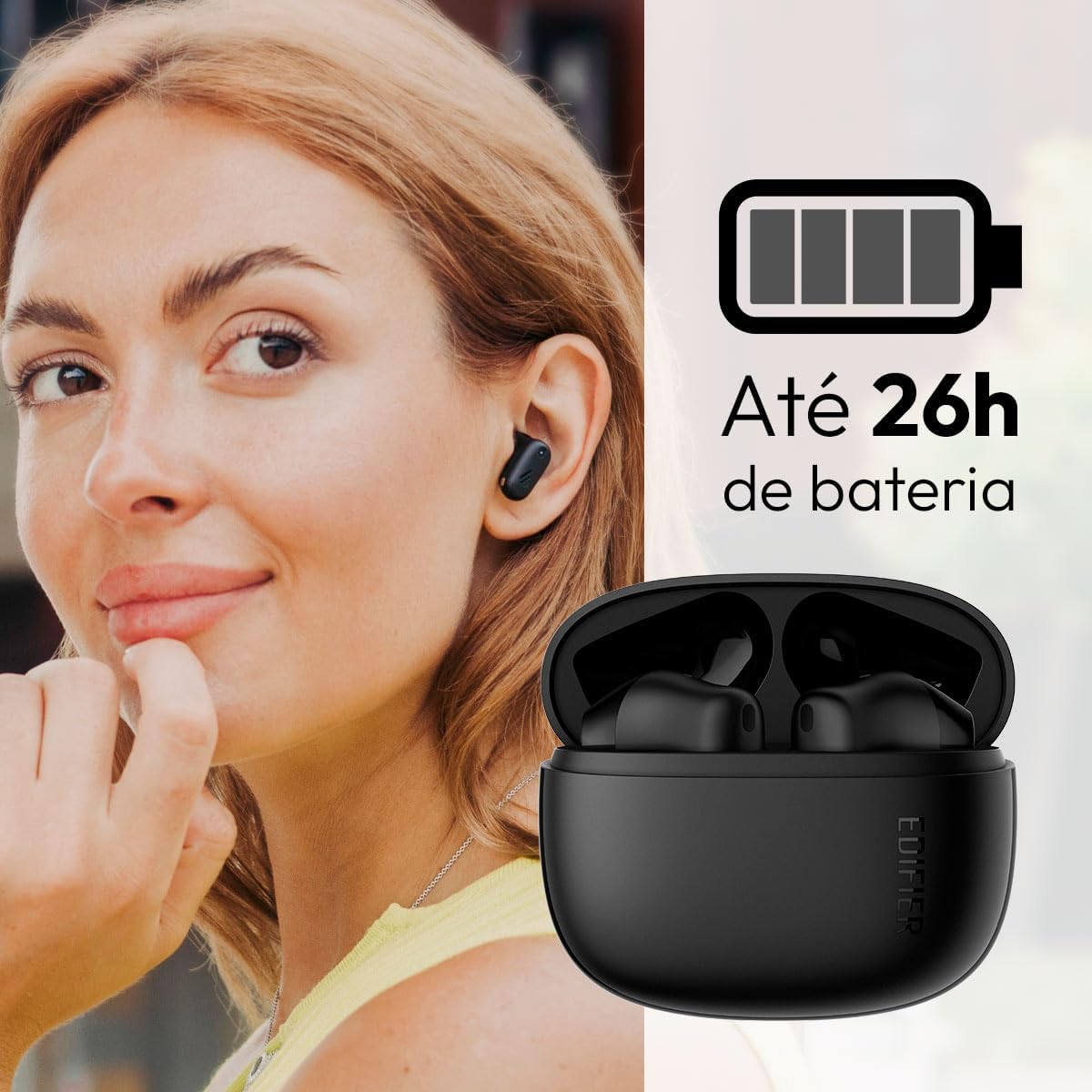
Image: Woman wearing an earbud, with the charging case and a battery icon indicating charging.
Fast Charging Feature:
A 15-minute quick charge can provide approximately 1.5 hours of playtime for the earbuds.

Image: Visual representation of battery life and fast charging capabilities.
3.2 Bluetooth Pairing
Follow these steps to pair your Edifier X1 Lite earbuds with your device:
- Koup premye fwa: Open the charging case. The earbuds will automatically power on and enter pairing mode. The indicator light on the earbuds will flash rapidly.
- Sou aparèy ou an (telefòn entelijan, tablèt, òdinatè pòtab), aktive Bluetooth.
- Chèche pou "EDIFIER X1 Lite" in the list of available Bluetooth devices.
- Select "EDIFIER X1 Lite" to connect. Once connected, the indicator lights on the earbuds will turn off, and you will hear a confirmation tone.
- Re-pairing/Connecting to a New Device: If the earbuds are already connected to another device, disconnect them first. Alternatively, with the earbuds in the case and the lid open, press and hold the button on the charging case for 3 seconds to enter pairing mode.

Image: Man using earbuds, highlighting Bluetooth 5.4 connectivity.
3.3 Enstalasyon Aplikasyon Edifier ConneX la
For enhanced features and customization, download the EDIFIER ConneX app:
- Scan the QR code provided in the image below or visit the official Edifier app download page.
- Enstale app a sou smartphone ou oswa grenn.
- Open the app and follow the on-screen instructions to connect your X1 Lite earbuds.
- The app allows for sound effect customization, game mode activation, and touch control settings.

Image: EDIFIER ConneX app interface with QR code. Download the Edifier ConneX App
4. Operasyon Enstriksyon
4.1 Mete ekoutè yo
Proper fit ensures optimal sound quality and comfort:
- Idantifye ekoutè gòch (L) ak dwa (R).
- Mete chak ekoutè dousman nan kanal zòrèy ki koresponn lan.
- Vire ekoutè a yon ti kras jiskaske li santi l byen fèm epi konfòtab.

Image: Man demonstrating proper earbud placement.
4.2 Power On/Off
- Pouvwa sou: Ekoutè yo limen otomatikman lè yo retire yo nan bwat chaje a.
- Pouvwa Off: The earbuds automatically power off and begin charging when placed back into the charging case and the lid is closed.
4.3 Kontwòl manyen
The Edifier X1 Lite earbuds feature touch-sensitive controls on each earbud. These controls can be customized via the EDIFIER ConneX app.
| Aksyon | Ekoutè gòch (L) | Ekoutè dwat (R) |
|---|---|---|
| Reponn/Fen Apèl | Double Tap | Double Tap |
| Rejte apèl | Triple Tap | Triple Tap |
| Jwe/Poz Mizik | Double Tap | Double Tap |
| Next Track | N/A (Customize via App) | Triple Tap |
| Previous Track | Triple Tap | N/A (Customize via App) |
| Mode jwèt On/Off | Tape Kat Plizyè | Tape Kat Plizyè |
Note: These are default settings. Functions can be reconfigured using the EDIFIER ConneX app.

Imaj: Gid vizyèl pou kontwòl taktil ekoutè yo.
5. Antretyen
5.1 Netwayaj
- Netwaye ekoutè yo ak bwat chaje a regilyèman avèk yon twal mou, sèk, epi ki pa gen pousyè.
- Pa sèvi ak pwodui netwayaj abrazif, alkòl, oswa solvan chimik.
- Asire w ke kontak chaje yo sou tou de ekoutè yo ak sou bwat la pwòp epi san debri pou kenbe yon chajman kòrèk.
5.2 Rezistans dlo (IP54)
The Edifier X1 Lite earbuds are IP54 rated, meaning they are protected against dust ingress and splashing water from any direction. This makes them suitable for workouts and light rain.
- Pa plonje ekoutè yo nan dlo.
- Bwat chaje a pa reziste dlo. Kenbe l sèk.
- If earbuds get wet, wipe them dry completely before placing them back in the charging case to prevent damage.

Image: Demonstrating IP54 sweat resistance during exercise.
5.3 Swen Batri
- Evite ekspoze ekoutè yo ak bwat la nan tanperati ekstrèm (cho oswa frèt).
- Sere aparèy la nan yon kote ki fre, sèk lè li pa itilize.
- Chaje aparèy la regilyèman, menm si ou pa itilize li souvan, pou kenbe batri a an bon eta.
NAN. Depanaj
If you encounter issues with your Edifier X1 Lite earbuds, refer to the following common problems and solutions:
6.1 Pa gen son oswa koneksyon tanzantan
- Tcheke batri: Asire w ke tou de ekoutè yo ak bwat chaje a byen chaje.
- Re-pè: Dekonekte ekoutè yo nan paramèt Bluetooth aparèy ou an epi re-asosye yo.
- Distans: Ensure the earbuds are within the Bluetooth range (typically 10 meters) of your device.
- Entèferans: Move away from strong Wi-Fi signals or other Bluetooth devices that might cause interference.
- Reyajiste: Place both earbuds in the charging case, close the lid, wait a few seconds, then open the lid and try pairing again.
Ekoutè 6.2 yo pa chaje
- Tcheke kab: Asire w ke kab chaje USB a byen konekte ak tou de bwat la ak sous kouran an.
- Sous pouvwa: Eseye yon lòt pò USB oswa adaptè miray.
- Kontak pwòp: Clean the charging contacts on the earbuds and inside the charging case with a dry cotton swab.
- Bon Plasman: Asire w ke ekoutè yo byen chita nan bwat chaje a.
6.3 Kalite apèl ki pa bon
- Obstriksyon mikwofòn: Ensure the microphone on the earbuds is not covered.
- Anviwònman: Move to a quieter environment if possible. The AI algorithm helps, but extreme noise can still affect clarity.
- Estabilite koneksyon: Asire yon koneksyon Bluetooth ki estab.

Image: Man using earbuds for a clear call, highlighting AI voice pick-up technology.
6.4 Pwoblèm Koneksyon Aplikasyon an
- Bluetooth limen: Ensure Bluetooth is enabled on your device and the earbuds are connected.
- Otorizasyon aplikasyon: Check if the EDIFIER ConneX app has necessary Bluetooth and location permissions.
- Rekòmanse aplikasyon/aparèy la: Fèmen epi relouvri aplikasyon an, oswa rekòmanse smartphone ou a.
- Mizajou aplikasyon an: Asire w ke aplikasyon an mete ajou ak dènye vèsyon an.
7. Espesifikasyon
| Karakteristik | Detay |
|---|---|
| Non modèl | X1 Lite |
| Koneksyon Teknoloji | San fil (Bluetooth) |
| Bluetooth vèsyon | 5.4 |
| Kalite chofè odyo | Dynamic Driver (Φ13mm) |
| Gamme frekans | 20Hz-20kHz |
| Lavi batri | Jiska 7 èdtan (koutè), jiska 26 èdtan (ak ka chaje) |
| Chaje vit | 15 minit chaj pou 1.5 èdtan tan lekti |
| Ba Latansi | 60 ms |
| Rezistans dlo | IP54 (Ekoutè sèlman) |
| Mikwofòn | Single Mic AI algorithm voice pick-up |
| Metòd kontwòl | Touch Control, App (EDIFIER ConneX) |
| Materyèl | Plastik |
| Earbud Pwa | Apeprè 4g pou chak ekoutè |
| Koulè | Nwa |
8. Garanti ak sipò
Edifier products are designed with quality and reliability in mind. For warranty information and customer support, please refer to the official Edifier websit la oubyen kontakte sèvis kliyan yo dirèkteman.
- Ofisyèl Websit: Vizite www.edifier.com pou anrejistreman pwodwi, FAQ, ak resous sipò.
- Sèvis Kliyan: Contact Edifier customer support for technical assistance or warranty claims. Contact details can typically be found on the official websit oswa nan anbalaj pwodwi a.
Tanpri konsève prèv acha ou a pou rezon garanti.