
Entwodiksyon
Thank you for choosing the Weofly Active Smart Watch. This manual provides essential information for setting up, operating, and maintaining your device. Please read it carefully to ensure proper use and to maximize the features of your smartwatch.
Imaj: Plis paseview of the Weofly Active Smart Watch's key features, including its 1.85-inch TFT color screen, wireless calling capability, 24-hour health management, over 100 sport modes, and a 7-day battery life.
Ki sa ki nan bwat la
Verifye ke tout konpozan yo prezan nan pake a:
- Weofly Active Smart Watch
- Chaje kab
- Manyèl Itilizatè (dokiman sa a)
Enstalasyon
1. Chaje Aparèy la
Before first use, fully charge your smartwatch. Connect the magnetic charging cable to the charging contacts on the back of the watch and plug the USB end into a standard USB power adapter (not included).
- Yon chaj konplè pran apeprè 2.5 èdtan anjeneral.
- The watch will display a charging indicator.
2. Enstalasyon ak koneksyon aplikasyon an
To unlock the full functionality of your Weofly Active Smart Watch, you need to install the companion application on your smartphone and pair the devices.
- Telechaje App a: Scan the QR code provided in the quick start guide or search for the official Weofly app in your smartphone's app store (App Store for iOS, Google Play Store for Android).
- Kreye yon kont: Louvri aplikasyon an epi swiv enstriksyon ki sou ekran an pou kreye yon nouvo kont itilizatè oubyen konekte si ou deja genyen youn.
- Konekte mont lan:
- Asire w ke Bluetooth aktive sou smartphone ou.
- Open the app and navigate to the 'Device' or 'Add Device' section.
- The app will search for available devices. Select 'Weofly Active' from the list.
- Konfime demann koneksyon an sou tou de smartphone ou ak smartwatch la.
- Ranpli Enstalasyon: Swiv nenpòt lòt enstriksyon ki rete nan aplikasyon an pou konfigire pwofesyonèl ou a.file, permissions, and initial preferences.
Enstriksyon Operasyon
1. Navigasyon debaz
The Weofly Active Smart Watch features a 1.85-inch HD touchscreen for intuitive control.
- Glise anlè/desann: Defile nan meni yo ak notifikasyon yo.
- Glise agoch/dwat: Jwenn aksè a fonksyon rapid oswa diferan ekran done.
- Tape: Chwazi yon atik oubyen konfime yon aksyon.
- Bouton bò: Peze pou reveye ekran an, retounen nan ekran prensipal la, oubyen pou jwenn aksè nan meni prensipal la.
2. Rele Fonksyon
The smartwatch allows you to make and receive calls directly from your wrist when connected to your smartphone via Bluetooth.
- Reponn apèl: Lè yon apèl rive, tape ikòn telefòn vèt la sou ekran mont lan.
- Fè apèl: Access the 'Phone' or 'Dialer' function on the watch to dial a number or select from recent contacts.
- Ajisteman Volim: Ajiste volim apèl la dirèkteman sou mont lan pandan yon apèl.
- Men-Lib: Utilize the watch's built-in speaker and microphone for hands-free communication.

Image: The smartwatch displaying incoming message alerts and options for answering or making calls wirelessly.
3. Mòd Espò
The Weofly Active Smart Watch supports over 100 sport modes to track your physical activities.
- Accessing Sport Modes: Navigate to the 'Workout' or 'Sport' section on your watch.
- Chwazi yon mòd: Choose from activities such as walking, running, cycling, skipping, basketball, and more.
- Tracking Data: The watch automatically records daily exercise data including steps, distance, activity time, and calories burned.

Image: The smartwatch interface showing various sport modes and activity tracking data such as calories, steps, heart rate, SpO2, time, and distance.
4. Siveyans Sante
Monitor your health with continuous tracking features.
- Siveyans batman kè: The watch provides 24-hour heart rate monitoring. View your current heart rate and historical data in the app.
- Oksijèn nan san (SpO2): Measure your blood oxygen levels on demand or view trends in the app.
- Suivi dòmi: The watch automatically tracks your sleep patterns, including light sleep, deep sleep, and awake times. Review sleep quality analysis in the app to improve your sleep habits.

Image: The smartwatch screen showing sleep tracking data, indicating light sleep, deep sleep, and awake periods, along with total sleep duration.
5. Notifikasyon
Receive notifications for SMS, emails, and various applications directly on your smartwatch.
- Ensure notification permissions are granted to the Weofly app on your smartphone.
- Notifications will appear on the watch screen. Swipe up or down to view yo.
- Note: The watch allows viewing notifications but does not support replying to messages directly.
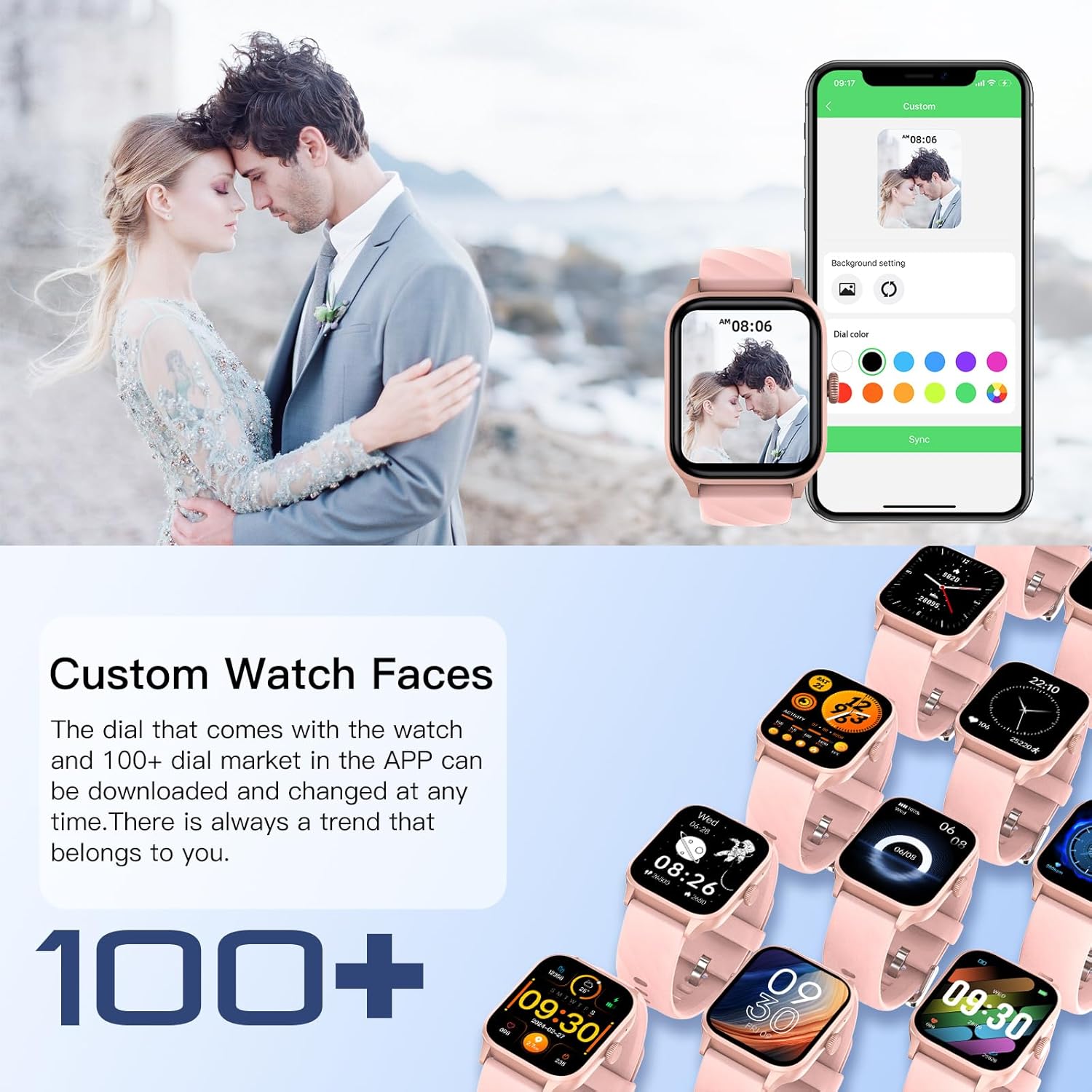
6. Kadran Mont Pèsonalize
Pèsonalize mont entelijan ou a avèk yon varyete kadran mont.
- The watch comes with pre-installed watch faces.
- Access over 100 additional watch faces through the companion app's 'Dial Market'.
- You can also use your own photos to create custom watch faces.
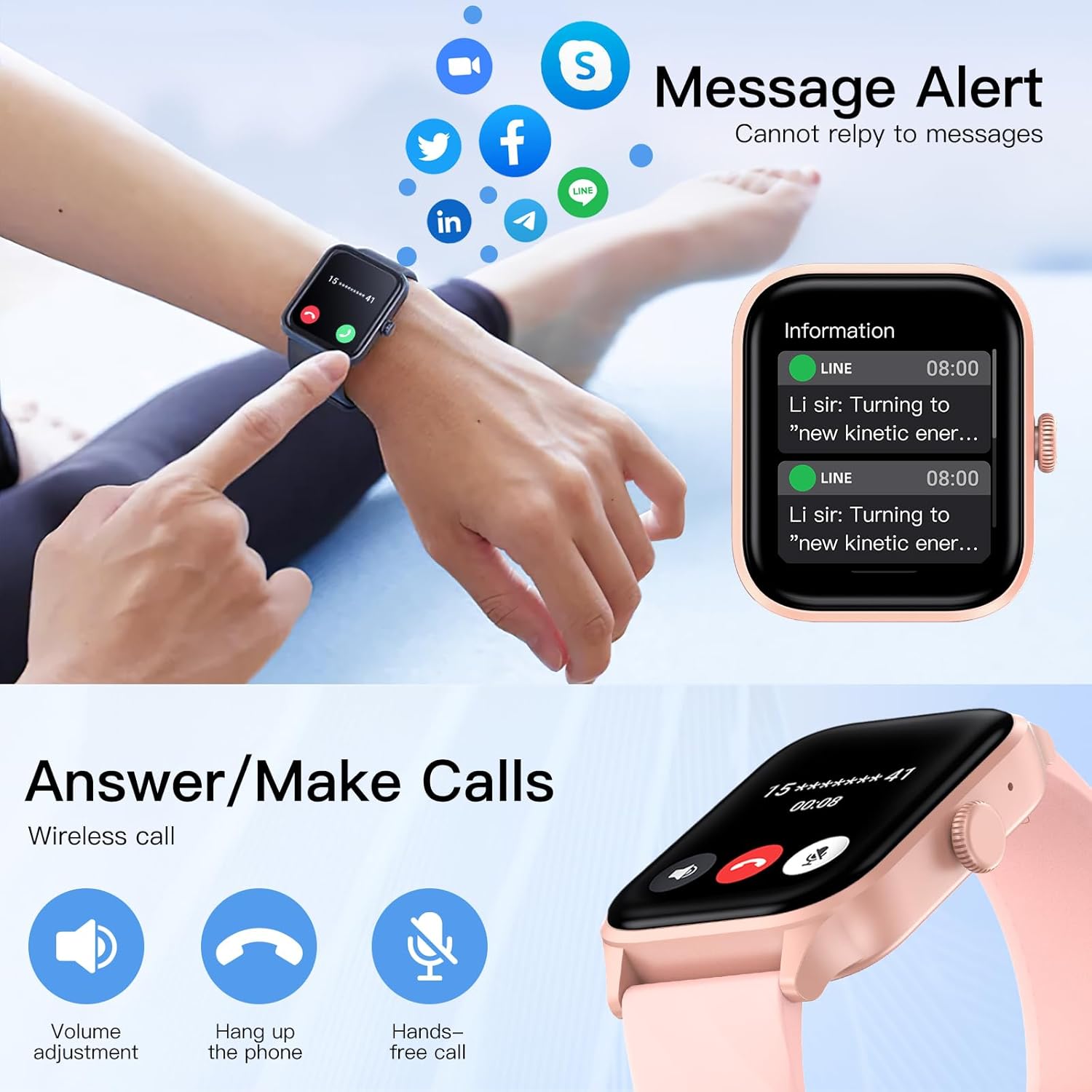
Image: The smartwatch and companion app interface showing options for customizing watch faces, including selecting from a gallery or using personal photos.
Antretyen
1. Netwayaj
Regularly clean your smartwatch to ensure optimal performance and hygiene.
- Siye ekran an ak kò mont lan ak yon twal mou ki pa gen pousyè.
- Si sa nesesè, dampRense twal la yon ti kras avèk dlo. Evite itilize pwodui chimik ki agresif oswa materyèl abrazif.
- Clean the charging contacts periodically to ensure a good connection.
2. Rezistans dlo (IP67)
The Weofly Active Smart Watch has an IP67 water resistance rating.
- This means it is resistant to sweat, hand washing, and rain.
- Enpòtan: Do not use the watch for swimming, diving, or showering with hot water, as this can compromise the water seal.
3. Swen batri
Pou pwolonje lavi batri:
- Evite dechaje batri a nèt souvan.
- Charge the watch in a cool, dry environment.
- If storing the watch for an extended period, charge it to about 50% and store it in a cool, dry place.
Depanaj
If you encounter issues with your Weofly Active Smart Watch, try the following solutions:
- Mont lan pa limen: Asire w ke mont lan chaje nèt. Konekte l nan plato a pou omwen 30 minit.
- Pa ka konekte ak telefòn nan:
- Asire w ke Bluetooth la aktive sou telefòn ou ak sou mont lan.
- Asire w ke mont lan nan zòn telefòn ou an.
- Rekòmanse telefòn ou ak mont lan.
- Eseye dekonekte epi konekte aparèy la ankò atravè aplikasyon an.
- Done sou sante ki pa egzak: Ensure the watch is worn snugly on your wrist, about one finger's width from your wrist bone. Avoid excessive movement during measurements.
- Notifikasyon ki pa resevwa:
- Check app notification settings on your phone and within the Weofly app.
- Asire w ke mont lan konekte ak telefòn ou atravè Bluetooth.
- Dezaktive epi reaktive notifikasyon yo nan aplikasyon an.
- Kout lavi batri:
- Diminye klète ekran an.
- Limite siveyans kontinyèl batman kè a si sa pa nesesè.
- Etenn notifikasyon ki pa nesesè yo.
If problems persist, please contact Weofly customer support.
Espesifikasyon
| Mak | Weofly |
| Non modèl | Aktif |
| Dimansyon pwodwi | 3.8 x 4.5 x 1.01 cm |
| Pwa | 39 gram |
| Gwosè ekran | 1.85 pous |
| Kalite ekspozisyon | TFT Touchscreen |
| Kapasite batri | 260 mAh Lityòm Polymère |
| Dire Batri (Itilizasyon Nòmal) | 5-7 jou |
| Tan sibstiti | Jiska 35 jou |
| Tan pou chaje | Apeprè. 2.5 èdtan |
| memwa | 128 MB |
| Koneksyon | Bluetooth |
| Rezistans dlo | IP67 |
| Karakteristik espesyal | Weather forecast, Alarm clock, Call function, Activity tracker, Multisport tracker, Heart Rate, Blood Oxygen, Sleep Monitoring |

Image: Diagram illustrating the physical dimensions of the Weofly Active Smart Watch, including length, width, thickness, and strap length.
Garanti ak sipò
For warranty information and customer support, please refer to the warranty card included with your product or visit the official Weofly websit la. Kenbe resi acha ou kòm prèv acha.
Enfòmasyon pou kontakte: Please refer to the contact details provided on the official Weofly website or your product packaging for support.