
Entwodiksyon
Thank you for choosing the Parsonver 5ATM Waterproof Smart Watch. This manual provides essential information for setting up, operating, and maintaining your device. Please read it carefully to ensure proper use and to maximize the watch's features.

Image: The Parsonver 5ATM Waterproof Smart Watch, showcasing konsepsyon elegant li yo.
Gid Enstalasyon
1. Chaje Aparèy la
Before first use, fully charge your Parsonver Smart Watch. Connect the magnetic charging cable to the charging contacts on the back of the watch and plug the USB end into a standard USB power adapter (not included).
- Yon chaj konplè pran apeprè 2 èdtan anjeneral.
- The watch display will show the charging status.
2. Telechaje aplikasyon an ak koneksyon an
To unlock all features, download the official Parsonver app on your smartphone.
- Scan the QR code provided in the watch's packaging or search for "Parsonver" in your smartphone's app store (iOS App Store or Google Play Store).
- Enstale epi louvri aplikasyon an.
- Asire w ke Bluetooth aktive sou smartphone ou.
- In the app, follow the on-screen instructions to add your device. Select your Parsonver Smart Watch from the list of available devices.
- Konfime demann koneksyon an sou mont ou ak sou telefòn entelijan ou.
Note: If you have a 2-pack, repeat the pairing process for the second watch with the same or a different smartphone as desired.
3. Premye Anviwònman
After successful pairing, you can customize basic settings through the app, such as time format, unit preferences, and personal profile enfòmasyon.
Enstriksyon Operasyon
Navigasyon debaz
- Ekran tactile: Glise anlè, anba, agoch, oswa adwat pou navige nan meni ak notifikasyon yo. Tape pou chwazi atik yo.
- Bouton bò kote yo: Typically, a short press returns to the previous screen or watch face. A long press may access power options or a quick menu. Refer to the watch's on-screen prompts for specific button functions.
Smart Calls & Notifications
Stay connected by receiving call, text, and app notifications directly on your wrist.
- Apèl k ap rantre: The watch will display caller ID. You can reject calls directly from the watch. Answering calls is not supported directly on the watch.
- Mesaj: View SMS, emails, and alerts from apps like WhatsApp, LinkedIn, Instagram, ak Twitter.
- Enstalasyon: Enable desired notifications through the Parsonver app on your smartphone.
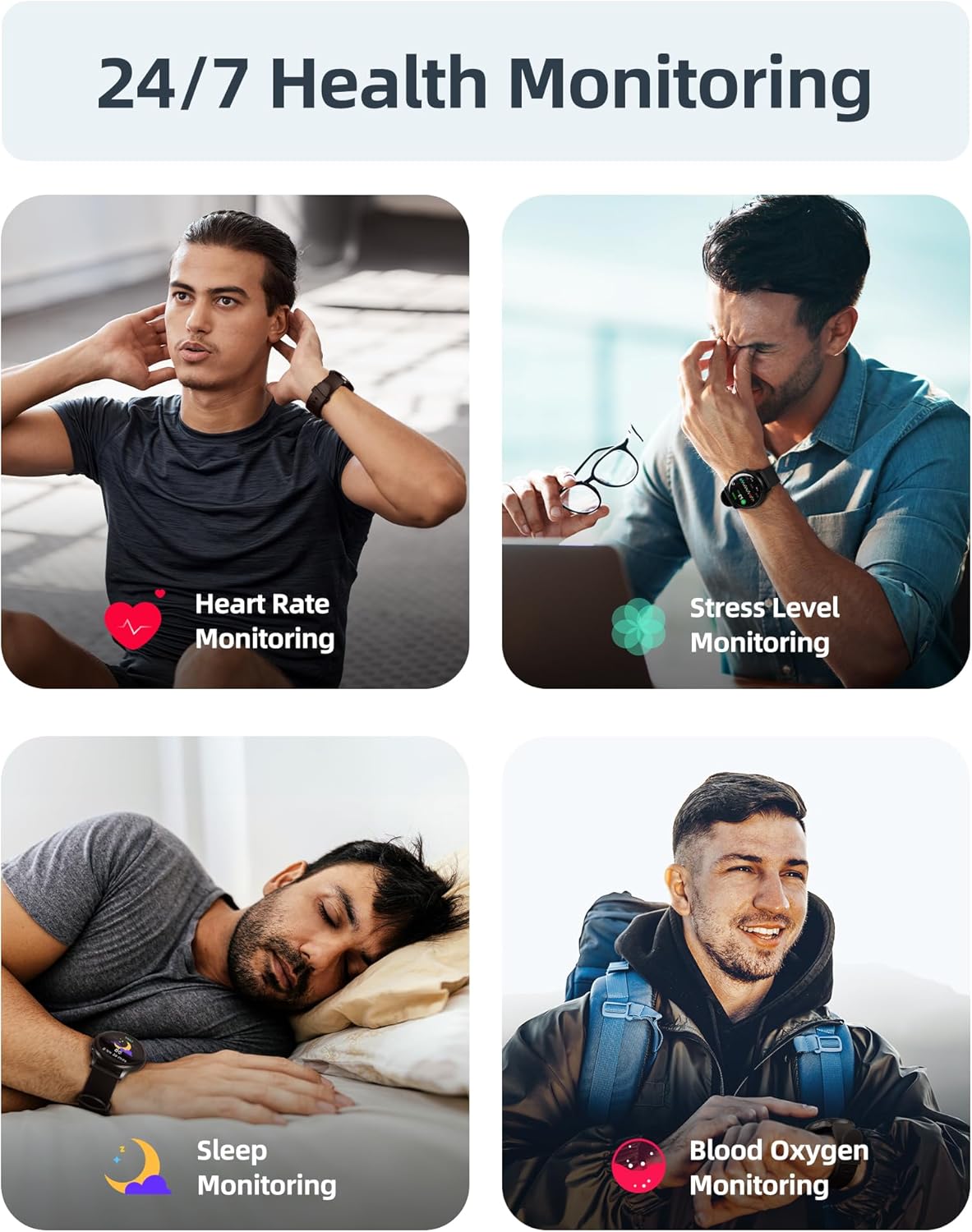
Image: A user interacting with the smartwatch to manage incoming calls and view notifikasyon aplikasyon yo.
Siveyans Sante 24 sou 24, 7 jou sou 7
The watch continuously monitors various health metrics to help you stay informed about your well-being.
- Siveyans batman kè: Suivi batman kè an tan reyèl pandan tout jounen an.
- Mezi Oksijèn nan San (SpO2): On-demand or continuous blood oxygen level monitoring.
- Analiz dòmi: Suiv dòmitages (pwofon, lejè, REM) epi li bay apèsi sou kalite dòmi.
- Siveyans Nivo Estrès: Helps identify periods of high stress.
- Avètisman Sedantè: Raple ou pou ou deplase apre peryòd inaktivite.
- Suivi Sik Menstruèl: Specialized tracking for female users.

Image: Visual representation of the smartwatch's health monitoring capabilities, including heart rate, stress, sleep, and blood oxygen tracking.
110+ Sports Modes & Fitness Tracking
Track your workouts with a wide range of sports modes, both indoors and outdoors.
- Suivi aktivite: Monitors steps, calories burned, distance, and active time.
- Mòd sipòte: Includes walking, running, cycling, swimming, yoga, gym workouts, and many more.
- Done senkronize: All workout data is synced to the Parsonver app for detailed analysis and progress tracking.

Image: A person cycling while wearing the smartwatch, with an overlay showing different sports modes like treadmill, outdoor running, and yoga.
5ATM Waterproof & Swim Tracking
The Parsonver Smart Watch is rated 5ATM waterproof, suitable for swimming and daily water exposure up to 50 meters.
- Swimming Metrics: Automatically detects swim strokes (Butterfly, Backstroke, Breaststroke, Freestyle) and provides data on stroke count, stroke rate, and SWOLF score.
- Itilizasyon: Ideal for pool swimming and open water activities. Not suitable for diving or high-pressure water activities.
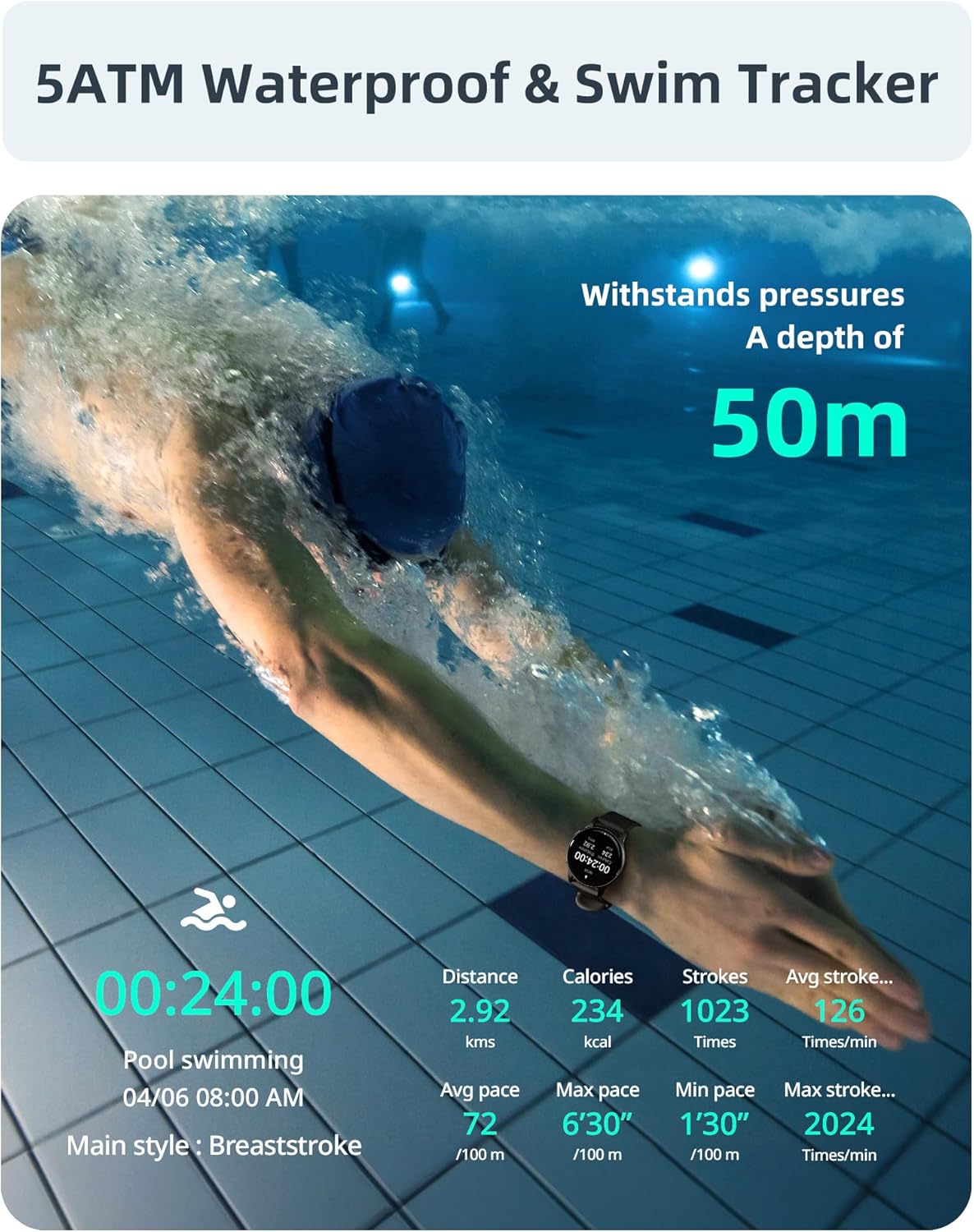
Image: A swimmer in a pool, with the smartwatch displaying swim tracking data such as distance, calories, strokes, and average pace.
Customizable Montre figi
Personalize your watch with over 200 customizable watch faces available through the Parsonver app.
- Seleksyon: Choose from a wide variety of built-in and dynamic watch faces.
- Pèsonalizasyon: Upload your own photos to create unique watch faces.

Image: The smartwatch screen showing various customizable watch face options, including a photo of a family.
Antretyen ak Swen
- Netwayaj: Netwaye mont ou ak braslè ou regilyèman avèk yon twal mou.amp twal. Evite pwodui chimik ki agresif oswa materyèl abrazif.
- Ekspozisyon dlo: While 5ATM waterproof, it is recommended to rinse the watch with fresh water after exposure to saltwater or chlorinated water to prevent corrosion. Dry thoroughly.
- Swen senti: The watch features an anti-allergic, soft, and comfortable strap. Ensure it is not too tight or too loose for optimal comfort and sensor accuracy.
- Swen batri: Avoid extreme temperatures. Do not fully discharge the battery for extended periods. Charge regularly to prolong battery life.
- Depo: Sere mont lan nan yon kote ki fre epi sèk lè w pa ap itilize li.

Image: Close-up of the smartwatch, emphasizing its lightweight design (37g) and the anti-allergic, soft, and comfortable strap material.
Depanaj
- Gade a pa limen: Asire w ke mont lan chaje nèt. Konekte l nan plato a pou omwen 30 minit.
- Pa ka konekte ak Smartphone:
- Asire w ke Bluetooth la aktive sou telefòn ou ak sou mont lan.
- Asire w ke mont lan nan zòn Bluetooth telefòn ou an.
- Rekòmanse telefòn ou ak mont lan.
- Try unpairing and re-pairing through the Parsonver app.
- Done Sante ki pa kòrèk:
- Asire w ke mont lan byen sere sou ponyèt ou, men pa twò sere.
- Netwaye detèktè ki sou dèyè mont lan.
- Evite twòp mouvman pandan mezi yo.
- Notifikasyon ki pa parèt:
- Check notification settings in the Parsonver app.
- Ensure app notifications are enabled in your phone's system settings.
- Verifye ke mont lan konekte via Bluetooth.
- Reset faktori: If issues persist, you may perform a factory reset via the watch's settings menu. This will erase all data on the watch and restore it to its original state.
Espesifikasyon
| Mak | Parsonver |
| Modèl | Parsonver 5ATM Waterproof Smart Watch |
| Rezistans dlo | 5ATM (jiska 50 mèt) |
| Ekspozisyon | 1.8-pous HD Touchscreen |
| Karakteristik espesyal | Heart Rate Monitor, Blood Oxygen Monitor, Sleep Tracker, Stress Monitor, 110+ Sports Modes, Smart Notifications |
| Fòm | Round |
| Pwa | 37g (approximate, watch body only) |
| ASIN | B0DH2P2SJP |
Garanti ak sipò
For warranty information, please refer to the documentation included with your product or visit the official Parsonver website. If you encounter any issues or require technical assistance, please contact Parsonver customer support through their official channels.
Ou ka souvan jwenn enfòmasyon kontak pou sipò a sou sit entènèt manifakti a. website or within the Parsonver application.