
SKYSHL SS322T-2A3
SKYSHL SS322T-2A3 Single Mode OTDR Fiber Tester User Manual
Model: SS322T-2A3
1. Entwodiksyon
This manual provides detailed instructions for the operation and maintenance of the SKYSHL SS322T-2A3 Single Mode Optical Time Domain Reflectometer (OTDR). This device is designed for comprehensive fiber optic testing, integrating OTDR, Optical Power Meter (OPM), Optical Light Source (OLS), and Visual Fault Locator (VFL) functionalities. It is suitable for various applications including fiber network construction, maintenance, and fault location.
2. Enfòmasyon sou Sekirite
Please read and understand all safety warnings and operating instructions before using this device. Failure to follow these instructions may result in injury or damage to the device.
- Radyasyon lazè: The VFL and OLS emit laser radiation. Avoid direct eye exposure to the laser beam. Never look directly into the optical output ports.
- Optical Connectors: Always ensure optical connectors are clean before use. Contaminated connectors can lead to inaccurate measurements and damage to the device or fiber.
- Pwovizyon pou pouvwa: Use only the specified power adapter and battery type. Do not attempt to open or modify the battery pack.
- Kondisyon anviwònman: Operate the device within the specified temperature and humidity ranges. Avoid exposure to extreme temperatures, moisture, or corrosive environments.
- Antretyen: Refer all servicing to qualified personnel. Do not attempt to disassemble the device.
3. Pake kontni
Verify that all items listed below are included in your package. If any items are missing or damaged, contact your supplier immediately.

Figure 3.1: The SKYSHL SS322T-2A3 OTDR and its complete set of accessories, including various fiber optic connectors, patch cables, cleaning swabs, USB cable, power adapter, and user manual.
- 1x SKYSHL SS322T-2A3 SM OTDR Fiber Tester
- 2x SM FC-FC Fiber Optic Patch Cables
- Various Connectors: FC, SC, LC, ST
- Flanges: FC-SC, FC-ST, FC-FC, FC-LC
- Adaptè pouvwa
- USB kab
- Manyèl itilizatè
- Pote sak
- Netwayaj Tib
4. Aparèy souview
The SKYSHL SS322T-2A3 features a robust design with a 7-inch touch screen for intuitive operation. Key components include optical ports for OTDR, OPM, OLS, and VFL functions, along with control buttons and a power input.

Figi 4.1: Devan view of the SS322T-2A3 OTDR, showing the 7-inch touch screen display and the navigation/function buttons on the right side.

Figi 4.2: Top view of the SS322T-2A3, highlighting the various optical ports for OTDR (UPC/APC), VFL, and OPM, along with USB and Ethernet ports.
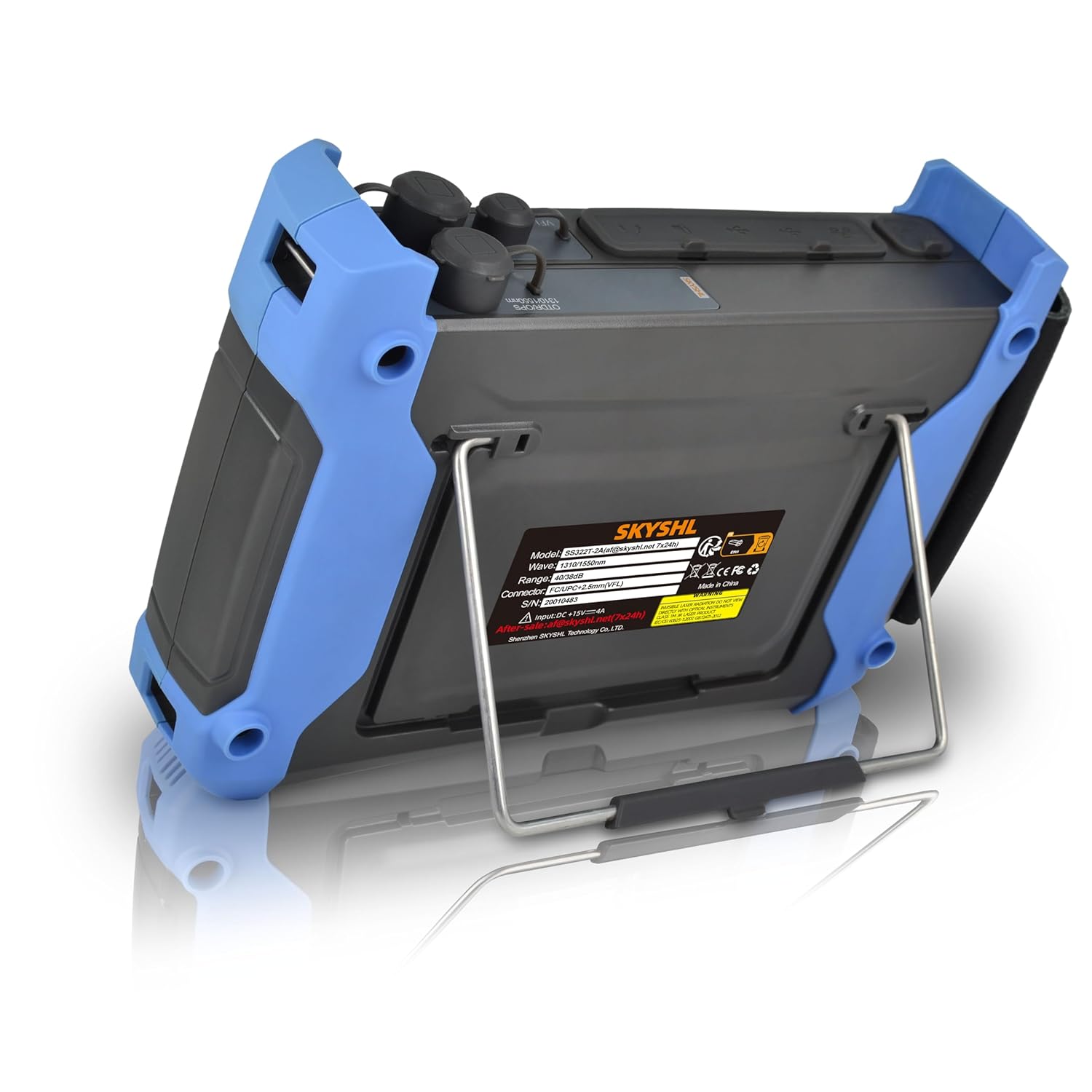
Figi 4.3: Dèyè view of the SS322T-2A3, showing the integrated kickstand for convenient desktop use and product information label.
5. Enstalasyon
5.1. Premye Limen
- Ensure the device is fully charged or connected to the power adapter.
- Press and hold the power button (usually located at the bottom right of the control panel) until the screen illuminates.
- Aparèy la pral demaraj epi montre meni prensipal la.
5.2. Connecting Optical Fibers
Before connecting any fiber, ensure the connector end-face is clean. Use the provided cleaning swabs for optimal performance and to prevent damage.
- Identify the correct optical port for your test (OTDR, VFL, OPM).
- Select the appropriate adapter (SC, FC, ST, LC) for your fiber connector type.
- Gently insert the cleaned fiber connector into the device's port until it clicks into place.
6. Operasyon Modes
The SS322T-2A3 integrates multiple testing functions. Navigate through the main menu using the touch screen or physical buttons to select the desired mode.
6.1. OTDR (Optical Time Domain Reflectometer)
The OTDR function is used to characterize optical fibers, locate faults, and measure loss. The SS322T-2A3 supports 1310nm and 1550nm wavelengths with dynamic ranges of 40dB and 38dB respectively, allowing for testing distances up to 165km.

Figi 6.1: Yon egzanpample of an OTDR test curve displayed on the device, illustrating various fiber events and their corresponding distance and attenuation values.

Figure 6.2: A side-by-side comparison of OTDR test curves for 1310nm and 1550nm wavelengths, demonstrating different measurement parameters and results.
Performing an OTDR Test:
- From the main menu, select "OTDR".
- Configure test parameters such as wavelength (1310nm or 1550nm), pulse width, range, and test mode (Auto or Manual).
- Connect the fiber to be tested to the OTDR port.
- Press the "Start" button to initiate the test.
- The device will display the OTDR trace and an event table.
Nòt: The smaller the pulse width, the smaller the event dead zone (0.8m typical) and attenuation dead zone (4.5m typical), allowing for detection of close-range faults. However, a smaller pulse width also results in a smaller dynamic range.
6.2. OPM (Optical Power Meter)
The OPM measures the optical power of a fiber optic signal. The SS322T-2A3 supports wavelengths from 850nm to 1650nm and a power range of -60 to +3dBm.
Using the OPM:
- From the main menu, select "OPM".
- Connect the fiber to the OPM port.
- The device will display the measured optical power in dBm.
6.3. OLS (Optical Light Source)
The OLS provides a stable optical signal for loss measurements when paired with an OPM. The SS322T-2A3 offers 1310nm and 1550nm wavelengths.
Using the OLS:
- From the main menu, select "OLS".
- Select the desired wavelength (1310nm or 1550nm).
- Connect the fiber to the OLS port. The device will emit a continuous wave or modulated signal.
6.4. VFL (Visual Fault Locator)
The VFL emits a visible red laser (650nm, 2km range) into the fiber, allowing for visual identification of breaks, bends, or faulty connectors over short distances.
Sèvi ak VFL:
- From the main menu, select "VFL".
- Connect the fiber to the VFL port.
- Activate the VFL. Observe the fiber for any visible red light leakage, indicating a fault.
7. Event Map and Graphics Analysis
The SS322T-2A3 simplifies fiber analysis with its intelligent event mapping and graphics analysis modes, making it easier to identify and locate network components and faults.

Figure 7.1: The OTDR display showing both the graphical trace and a detailed event table, providing specific data points for each detected event on the fiber link.

Figure 7.2: A visual representation of the event map and graphics analysis mode, which simplifies the interpretation of OTDR traces by presenting events in an easy-to-understand graphical format.
After an OTDR test, the device can automatically generate an event map, visually representing splices, connectors, and other events along the fiber. The graphics analysis mode provides detailed information about each event, including distance, loss, and reflectance, aiding in quick fault diagnosis.
8. Smart APP Module and Data Management
The SS322T-2A3 supports connectivity with smart devices (Android/iOS/Windows) and PCs via a dedicated APP module. This allows for viewing, sharing, analyzing, and saving test data remotely.
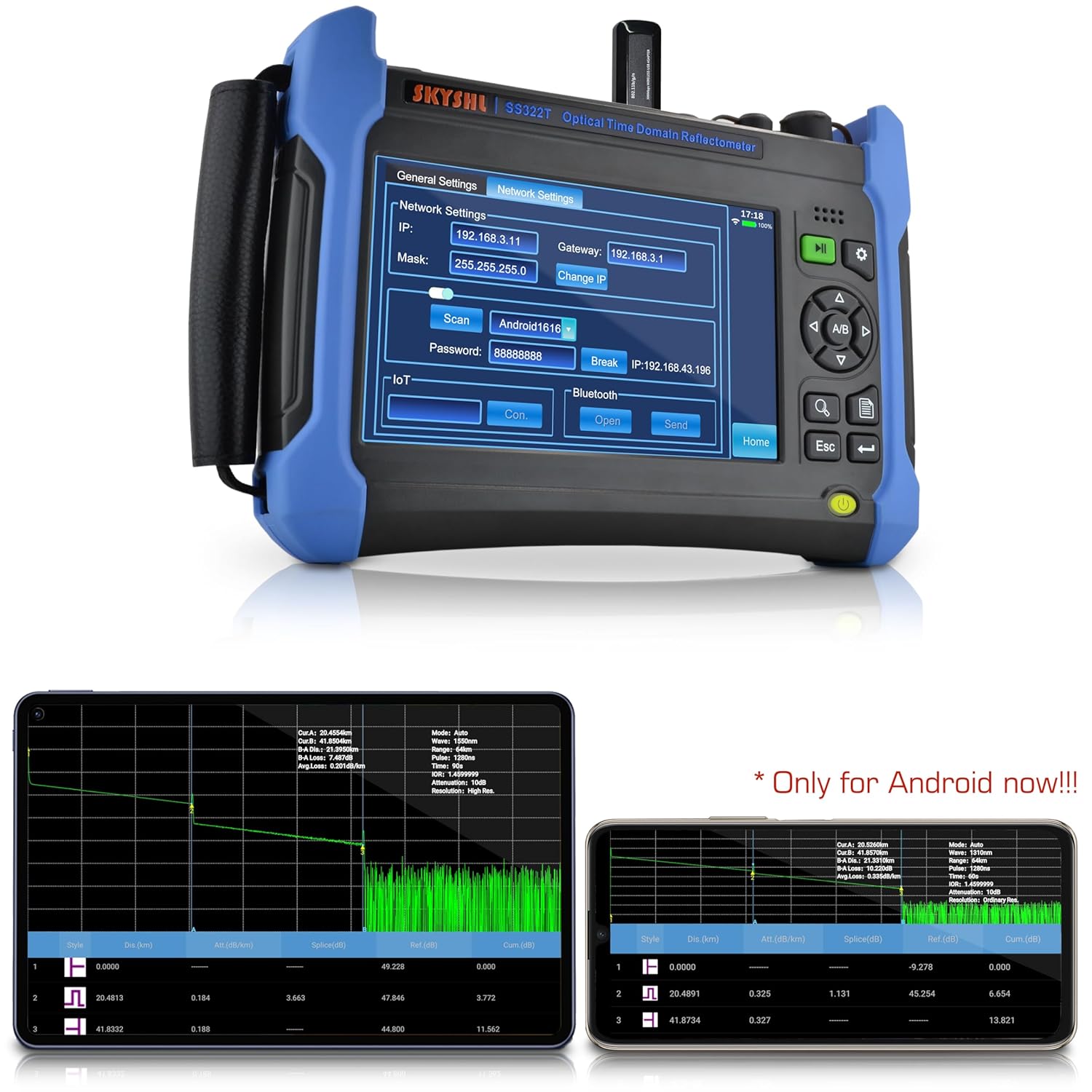
Figure 8.1: The network settings interface on the SS322T-2A3, showing options for Wi-Fi and Bluetooth connectivity to facilitate data transfer and remote control via the Smart APP.
Connecting to the Smart APP:
- Download and install the SKYSHL Smart APP on your compatible device.
- On the SS322T-2A3, navigate to "General Settings" -> "Network Settings".
- Enable Wi-Fi or Bluetooth and connect to your smart device.
- Follow the APP instructions to establish a connection and manage your test data.
Nòt: The Smart APP functionality is currently optimized for Android devices.
9. Antretyen
Proper maintenance ensures the longevity and accuracy of your SS322T-2A3 OTDR.
9.1. Netwayaj
- Optical Ports: Always clean optical connector end-faces before each use with specialized fiber optic cleaning tools (e.g., cleaning swabs, lint-free wipes with isopropyl alcohol). Contamination is the leading cause of inaccurate measurements and damage.
- Screen and Casing: Use a soft, dry, lint-free cloth to clean the screen and device casing. Pa sèvi ak pwodui netwayaj abrazif oswa solvan.
9.2. Depo
- Store the device in its carrying bag when not in use to protect it from dust and physical damage.
- Sere nan yon kote ki fre, sèk, lwen limyè solèy la dirèk ak tanperati ekstrèm.
- If storing for extended periods, ensure the battery is partially charged (around 50%) and recharge it every few months to prevent deep discharge.
NAN. Depanaj
This section addresses common issues you might encounter with your SS322T-2A3 OTDR.
| Pwoblèm | Kòz posib | Solisyon |
|---|---|---|
| Aparèy pa limen. | Low battery or faulty power adapter. | Charge the device using the provided power adapter. Ensure the adapter is properly connected. |
| Inaccurate OTDR measurements. | Dirty optical connectors, incorrect test parameters, or damaged fiber. | Clean all optical connectors. Verify OTDR test parameters (wavelength, pulse width, range). Inspect the fiber for damage. |
| VFL light is dim or not visible. | Dirty VFL port, VFL function not activated, or fiber too long/damaged. | Clean the VFL port. Ensure VFL mode is active. VFL is effective for short distances (up to 2km); for longer fibers, use OTDR. |
| Cannot connect to Smart APP. | Incorrect network settings, APP not installed, or device compatibility issues. | Check Wi-Fi/Bluetooth settings on both the device and your smart device. Ensure the APP is correctly installed. Verify device compatibility (currently optimized for Android). |
If the problem persists after attempting these solutions, please contact SKYSHL customer support for further assistance.
11. Espesifikasyon
Key technical specifications for the SKYSHL SS322T-2A3 OTDR.
- Nimewo Modèl: SS322T-2A3
- OTDR Wavelengths: 1310nm / 1550nm
- OTDR Dynamic Range: 40dB (1310nm) / 38dB (1550nm)
- Maximum Test Distance: Jiska 165km
- Event Dead Zone (EDZ): 0.8m (typical for SM)
- Attenuation Dead Zone (ADZ): 4.5m (typical for SM)
- VFL Wavelength: 650nm
- VFL Range: 2km
- OPM Wavelength Range: 850nm ~ 1650nm
- OPM Power Range: -60 ~ +3dBm
- OLS Wavelengths: 1310nm / 1550nm
- Ekspozisyon: 7-pous ekran Touch
- Konektè konpatib: APC & UPC SC, FC, ST, LC
- Sistèm operasyon: Linux
- Dimansyon: 9.84 x 7.09 x 2.17 pous
- Pwa: 6.83 liv
- Batri: 1 batri ityòm metal (enkli)
12. Garanti ak sipò
SKYSHL provides comprehensive support for the SS322T-2A3 OTDR.
- Garanti: 3 years free replacement.
- Antretyen: Lifetime maintenance.
- Sipò teknik: 24 hours professional technical support is available. Please refer to the contact information provided with your product or on the official SKYSHL websit pou asistans.
Ask a question about this manual
Ask about setup, troubleshooting, compatibility, parts, safety, or missing instructions. Manuals+ will review the question and use this page’s manual context to help answer it.