
1. Entwodiksyon
The myCharge Power + Plug Max 20K is a compact portable power bank designed to provide extended battery life for your electronic devices. It features a built-in USB-C cable and a folding wall plug for convenient recharging. This device is capable of charging two devices simultaneously, offering up to 120 hours of additional battery life.
Karakteristik kle:
- Batri Entèn 20,000mAh: Provides substantial power for multiple charges.
- Kab USB-C entegre: Integrated cable for direct device charging.
- Foldable Wall Plug: Allows for direct wall charging of the power bank without extra adapters.
- Additional USB-C Port: Enables simultaneous charging of a second device.
- Konsepsyon kontra enfòmèl ant ak lejè: Easy to carry for travel.
- Ekolojik-zanmi: Built-in features reduce the need for extra adapters and cables, minimizing e-waste.
2. Pwodwi souview
Familiarize yourself with the components of your myCharge Power + Plug portable charger.

Figi 2.1: Devan view of the myCharge Power + Plug portable charger, showing the sleek black design and the integrated USB-C charging cable.

Figi 2.2: The portable charger demonstrating its built-in foldable wall plug, shown both extended and plugged into a wall outlet for convenient recharging.

Figi 2.3: The power bank actively charging an iPhone via its built-in cable, illustrating its compatibility with various Apple and Android devices including smartphones, tablets, earbuds, headphones, and speakers.
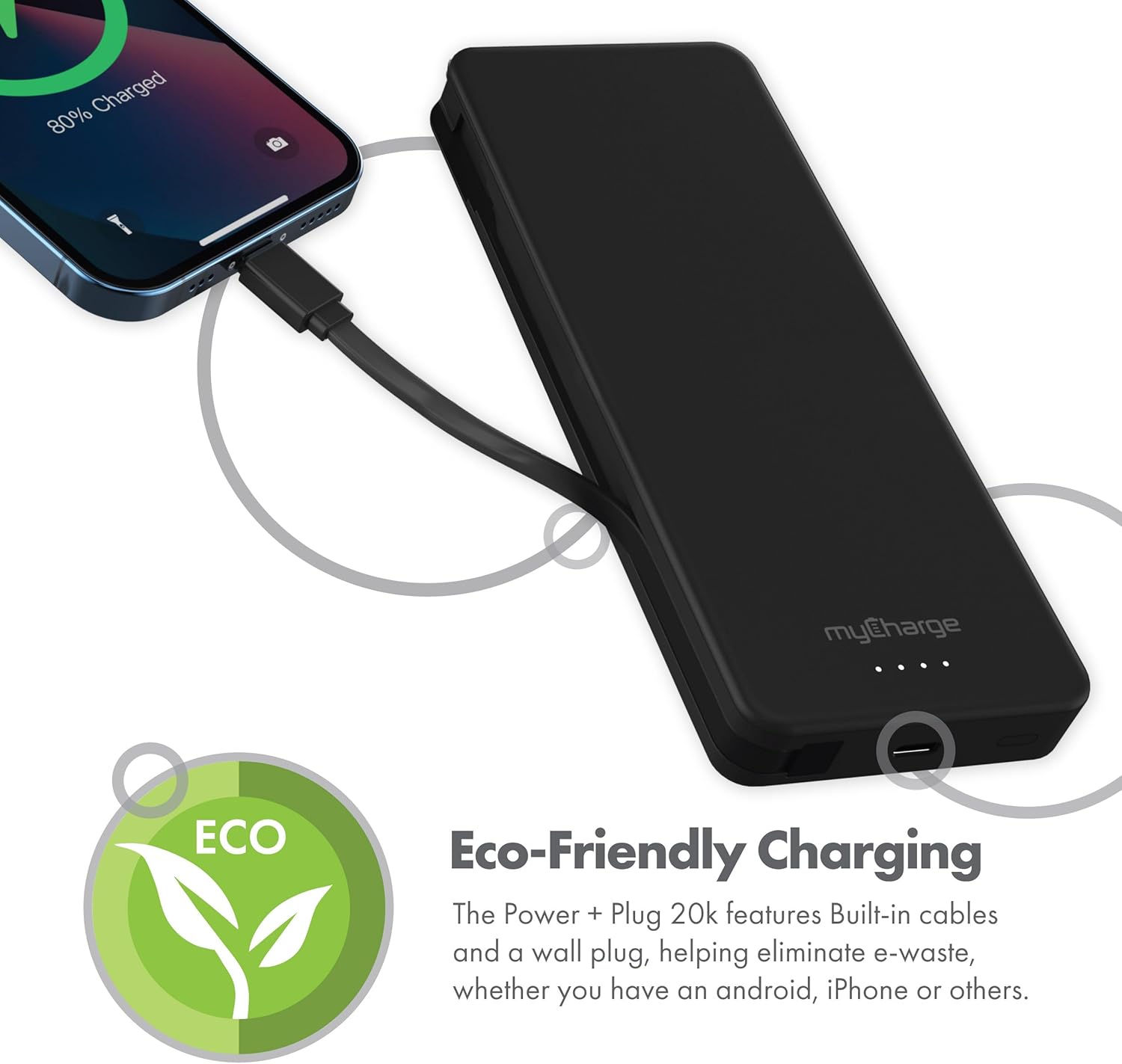
Figi 2.4: The device charging an iPhone, highlighting its eco-friendly design with built-in cables and wall plug to reduce electronic waste.
3. Enstalasyon
3.1 Premye Chajman Bank Ekstèn lan
- Locate the foldable wall plug on the back of the power bank.
- Flip down the prongs of the wall plug.
- Branche bank pouvwa a dirèkteman nan yon priz miray estanda.
- The LED indicator lights on the front of the power bank will illuminate to show the charging status. All four lights will be solid when fully charged.
3.2 Konprann Endikatè LED yo
The myCharge Power + Plug features four LED lights on its front surface to indicate the remaining battery life and charging status:
- Kat Limyè Solid: 75-100% charged.
- Twa Limyè Solid: 50-75% charged.
- De Limyè Solid: 25-50% charged.
- Yon sèl limyè solid: 0-25% charged.
- Limyè k ap flache: Indicates the power bank is actively charging.
4. Operasyon Enstriksyon
4.1 Charging a Single Device
- For devices with a USB-C port, extend the built-in USB-C cable from the side of the power bank.
- Connect the USB-C cable directly to your device's charging port.
- Bank pouvwa a ap kòmanse chaje aparèy ou an otomatikman.
4.2 Chaje de aparèy an menm tan
- Connect your first device using the built-in USB-C cable as described above.
- For your second device, use your own USB-C to USB-C or USB-C to Lightning cable.
- Plug one end of your cable into the additional USB-C port on the power bank.
- Connect the other end of your cable to your second device.
- Both devices will charge simultaneously.
4.3 Videyo pwodwi ofisyèl la
Watch this official video from myCharge for a visual guide on using the Power + Plug 20K:
Videyo 4.1: An official product video from myCharge demonstrating the features and usage of the myCharge Power + Plug 20K portable charger, including its built-in cables and wall plug.
5. Antretyen
- Netwayaj: Sèvi ak yon twal mou epi sèk pou netwaye deyò power bank lan. Evite itilize pwodui chimik ki agresif oswa materyèl abrazif.
- Depo: Sere bank pouvwa a nan yon kote ki fre epi sèk, lwen limyè solèy dirèk ak tanperati ekstrèm.
- Swen batri: To prolong battery life, fully charge the power bank at least once every three months, even if not in regular use.
- Evite domaj: Do not drop, puncture, or disassemble the device. Keep it away from water and high humidity.
NAN. Depanaj
| Pwoblèm | Kòz posib | Solisyon |
|---|---|---|
| Bank pouvwa pa chaje | Wall plug not fully extended or not properly seated in outlet. Outlet is not active. | Ensure the wall plug is fully extended and securely plugged into a working wall outlet. Try a different outlet. |
| Aparèy pa chaje nan bank pouvwa | Power bank battery is depleted. Cable is not properly connected. Device is not compatible. | Recharge the power bank. Ensure cables are securely connected to both the power bank and the device. Verify device compatibility with USB-C charging. |
| Chaje dousman | Using a non-optimal cable or adapter. Device drawing high power. | Ensure you are using the built-in USB-C cable or a high-quality USB-C cable. Close unnecessary applications on your device. |
| Endikatè ki ap dirije yo pa travay | Batri a konplètman dechaje. | Plug the power bank into a wall outlet and allow it to charge for a few minutes. The lights should eventually illuminate. |
7. Espesifikasyon
| Nimewo Modèl | AP20K |
| Kapasite batri | 20,000 mAh |
| Kalite batri | Lityòm Polymère (2 enkli) |
| Dimansyon pwodwi | 5.9 x 2.84 x 1 pous |
| Pwa atik | 1.06 liv |
| Kalite Connector | Built-in USB-C cable & additional USB-C port |
| Koulè | 20000 mAh - Black |
| Manifakti | myCharge |
| Peyi orijin | Lachin |
8. Garanti ak sipò
The myCharge Power + Plug portable charger is covered by a 1-ane garanti soti nan dat acha a. Garanti sa a kouvri domaj nan materyèl ak atizan konn fè nan itilizasyon nòmal.
For warranty claims, technical support, or any inquiries regarding your product, please visit the official myCharge websit la oubyen kontakte depatman sèvis kliyan yo. Kenbe prèv acha ou a pou validasyon garanti a.
Note: Warranty terms may vary. Please refer to the official myCharge website or product packaging for the most current and detailed warranty information.