
SUAAT S6
SUAAT S6 11-inch Android Tablet User Manual
Model: S6 | Brand: SUAAT
1. Entwodiksyon
Welcome to the user manual for your new SUAAT S6 11-inch Android Tablet. This tablet is designed to provide a versatile and powerful computing experience, whether for work, study, or entertainment. Featuring the latest Android 14 system, an octa-core processor, ample memory, and a vibrant HD touchscreen, it is built for efficiency and enjoyment.

Image: The SUAAT S6 11-inch Android Tablet, showcasing its sleek design and key features like 8000mAh battery, Android 14, 24GB RAM, 256GB storage, 5G Wi-Fi, and Widevine L1 support.
2. Ki sa ki nan bwat la
Lè w ap ouvri pake a, tanpri asire w ke tout bagay sa yo la:
- SUAAT S6 11-inch Android Tablet
- Ka Pwoteksyon
- Screen Protector (pre-applied or included separately)
- Charger
- Chaje kab
3. Inisyal Enstalasyon
3.1 Chaje tablèt la
Before first use, it is recommended to fully charge your tablet. Connect the provided charging cable to the tablet's Type-C port and the charger to a power outlet. The battery indicator on the screen will show charging progress.
3.2 Power On/Off
- Pou limen: Press and hold the Power button located on the side of the tablet until the SUAAT logo appears.
- Pou etenn: Peze epi kenbe bouton pouvwa a jiskaske meni opsyon pouvwa a parèt. Chwazi "Etenn" epi konfime.
- Pou rekòmanse: Nan meni opsyon pouvwa a, chwazi "Rekòmanse" epi konfime.
3.3 Inisyal Konfigirasyon
Lè w limen tablèt la pou premye fwa, li pral gide w nan pwosesis konfigirasyon inisyal la. Swiv enstriksyon ki parèt sou ekran an pou:
- Chwazi lang ou.
- Konekte nan yon rezo Wi-Fi.
- Konekte avèk kont Google ou a oubyen kreye yon nouvo.
- Konfigire bloke ekran an (kòd PIN, modèl, modpas, oswa deblokaj figi).
- Review epi aksepte tèm ak kondisyon yo.
4. Itilizasyon Tablèt ou a
4.1 Android 14 System and Performance
Your SUAAT S6 tablet runs on the latest Android 14 operating system, offering enhanced privacy features, improved performance, and a user-friendly interface. The high-quality T606 octa-core processor ensures smooth multitasking and efficient operation for all your applications.

Image: Visual representation of the Android 14 system, highlighting features like convenient multitasking with Taskbar, enhanced Privacy & Security for managing permissions, and Parental Control options.
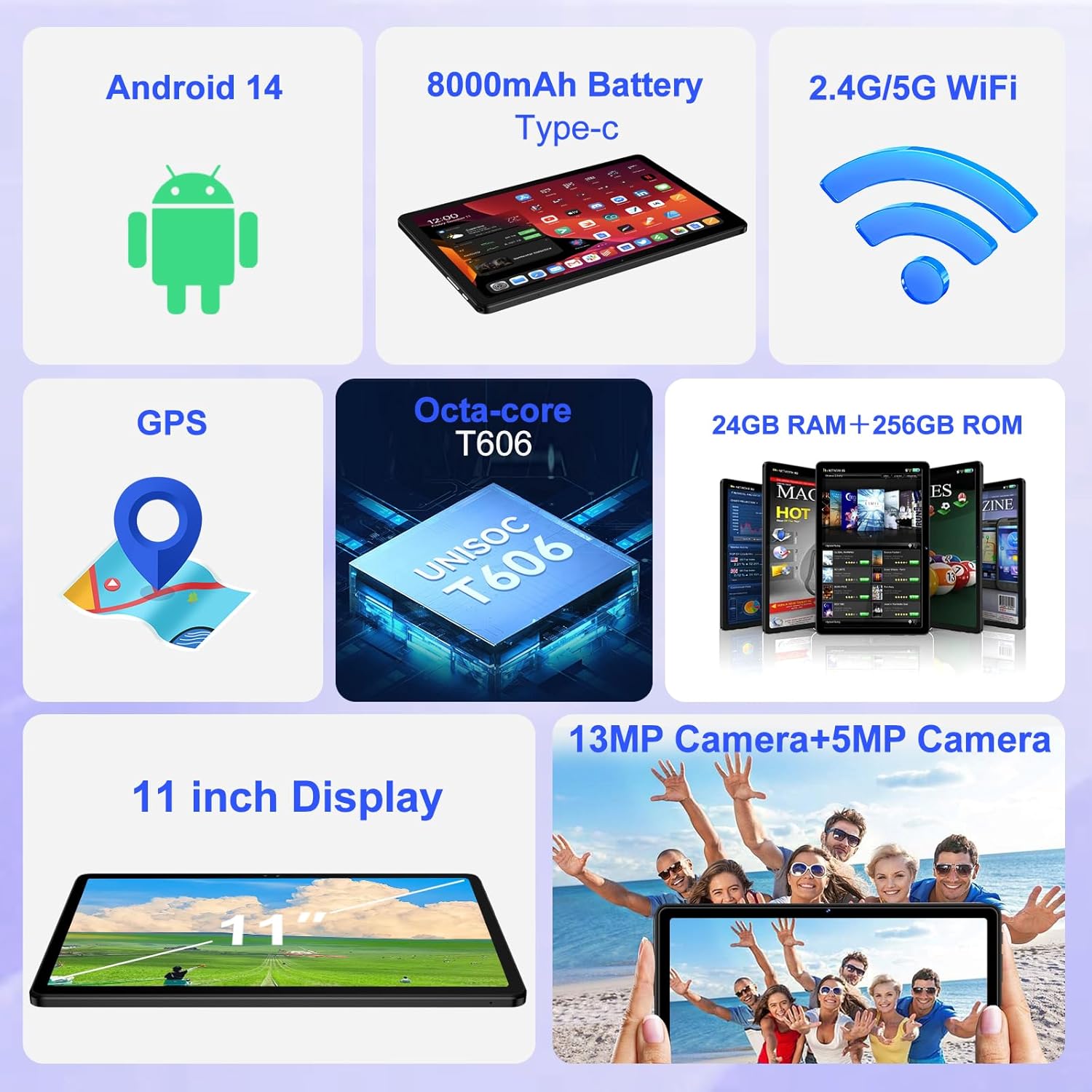
Imaj: Yon plis paseview of the tablet's core features, including Android 14, 8000mAh battery, 2.4G/5G WiFi, GPS, Octa-core T606 processor, 24GB RAM + 256GB ROM, 13MP + 5MP cameras, and an 11-inch display.
4.2 Montre
The tablet features a large 11-inch IPS HD touchscreen with a resolution of 1280x800 pixels, providing clear and vibrant visuals. The screen is made with tempered glass for increased durability. It also supports Widevine L1, allowing you to stream high-definition content from popular services.

Image: The 11-inch HD display, illustrating its 1280x800 FHD resolution, 16:10 aspect ratio, and In-cell multi-touch technology.

Image: Comparison showing the difference between Widevine L1 (1080P) and L3, demonstrating the superior high-definition streaming quality supported by SUAAT tablets.
4.3 Memwa ak Depo
The tablet comes with 24GB of RAM (8GB physical + 16GB virtual) and 256GB of internal storage. Storage can be expanded up to 1TB using a Micro SD card (not included), providing ample space for apps, photos, videos, and documents.
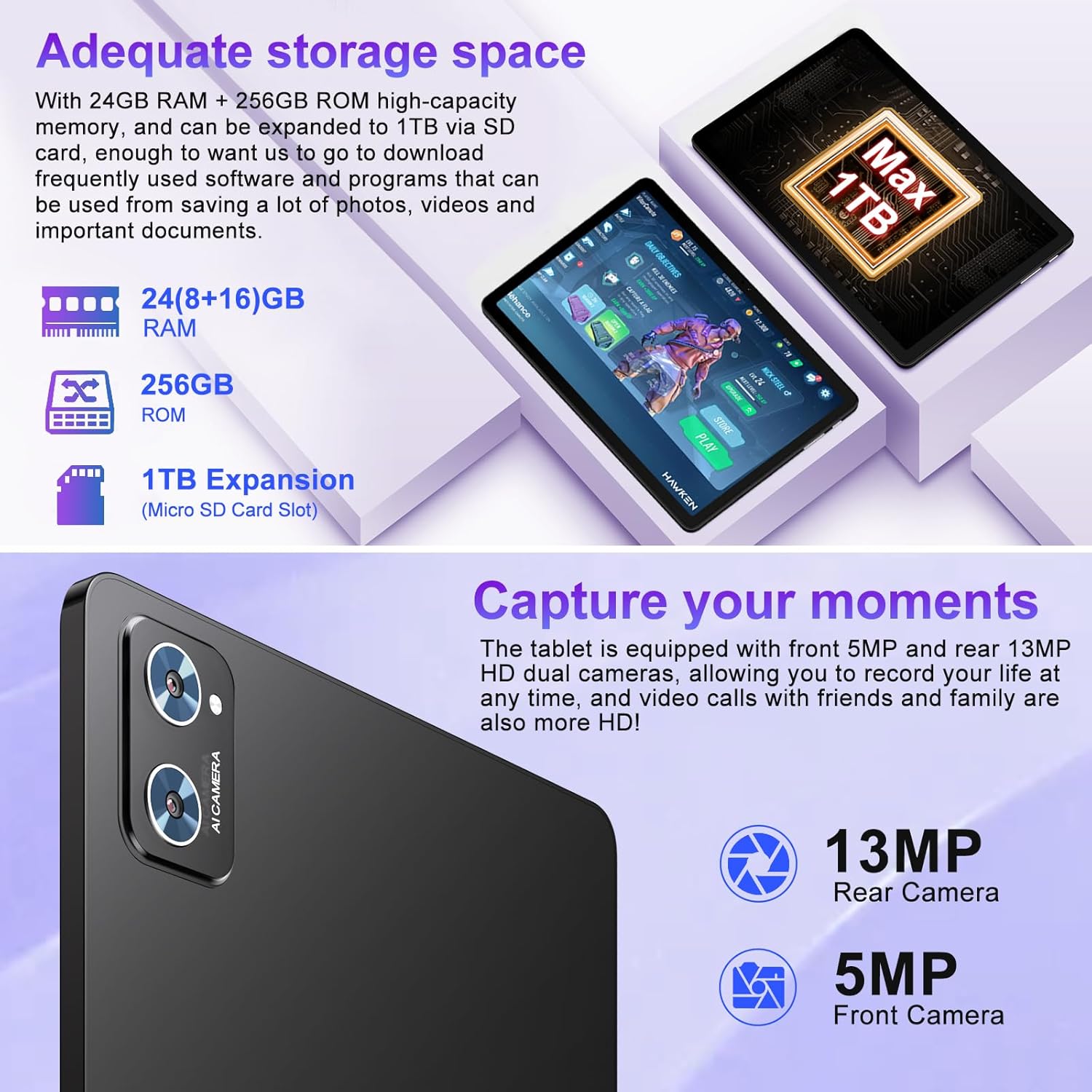
Image: Illustration of the tablet's storage capabilities, showing 24GB RAM, 256GB ROM, and 1TB Micro SD card expansion.
4.4 Kamera
Capture your moments with the tablet's dual cameras: a 5MP front camera for clear video calls and selfies, and a 13MP rear camera for high-resolution photos and videos.
Imaj: Gwo plan view of the tablet's rear camera module, indicating the 13MP rear camera and 5MP front camera capabilities for capturing moments and high-definition video calls.
4.5 Battery Life and Connectivity
Equipped with an 8000mAh battery, the tablet offers extended usage times, with an average of 8 hours of battery life. It supports both 5G and 2.4G Wi-Fi for fast and stable internet connections, and Bluetooth 5.0 for seamless pairing with accessories and easy file transfers. GPS functionality is also integrated for navigation.

Image: Visual representation of the tablet's 8000mAh high-capacity battery, indicating approximate usage times: 8 hours for music, 6 hours for web browsing, and 5 hours for gaming.
5. Antretyen ak Swen
- Netwayaj: Sèvi ak yon twal mou ki pa gen pousyè pou netwaye ekran an ak kò a. Evite pwodui netwayaj abrazif oswa solvan.
- Depo: Sere grenn nan nan yon kote ki fre epi sèk, lwen limyè solèy dirèk ak tanperati ekstrèm.
- Swen batri: To prolong battery life, avoid fully discharging the tablet frequently. Charge it regularly, but do not leave it plugged in for extended periods after it's fully charged.
- Mizajou lojisyèl: Tcheke epi enstale mizajou sistèm yo regilyèman pou asire pèfòmans ak sekirite optimal.
- Pwoteksyon: Always use the provided protective case and screen protector to guard against drops and scratches.
NAN. Depanaj
| Pwoblèm | Kòz posib | Solisyon |
|---|---|---|
| Tablèt la pa limen. | Batri fèb; sistèm nan kraze. | Chaje tablèt la pou omwen 30 minit. Peze epi kenbe bouton Pouvwa a pandan 10-15 segonn pou fòse rekòmanse li. |
| Pwoblèm koneksyon Wi-Fi. | Modpas ki pa kòrèk; pwoblèm ak routeur la; Wi-Fi tablèt la enfim. | Ensure correct password. Restart your Wi-Fi router. Toggle Wi-Fi off/on in tablet settings. |
| Pèfòmans ralanti. | Twòp aplikasyon k ap kouri; espas depo ki pa ase; lojisyèl ki pa ajou. | Close unused apps. Clear cache. Free up storage. Check for system updates. |
| Batri vide byen vit. | Klète ekran ki twò wo; aplikasyon ki an background; siyal ki fèb. | Reduce screen brightness. Close background apps. Disable unused features like GPS/Bluetooth. |
7. Espesifikasyon teknik
| Karakteristik | Detay |
|---|---|
| Mak | SUAT |
| Non modèl | S6 |
| Sistèm operasyon | Android 14 |
| Processeur | Octa-core T606 (2 GHz) |
| RAM | 24GB (8GB fizik + 16GB vityèl) |
| Depo Entèn | 256GB |
| Depo dilatabl | Up to 1TB via Micro SD card |
| Gwosè ekran | 11 pous |
| Rezolisyon ekran | 1280 x 800 pixels (IPS HD) |
| Kamera devan | 5MP |
| Kamera dèyè | 13MP |
| Kapasite batri | 8000mAh |
| Mwayèn lavi batri | 8 èdtan |
| Koneksyon san fil | 802.11ac (5G/2.4G WiFi), Bluetooth 5.0 |
| Navigasyon | GPS |
| Pwa atik | 1.15 liv |
| Dimansyon pwodwi | 10.16 x 6.61 x 0.32 pous |
| Koulè | Nwa |
8. Garanti ak sipò
Your SUAAT S6 tablet comes with a 2-ane garanti, as mentioned by customer reviews. For any technical assistance, troubleshooting beyond this manual, or warranty claims, please contact SUAAT customer support. Refer to the contact information provided with your product packaging or visit the official SUAAT websit pou detay sipò.
SUAAT is committed to providing professional technical support and 24-hour after-sales service to ensure customer satisfaction.
Ask a question about this manual
Ask about setup, troubleshooting, compatibility, parts, safety, or missing instructions. Manuals+ will review the question and use this page’s manual context to help answer it.