
SIMATE K3
SIMATE 6.5" Self-Balancing Scooter Instruction Manual
Modèl: K3
1. Entwodiksyon
Mèsi pou acha aasing the SIMATE 6.5" Self-Balancing Scooter. This manual provides essential information for the safe operation, maintenance, and troubleshooting of your scooter. Please read this manual thoroughly before first use and retain it for future reference.
2. Enfòmasyon sou Sekirite
Your safety is paramount. Always wear appropriate safety gear, including a helmet, knee pads, and elbow pads, when operating the scooter. Ensure you understand and comply with all local laws and regulations regarding the use of self-balancing scooters.
- This product is UL2272 Safety Certified, ensuring compliance with U.S. safety regulations.
- Pa opere scooter a anba enfliyans alkòl oswa dwòg.
- Avoid riding on uneven surfaces, steep slopes (over 15 degrees), or in wet conditions.
- Kenbe yon distans sekirite ak pyeton ak lòt machin.
- Children should be supervised by an adult during operation.
- Maximum load capacity is 220 lbs. Do not exceed this limit.
3. Pake kontni
Verifye ke tout atik yo prezan nan pakè ou a:
- SIMATE 6.5" Self-Balancing Scooter
- Charger
- Manyèl Enstriksyon (dokiman sa a)
4. Pwodwi souview
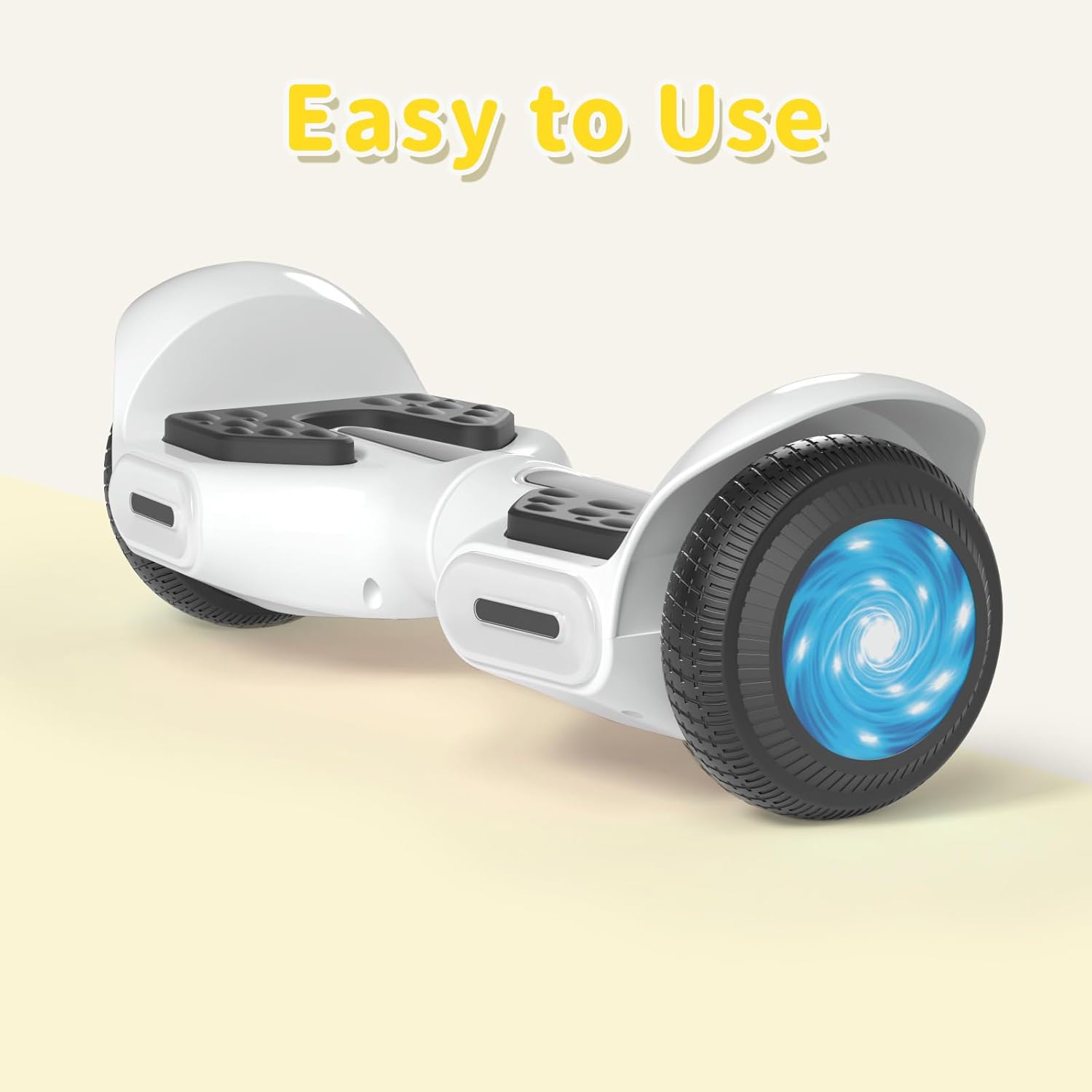
The SIMATE 6.5" Self-Balancing Scooter features dual 250W motors, LED lights, and a self-balancing control system. It is designed for ease of use and enjoyment.

Imaj 4.1: Devan view of the SIMATE 6.5" Self-Balancing Scooter in white.
Karakteristik kle:
- Self-Balancing System: Assists in maintaining balance for easier learning and riding.
- Limyè ki ap dirije: Includes head lights and central lights for enhanced visibility and aesthetics.
- Bluetooth Music Speaker: Allows connection to a device for audio playback.
- Kontwòl APP: Compatible with the "XsCar" app for advanced control and monitoring.
- Motè doub 250W: Provides power for speeds up to 7.5 mph and a range of 7.5 miles.

Image 4.2: Diagram illustrating the self-balancing function and basic movement controls (Go Ahead, Back, Self-Balancing).
Imaj 4.3: Gwo plan view of the head and central LED lights on the scooter.
5. Enstalasyon
5.1 Premye chaj
- Before first use, fully charge the scooter. Connect the charger to the charging port on the scooter and then to a power outlet.
- The indicator light on the charger will change (e.g., from red to green) when charging is complete. Charging typically takes 2-3 hours.
- Pa chaje batri a twòp. Dekonekte chajè a yon fwa chaj la fini.
5.2 Power On/Off
- To power on, press and hold the power button located on the scooter.
- Pou etenn, peze epi kenbe bouton pouvwa a ankò.
6. Operasyon Enstriksyon
6.1 First Ride Guidelines
- Mete scooter a sou yon sifas plat e nivo.
- Step onto one footpad, then quickly and confidently step onto the other footpad. Use a wall or another person for support initially.
- Panche yon ti kras pi devan pou avanse, epi panche yon ti kras pa dèyè pou ralanti oswa pou fè bak.
- To turn, apply gentle pressure with your left foot to turn right, and with your right foot to turn left.
- To dismount, step off one foot at a time, ensuring the scooter remains stable.
Video 6.1: Demonstration of basic riding techniques and self-balancing features for the SIMATE Kids Scooter.
6.2 mòd vitès
The scooter features three adjustable speed modes:
- Mòd san danje: Maximum speed 5 mph (suitable for beginners).
- Mòd debutan: Maximum speed 6.5 mph (suitable for novices).
- Mòd espò: Maximum speed 8.5 mph (suitable for proficient users).

Image 6.2: Visual representation of the three speed modes: Safe, Beginner, and Sports.
6.3 App Control ("XsCar")
Download the exclusive "XsCar" app to unlock additional features and control options:
- Scan the QR code (if provided on packaging or scooter) or search for "XsCar" in your device's app store.
- Pair your scooter with the app via Bluetooth.
- Atravè aplikasyon an, ou kapab:
- Power on/off the scooter.
- Adjust LED lights.
- Monitor speed and battery power.
- Set speed modes.
- Access other control features.

Image 6.3: Illustration of the "XsCar" app interface and its control capabilities for lights, speed, and battery.
6.4 Bluetooth Music Speaker
To use the built-in Bluetooth speaker:
- Asire w ke scooter a limen.
- Pèmèt Bluetooth sou aparèy mobil ou.
- Chèche pou available Bluetooth devices and select "SIMATE Scooter" (or similar name).
- Once paired, you can play music through the scooter's speaker.
7. Antretyen
7.1 Netwayaj
- Siye scooter a ak piblisiteamp cloth after use. Avoid using excessive water or harsh cleaning agents.
- Do not use high-pressure water jets to clean the scooter, as this can damage electronic components.
7.2 Swen Batri
- Chaje batri a regilyèman, menm si w pa ap itilize scooter a, pou kenbe batri a an bon eta.
- Sere scooter a nan yon kote ki fre epi sèk, lwen limyè solèy dirèk ak tanperati ekstrèm.
- If the scooter will not be used for an extended period, charge it to approximately 50% before storage.
7.3 Depo
- Store the scooter indoors to protect it from weather elements.
- Kenbe scooter a lwen materyèl ki ka pran dife.
NAN. Depanaj
| Pwoblèm | Kòz posib | Solisyon |
|---|---|---|
| Scooter a pa limen. | Pil fèb oswa bouton pouvwa a pa byen peze. | Charge the scooter fully. Ensure the power button is pressed and held for a few seconds. |
| Scooter is not balancing. | Rider weight distribution is incorrect or surface is uneven. | Ensure feet are centered on the footpads. Practice on a flat, smooth surface. |
| Oratè Bluetooth la pa konekte. | Bluetooth not enabled on device or scooter, or device is too far. | Ensure scooter is on and Bluetooth is enabled on your device. Move device closer to the scooter. Re-pair if necessary. |
| Rediksyon nan distans oswa vitès. | Low battery, heavy load, or riding on inclines. | Charge the battery fully. Reduce load. Avoid steep inclines. |
9. Espesifikasyon
| Karakteristik | Detay |
|---|---|
| Non modèl | 6.5" Scooter (K3) |
| Mak | SIMATE |
| Gwosè wou | 6.5 pous |
| Pouvwa motè | Doub 250W motè |
| Vitès maksimòm | 7.5 mph (3 adjustable speed modes) |
| Max Range | 7.5 mil |
| Max chaj | 220 liv |
| Tan pou chaje | 2-3 èdtan |
| Materyèl | Aliminyòm, kawotchou |
| Karakteristik espesyal | Built-In Bluetooth speaker, LED Lights, App Control |
| Sètifikasyon sekirite | UL2272 |
10. Enfòmasyon sou Garanti
The SIMATE 6.5" Self-Balancing Scooter comes with a 1-ane garanti apati dat acha a. Garanti sa a kouvri domaj fabrikasyon anba itilizasyon nòmal. Li pa kouvri domaj ki koze pa move itilizasyon, aksidan, modifikasyon san otorizasyon, oswa mete ak chire nòmal.
Tanpri kenbe prèv ou achte pou reklamasyon garanti.
11. Sipò pou Kliyan
For any questions, technical assistance, or warranty claims, please contact SIMATE customer support:
- Sèvis sou entènèt: SIMATE provides 7*24 hours online service.
- Kontakte: Refer to the contact information provided on the product packaging or the official SIMATE websit la pou jwenn chanèl sipò ki pi ajou yo.

Image 11.1: Illustration of a customer support representative, symbolizing available assistance.
Ask a question about this manual
Ask about setup, troubleshooting, compatibility, parts, safety, or missing instructions. Manuals+ will review the question and use this page’s manual context to help answer it.