
1. Entwodiksyon
Thank you for choosing the ecozy Smart Nugget Ice Maker. This portable countertop ice machine is designed to provide you with soft, chewable nugget ice, perfect for any beverage or occasion. With smart features like app and voice control, along with a convenient self-cleaning function, enjoying fresh ice has never been easier.
This manual provides detailed instructions for the safe and efficient operation, maintenance, and troubleshooting of your ecozy ice maker. Please read it thoroughly before first use and keep it for future reference.

Figure 1.1: The ecozy Smart Nugget Ice Maker, showcasing its sleek stainless steel design and a full basket of chewable ice.
2. Enstriksyon Sekirite
To ensure safe operation and prevent damage to the appliance or injury to yourself and others, please adhere to the following safety precautions:
- Always plug the ice maker into a grounded electrical outlet with the correct voltage (115 Volts).
- Pa plonje aparèy la, kòd kouran an, oswa ploge a nan dlo oswa lòt likid.
- Keep the ice maker away from heat sources, direct sunlight, and corrosive materials.
- Ensure adequate ventilation around the unit. Maintain at least 6 inches of clearance from walls and other objects.
- Do not operate the appliance with a damaged cord or plug. Contact customer support for repairs.
- Supervise children when the appliance is in use. This is not a toy.
- Only use potable water in the water reservoir.
- Debranche machin glas la anvan ou netwaye li oswa lè w pa itilize li pou yon bon bout tan.
3. Pwodwi souview
3.1. Eleman yo
- ecozy Smart Nugget Ice Maker Unit
- Glas skoup
- Ice Bags (for storage)
3.2. Karakteristik kle
- Soft, Chewable Nugget Ice: Produces popular pebble-shaped ice that is gentle on teeth and ideal for various beverages.
- Pwodiksyon glas ki wo: Kapab pwodui jiska 34 liv glas pou chak 24 èdtan.
- Kontwòl Smart App: Connects to the EcozyHome app (supports 2.4GHz Wi-Fi only) for remote control, scheduling, and monitoring.
- Konpatibilite kontwòl vwa: Seamlessly integrates with Amazon Alexa and Google Assistant for hands-free operation.
- Netwayaj otomatik ak yon sèl bouton: Features an automatic self-cleaning cycle that takes approximately 15 minutes, simplifying maintenance.
- Alèt entelijan: Provides notifications via the app when the ice basket is full or the water reservoir is low.
- Konstriksyon dirab: Made with high-quality stainless steel for longevity and a modern aesthetic.

Figure 3.1: Control your ecozy ice maker conveniently from your smartphone using the EcozyHome app.

Figure 3.2: Activate your ice maker with simple voice commands through Alexa or Google Assistant.
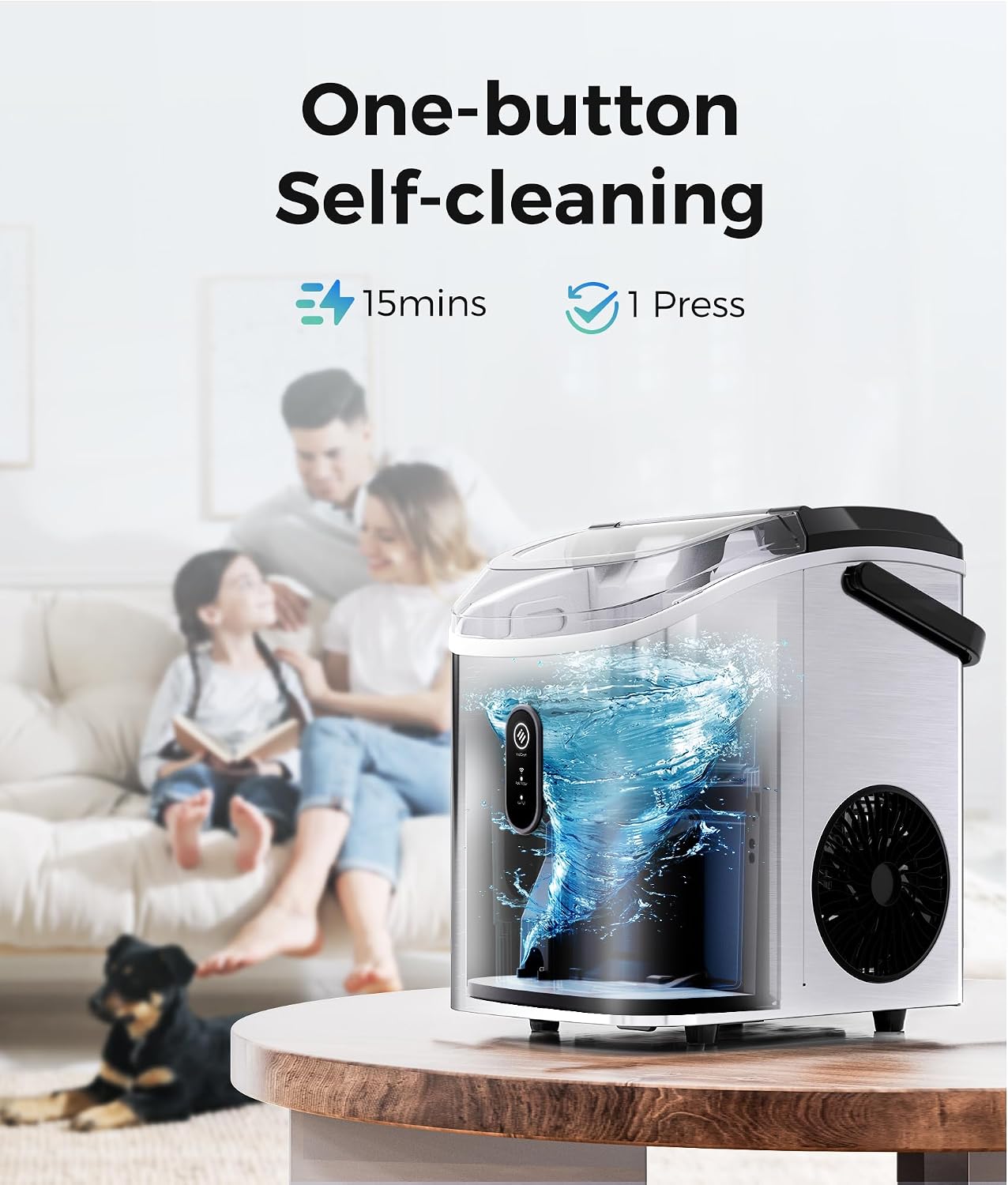
Figure 3.3: The self-cleaning function ensures your ice maker remains hygienic with minimal effort.
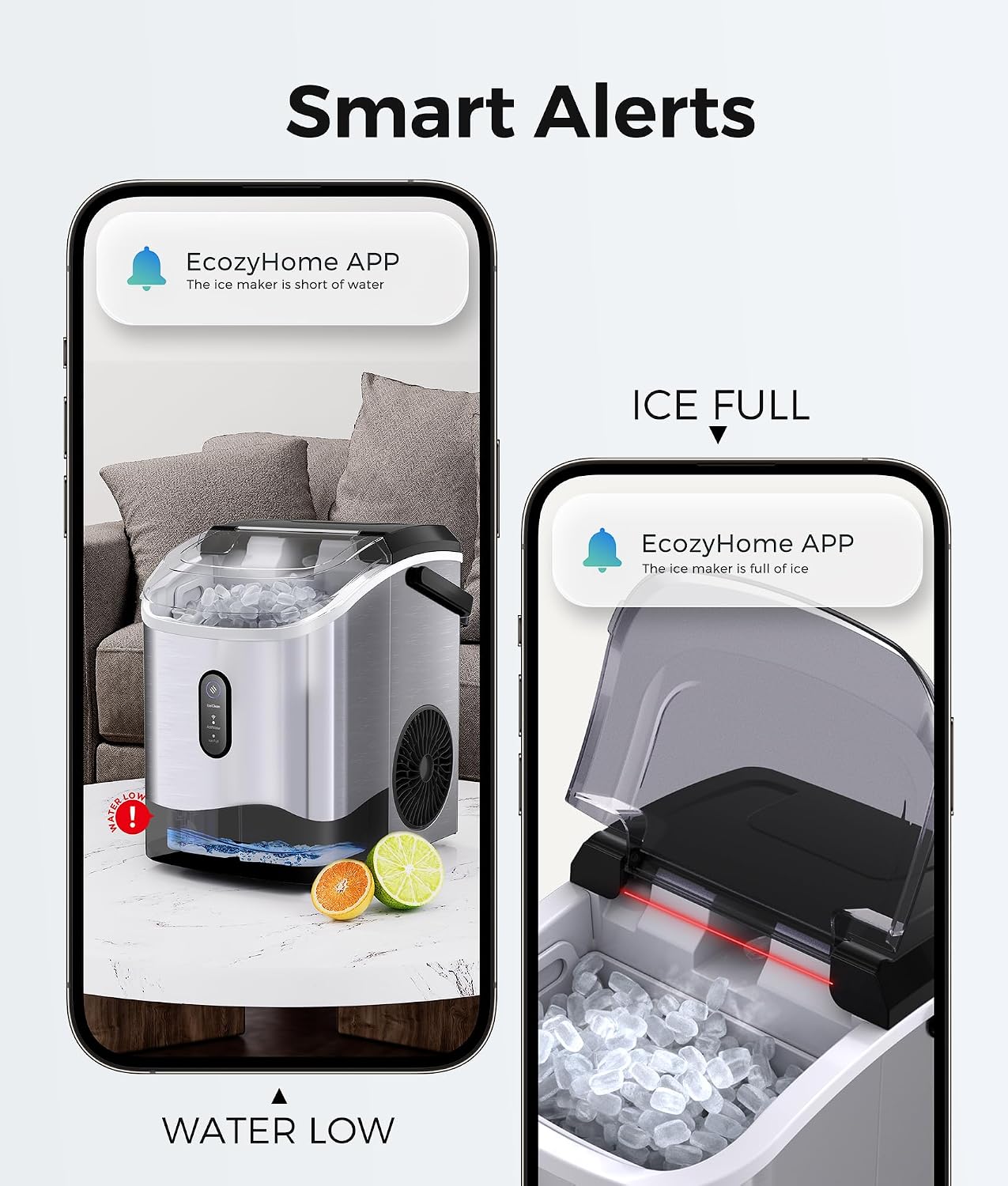
Figure 3.4: Stay informed with real-time alerts on your phone regarding ice levels and water status.
4. Enstalasyon
4.1. Debake
- Carefully remove the ice maker and all accessories from the packaging.
- Enspekte aparèy la pou wè si li gen nenpòt domaj pandan transpò a. Si li domaje, pa itilize li epi kontakte sèvis kliyan.
- Retire tout materyèl anbalaj, tep adezif, ak fim pwoteksyon yo.
4.2. Plasman
- Place the ice maker on a flat, stable, and level surface.
- Ensure the surface can support the weight of the unit when full of water and ice.
- Position the unit in a well-ventilated area, away from direct sunlight or heat sources (e.g., ovens, radiators).
- Kite omwen 6 pous nan espas alantou inite a pou sikilasyon lè a apwopriye.
4.3. Inisyal Netwayaj
Before first use, it is recommended to clean the ice maker:
- Ranpli rezèvwa dlo a ak dlo potab.
- Press the self-cleaning button (refer to Section 6.1 for details).
- After the cleaning cycle, drain the water completely using the drain plug at the bottom of the unit.
- Wipe the interior and exterior with a soft, damp twal.
5. Operasyon Enstriksyon
5.1. Fè glas
- Asire w ke bouchon drenaj la byen fèmen.
- Open the top lid and fill the water reservoir with potable water up to the MAX fill line.
- Fèmen kouvèti a.
- Plug the ice maker into a grounded electrical outlet. The indicator light will illuminate.
- Press the "Ice/Clean" button to start the ice making process. The ice maker will begin producing ice within 3-5 minutes.
- The ice maker will automatically stop when the ice basket is full or when the water level is low.
5.2. Using the EcozyHome App
The ecozy Smart Nugget Ice Maker can be controlled via the EcozyHome app. Ensure your Wi-Fi network is 2.4GHz, as the device does not support 5GHz networks.
- Download the "EcozyHome" app from your smartphone's app store.
- Enskri oswa konekte nan kont ou.
- Follow the in-app instructions to add your ecozy ice maker to your account. This typically involves putting the ice maker into pairing mode (refer to app for specific steps).
- Once connected, you can remotely start/stop ice production, schedule ice making times, and receive notifications for "Ice Full" or "Add Water" status.

Figure 5.1: Schedule your ice production to wake up to fresh ice or have it ready for your party.
5.3. Voice Control (Alexa/Google Assistant)
After connecting your ice maker to the EcozyHome app, you can enable voice control through Amazon Alexa or Google Assistant.
- Louvri aplikasyon Alexa oswa Google Home ou a.
- Chèche pou and enable the "EcozyHome" skill/service.
- Link your EcozyHome account when prompted.
- Discover devices. Your ecozy ice maker should now be controllable by voice.
- Example komand: "Alexa, turn on the ice maker" or "Hey Google, start ice production on the ice maker."
6. Antretyen ak netwayaj
Regular cleaning and maintenance will extend the life of your ecozy ice maker and ensure the best ice quality.
6.1. Oto-Netwayaj Fonksyon
The ice maker features a convenient one-press self-cleaning cycle:
- Asire w ke rezèvwa dlo a plen ak dlo pwòp.
- Press and hold the "Ice/Clean" button for 3 seconds to activate the self-cleaning mode. The indicator light will change to indicate cleaning is in progress.
- The cycle takes approximately 15 minutes.
- Once complete, drain the water from the unit using the drain plug.
6.2. Netwayaj regilye
- Eksteryè: Siye eksteryè a ak yon mou, damp twal. Pa sèvi ak pwodui netwayaj abrazif oswa solvang.
- Enteryè: Periodically wipe down the interior surfaces, including the ice basket and water reservoir, with a mild detergent and water solution. Rinse thoroughly.
- Drenaj Ploge: Ensure the drain plug is clean and free of debris to prevent leaks.
- Vant lè: Keep the air vents on the sides and back of the unit clear of dust and obstructions to ensure proper cooling.
6.3. Depo
Si machin glas la pa pral itilize pou yon peryòd tan pwolonje:
- Fè yon sik oto-netwayaj.
- Vide tout dlo ki nan rezèvwa a.
- Unplug the unit and allow it to air dry completely with the lid slightly ajar to prevent mold or mildew.
- Sere nan yon kote ki fre, sèk.
NAN. Depanaj
Anvan ou kontakte sèvis kliyan, tanpri gade pwoblèm ak solisyon komen sa yo:
| Pwoblèm | Kòz posib | Solisyon |
|---|---|---|
| No ice production / Slow ice production | Lack of water; Ambient temperature too high; Air vents blocked; Unit needs cleaning. | Add water to the reservoir; Ensure room temperature is suitable (10-32°C); Clear air vents; Run self-cleaning cycle. |
| Endikatè "Ajoute Dlo" a limen | Rezèvwa dlo a vid oswa li ba. | Ranpli rezèvwa dlo a ak dlo potab. |
| Endikatè "Glas plen" lan limen | Panyen glas la plen. | Remove ice from the basket. The unit will resume ice making. |
| Inite pa limen | Pa branche; Kouran koupetage; Priz ki gen pwoblèm. | Ensure the unit is securely plugged in; Check power supply; Try a different outlet. |
| Dlo koule nan inite a | Drain plug not securely closed; Unit not level. | Ensure the drain plug is firmly inserted; Place the unit on a level surface. |
| Unusual noise (e.g., squealing) | Internal component issue; Needs professional inspection. | Unplug the unit and contact customer support. Do not attempt to repair yourself. |
| Pwoblèm koneksyon aplikasyon an | Incorrect Wi-Fi band (5GHz); Weak Wi-Fi signal; App not updated. | Ensure your Wi-Fi is 2.4GHz; Move unit closer to router; Update EcozyHome app; Re-pair device. |
8. Espesifikasyon
| Atribi | Detay |
|---|---|
| Mak | ekolojik |
| Non modèl | IM-NS280B |
| Dimansyon pwodwi (D x W x H) | 8.66"D x 11.3"W x 12.68"H |
| Capacity (Ice Production per Day) | 34 liv |
| Wattage | 192 wat |
| Voltage | 115 Volts |
| Refrijeran | R600a |
| Materyèl | Nerjaveèi asye |
| Pwa atik | 20.3 liv |
| UPC | 850061905536 |
| Konpozan ki enkli | Ice maker, ice scoop, ice bags |
9. Garanti ak sipò
Your ecozy Smart Nugget Ice Maker is designed for reliability and performance. For any issues not covered in the troubleshooting section, or for warranty inquiries, please contact ecozy customer support.
This product is part of the Verified by Transparency program, ensuring authenticity and quality.
For the most up-to-date warranty information and support contacts, please visit the official ecozy websit la oubyen gade kat garanti ki vini ak pwodwi a.