
1. Entwodiksyon
The JETBeam E26 is a versatile 3-in-1 flat flashlight designed for everyday carry (EDC), emergency situations, work, and outdoor activities. It integrates a powerful 2000-lumen white LED, a 365nm UV light, and a green laser beam into a compact, durable, and rechargeable unit. This manual provides essential information for the safe and effective use of your E26 flashlight.
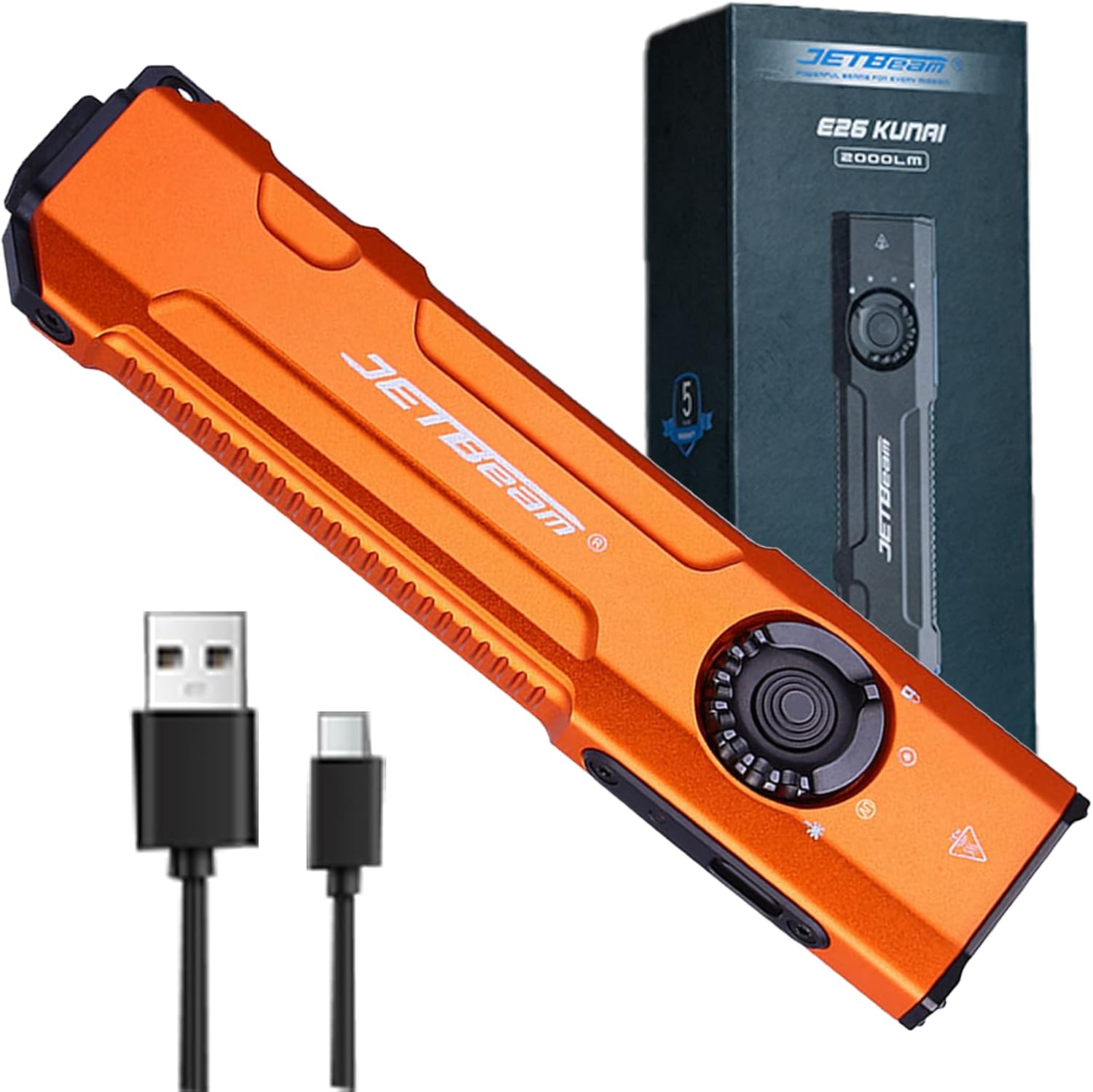
Image 1.1: The JETBeam E26 3-in-1 Flat Flashlight, showcasing konsepsyon kontra enfòmèl ant li yo ak akseswa ki enkli yo.
2. Enfòmasyon sou Sekirite
Tanpri li epi konprann tout avètisman sekirite yo anvan ou itilize pwodui sa a. Si ou pa swiv enstriksyon sa yo, ou ka blese oswa domaje pwodui a.
2.1 Sekirite jeneral
- High Output Warning: The E26 flashlight can produce up to 2000 lumens of white light. Avoid directing the beam directly into eyes, as this can cause temporary vision impairment or permanent eye damage.
- Jenerasyon Chalè: The flashlight may become hot during prolonged use at high brightness levels. Exercise caution to prevent burns.
- Aktivasyon aksidantèl: Always engage the lockout function when carrying the flashlight in a pocket or bag to prevent accidental activation and potential hazards, such as overheating or damage to clothing.
2.2 UV Light Safety
- Pwoteksyon je: Do not look directly into the UV light. Prolonged exposure to UV light can be harmful to eyes.
- Ekspozisyon po: Avoid prolonged direct exposure of skin to UV light.
- Itilizasyon entansyonèl: The UV light is intended for detection purposes (e.g., pet stains, fluorescent agents) and not for general illumination.
2.3 Green Beam Safety
- Radyasyon lazè: This product emits a Class 3R laser. Avoid direct eye exposure.
- Timoun: Keep out of reach of children. Supervise children if they are using the laser for pet play.
- Aircraft/Vehicles: Never point the laser at aircraft, vehicles, or reflective surfaces.
3. Pake kontni
Verifye ke tout atik yo prezan nan pakè ou a:
- JETBeam E26 Flashlight (Battery Included) x 1
- Manyèl itilizatè x 1
- USB chaje kab x 1
- Lanyard x 1
4. Pwodwi souview
Familiarize yourself with the components and controls of your JETBeam E26 flashlight.
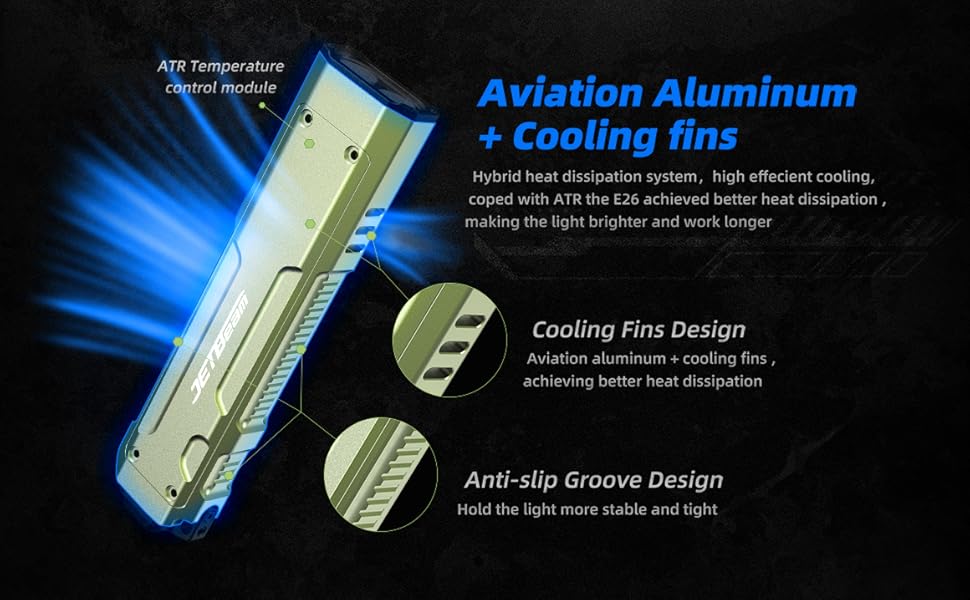
Image 4.1: Labeled diagram of the JETBeam E26 flashlight's key features.
- Limyè blan: Primary illumination source.
- Limyè UV: Ultraviolet light for detection.
- Green Beam: Laser pointer.
- Fèmen: Position on the revolving switch to prevent accidental activation.
- Bouton k ap vire: Selects between White Light, UV Light, Green Beam, and Lock modes.
- Chanjman bò: Controls brightness levels and activates selected light source.
- Kalite-C Port: Pou chaje batri entèn lan.
- Endikatè: Montre estati chaj ak nivo batri.
- Chanjman taktik: Rear button for momentary turbo output and strobe function.
5. Enstalasyon
5.1 Chaje batri a
- Locate the USB-C charging port on the side of the flashlight.
- Connect the provided USB-C charging cable to the port and a compatible USB power source.
- Limyè endikatè pouvwa a ap montre eta chaj la:
- Vèt: 35%-100% batri
- Orange: 15%-35% battery
- Red: Less than 15% battery (charge immediately)
- Charging is complete when the indicator light remains green.
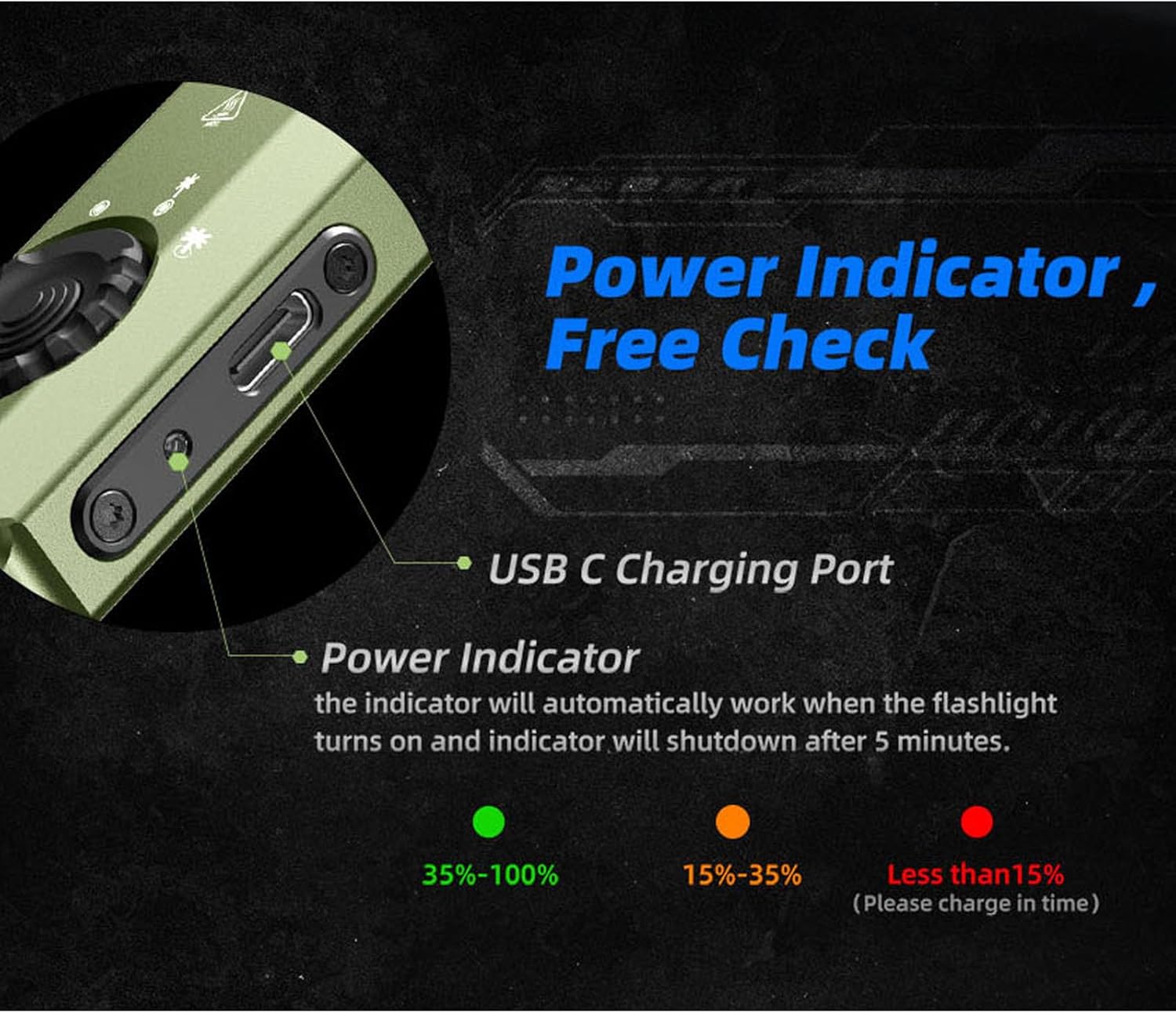
Image 5.1: USB-C charging port and battery indicator on the JETBeam E26.
5.2 Premye Itilizasyon
Before first use, ensure the revolving switch is moved from the 'Lock' position to the desired light source (White Light, UV, or Green Beam).
6. Operasyon Enstriksyon
6.1 Mode Selection (Revolving Switch)
The revolving switch on the side of the flashlight allows you to select the desired light source:
- Vire switch la nan Fèmen symbol to prevent accidental activation.
- Rotate to the Limyè Blan symbol for standard illumination.
- Rotate to the Limyè UV symbol for ultraviolet light.
- Rotate to the Green Beam symbol for the laser pointer.
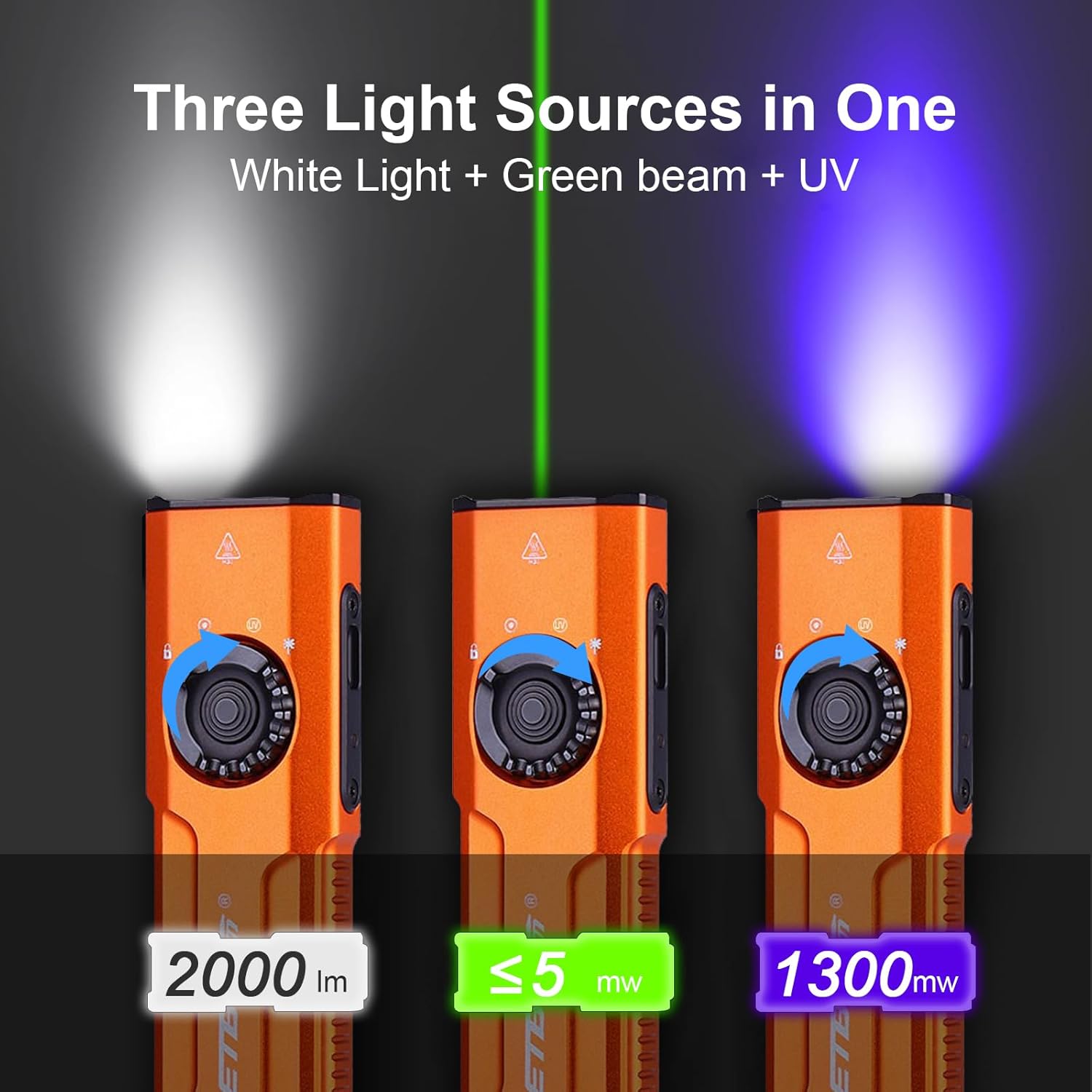
Image 6.1: The three distinct light sources of the E26 flashlight.
6.2 White Light Operation (Side Switch)
Once the revolving switch is set to White Light:
- Limen/Etenyen: Single press the side switch to turn the white light on or off.
- Ajisteman klète: When the white light is on, press and hold the side switch to cycle through the four brightness levels: Low (15 lm), Medium (300 lm), High (700 lm), and Turbo (2000 lm). Release the switch at the desired brightness. The flashlight has a memory function and will recall the last used brightness level.
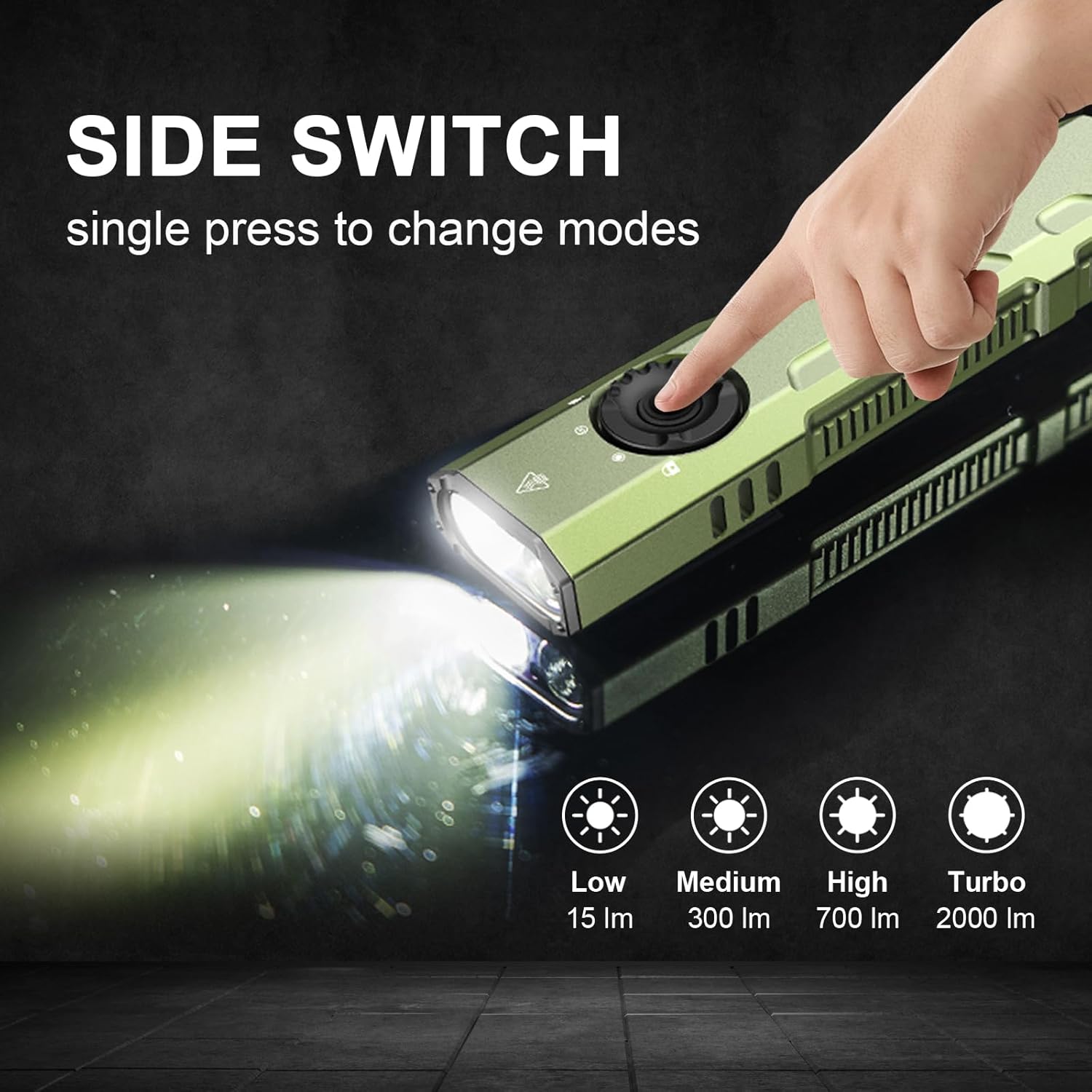
Image 6.2: Using the side switch to adjust white light brightness.
6.3 UV Light & Green Beam Operation (Side Switch)
Once the revolving switch is set to UV Light or Green Beam:
- Limen/Etenyen: Single press the side switch to activate or deactivate the selected UV light or Green Beam.
6.4 Chanjman ke taktik
The tactical tail switch provides quick access to high output and strobe functions, regardless of the revolving switch position:
- Turbo momantane: A heavy press and hold of the tactical tail switch will activate the white light at its maximum (Turbo) output. Release to turn off.
- Strobe: A slight press followed by a double press of the tactical tail switch will activate the strobe function. Press again to turn off.

Image 6.3: The tactical tail switch for instant high output and strobe.
6.5 Clip Usage
The E26 features a sturdy two-way clip for versatile carrying options. It can be attached to a pocket, hat brim, backpack strap, or other gear, allowing for hands-free operation.
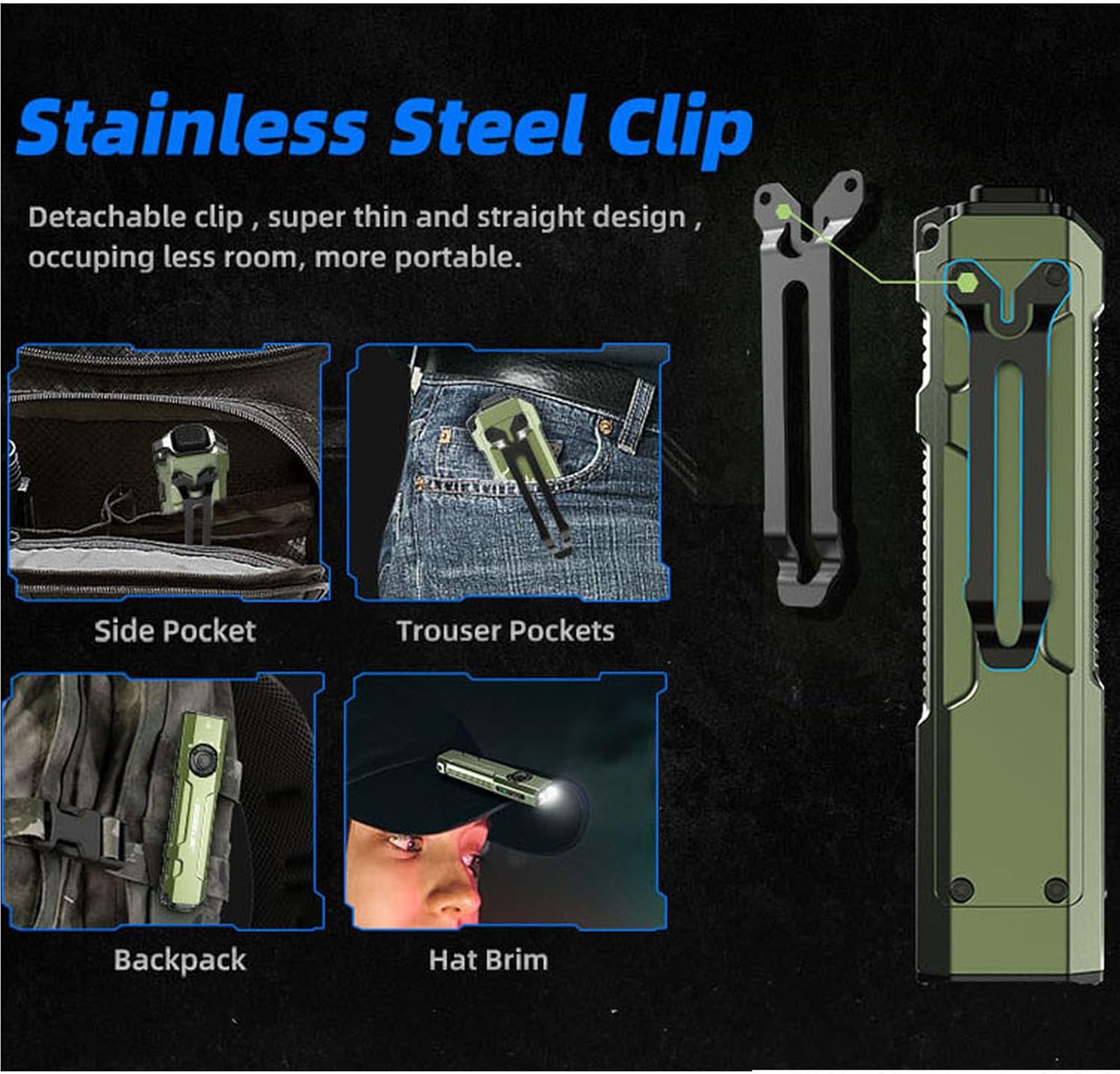
Image 6.4: Versatile carrying options using the stainless steel clip.
7. Antretyen
- Netwayaj: Netwaye kò flach la avèk yon twal mou,amp twal. Pa sèvi ak pwodui netwayaj abrazif oswa solvang.
- Pò chaje: Keep the USB-C charging port free from dust and debris.
- Depo: Store the flashlight in a cool, dry place away from direct sunlight. For long-term storage, ensure the battery is partially charged (around 50%) and engage the lockout function.
NAN. Depanaj
8.1 Lanp pòch la pa limen
- Check if the revolving switch is in the 'Lock' position. Rotate it to the desired light source.
- Ensure the battery is charged. Connect the flashlight to a power source using the USB-C cable.
8.2 Light Output is Low or Flickering
- Charge the battery fully. Low battery can affect performance.
- Asire w ke lantiy la pwòp epi li pa gen okenn obstak.
8.3 Accidental Activation in Pocket
- Always engage the 'Lock' position on the revolving switch when carrying the flashlight to prevent unintended operation.
9. Espesifikasyon
| Karakteristik | Detay |
|---|---|
| Modèl | E26 |
| Blan klète | 2000 Lumen (Max) |
| UV Light Wavelength/Power | 365nm / 1300mW |
| Green Beam | Enkli |
| Sous pouvwa | Built-in Rechargeable Lithium Ion Battery |
| Port chaje | USB-C |
| Materyèl | Anodize aliminyòm |
| Nivo rezistans dlo | IP68 (enpèmeyab) |
| Drop Rezistans | 1.5 mèt |
| Dimansyon pwodwi | 0.6"D x 1.25"W x 5"H |
| Pwa atik | 4 ons (0.25 Liv) |
| Karakteristik espesyal | Portable, Adjustable Light Modes, Rechargeable, Memory Function, Ceramic Glass Breaker |

Image 9.1: The E26 is designed to be waterproof and drop-resistant.
10. Videyo pwodwi ofisyèl la
Videyo 10.1: Yon overview of the Jetbeam E26 UV Kunai 3-in-1 Flat EDC Flashlight, demonstrating its features and compact design.
11. Enfòmasyon sou Garanti
The JETBeam E26 flashlight comes with a Lifetime Warranty. For specific terms and conditions, please refer to the warranty documentation included with your product or contact JETBeam customer support.
12. Sipò
For further assistance, technical support, or inquiries regarding your JETBeam E26 flashlight, please refer to the contact information provided in your product packaging or visit the official JETBeam websit.