
1. Entwodiksyon
This manual provides detailed instructions for the proper use, setup, operation, and maintenance of your EBTOOLS Bluetooth Headset. Please read this manual thoroughly before using the product to ensure optimal performance and longevity.
2. Pwodwi souview
2.1 Karakteristik kle
- Mikwofòn ki ka vire: Easily adjust the microphone to the optimal angle for clear voice capture.
- Teknoloji Bluetooth 5.0: Ensures faster, more efficient, and stable wireless connectivity with compatible devices.
- Konfòtab konsepsyon: Single-ear design with padded ear cushion and flexible headband for extended wear without discomfort.
- Long lavi batri: Up to 17 hours of talk time and 200 hours of standby time on a 2-hour charge.
- Inivèsèl konpatibilite: Works with laptops, cell phones, PCs, tablets, and other Bluetooth-enabled devices. Ideal for office, home, remote work, call centers, VoIP, and Skype.
2.2 Kontni pake a
Verifye ke tout atik yo prezan nan pakè ou a:
- EBTOOLS Bluetooth Headset
- Chaje baz
- Mikwo USB Chaje Kab
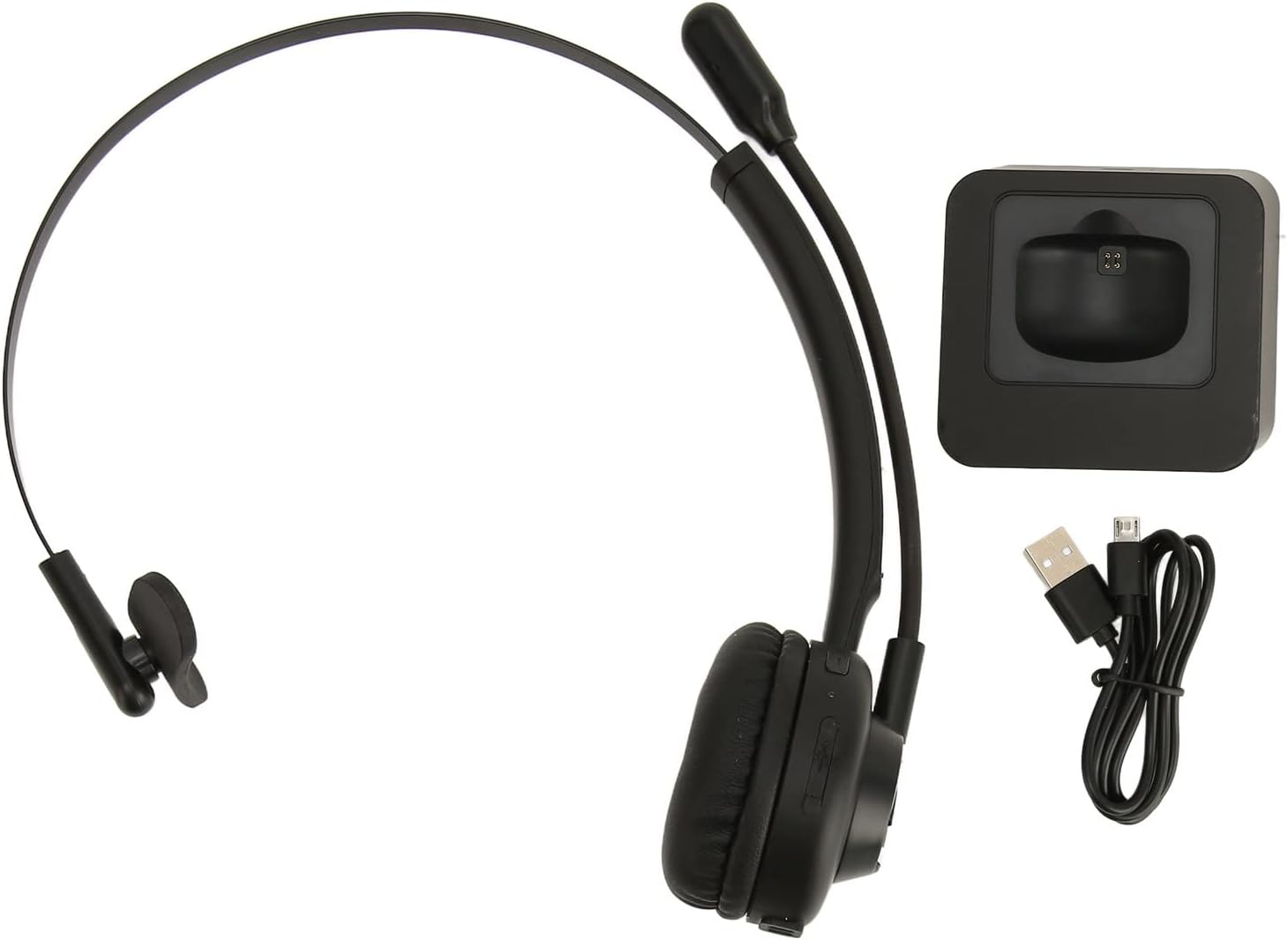
Image: The EBTOOLS Bluetooth Headset, its dedicated charging base, and a Micro USB charging cable, illustrating the complete package contents.
2.3 Headset Controls and Indicators

Image: A detailed diagram highlighting the Micro USB port, LED indicator, Volume Down button, Multifunctional button, and Volume Up button on the EBTOOLS Bluetooth Headset.
- Mikwo USB Port: For direct charging of the headset.
- Endikatè ki ap dirije: Montre estati pouvwa, chaj, ak koneksyon.
- Volim - Bouton: Diminye volim odyo.
- Bouton miltifonksyonèl: Controls power, pairing, call answer/end, and music playback.
- Volim + bouton: Ogmante volim odyo.
3. Enstalasyon
3.1 Chaje kas ekoutè a
Before first use, fully charge the headset. You can charge it using the included charging base or directly via the Micro USB port.
- Connect the Micro USB cable to the charging base and a power source (e.g., computer USB port, USB wall adapter).
- Place the headset onto the charging base, ensuring the charging contacts align. The LED indicator on the headset will show charging status.
- Alternatively, connect the Micro USB cable directly to the headset's Micro USB port and a power source.
- A full charge typically takes approximately 2 hours. The LED indicator will change color or turn off once fully charged.

Imaj: Yon gwo plan view of the headset's earcup, showing the charging contacts designed to connect with the charging base.
3.2 Konekte ak yon aparèy Bluetooth
To connect your headset to a device:
- Asire kaskèt la etenn.
- Peze epi kenbe la Multifonksyon bouton for approximately 5-7 seconds until the LED indicator flashes red and blue alternately, indicating pairing mode.
- On your device (phone, PC, tablet), enable Bluetooth and search for new devices.
- Select "EBTOOLS Headset" (or similar name) from the list of available devices.
- Once connected, the LED indicator on the headset will typically flash blue slowly or turn solid blue.
- Si yo mande w yon modpas, antre "0000".
3.3 Mete kas ekoutè a
The headset is designed for comfort and flexibility.
- Adjust the flexible headband to fit comfortably over your head.
- The single ear design allows you to remain aware of your surroundings.
- Rotate the microphone boom to position it close to your mouth for optimal voice clarity. The microphone can be rotated 180 degrees to be worn on either the left or right ear.

Image: A person wearing the EBTOOLS Bluetooth Headset, demonstrating the comfortable fit and the adjustable, rotatable microphone positioned for clear communication.
4. Operasyon Enstriksyon
4.1 Power On/Off
- Pouvwa sou: Peze epi kenbe la Multifonksyon bouton for approximately 3 seconds until the LED indicator flashes blue.
- Pouvwa Off: Peze epi kenbe la Multifonksyon bouton for approximately 3-5 seconds until the LED indicator flashes red and then turns off.
4.2 Ajiste Volim
- Peze a Volim + bouton to increase the listening volume.
- Peze a Volim - bouton diminye volim nan koute.
4.3 Jesyon Apèl
- Reponn apèl: Kout peze la Multifonksyon bouton lè yon apèl k ap antre sonnen.
- Fini apèl: Kout peze la Multifonksyon bouton pandan yon apèl.
- Rejte apèl: Peze epi kenbe la Multifonksyon bouton for approximately 2 seconds when an incoming call rings.
- Recomposition Dènye Nimewo: Doub peze la Multifonksyon bouton lè w pa nan yon apèl.
4.4 Music Playback (if supported by device)
- Jwe/Poz: Kout peze la Multifonksyon bouton.
- Pwochen Track: Peze epi kenbe la Volim + bouton.
- Track Previous: Peze epi kenbe la Volim - bouton.
4.5 Itilizasyon Mikwofòn
The rotatable microphone ensures your voice is captured clearly.
- Adjust the microphone boom to be approximately 1-2 inches from your mouth.
- The microphone can be rotated 180 degrees to allow wearing the headset on either the left or right ear.

Imaj: Yon gwo plan view of the EBTOOLS headset's flexible microphone boom, highlighting its design for optimal voice pickup.
5. Antretyen
5.1 Netwayaj
- Siye kas ekoutè a ak yon twal mou, sèk oswa yon ti kras mouye.amp twal.
- Pa sèvi ak pwodui chimik piman bouk, solvang netwayaj, oswa detèjan fò.
- Evite ke imidite antre nan nenpòt ouvèti.
5.2 Swen Batri
- Chaje kas ekoutè a regilyèman, menm si w pa itilize li souvan, pou batri a rete an bon eta.
- Evite dechaje batri a nèt souvan.
- Sere kas ekoutè a nan yon kote ki fre epi sèk, lwen tanperati ekstrèm.
NAN. Depanaj
Si ou rankontre pwoblèm ak kas ekoutè ou a, gade solisyon komen sa yo:
| Pwoblèm | Solisyon posib |
|---|---|
| Kas ekoutè a pa limen. | Ensure the headset is charged. Connect it to the charging base or directly via USB. |
| Pa ka konekte ak aparèy la. | Ensure the headset is in pairing mode (LED flashing red/blue). Turn off and on your device's Bluetooth. Delete previous pairings on your device and try again. Ensure the headset is within range (typically 10 meters). |
| Pa gen son oswa volim nan ba. | Increase volume on both the headset and your connected device. Ensure the headset is selected as the audio output device on your computer or phone. Re-pair the headset. |
| Mikwofòn pa mache. | Ensure the microphone is positioned correctly. Check microphone settings on your connected device to ensure the headset is selected as the input device. |
| Koneksyon tanzantan. | Move closer to your connected device. Avoid obstacles between the headset and device. Reduce interference from other wireless devices. |
7. Espesifikasyon
| Karakteristik | Detay |
|---|---|
| Non mak | EBTOOLS |
| Nimewo Modèl | EBTOOLSrsgvuyg5fc |
| Koneksyon Teknoloji | Bluetooth 5.0 |
| Pwa atik | 11.6 ons |
| Dimansyon pake | 7.09 x 6.69 x 2.36 pous |
| Tan pale | Jiska 17 èdtan |
| Tan sibstiti | Jiska 200 èdtan |
| Tan pou chaje | Apeprè 2 èdtan |
8. Garanti ak sipò
For warranty information or technical support, please refer to the documentation included with your purchase or contact EBTOOLS customer service through the retailer where the product was purchased. Keep your proof of purchase for warranty claims.