
SUAAT S10
SUAAT S10 10-inch Android 14 Tablet User Manual
Modèl: S10
1. Entwodiksyon
This manual provides comprehensive instructions for the setup, operation, maintenance, and troubleshooting of your SUAAT S10 Android 14 Tablet. Please read this manual carefully before using your device to ensure proper functionality and to maximize your user experience.
2. Pake kontni
Verify that all items listed below are included in your package. If any items are missing or damaged, please contact SUAAT customer support.
- Tablèt SUAAT S10
- Ka tablèt
- Bluetooth klavye
- Sourit
- Kalite-C pou USB adaptè
- Kalite-C done kab
- European Standard Charger
- OTG adaptè
- Pwoteksyon ekran
- Manyèl Enstriksyon (dokiman sa a)

Figi 2.1: Kontni pake a
3. Pwodwi souview
The SUAAT S10 tablet features a 10.1-inch IPS display, an Octa-Core processor, and runs on Android 14. It is designed for versatile use, from entertainment to productivity.
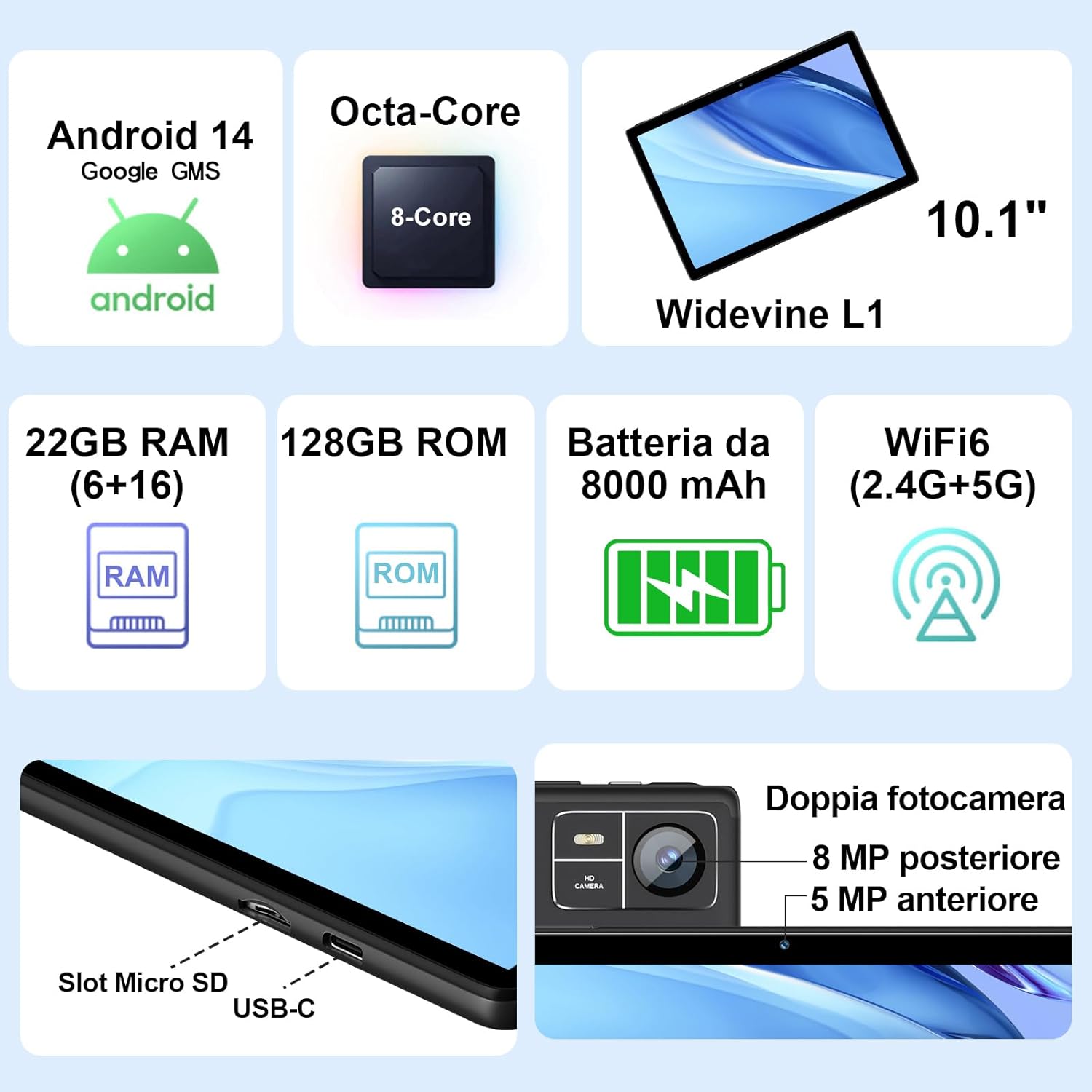
Figi 3.1: Karakteristik ak pò kle yo
3.1 Karakteristik Fizik
- Ekspozisyon: 10.1-inch IPS screen (1280 x 800 resolution)
- Kamera: 5 MP Front Camera, 8 MP Rear Camera
- Pò: USB Type-C, MicroSD Card Slot
- Bouton: Power Button, Volume Up/Down
4. Enstalasyon
4.1 Premye chaj
Before first use, fully charge your tablet using the provided Type-C data cable and European standard charger. The battery indicator on the screen will show charging status.
4.2 Power On/Off
- Pou limen: Press and hold the Power button until the SUAAT logo appears.
- Pou etenn: Peze epi kenbe bouton pouvwa a jiskaske opsyon pouvwa yo parèt, answit chwazi "Etenn".
- Pou rekòmanse: Peze epi kenbe bouton pouvwa a jiskaske opsyon pouvwa yo parèt, answit chwazi "Rekòmanse".
4.3 Asistan Enstalasyon Inisyal
Lè w limen tablèt la pou premye fwa, li pral gide w nan pwosesis konfigirasyon inisyal la:
- Chwazi lang ou pi pito.
- Konekte nan yon rezo Wi-Fi.
- Sign in with your Google account or create a new one. This is necessary to access the Google Play Store and other Google services.
- Konfigire blokaj ekran an (kòd PIN, modèl, oswa modpas).
- Review and accept Google services terms.
4.4 Mete yon Kat MicroSD
The tablet supports MicroSD cards up to 1TB for expanded storage.
- Jwenn fant kat MicroSD a sou bò tablèt la.
- Gently insert the MicroSD card into the slot until it clicks into place. Ensure the card is oriented correctly.
- Pou retire li, pouse kat la dousman jiskaske li soti.
4.5 Connecting Accessories (Keyboard and Mouse)
The included Bluetooth keyboard and mouse can be easily paired with your tablet.
- Ale nan Anviwònman > Aparèy ki konekte > Bluetooth sou tablèt ou a.
- Turn on the Bluetooth keyboard and mouse. Put them into pairing mode (refer to their individual manuals if needed).
- On the tablet, tap "Pair new device" and select the keyboard or mouse from the list of available devices.
- Swiv nenpòt envit ki sou ekran pou konplete pwosesis kouple a.

Figure 4.1: Tablet with Keyboard and Mouse
5. Itilizasyon Tablèt la
5.1 Karakteristik Android 14
Your SUAAT S10 tablet runs on the latest Android 14 operating system, offering enhanced privacy, customizable themes, and improved performance.
- Sètifye GMS: Pre-installed Google Play Store allows easy download of your favorite apps.
- Konfidansyalite ak Sekirite: Enhanced privacy controls to manage app permissions and data access.
- Pèsonalizasyon: Personalize themes and app icons.
- Productivity Features: Supports multi-users, multi-windows, and split-screen functionality for efficient multitasking.
- Kontwòl paran yo: Tools to manage content and screen time for children.
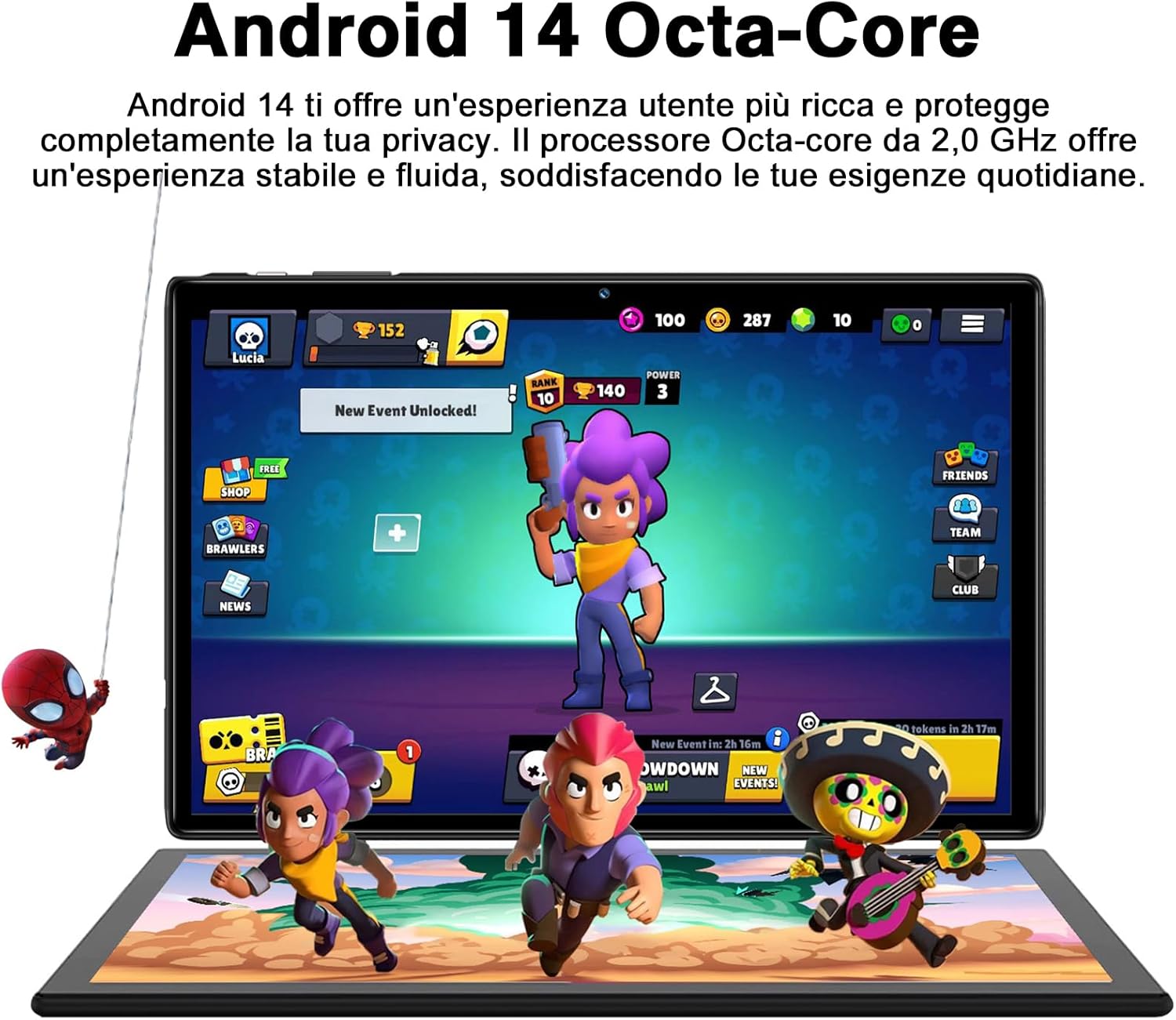
Figure 5.1: Android 14 Interface with Gaming Example
5.2 Ekspozisyon Karakteristik
The 10.1-inch IPS display provides clear visuals and rich colors.
- Teknoloji IPS: Ofri lajè viewang yo ak repwodiksyon koulè egzat.
- WideVine L1 Support: Enables high-definition video streaming (up to 1280p) from platforms like YouTube and Netflix.

Figure 5.2: Displaying Apps on the IPS Screen
5.3 Itilizasyon Kamera
The tablet is equipped with a 5 MP front camera and an 8 MP rear camera for photos and video calls.
- Louvri aplikasyon Kamera a nan ekran prensipal la oswa nan tiwa aplikasyon an.
- Chanje ant kamera devan ak dèyè a avèk ikòn kamera a.
- Tape bouton deklanchè a pou pran yon foto oswa pou kòmanse/sispann anrejistreman videyo.
- Explore various camera modes and editing options within the app.
5.4 Koneksyon
- Wi-Fi: Supports 2.4GHz and 5GHz Wi-Fi for fast and stable internet connection. Access Wi-Fi settings via Anviwònman > Rezo ak entènèt > Entènèt.
- Bluetooth 5.0: Connect to Bluetooth headphones, speakers, printers, and other devices. Manage connections via Anviwònman > Aparèy ki konekte > Bluetooth.
- OTG (Sou wout la): Use the included OTG adapter to connect USB flash drives, external hard drives, or other USB peripherals.
- GPS: Integrated GPS for navigation and location-based services.
- Radyo FM: Built-in FM receiver for listening to radio broadcasts.
5.5 Karakteristik Aksè
The tablet includes features to assist users with different needs:
- Chwazi pou pale: Lè pèmèt (Anviwònman > Aksesiblite > Chwazi pou pale), you can tap text on the screen, and the tablet will read it aloud.
- TalkBack: Provides spoken feedback for all actions and screen elements, allowing navigation without visual input. Supports Braille displays via Bluetooth. Enable via Anviwònman > Aksesiblite > TalkBack.
5.6 File Transfè
Ou ka fasilman transfere files between your tablet and other devices like computers or mobile phones.
- Via USB: Connect the tablet to a computer using the Type-C data cable. On the tablet, select "File transfer" from the USB connection options in the notification panel.
- Via Bluetooth: Pair with another Bluetooth-enabled device and use the file sharing option.
6. Antretyen
6.1 Netwayaj
Pou netwaye tablèt ou a, sèvi ak yon twal mou ki pa gen pousyè. Pou tach ki difisil pou retire, siye yon ti kras.ampLave twal la avèk dlo oswa yon pwodui netwayaj ekran. Evite itilize pwodui chimik ki agresif oswa materyèl abrazif.
6.2 Swen Batri
The 8000mAh battery provides extended usage. To prolong battery life:
- Evite tanperati ekstrèm.
- Pa kite batri a dechaje nèt souvan.
- Sèvi ak chajè ak kab orijinal la.
- Fèmen aplikasyon ki pa itilize yo kouri nan background nan.
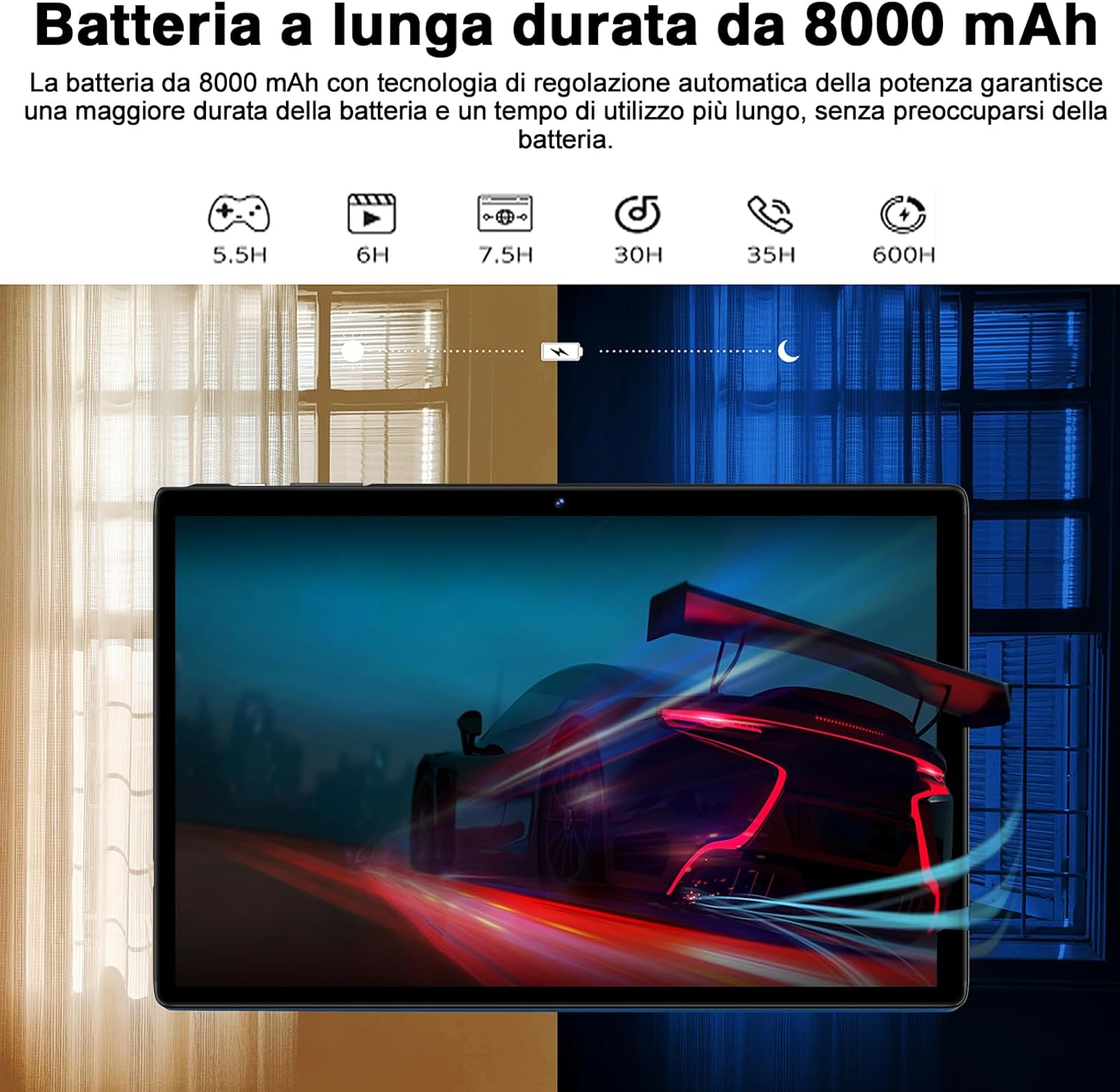
Figure 6.1: 8000mAh Battery Life Overview
6.3 Mizajou lojisyèl
Tcheke regilyèman pou wè si sistèm nan ap fonksyone byen pou asire w ou gen pi bon pèfòmans ak sekirite. Ale nan Anviwònman > Sistèm > Aktyalizasyon sistèm lan.
NAN. Depanaj
| Pwoblèm | Kòz posib / Solisyon |
|---|---|
| Tablèt la pa limen. | Battery might be depleted. Connect the charger and try again after a few minutes. If it still doesn't turn on, press and hold the power button for 10-15 seconds to force a restart. |
| Pwoblèm koneksyon Wi-Fi. | Ensure Wi-Fi is enabled. Restart your router and the tablet. Forget the network and reconnect. Check if other devices can connect to the same Wi-Fi. |
| Aplikasyon yo ap plante oswa yo bloke. | Close background apps. Clear the app's cache (Settings > Apps > [App Name] > Storage & cache > Clear cache). Update the app to the latest version. Restart the tablet. |
| Pèfòmans ralanti. | Fèmen aplikasyon ou pa itilize yo. Vide kach la ak aplikasyon tanporè yo files. Uninstall unnecessary apps. Ensure sufficient storage space. Restart the tablet regularly. |
| Aparèy Bluetooth la pa konekte. | Ensure Bluetooth is enabled on both devices. Put the accessory in pairing mode. Make sure devices are within range. Restart both devices. |
8. Espesifikasyon
| Karakteristik | Detay |
|---|---|
| Mak | SUAT |
| Modèl | S10 |
| Sistèm operasyon | Android 14 |
| Processeur | Octa-Core, 2.0 GHz (Unisoc) |
| RAM | 22 GB (6GB physical + 16GB expansion) |
| Depo Entèn (ROM) | 128 GB |
| Depo dilatabl | Jiska 1 TB atravè kat MicroSD |
| Kapasite batri | 8000 mAh |
| Kalite ekspozisyon | IPS |
| Gwosè ekran | 10.1 pous |
| Rezolisyon ekspozisyon | 1280 x 800 piksèl |
| Kamera devan | 5 MP |
| Kamera dèyè | 8 MP |
| Wi-Fi | 2.4 GHz + 5 GHz (802.11ax) |
| Bluetooth | Bluetooth 5.0 |
| Entèfas | Type-C, MicroSD Card Slot |
| Karakteristik espesyal | GMS Certified, WideVine L1, OTG, FM Receiver, GPS |
| Dimansyon (L x W x H) | 24.31 x 0.99 x 16.1 cm |
| Pwa | 480 gram |
9. Garanti ak sipò
9.1 Enfòmasyon sou Garanti
SUAAT offers a 2-year European standard warranty for each tablet PC. This warranty covers manufacturing defects and ensures your product functions as intended under normal use.
9.2 Sipò pou Kliyan
SUAAT has over 15 years of experience in tablet manufacturing and sales, backed by a professional technical support and assistance team. We are committed to providing excellent pre-sales advice and after-sales service, including product technical support.
If you require any assistance or have questions, please do not hesitate to contact us. We aim to respond within 24 hours and provide satisfactory service.
For support, please refer to the contact information provided on the product packaging or SUAAT's official websit.
10. Enfòmasyon enpòtan sou sekirite
- Do not expose the tablet to extreme temperatures, direct sunlight, or high humidity.
- Avoid dropping or subjecting the tablet to severe impact.
- Do not attempt to disassemble or repair the tablet yourself. This will void the warranty.
- Use only original or certified compatible chargers and accessories.
- Keep the tablet away from water and other liquids.
- Dispose of the tablet and its battery responsibly according to local regulations.
Ask a question about this manual
Ask about setup, troubleshooting, compatibility, parts, safety, or missing instructions. Manuals+ will review the question and use this page’s manual context to help answer it.