
DOOGEE T40
Manyèl Itilizatè Tablèt DOOGEE T40 Android 14
Modèl: T40 | Mak: DOOGEE
1. Pwodwi souview
The DOOGEE T40 is an advanced Android 14 tablet designed for both entertainment and productivity. It features a high-resolution 2.5K display, a powerful Octa-Core processor, and extensive storage capabilities, making it suitable for a wide range of applications from gaming to professional tasks.

Figi 1.1: Devan ak dèyè view of the DOOGEE T40 Tablet, highlighting its sleek design and camera module.
Karakteristik kle:
- Ekspozisyon: 11-inch 2.5K IPS Ultra Clear Display (2560x1600 resolution) for vibrant visuals.
- Pèfòmans: Helio G99 Octa-Core Processor (6nm process technology) for smooth multitasking and gaming.
- Memwa ak Depo: Up to 20GB RAM (8GB physical + 12GB virtual) and 512GB internal storage, expandable up to 2TB via microSD.
- Batri: 8580mAh large battery with 18W fast charging and reverse charging capability.
- Koneksyon: Dual SIM 4G LTE, Dual-band Wi-Fi (2.4G/5G), Bluetooth 5.0.
- Sistèm operasyon: Android 14 for enhanced productivity and entertainment.
- Odyo: Immersive Quad Speakers for rich sound.
- Kamera: 16MP Main Camera and 8MP Front Camera.
Videyo 1.1: Yon overview of the DOOGEE T40 Tablet, showcasing its design, display, and key features.
2. Ki sa ki nan bwat la
Verifye ke tout atik yo prezan nan pake a anvan ou kontinye ak konfigirasyon an.
- T40 Tablet x1
- Kalite-C USB kab x1
- Charger x1
- Tool for take card x1 (SIM Ejector Tool)
- Anti-explosion film x1 (Pre-applied screen protector)
- Anbalaj bwat x1
- Manual x1 (This document)
3. Espesifikasyon
| Karakteristik | Spesifikasyon |
|---|---|
| Mak | DOOGEE |
| Non modèl | T40 |
| Sistèm operasyon | Android 14 |
| Gwosè ekran | 10.95 pous |
| Rezolisyon ekran | 2560 x 1600 piksèl (2.5K) |
| Processeur | MediaTek Helio G99 Octa-core |
| RAM | 20GB (8GB fizik + 12GB vityèl) |
| Depo Entèn | 512GB |
| Depo dilatabl | Jiska 2TB atravè kat MicroSD |
| Kapasite batri | 8580mAh |
| Chaje | Chaje rapid 18W, Chaje envès |
| Koneksyon | Dual SIM 4G LTE, Wi-Fi 2.4G/5G, Bluetooth 5.0 |
| Kamera | 16MP Main, 8MP Front |
| Dimansyon (LxWxH) | 10.09 x 6.61 x 0.3 pous |
| Pwa atik | 2.49 liv |
4. Enstalasyon
4.1. Premye Chaj
Before first use, fully charge your DOOGEE T40 tablet using the provided Type-C USB cable and charger. Connect the charger to the tablet's USB-C port and plug it into a power outlet. The battery indicator on the screen will show charging progress.

Figure 4.1: Illustration of the tablet's 8580mAh battery and 18W fast charging capability.
4.2. Power On/Off
- Pou limen: Peze epi kenbe bouton Power la (ki sitiye sou bò a) jiskaske logo DOOGEE a parèt.
- Pou etenn: Peze epi kenbe bouton pouvwa a jiskaske meni opsyon pouvwa a parèt, answit chwazi "Etein".
- Pou rekòmanse: Nan meni opsyon pouvwa a, chwazi "Rekòmanse".
4.3. Enstalasyon Kat SIM ak Kat MicroSD
The DOOGEE T40 supports Dual SIM 4G LTE and MicroSD card expansion.
- Jwenn plato kat SIM lan sou bò tablèt la.
- Mete zouti pou retire kat SIM lan nan ti twou ki akote plato a epi pouse dousman jiskaske plato a soti.
- Mete kat Nano-SIM ou yo ak/oswa kat MicroSD ou yo nan fant ki fèt pou sa sou plato a, epi asire w oryantasyon an kòrèk.
- Pouse plato a tounen nan tablèt la avèk prekosyon jiskaske li fè yon klik an plas.

Figure 4.2: Close-up of the Dual SIM and TF (MicroSD) card slot on the DOOGEE T40 Tablet.
4.4. Koneksyon rezo
- Wi-Fi: Ale nan Anviwònman > Rezo ak entènèt > Wi-Fi, aktive Wi-Fi a, chwazi rezo ou vle a, epi antre modpas la si sa nesesè.
- Done mobil: Ensure your SIM card is installed correctly. Go to Anviwònman > Rezo ak entènèt > Rezo mobil and enable mobile data.
5. Operasyon Enstriksyon
5.1. Navige sou Android 14
The DOOGEE T40 runs on Android 14, offering an intuitive user experience.
- Ekran Kay: Glise agoch oswa adwat pou jwenn aksè nan diferan ekran prensipal yo.
- Tiwa aplikasyon: Glise anlè soti anba ekran an pou jwenn aksè a tout aplikasyon ki enstale yo.
- Notifikasyon ak Paramèt Rapid: Glise desann soti nan tèt ekran an pou view notifikasyon ak paramèt rapid (Wi-Fi, Bluetooth, elatriye).
- Aplikasyon ki sot pase yo: Glise anlè soti anba epi kenbe, apresa lage li pou wè aplikasyon ou te itilize yo dènyèman.
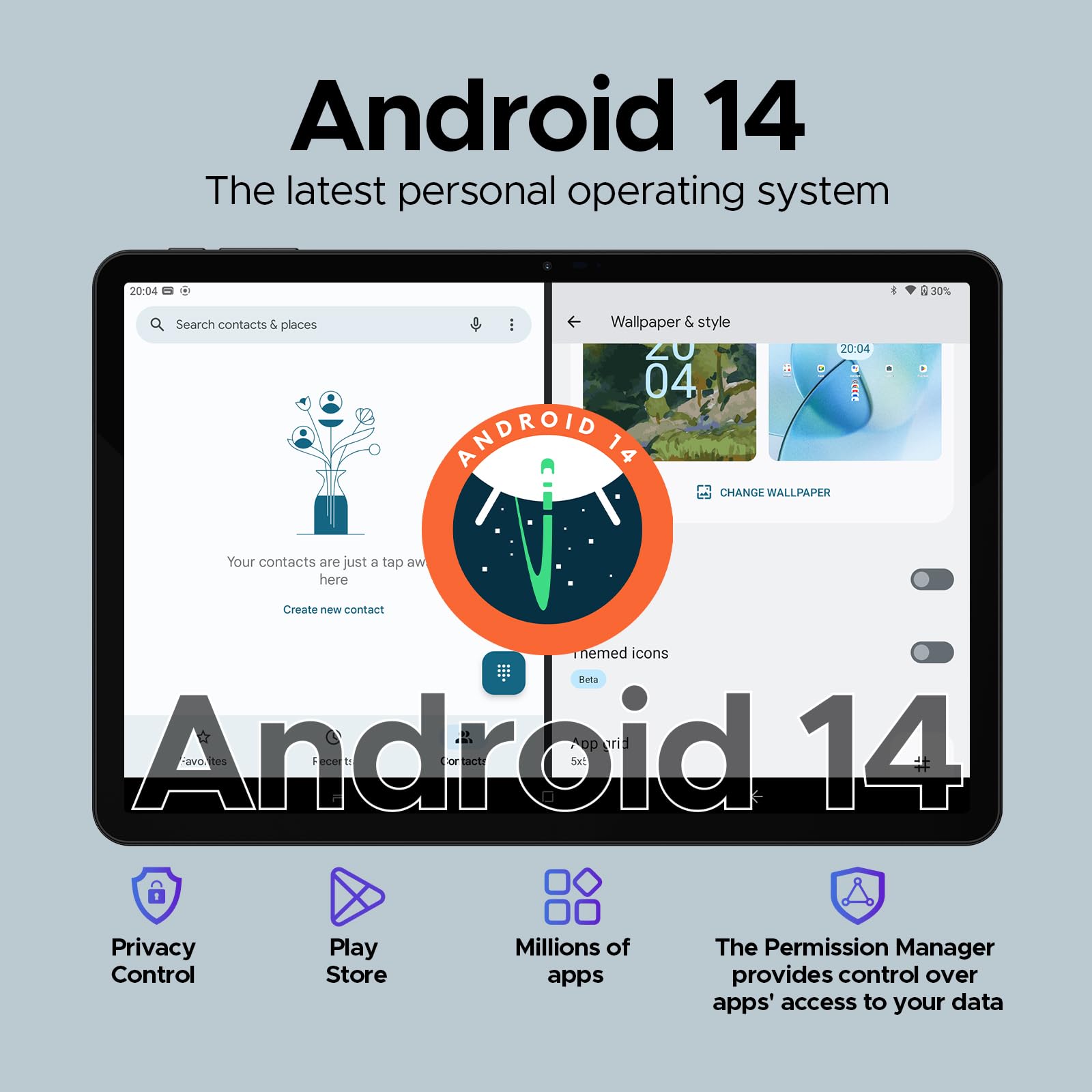
Figure 5.1: Visual representation of the Android 14 operating system interface on the DOOGEE T40.
5.2. Face Unlock
For quick and secure access, configure Face Unlock:
- Ale nan Anviwònman > Sekirite ak vi prive > Debloke aparèy > Debloke figi.
- Swiv enstriksyon ki sou ekran an pou anrejistre figi ou.
5.3. Split-Screen Functionality
Multitask efficiently by using two apps simultaneously:
- Louvri premye aplikasyon ou vle itilize a.
- Swipe up from the bottom and hold to access recent apps.
- Tap the app icon at the top of the first app's card, then select "Split screen".
- Choose the second app from your recent apps or app drawer to fill the other half of the screen.
5.4. OTG (On-The-Go) Functionality
The DOOGEE T40 supports OTG, allowing you to connect USB devices like flash drives, keyboards, or mice directly to the tablet using a compatible OTG adapter (not included).
It also supports reverse charging, allowing the tablet to act as a power bank for other devices. Connect your device to the tablet's USB-C port using a compatible cable.
6. Antretyen
6.1. Swen batri
- Evite tanperati ekstrèm, paske yo ka diminye lavi batri a.
- Use only the original charger and cable provided with the tablet.
- For optimal battery longevity, avoid frequently draining the battery completely or keeping it at 100% for extended periods.
6.2. Netwayaj
- Sèvi ak yon twal mou ki pa gen pousyè pou netwaye ekran an ak kò tablèt la.
- Pou tach ki difisil pou retire, yon ti kras dampRense twal la avèk dlo oswa yon pwodui netwayaj ekran. Evite pwodui chimik ki agresif.
6.3. Mizajou lojisyèl
Tcheke epi enstale mizajou lojisyèl regilyèman pou asire pèfòmans, sekirite, ak aksè a nouvo fonksyonalite optimal.
- Ale nan Anviwònman > Sistèm > Mizajou sistèm.
- Swiv enstriksyon ki parèt sou ekran an pou telechaje epi enstale nenpòt mizajou ki disponib. Asire w ke tablèt ou a byen chaje oswa konekte ak kouran pandan mizajou yo.
NAN. Depanaj
| Pwoblèm | Solisyon posib |
|---|---|
| Tablèt la pa limen. | Asire w batri a chaje. Konekte plato a epi tann kèk minit anvan ou eseye limen l ankò. Si aparèy la pa reponn, peze epi kenbe bouton Pouvwa a pandan 10-15 segonn pou fòse yon rekòmanse. |
| Pwoblèm koneksyon Wi-Fi. | Rekòmanse tablèt la ak routeur Wi-Fi ou a. Bliye rezo a nan paramèt Wi-Fi yo epi rekonekte. Asire w ke ou nan zòn siyal Wi-Fi a. |
| Aplikasyon yo ap plante oswa yo bloke. | Efase kach la ak done yo pou aplikasyon ki gen pwoblèm nan (Anviwònman > Aplikasyon > [Non Aplikasyon an] > Depo ak kachMete aplikasyon an ajou nan Google Play Store. Si pwoblèm nan pèsiste, dezenstale epi enstale aplikasyon an ankò. |
| Pèfòmans ralanti. | Close unused background apps. Clear cache regularly. Consider uninstalling rarely used apps. Ensure sufficient free storage space. Restart the tablet periodically. |
| Kat SIM pa detekte. | Ensure the SIM card is correctly inserted into the tray. Restart the tablet. Verify that the SIM card is active with your mobile carrier. |
8. Garanti ak sipò
The DOOGEE T40 Tablet comes with a 2-ane garanti, as stated in the product features. For any technical assistance or warranty claims, please contact the seller directly.
Vandè: Tablet flagship store
DOOGEE provides lifetime technical support and full 24/7 customer service for their products.
For further assistance, refer to the official DOOGEE websit la oubyen kontakte chanèl sèvis kliyan yo.
Ask a question about this manual
Ask about setup, troubleshooting, compatibility, parts, safety, or missing instructions. Manuals+ will review the question and use this page’s manual context to help answer it.