
1. Entwodiksyon
This manual provides essential instructions for setting up, operating, and maintaining your SUAAT S10 10-inch Android 14 Tablet. Please read this manual thoroughly before using your device to ensure proper functionality and to maximize its lifespan. The SUAAT S10 tablet features an Octa-Core processor, 22GB RAM, 128GB ROM (expandable to 1TB), 5G+2.4G WiFi, Bluetooth 5.0, an 8000mAh battery, and an 8MP rear camera with a 5MP front camera.
2. Pake kontni
Verifye ke tout atik ki nan lis anba a yo prezan nan pake pwodwi ou a:
- Tablèt SUAAT S10
- Bluetooth klavye
- Sourit san fil
- Ka Pwoteksyon
- Screen Protector (Tempered Glass)
- USB Kalite-C Chaje Kab
- Adaptè pouvwa
- OTG adaptè
- SIM Ejector Pin (for microSD card slot)
- Manyèl itilizatè

Figure 2.1: Included accessories with the SUAAT S10 tablet.
3. Inisyal Enstalasyon
3.1 Chaje tablèt la
Before first use, fully charge the tablet. Connect the USB Type-C charging cable to the tablet's charging port and the power adapter to a wall outlet. The charging indicator will show the charging status. A full charge typically takes several hours.
3.2 Limen/Etenyen
- Pou limen: Peze epi kenbe bouton pouvwa a jiskaske ekran an limen.
- Pou etenn: Peze epi kenbe bouton Power la, answit chwazi "Power off" nan opsyon ki sou ekran an.
- Pou rekòmanse: Peze epi kenbe bouton Pouvwa a, answit chwazi "Rekòmanse" nan opsyon ki sou ekran an.
3.3 Konekte ak Wi-Fi
- Ale nan Anviwònman > Rezo ak entènèt > Wi-Fi.
- Aktive Wi-Fi a On.
- Chwazi rezo Wi-Fi ou vle a nan lis la.
- Antre modpas rezo a si yo mande w, epi tape Konekte.
3.4 Pairing Bluetooth Accessories (Keyboard & Mouse)
- Ensure the Bluetooth keyboard and mouse are powered on and in pairing mode (refer to their respective manuals for specific instructions).
- Sou tablèt ou a, ale nan Anviwònman > Aparèy ki konekte > Bluetooth.
- Aktive Bluetooth On.
- Tape Pè nouvo aparèy.
- Select the keyboard or mouse from the list of available devices and follow any on-screen prompts to complete pairing.

Figure 3.1: SUAAT S10 tablet with keyboard and mouse accessories.
4. Itilizasyon Tablèt la
4.1 Android 14 Interface
Your SUAAT S10 tablet runs on Android 14, offering a user-friendly interface. Navigate by tapping, swiping, and pinching the screen. The home screen provides quick access to applications and widgets. Swipe down from the top for notifications and quick settings.

Figure 4.1: Android 14 operating system on SUAAT S10.
4.2 Sèvi ak Kamera yo
Tablèt la ekipe ak yon kamera dèyè 8MP ak yon kamera devan 5MP. Louvri aplikasyon Kamera a pou pran foto ak videyo. Tape ekran an pou fè fokus epi peze bouton deklanchè a pou pran yon foto.

Figure 4.2: Camera features and sample imaj.
4.3 Konsomasyon Medya
The 10-inch display with 1920x1200 resolution and Widevine L1 support provides an optimal viewing experience for videos and other media. The 8000mAh battery supports extended usage for video playback, music, and gaming.

Figure 4.3: High-definition display of the SUAAT S10 tablet.
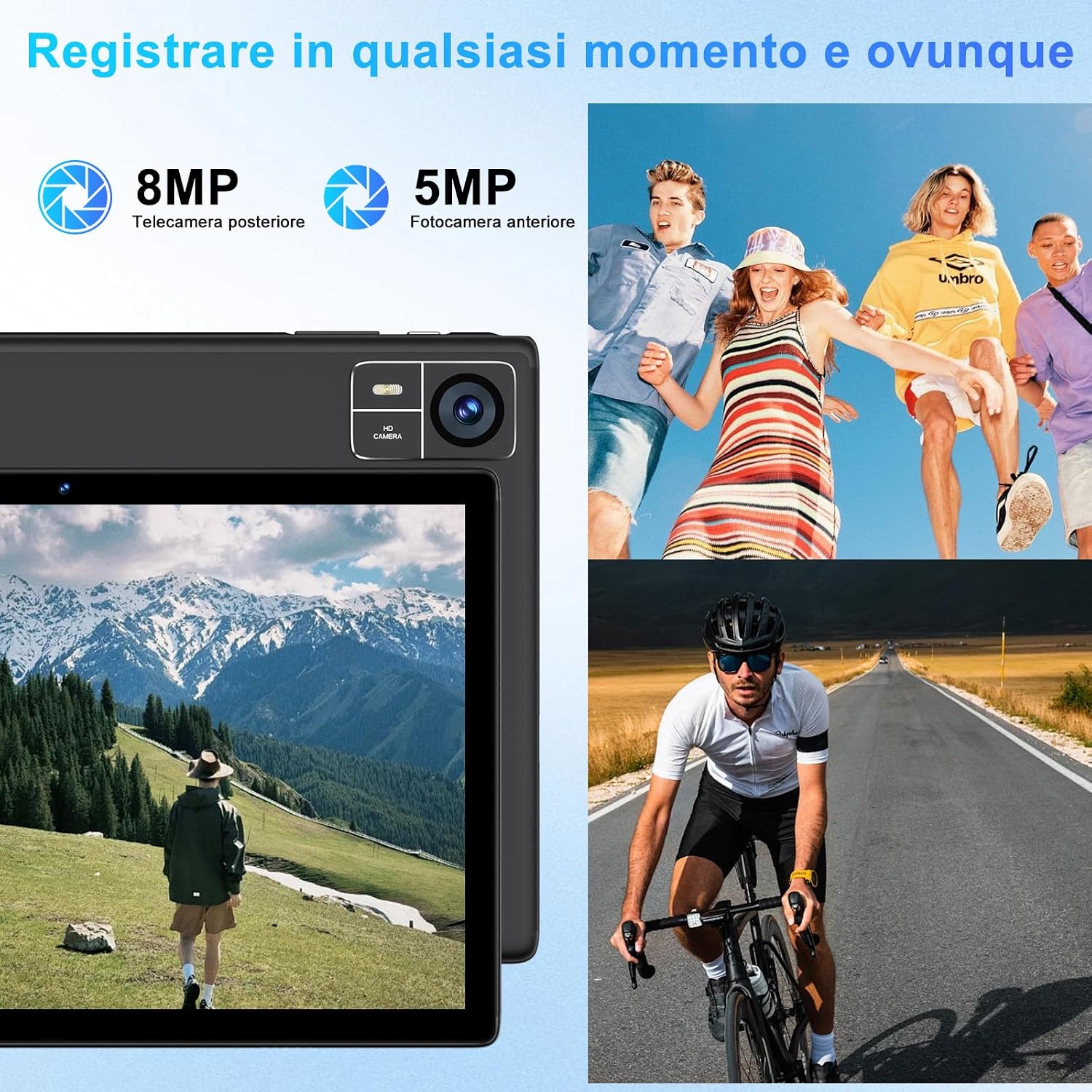
Figure 4.4: 8000mAh battery for extended use.

Figure 4.5: Tablet performance for media and applications.
5. Antretyen
5.1 Netwaye Tablèt la
Use a soft, lint-free cloth to clean the screen and body of the tablet. Avoid using harsh chemicals or abrasive materials, which can damage the screen coating or finish. For stubborn smudges, slightly dampRense twal la avèk dlo oswa yon solisyon netwayaj espesifik pou ekran.
5.2 Swen Batri
- Avoid exposing the tablet to extreme temperatures (hot or cold), as this can degrade battery performance.
- Pa kite grenn nan konplètman dechaje pou yon peryòd tan pwolonje.
- For optimal battery longevity, avoid constantly charging the tablet to 100% or letting it frequently drop to 0%.
5.3 Mizajou lojisyèl
Tcheke epi enstale mizajou lojisyèl regilyèman pou asire tablèt ou a gen dènye karakteristik yo, patch sekirite yo ak amelyorasyon pèfòmans yo. Ale nan Anviwònman > Sistèm > Aktyalizasyon sistèm lan.
NAN. Depanaj
Tablèt 6.1 la pa limen
- Ensure the tablet is sufficiently charged. Connect it to the charger for at least 30 minutes.
- Peze epi kenbe bouton Pouvwa a pandan 10-15 segonn pou fòse rekòmanse.
6.2 Pwoblèm koneksyon Wi-Fi
- Tcheke si Wi-Fi a aktive nan Anviwònman.
- Rekòmanse routeur Wi-Fi ou a ak tablèt la.
- Forget the network in Anviwònman > Rezo ak entènèt > Wi-Fi, apresa konekte ankò.
6.3 Pèfòmans Ralanti
- Fèmen aplikasyon background ki pa nesesè yo.
- Efase done kach pou aplikasyon yo itilize souvan nan Anviwònman > Aplikasyon yo > [Non Aplikasyon an] > Depo ak kach.
- Ensure sufficient storage space is available. Delete unused files oswa apps.
- Rekòmanse tablèt la.
6.4 Bluetooth Accessories Not Connecting
- Ensure the accessories are charged and in pairing mode.
- Check if Bluetooth is enabled on the tablet.
- Unpair and re-pair the accessories.
- Restart both the tablet and the accessories.
7. Espesifikasyon
| Karakteristik | Spesifikasyon |
|---|---|
| Mak | SUAT |
| Nimewo Modèl | S10 |
| Sistèm operasyon | Android 14 |
| Mak processeur | Unisoc Octa-Core (2.0 GHz) |
| RAM | 22GB (Note: This typically includes virtual RAM expansion. Actual physical RAM may be lower.) |
| Depo Entèn | 128GB |
| Depo dilatabl | Jiska 1TB atravè kat TF (microSD) |
| Gwosè ekran | 10 pous |
| Rezolisyon ekspozisyon | 1920x1200 pixels (FHD) |
| Kamera dèyè | 8MP |
| Kamera devan | 5MP |
| Kapasite batri | 8000mAh |
| Koneksyon san fil | 5G+2.4G WiFi (802.11ac, 802.11b, 802.11g, 802.11n), Bluetooth 5.0 |
| Kalite koneksyon | USB Kalite-C |
| Dimansyon (L x W x H) | 17 x 12 x 0.8 cm |
| Karakteristik espesyal | Widevine L1 Support, Includes Keyboard and Mouse |
8. Garanti ak sipò
SUAAT is committed to providing professional technical assistance and 24-hour after-sales service. For any issues, questions, or warranty claims, please contact SUAAT customer support through the official channels provided with your purchase or on the SUAAT brand websit.

Figure 8.1: SUAAT customer support details.