
1. Pwodwi souview
The GAMEMAX SFX 650W Full Modular 80 Plus Gold Power Supply (GS-650G) is designed to provide stable and efficient power for your computer system, especially for small form factor (SFX) builds. Featuring 80 Plus Gold certification, full modularity, and robust protection mechanisms, this PSU ensures reliable performance.
Karakteristik kle:
- 80 Plus Gold Certified: Achieves 90% efficiency or higher under typical loads, reducing energy waste and heat.
- Full Modular Design: Allows for custom cable management, improving airflow and reducing clutter within your PC case.
- Pare pou ATX 3.0 ak PCIe 5.0: Designed to support the latest hardware standards. (Note: A 12VHPWR cable is not included).
- Japanese 105°C Capacitors: Ensures unwavering product quality and performance stability.
- Ultra Quiet FDB Fan: Provides efficient cooling with minimal noise.
- Pwoteksyon solid: Includes safeguards against Over-Voltage (OVP), Anba-Voltage (UVP), Over-Power (OPP), Short-Circuit (SCP), Over-Current (OCP), and Over-Temperature (OTP).
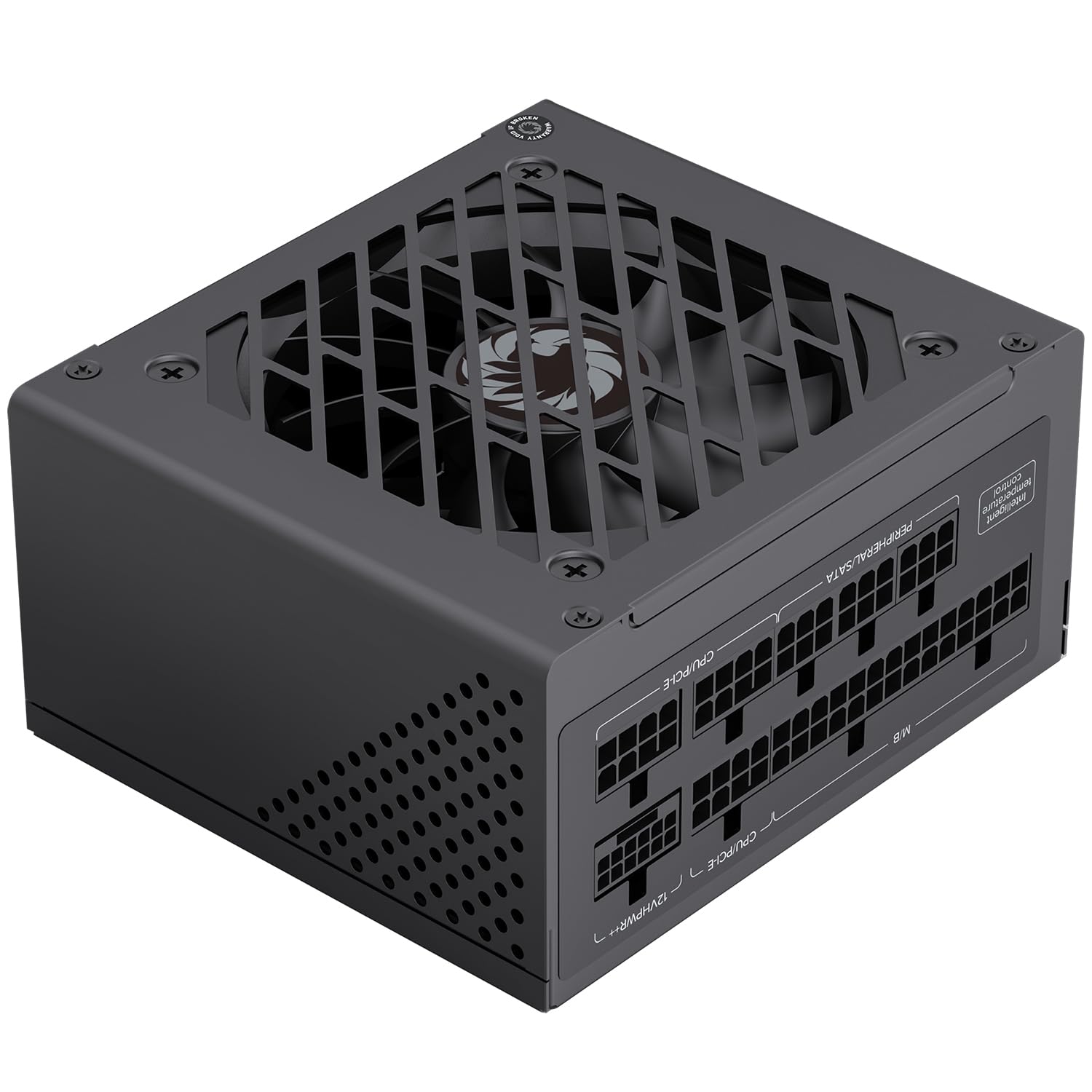
Figi 1: Jeneral view of the GAMEMAX SFX 650W Full Modular Power Supply (GS-650G).
2. Enfòmasyon sou Sekirite
Please read and understand all safety instructions before installing or operating the power supply. Failure to do so may result in personal injury or damage to your equipment.
- Always disconnect the power cord from the wall outlet before installing, removing, or cleaning the power supply.
- Pa louvri fil kouran an casing. Gwo volimtagGen pyès anndan, epi pa gen okenn pyès itilizatè a ka repare. Lè w louvri aparèy la, garanti a ap anile.
- Ensure the power supply is installed in a well-ventilated area, free from excessive heat, humidity, or dust.
- Use only the modular cables provided with this power supply. Using incompatible cables may cause damage to the PSU or connected components.
- Konekte ekipman pou pouvwa a nan yon priz elektrik ki gen koneksyon ak tè.
- Avoid placing objects on the power supply or blocking its ventilation openings.
3. Pake kontni
Verifye ke tout atik yo prezan nan pakè a:
- GAMEMAX SFX 650W Full Modular Power Supply (GS-650G)
- Modular Cable Set (24-pin ATX, 8-pin CPU, PCIe, SATA, IDE)
- AC pouvwa kòd
- Montaj Vis
- Manyèl Itilizatè (dokiman sa a)
4. Gid Enstalasyon
4.1 Enstalasyon Fizik
- Ensure your computer is powered off and the power cord is disconnected from the wall outlet.
- Louvri ka òdinatè w lan.
- Locate the SFX power supply mounting area in your case.
- Carefully slide the GAMEMAX GS-650G PSU into the designated slot.
- Fikse ekipman pou pouvwa a nan bwat la avèk vis montaj yo bay yo.
4.2 Koneksyon kab
The full modular design allows you to connect only the cables necessary for your system, reducing clutter and improving airflow. Refer to your motherboard and component manuals for specific connection points.
- Kab kat manman ATX 24-pin: Li konekte ak konektè prensipal kouran an sou kat manman ou an.
- 8-pin (4+4-pin) CPU Cable: Connects to the CPU power connector on your motherboard.
- PCIe Cables (6+2-pin): Connects to graphics cards requiring PCIe power. This PSU is PCIe 5.0 ready.
- SATA Câbles: Connects to SATA devices such as SSDs, HDDs, and optical drives.
- IDE/Molex Cables: Connects to older peripherals or case fans.

Figure 2: Diagram illustrating the various modular cables and their approximate lengths.

Figure 3: The power supply is designed to be ATX 3.1 and PCIe 5.1 ready, supporting modern components.
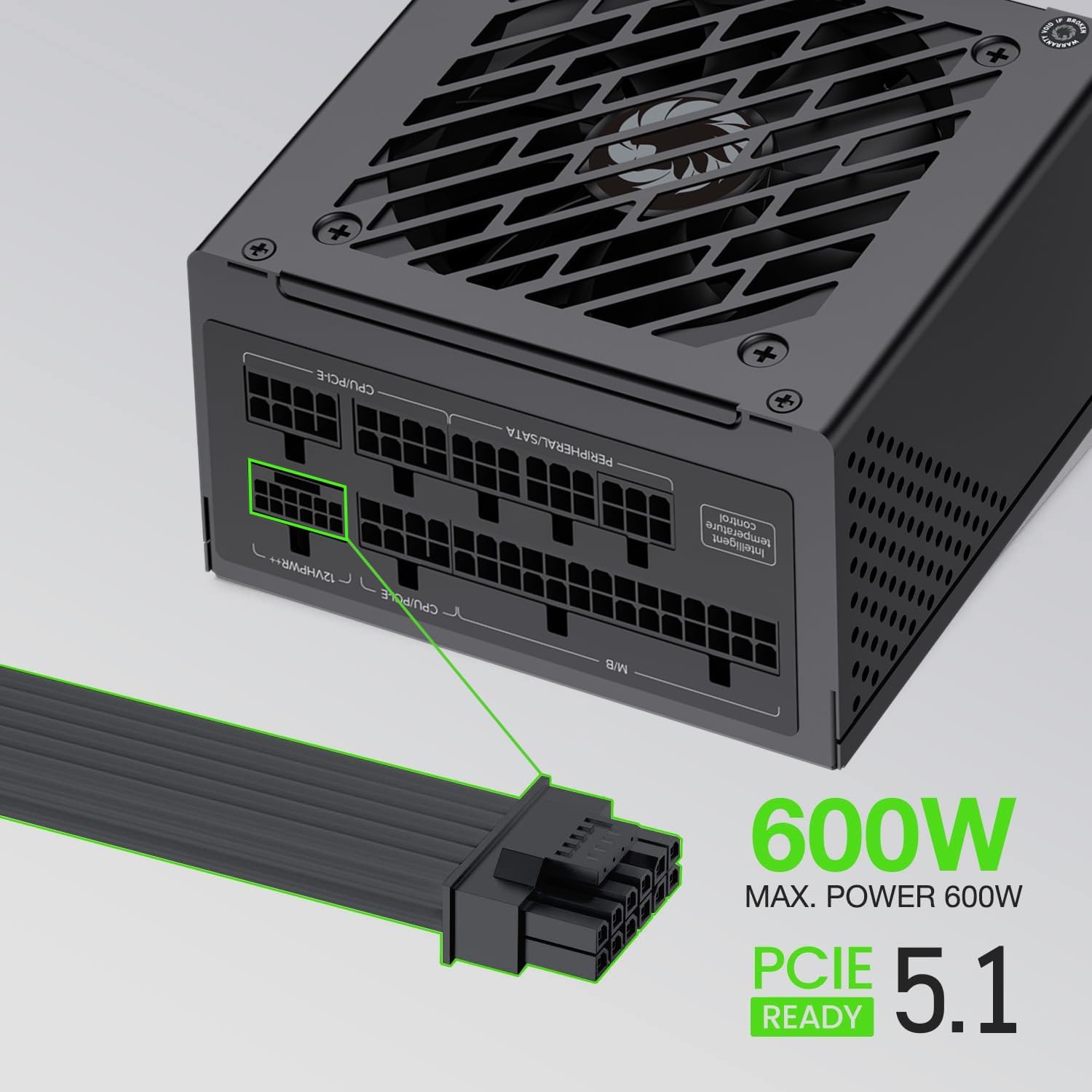
Figure 4: The power supply supports up to 600W maximum power for PCIe 5.1 connections.
5. Operasyon
5.1 Premye pouvwa-sou
- After all components are securely connected, ensure the power switch on the back of the PSU is in the 'OFF' (0) position.
- Connect the AC power cord to the PSU and then to a grounded wall outlet.
- Flip the power switch on the PSU to the 'ON' (I) position.
- Press the power button on your computer case to start your system.
5.2 Operasyon Nòmal
During normal operation, the GAMEMAX GS-650G power supply will provide stable power to your system. The FDB fan is designed to operate quietly, adjusting its speed based on the internal temperature to maintain optimal cooling without excessive noise.

Figure 5: The power supply features an excellent cooling fan for efficient heat dissipation.
5.3 Pwoteksyon Karakteristik
The GAMEMAX GS-650G is equipped with multiple protection circuits to safeguard your system:
- OVP (Over-Voltage Pwoteksyon): Shuts down the PSU if output voltages exceed a safe level.
- UVP (Under-Voltage Pwoteksyon): Shuts down the PSU if output voltages drop below a safe level.
- OPP (Over-Power Protection): Li fèmen ekipman pou pouvwa a si konsomasyon enèji total la depase kapasite maksimòm li.
- SCP (Short-Circuit Protection): Shuts down the PSU in case of a short circuit on any output rail.
- OCP (Over-Current Protection): Shuts down the PSU if current on a single output rail exceeds a safe level.
- OTP (Over-Temperature Protection): Fèmen PSU a si tanperati entèn yo vin twò wo.
6. Antretyen
Bon antretyen asire lonjevite ak pèfòmans optimal ekipman pou pouvwa ou a.
- Retire pousyè: Periodically clean the exterior of the power supply and its fan grille using compressed air to prevent dust buildup. Ensure the system is powered off and unplugged before cleaning.
- Jesyon kab: Ensure cables are neatly routed and do not obstruct airflow within the case.
- Kondisyon anviwònman: Operate the PSU within recommended temperature and humidity ranges to prevent premature wear.
NAN. Depanaj
Si ou rankontre pwoblèm ak ekipman pouvwa ou a, gade etap depanaj komen sa yo:
- Pa gen pouvwa:
- Tcheke si kòd kouran AC a byen konekte ak tou de PSU a ak priz miray la.
- Asire w ke switch pouvwa ki sou dèyè PSU a nan pozisyon 'ON' (I).
- Verifye si priz miray la ap fonksyone lè w branche yon lòt aparèy.
- Confirm all modular cables are correctly and firmly seated in both the PSU and the components.
- Sistèm nan fèmen sanzatann:
- This could indicate an activation of one of the PSU's protection features (OVP, OPP, OTP). Ensure adequate ventilation and that your system's power draw does not exceed the PSU's capacity.
- Tcheke pou nenpòt koneksyon kab ki lach.
- bri ki pa nòmal:
- Ensure no cables are obstructing the PSU fan.
- Clean any dust buildup from the fan and grille.
If problems persist after performing these steps, please contact customer support.
8. Espesifikasyon teknik
| Karakteristik | Spesifikasyon |
|---|---|
| Mak | GAMEMAX |
| Modèl | GS-650G |
| Faktè fòm | SFX |
| Sòti Wattage | 650 Watts |
| Sètifikasyon Efikasite | 80 plis lò |
| Modularite | Modilè konplè |
| Metòd refwadisman | Air (FDB Fan) |
| Fan Count | 1 |
| Kondansateur | Main Japanese 105°C, Solid Capacitors |
| Antre Voltage | 100-120 Vòlt (AC) |
| Aparèy konpatib | Desktop Computer, High-end Graphics Cards, Small Form Factor Cases |
| Karakteristik pwoteksyon | OVP, UVP, OPP, SCP, OCP, OTP |
| Pwa atik | 1.7 Kilogram |

Figure 6: Efficiency curve demonstrating 80 Plus Gold certification performance.
9. Enfòmasyon sou Garanti
GAMEMAX products are manufactured to the highest quality standards. This power supply is covered by a limited warranty from the date of purchase. Please refer to the official GAMEMAX website or your retailer for specific warranty terms and conditions, as these may vary by region.
Keep your proof of purchase (receipt or invoice) for warranty claims.
10. Sipò pou Kliyan
For technical assistance, product inquiries, or warranty support, please contact GAMEMAX customer service through their official channels.
- Visit the official GAMEMAX websit pou resous sipò, FAQ, ak enfòmasyon pou kontakte yo.
- Ou ka vizite tou GAMEMAX Store on Amazon pou plis enfòmasyon pwodwi.