
SSK SD301 PRO
SSK 1TB USB C Thumb Drive SD301 PRO Instruction Manual
Model: SD301 PRO | Brand: SSK
1. Entwodiksyon
Thank you for choosing the SSK 1TB USB C Thumb Drive, Model SD301 PRO. This portable solid-state drive offers high-speed data transfer and versatile compatibility for various devices. Please read this manual carefully before use to ensure optimal performance and longevity of your device.
Karakteristik kle:
- Dual USB-C and USB-A Interface: Equipped with both USB-C and USB-A 3.2 Gen 2 ports for convenient data transfer between smartphones, tablets, and computers.
- Ultra-Fast Transfer Speed: Achieves up to 1000MB/s read and write speeds, significantly faster than traditional USB 3.0 flash drives.
- Fonksyonalite Plug and Play: No software installation required for immediate use.
- Konsepsyon dirab: Constructed with a high-grade zinc alloy shell for excellent shock resistance and efficient heat dissipation, featuring a double-head protective cover.
- Inivèsèl konpatibilite: Works with a wide range of devices including iPhone 15, Android phones, tablets, MacBooks, Windows computers, smart TVs, and car audio systems.
2. Enstalasyon
Konekte aparèy la:
The SSK SD301 PRO features a dual-interface design, allowing connection via either USB-A or USB-C. The USB-C port is protected by a built-in flap, and the USB-A port has a removable cap. Ensure the correct port is exposed and aligned before insertion.
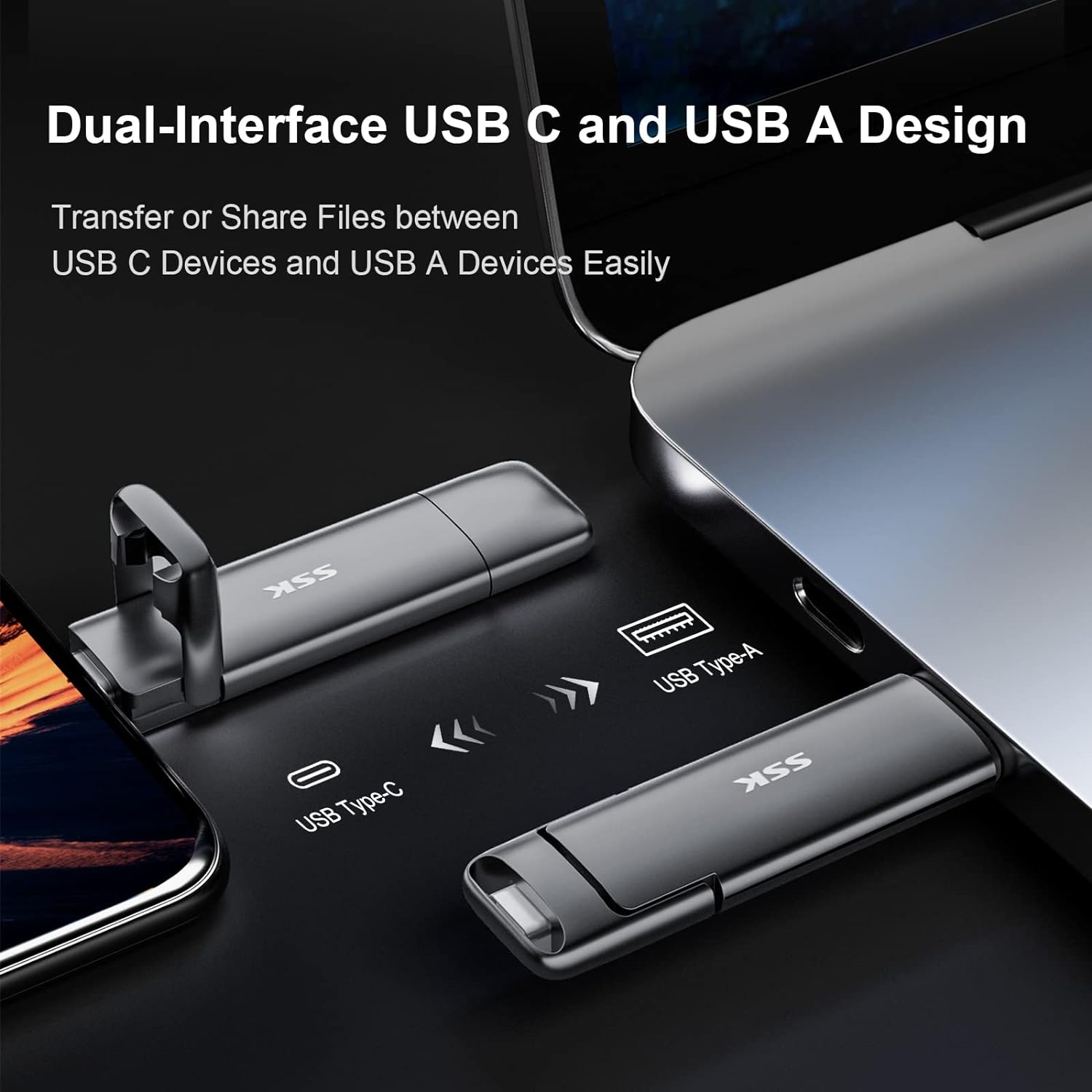
Image: The SSK SD301 PRO features both USB-C and USB-A connectors for broad compatibility.
Simply plug the drive into an available USB-C or USB-A port on your device. The drive is designed for plug-and-play operation, meaning it should be recognized automatically by most operating systems without requiring additional drivers.
Fòma inisyal:
The drive comes pre-formatted with the exFAT file system. This format is compatible with both Windows and macOS, allowing for seamless data transfer between different operating systems. No reformatting is typically required for initial use.
3. Operasyon Enstriksyon
Transfè Done:
Once connected, the SSK SD301 PRO will appear as an external storage device on your computer or mobile device. You can drag and drop files to and from the drive just like any other storage device. The high-speed USB 3.2 Gen 2 interface ensures rapid transfer of large files, foto, ak videyo.
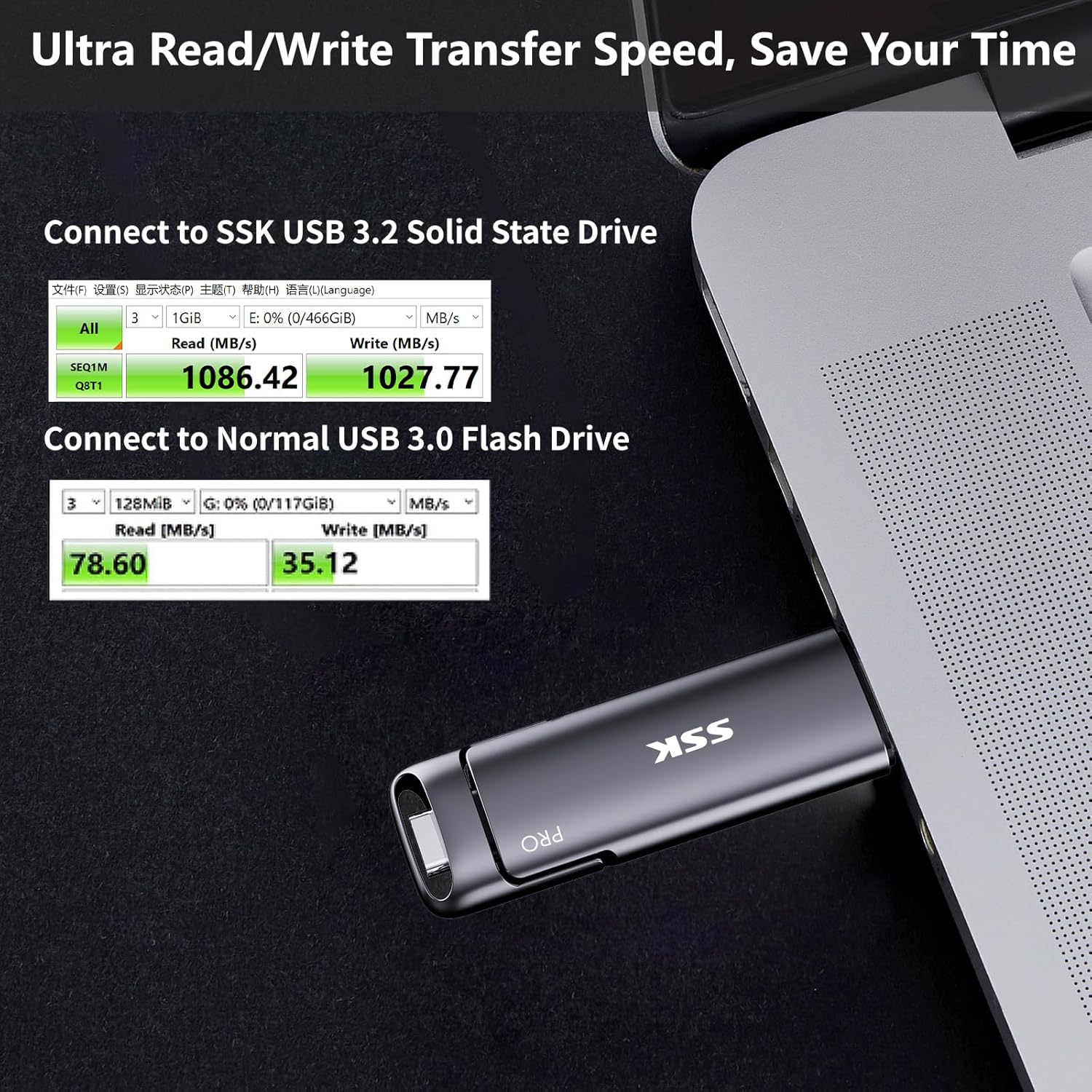
Image: Demonstrates the ultra-fast read/write speeds of the SSK SD301 PRO compared to a standard USB 3.0 flash drive.
Konpatibilite:
The dual USB-C and USB-A design ensures broad compatibility. It can be used with:
- Smartphones (iPhone 15 series, Android OTG-enabled devices)
- Tablets (iPad, Android tablets)
- Laptops (MacBook, Windows laptops)
- Desktop Computers (Windows, Linux, Mac OS)
- Gaming Consoles (PS4)
- Smart TVs and Car Audio Systems
Note: This device is incompatible with Lightning port devices.
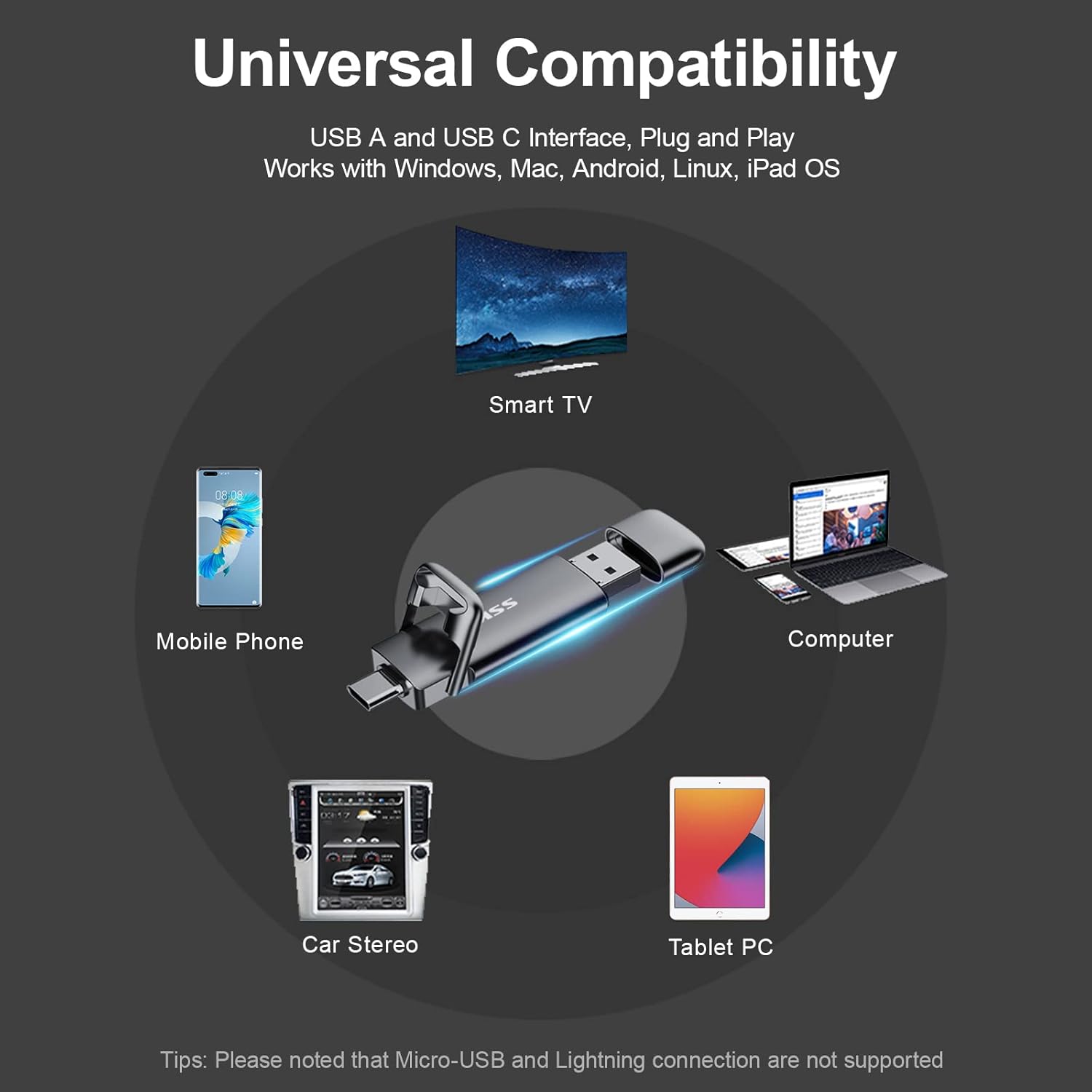
Image: The SSK SD301 PRO offers universal compatibility with a wide range of devices.
Ejecting the Device:
Pou anpeche done koripsyon, toujou retire disk la san danje anvan ou retire li fizikman nan aparèy ou an.
- Windows: Click the "Safely Remove Hardware and Eject Media" icon in the lower right corner of the taskbar. Select "Eject SSK SSD (H:)" (or similar drive letter). Wait for the prompt confirming it is safe to remove.
- MacOS: Drag the drive icon from your desktop to the Trash, or right-click (or two-finger click on trackpad) the drive icon and select "Eject".
Video: This video from the SSK Official US Store demonstrates the SSK 1TB USB C Drive's features, including its dual interface and fast transfer speeds. It highlights its use with various devices and its compact design.
4. Antretyen ak Swen
Swen fizik:
The SSK SD301 PRO is built with a high-grade zinc alloy shell, providing durability and shock resistance. The double-head protective cover helps safeguard both the USB-C and USB-A interfaces when not in use. Keep the drive clean and free from dust and moisture.
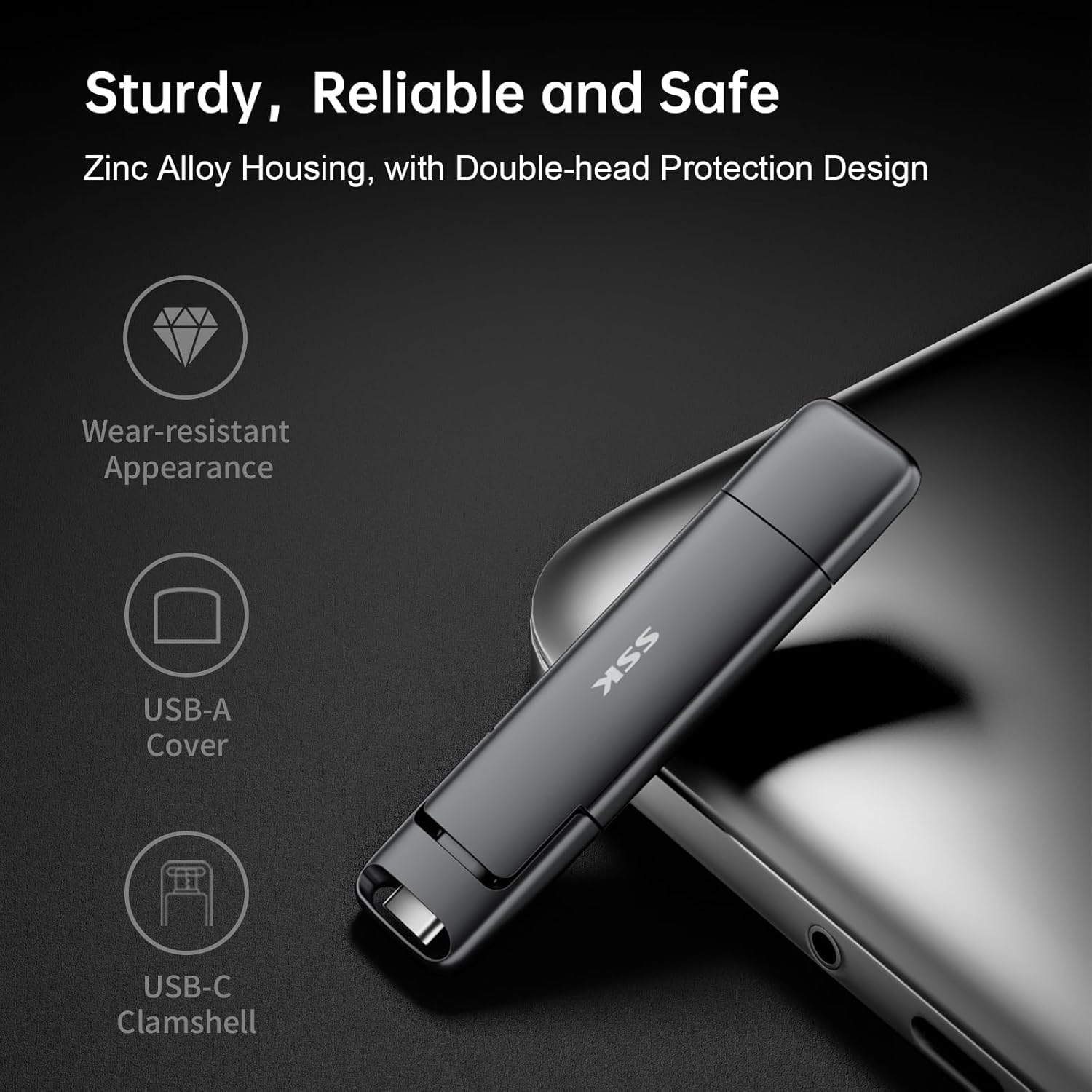
Image: The durable zinc alloy housing and protective covers ensure the longevity of the SSK SD301 PRO.
Jesyon Chalè:
During prolonged high-speed data transfers, it is normal for the drive to generate some heat. The zinc alloy casing is designed to dissipate this heat efficiently. However, avoid continuous heavy usage without breaks to prevent excessive heat buildup. Do not run large installers or applications directly from the drive for extended periods if heat is a concern.
NAN. Depanaj
Kondwi pa rekonèt:
- Asire w ke kondwi a byen antre nan pò USB a.
- Eseye yon lòt pò USB sou aparèy ou an.
- Test the drive on another compatible device to rule out device-specific issues.
- For Windows, check Disk Management to see if the drive appears there, even if not assigned a drive letter.
Vitès transfè ki ba:
- Ensure your device's USB port supports USB 3.2 Gen 2 for optimal speeds. Older USB 2.0 or 3.0 ports will result in lower speeds.
- Performance can vary based on host equipment, interfaces, and usage conditions.
- Evite kouri plizyè aplikasyon ki mande anpil efò pandan gwo tan file transfè.
Eject Option Missing (Windows):
Unlike traditional flash drives, the SSK SD301 PRO is recognized as a portable SSD, which may not always display a direct
Dokiman ki gen rapò - SD301 PRO
 |
SSK SD301 Portable Solid State Flash Drive Manyèl Itilizatè Dekouvri kle SSD pòtab SSK SD301 la, yon SSD ekstèn gwo vitès ki gen doub koòdone USB-A ak USB-C pou yon konpatibilite laj ant òdinatè, tablèt ak telefòn entelijan. Manyèl itilizatè sa a bay enfòmasyon esansyèl sou karakteristik li yo, koneksyon, itilizasyon ak kapasite depo, pou asire pèfòmans optimal ak sekirite done. |
 |
SSK SD301 Portable Solid State Flash Drive Manyèl Itilizatè Manyèl itilizatè pou kle flash pòtab solid state SSK SD301 la, ki detaye sa ki nan pake a, karakteristik pwodwi a, nòt anvan itilizasyon, eksplikasyon sou kapasite depo, konpatibilite koòdone USB, enstriksyon koneksyon ak itilizasyon, ak enfòmasyon sou asirans kalite. |
 |
SSK SD300 Portable Solid State Flash Drive Manyèl Itilizatè Manyèl itilizatè pou kle USB pòtab SSK SD300 la, ki detaye karakteristik pwodwi a, enstriksyon koneksyon, konpatibilite, ak depanaj. |
 |
SSK SD500 High-Speed Portable SSD User Manual Comprehensive user manual for the SSK SD500 High-Speed Portable SSD, covering setup, usage, compatibility, and troubleshooting. Learn how to connect, disconnect, and understand storage capacity. |
 |
Manyèl Itilizatè Estasyon Anbakman SSK-DK100 Doub Bay HDD Manyèl itilizatè pou estasyon akouchman disk di doub SSK-DK100 la, ki detaye karakteristik li yo, espesifikasyon li yo, enstalasyon li, mòd disk di mobil lan, ak kapasite klonaj offline li yo. |
 |
SSK Portable SSD: Usage Tips, Performance, and Compatibility Guide Get the most out of your SSK Portable SSD with this comprehensive FAQ and usage guide. Learn about capacity differences, speed factors, heat management, safe disconnection, iPhone 15 compatibility, encryption, and Thunderbolt performance. |
Ask a question about this manual
Ask about setup, troubleshooting, compatibility, parts, safety, or missing instructions. Manuals+ will review the question and use this page’s manual context to help answer it.