
XIAOMI VHUU5100EU
Xiaomi Redmi Pad SE 8.7-inch WiFi Tablet User Manual
Model: VHUU5100EU
Mak: XIAOMI
Entwodiksyon
This comprehensive user manual provides detailed instructions for setting up, operating, maintaining, and troubleshooting your Xiaomi Redmi Pad SE 8.7-inch WiFi tablet (Model: VHUU5100EU). Please read this manual thoroughly to ensure proper usage and to maximize your device's performance and longevity.
Ki sa ki nan bwat la
Your Xiaomi Redmi Pad SE package includes the following items:
- Xiaomi Redmi Pad SE 8.7-inch WiFi Tablet
- Fast Car Dual USB 16W
- Mi adaptè
- USB kab
Pwodwi souview
Familiarize yourself with the key components and design of your Xiaomi Redmi Pad SE.

Devan ak dèyè View: The Xiaomi Redmi Pad SE in Auora Green, showcasing its 8.7-inch display and the rear camera module.
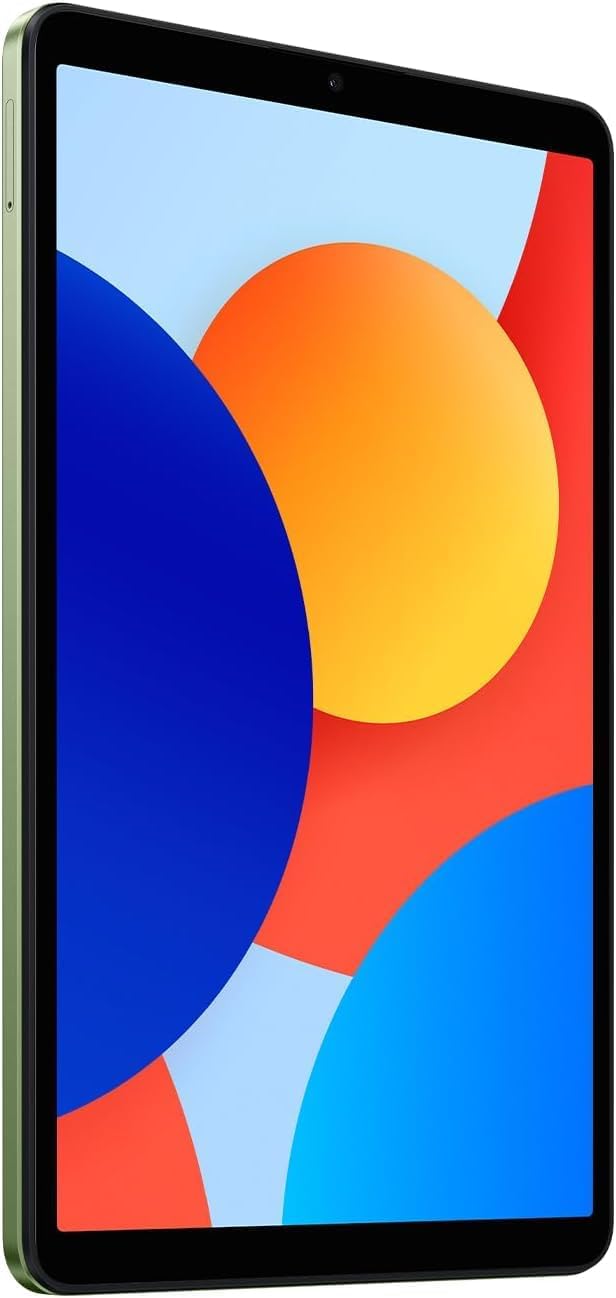
Devan View: Yon klè view of the 8.7-inch LCD display, ideal for media consumption and browsing.
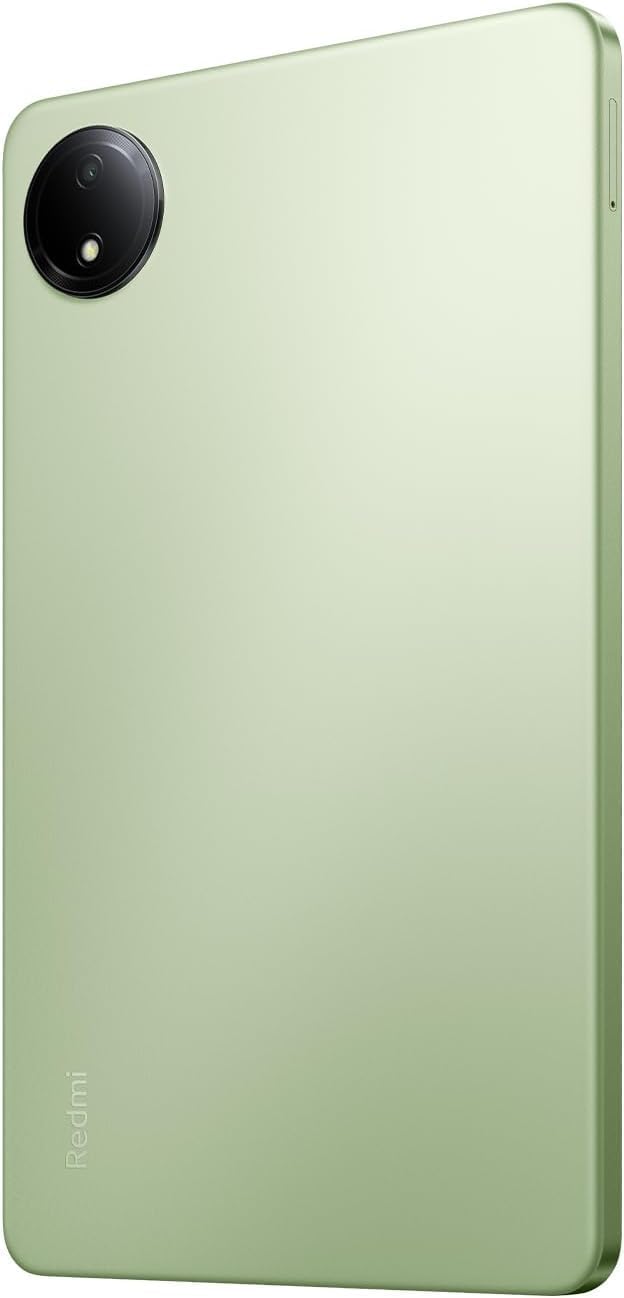
Retounen View: The sleek rear panel of the tablet, highlighting the 8MP main camera.

Side View: Yon pwofesyonèl mensfile of the tablet, showing the power and volume buttons on the side.
Enstalasyon
- Pouvwa sou: Press and hold the Power button on the side of the tablet until the Xiaomi logo appears.
- Premye konfigirasyon: Swiv enstriksyon yo sou ekran an pou chwazi lang ou, rejyon ou, epi konekte ak yon rezo Wi-Fi.
- Kont Google: Konekte avèk kont Google ou a oubyen kreye yon nouvo. Sa a esansyèl pou jwenn aksè nan Google Play Store ak lòt sèvis Google yo.
- Enstalasyon sekirite: Set up your preferred screen lock method (PIN, pattern, password, or face unlock).
- Transfè Done (Si ou vle): If you are upgrading from another device, you may choose to transfer your data during this step.
- Ranpli Enstalasyon: Finish the remaining setup steps to start using your tablet.
Enstriksyon Operasyon
Navigasyon debaz
- Ekran Kay: Glise agoch oswa adwat pou navige ant ekran prensipal yo.
- Tiwa aplikasyon: Glise anlè soti anba ekran an pou jwenn aksè a tout aplikasyon ki enstale yo.
- Notifikasyon ak Paramèt Rapid: Glise desann soti nan tèt ekran an pou view notifikasyon ak aksè rapid pou paramèt yo (Wi-Fi, Bluetooth, elatriye).
- Aplikasyon ki sot pase yo: Tape ikòn kare a (oswa glise anlè epi kenbe l si w ap itilize jès) pou view epi chanje ant aplikasyon ou te itilize dènyèman yo.
Multitech
- Fann ekran: From the recent apps screen, long-press an app icon and select the split-screen option to use two apps simultaneously.
- Fenèt k ap flote: Some apps support floating windows for quick access while using other applications.
Koneksyon
- Wi-Fi: Ale nan Anviwònman> Wi-Fi pou konekte ak rezo ki disponib yo.
- Bluetooth: Ale nan Anviwònman> Bluetooth pou konekte ak aparèy Bluetooth tankou kas ekoutè oswa oratè.
Antretyen
Swen batri
- Evite tanperati ekstrèm.
- Sèvi ak plato orijinal la ak kab la pou yon chajman optimal.
- Pa kite batri a dechaje nèt souvan.
Mizajou lojisyèl
Tcheke epi enstale mizajou sistèm yo regilyèman pou asire aparèy ou an gen dènye karakteristik yo, patch sekirite yo, ak amelyorasyon pèfòmans yo. Ale nan Settings > About tablet > System update.
Netwayaj
Sèvi ak yon twal mou ki pa gen pousyè pou netwaye ekran an ak kò tablèt la. Evite pwodui chimik ki agresif oswa materyèl abrazif.
Jesyon Depo
To optimize performance, regularly manage your storage by deleting unnecessary files and apps. You can expand storage using a microSD card.
Depanaj
- Aparèy pa limen: Ensure the tablet is charged. Connect it to the charger and wait a few minutes before attempting to power it on again.
- Pwoblèm koneksyon Wi-Fi: Restart your tablet and your Wi-Fi router. Forget the network in settings and reconnect.
- Pèfòmans Ralanti: Close unnecessary background apps, clear cache, and ensure sufficient storage space. Consider a factory reset as a last resort (back up your data first).
- Aplikasyon k ap plante/bloke: Efase kach aplikasyon an ak done yo nan Anviwònman > AplikasyonSi pwoblèm nan pèsiste, dezenstale epi enstale aplikasyon an ankò.
Espesifikasyon
| Karakteristik | Detay |
|---|---|
| Kanpe gwosè ekspozisyon ekran | 8.7 pous |
| Rezolisyon ekran | 1340x800 |
| Rezolisyon ekran maksimòm | 1340 x 800 piksèl |
| Processeur | 2 GHz Octa Core |
| Brand Chipset | ARM |
| Sistèm operasyon | Android 14, HyperOS |
| Pwa atik | 13.2 ons |
| Dimansyon pwodwi | 8.32 x 0.34 x 4.94 pous |
| Koulè | Auora Green (ONLY WIFI) |
| Dèyè WebCam Rezolisyon | 8 MP |
| Mak processeur | MediaTek |
| Kalite memwa òdinatè | DDR3 SDRAM |
| Gwosè memwa flash | 6 GB |
| Batri | 1 Lityòm Polymère pil obligatwa. (enkli) |
Garanti ak sipò
Your Xiaomi Redmi Pad SE is covered by a manufacturer's warranty. Please refer to the warranty card included in your product packaging for specific terms and conditions. For technical support or service inquiries, please visit the official XIAOMI support websit oswa kontakte sèvis kliyan yo.
Ask a question about this manual
Ask about setup, troubleshooting, compatibility, parts, safety, or missing instructions. Manuals+ will review the question and use this page’s manual context to help answer it.