
1. Entwodiksyon
Thank you for choosing the Intenso Buds Plus TWS T313AE Wireless Earbuds. These earbuds are designed to provide a superior audio experience with advanced features such as Active Noise Cancellation (ANC), Environmental Noise Cancellation (ENC), and Bluetooth 5.4 connectivity. This manual provides essential information for setting up, operating, and maintaining your earbuds.
2. Pake kontni
Tanpri tcheke pake a pou atik sa yo:
- Intenso Buds Plus TWS Earbuds (Left and Right)
- Ka chaje
- USB Chaje Kab
- Plizyè gwosè nan pwent zòrèy
- Manyèl itilizatè
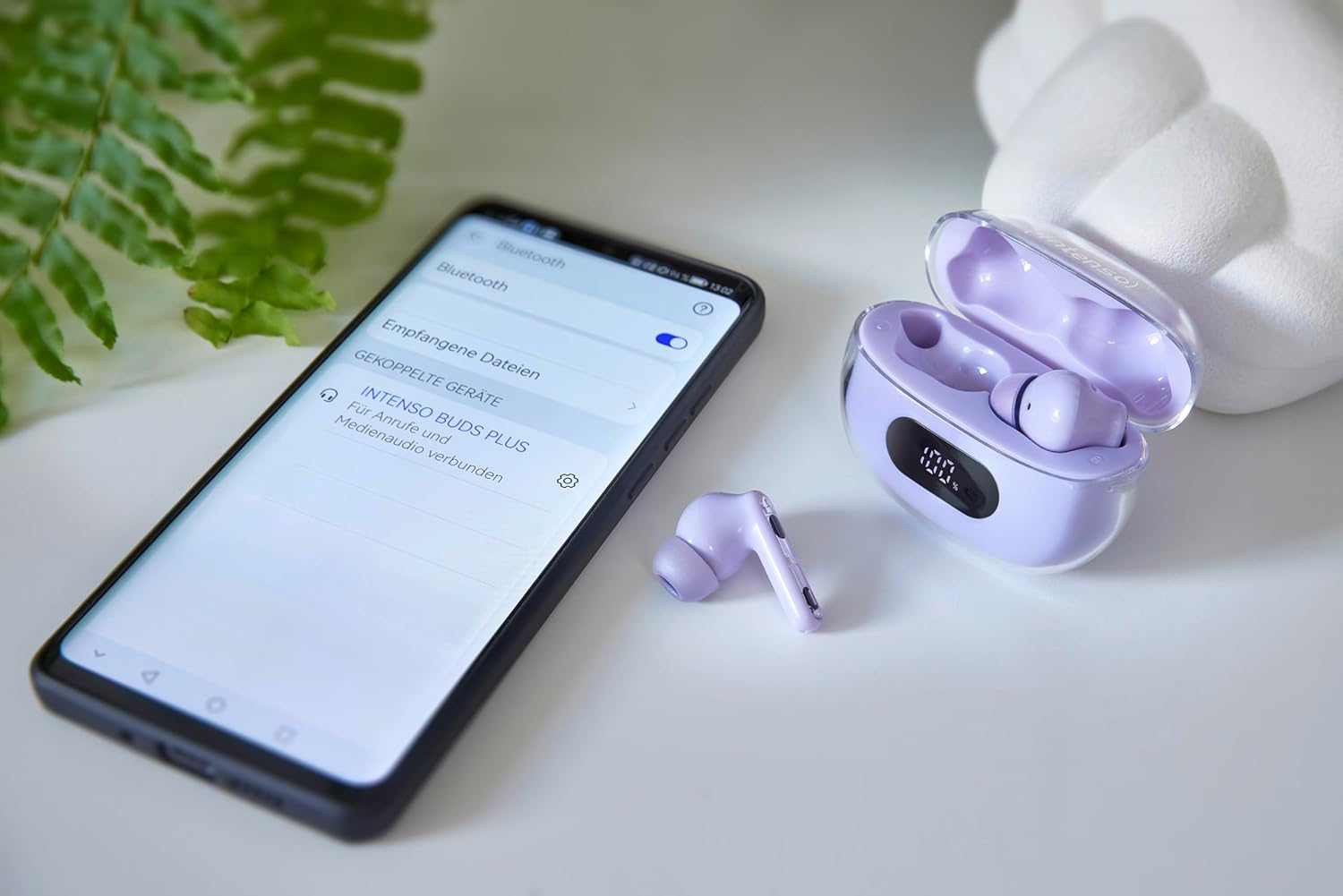
Image: Intenso Buds Plus TWS earbuds, charging case, and a smartphone displaying Bluetooth pairing settings.
3. Pwodwi souview
The Intenso Buds Plus TWS earbuds feature a compact design with a transparent charging case. The earbuds are equipped with touch controls and integrated microphones for clear communication.

Image: Earbuds in open charging case with digital display.

Image: Features highlighted: ANC, ENC, and LED display.

Image: Charging case with 100% battery display.

Image: Close-up of individual earbuds.
4. Enstalasyon
4.1 Chaje ekoutè yo ak bwat la
Before first use, fully charge the earbuds and the charging case. The charging case features an LED display to indicate the battery level.
- Mete ekoutè yo nan ka chaje a.
- Konekte bwat chaje a ak yon sous kouran USB avèk kab USB ki vini ak li a.
- The LED display on the case will show the charging status.
- A full charge typically takes approximately 1.5 to 2 hours for the case and earbuds.

Image: LED status display on the charging case.
4.2 Bluetooth Pairing
The Intenso Buds Plus earbuds utilize Bluetooth 5.4 for a stable and fast connection.
- Asire w ke ekoutè yo chaje epi yo anndan bwat chaje a.
- Louvri bwat chaje a. Ekoutè yo ap antre otomatikman nan mòd koneksyon.
- Sou aparèy ou an (telefòn entelijan, tablèt, òdinatè pòtab), ale nan paramèt Bluetooth yo.
- Chèche pou available devices and select "Intenso Buds Plus" from the list.
- Yon fwa konekte, w ap tande yon son konfimasyon, epi ekoutè yo ap pare pou itilize.

Image: Earbuds and case next to a smartphone.
5. Operasyon Enstriksyon
5.1 Kontwòl manyen
Ekoutè yo gen kontwòl taktil entwisyon pou jere lekti odyo, apèl, ak mòd anilasyon bri.
- Jwe/Poz: Tape yon sèl sou chak ekoutè.
- Pwochen Track: Tape de fwa sou ekoutè dwat la.
- Track Previous: Tape de fwa sou ekoutè gòch la.
- Reponn/Fen Apèl: Tape yon sèl sou chak ekoutè.
- Rejte apèl: Peze epi kenbe swa ekoutè pou 2 segonn.
- Volim moute: Tape twa fwa sou ekoutè dwat la.
- Volim desann: Tape twa fwa sou ekoutè gòch la.
- Aktive Asistan Vwa: Peze epi kenbe youn nan ekoutè yo pandan 3 segonn (lè ou pa nan yon apèl).
5.2 Noise Cancellation Modes (ANC, ENC, Transparency)
The earbuds offer various modes to control your listening environment:
- Anilasyon aktif bri (ANC): Diminye bri anbyen an, sa ki pèmèt ou konsantre sou odyo ou.
- Anilasyon Bri Anviwònman (ENC): Enhances voice clarity during calls by filtering out background noise.
- Mòd transparans: Pèmèt ou tande anviwònman ou pandan w ap toujou jwi odyo ou a, itil pou vijilans nan anviwònman ki okipe.
To switch between ANC, Transparency, and Normal modes, press and hold the touch area on the left earbud for 2 seconds. ENC is automatically active during calls.
5.3 Lavi batri
The earbuds provide up to 7 hours of playback on a single charge. The charging case extends the total playtime to approximately 25 hours, allowing for multiple recharges on the go.

Image: Illustration of battery life with and without charging case.
6. Antretyen
To ensure the longevity and optimal performance of your Intenso Buds Plus earbuds, follow these maintenance guidelines:
- Netwayaj: Netwaye ekoutè yo ak bwat chaje a regilyèman avèk yon twal mou, sèk, epi ki pa gen pousyè. Pa sèvi ak pwodui netwayaj abrazif oswa solvan.
- Konsèy zòrèy: Retire bout zòrèy yo detanzantan epi netwaye yo avèk dlo ak savon dou. Asire w ke yo byen sèk anvan ou mete yo ankò.
- Kontak chaje: Keep the charging contacts on both the earbuds and inside the case clean and free of debris to ensure proper charging.
- Depo: Lè w pa ap itilize ekoutè yo, sere yo nan bwat chaje yo pou pwoteje yo kont pousyè ak domaj.
- Rezistans dlo: The earbuds are water-resistant. Avoid submerging them in water or exposing them to excessive moisture. Dry them thoroughly if they get wet.
NAN. Depanaj
If you encounter any issues with your earbuds, refer to the following common solutions:
| Pwoblèm | Kòz posib | Solisyon |
|---|---|---|
| Ekoutè pa asosye | Low battery; Bluetooth off; Earbuds not in pairing mode; Device already connected to another Bluetooth device. | Charge earbuds and case; Ensure Bluetooth is enabled on your device; Place earbuds in case, close, then open to re-enter pairing mode; Disconnect from other devices. |
| Pa gen son | Volim twò ba; Ekoutè yo pa konekte; Sous odyo a mete sou poz. | Increase volume on earbuds and device; Reconnect earbuds; Check audio playback on your device. |
| Move son kalite | Ear tips not properly sealed; Earbuds dirty; Interference. | Try different size ear tips for a better fit; Clean earbuds and ear tips; Move closer to your device or away from sources of interference. |
| Ekoutè pa chaje | Charging cable faulty; Charging contacts dirty; Power source issue. | Try a different USB cable; Clean charging contacts; Use a different USB port or power adapter. |
8. Espesifikasyon
| Non modèl | Boujon Plus |
| Nimewo Modèl | 3720313 |
| Mak | Intenso |
| Koneksyon Teknoloji | San fil (Bluetooth 5.4) |
| Plasman Zòrèy | Nan zòrèy |
| Faktè fòm | Nan-zòrèy |
| Anile bri | Anilasyon Bri Aktif (ANC), Anilasyon Bri Anviwònman (ENC) |
| Kalite kontwòl | Kontwòl manyen |
| Karakteristik espesyal | Noise Cancellation, Volume Control, Touch Control, Noise Isolation, Lightweight |
| Konpozisyon batri | Lityòm-polymère |
| Batri rechargeable | Wi |
| Tan pou jwe (koutè) | Jiska 7 èdtan |
| Tan total pou jwe (ak bwat) | Jiska 25 èdtan |
| Nivo rezistans dlo | Dlo ki reziste |
| Materyèl | Plastik |
| Aparèy konpatib | Mobile phone, Tablet, Laptop, Game console, Car audio system |
9. Garanti ak sipò
Intenso products are designed for reliability and performance. For warranty information, technical support, or customer service inquiries, please refer to the contact details provided on the Intenso official websit la oswa dokiman acha ou a.
Tanpri konsève prèv acha ou a pou nenpòt reklamasyon garanti.