
Genius NX-7000
Genius NX-7000 Wireless Mouse User Manual
Model: NX-7000 (P/N: 31030027402)
Entwodiksyon
The Genius NX-7000 is a 2.4 GHz wireless mouse designed for comfort and versatility. Featuring BlueEye technology, it offers precise tracking on various surfaces. Its ambidextrous design ensures comfortable use for both left and right-handed users. This manual provides essential information for setting up, operating, maintaining, and troubleshooting your NX-7000 wireless mouse.
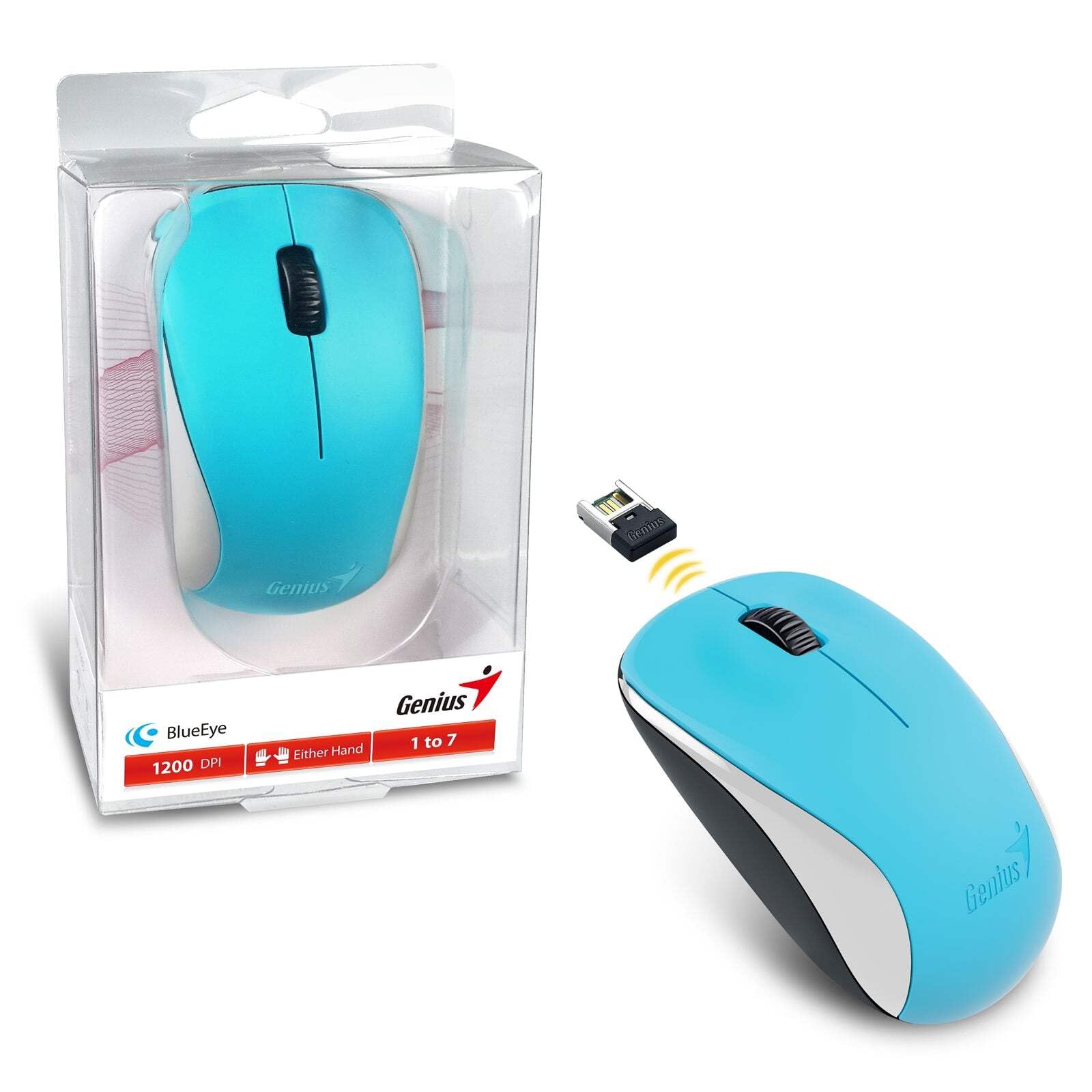
Image: The Genius NX-7000 wireless mouse in blue, shown alongside its compact USB pico receiver. The mouse features a contoured, ambidextrous design with a scroll wheel and two main buttons. The packaging is visible on the left.
Enstalasyon
1. Kondisyon sistèm
- Operating System: Windows 7, 8, 8.1, 10 or Mac OS X 10.8 or later.
- Disponib USB Port.
- One AA battery (for mouse power).
2. Enstalasyon batri
- Jwenn kouvèti konpatiman batri a anba sourit la.
- Leve oswa glise kouvèti a pou ouvri konpatiman an.
- Mete yon pil AA ladan l, asire w ke tèminal pozitif (+) ak negatif (-) yo byen aliyen ak mak ki anndan konpatiman an.
- Fèmen kouvèti lòj batri a byen.
3. Konekte Reseptè Pico USB a
- Remove the USB pico receiver from its storage slot on the bottom of the mouse.
- Branche reseptè pico USB a nan yon pò USB ki disponib sou òdinatè w la.
- Your computer should automatically detect and install the necessary drivers for the mouse. This may take a few moments.
- Yon fwa chofè yo enstale, sourit la pare pou itilize.
Enstriksyon Operasyon
Operasyon debaz
- Bouton Goch: Fonksyon klike prensipal la, tipikman itilize pou chwazi atik, louvri files, oubyen aktive lyen.
- Dwa bouton: Fonksyon klike segondè, tipikman itilize pou louvri meni kontèks.
- Rou defile (bouton mitan): Itilize pou defile nan dokiman oswa web pages. Pressing the scroll wheel can also act as a middle click button, often used for opening links in new tabs.
BlueEye Technology
The NX-7000 utilizes 1000dpi BlueEye technology, which provides enhanced tracking accuracy. This technology allows the mouse to function reliably on a wide variety of surfaces, including those that are typically challenging for optical mice, such as dusted glass, marble, sofas, or carpets.
SmartGenius Software (Optional)
For advanced customization, you can download and install the SmartGenius software from the official Genius website. This software allows you to adjust DPI levels and other performance settings to suit your personal preferences, enhancing your user experience.
Pico Receiver Storage
When traveling or not using the mouse, the USB pico receiver can be conveniently stored inside a dedicated slot on the bottom of the mouse. This prevents loss and protects the receiver.
Unifying Genius Mice
The NX-7000 receiver is designed to work with other compatible Genius wireless mice. This feature allows you to use a single receiver for multiple Genius wireless devices, reducing the number of USB ports required and offering greater mobility if you own several Genius wireless products.
Antretyen
- Netwayaj: Sèvi ak yon twal mou epi sèk pou netwaye sourit la. Pou pousyè tè ki difisil pou retire, siye l yon ti kras.ampRense twal la avèk dlo. Evite itilize pwodui chimik ki agresif oswa pwodui netwayaj abrazif.
- Ranplasman batri: Replace the AA battery when the mouse performance degrades or it stops responding. Always dispose of used batteries responsibly according to local regulations.
- Depo: When not in use for extended periods, remove the battery to prevent leakage. Store the mouse and receiver in a cool, dry place.
- Evite kondisyon ekstrèm: Pa ekspoze sourit la nan tanperati ekstrèm, limyè solèy dirèk, oswa imidite twòp.
Depanaj
| Pwoblèm | Kòz posib / Solisyon |
|---|---|
| Sourit la pa reponn. |
|
| Mouvman kurseur a pa regilye oswa li sote. |
|
| Mouse buttons or scroll wheel not working. |
|
Espesifikasyon
| Karakteristik | Detay |
|---|---|
| Nimewo Modèl | 31030027402 |
| Kalite Koneksyon | San fil (2.4 GHz) |
| Sensor Engine | Je ble |
| Rezolisyon (DPI) | 1200 DPI (Adjustable via SmartGenius software) |
| Kantite bouton | 3 (Left, Right, Middle button with scroll wheel) |
| Design | Ambidextrous, Contoured |
| Sous pouvwa | 1 x batri AA |
| Dimansyon (W x H x P) | 60 x 105 x 37 mm (2.36 x 4.13 x 1.46 pous) |
| Pwa | 85 g (0.19 lbs) |
| Koulè ki disponib | Ocean Blue, Spring Green, Elegant White, Passion Red, Calm Black |
Garanti ak sipò
For information regarding warranty coverage, technical support, or service, please refer to the warranty card included with your product or visit the official Genius websit la. Anjeneral, ou ka jwenn resous sipò, FAQ, ak enfòmasyon pou kontakte sèvis kliyan la.
Official Genius Websit: www.geniusnet.com
Ask a question about this manual
Ask about setup, troubleshooting, compatibility, parts, safety, or missing instructions. Manuals+ will review the question and use this page’s manual context to help answer it.