
Entwodiksyon
Thank you for choosing the Devoko L-Shaped Gaming Desk. This manual provides essential information for the safe assembly, operation, and maintenance of your new desk. Please read these instructions carefully before beginning assembly and retain them for future reference.

Image: The Devoko L-shaped gaming desk, showcasing its design with multiple monitors, LED lighting, and a gaming setup.
Karakteristik kle:
- Koneksyon Amelyore: Equipped with 2 cable holes, 2 AC outlets, and 2 USB charging ports for convenient device connectivity and a clutter-free setup.
- Customizable ekleraj dirije: Wireless LED light strips with remote control offer personalized ambiance.
- Ergonomic L-Shaped Design: Maximizes space and accommodates multiple monitors or a monitor and tablet for a comfortable gaming experience.
- Sifas dirab: High-quality carbon fiber laminate is waterproof, scratch-resistant, and heat-resistant.
- Pwodwi entegre: Includes headphone hooks and side fabric storage pockets.
- Estrikti ki estab: Features right-angled table legs and adjustable feet for stability on uneven surfaces.
Enfòmasyon sou Sekirite
Tanpri obsève prekosyon sekirite sa yo pou evite blesi oswa domaj nan pwodwi a:
- Always assemble this desk with de moun to ensure safety and ease of installation.
- Exercise caution when handling electrical components (LED lights, power outlets, USB ports). Ensure the desk is unplugged during assembly or maintenance.
- Do not overload the desk. The maximum recommended weight capacity is 20 kg (44 liv).
- Kenbe tout ti pyès ak materyèl anbalaj lwen timoun yo.
- Asire w tout vis ak eleman fikse yo byen sere anvan w itilize yo. Tcheke yo detanzantan epi sere yo ankò si sa nesesè.
Enstalasyon ak Asanble
Assembly of this desk requires patience due to numerous parts and fasteners. Follow the instructions provided in the packaging carefully. Two people are recommended for efficient and safe assembly.
Etap Asanble Jeneral la:
- Depake konpozan: Retire tout pyès yo nan anbalaj la avèk prekosyon. Verifye ke tout konpozan ki nan lis pyès ki enkli yo prezan epi yo pa domaje.
- Rasanble ankadreman an: Begin by assembling the metal frame structure according to the diagrams in your separate assembly guide. Ensure all connections are firm.
- Tache Panno Desktop yo: Secure the L-shaped desktop panels to the assembled frame. Pay attention to alignment for a seamless surface.
- Enstale Sipò Monitè a: Attach the elevated monitor stand sections to the desktop.
- Install Power Hub: Integrate the power strip with AC outlets and USB ports into the designated slot on the desk. Ensure it is securely fastened.
- Tache Pwodwi pou Telefòn: Install the headphone hooks and fabric storage bag in their respective positions.
- Ajiste Pye: Once assembled, adjust the desk's feet to ensure it is level and stable on your floor.
- Enstalasyon bann dirije: Carefully attach the LED light strips to the underside of the desk or designated areas. Connect them to the power source as instructed.

Image: Structural diagram highlighting the stable design with right-angled table legs.
Enstriksyon Operasyon
Power Hub (AC Outlets & USB Ports):
The desk features an integrated power hub with 2 standard AC outlets and 2 USB charging ports. To use, plug the desk's main power cord into a wall outlet. You can then plug in your devices directly to the desk for convenient power access.
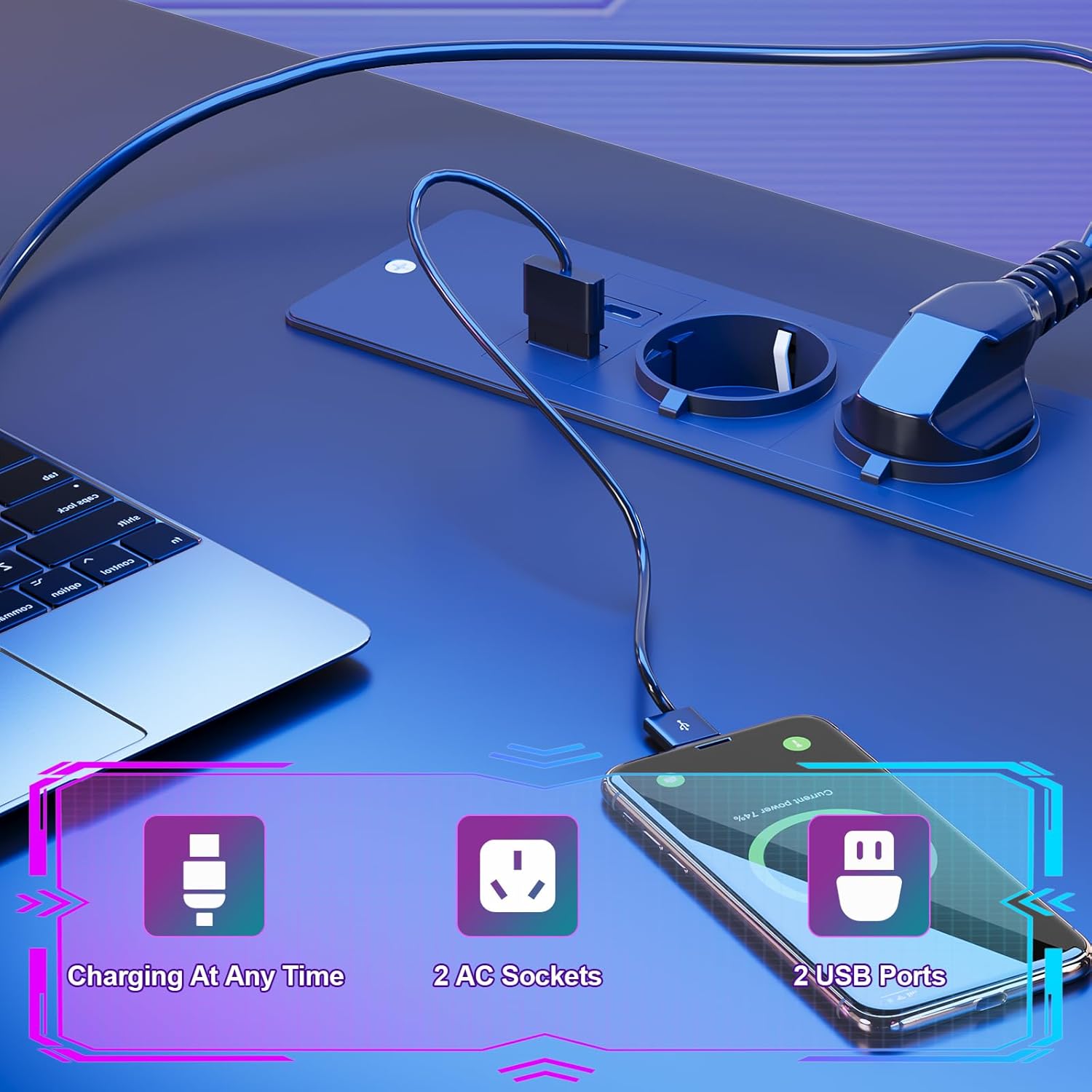
Image: Detail of the integrated power hub, demonstrating charging capabilities for electronic devices.
Sistèm ekleraj dirije:
The LED light strips are controlled by a wireless remote. Ensure the LED strips are properly connected to their power source and the remote has working batteries.
- Limen/Etenyen: Use the designated button on the remote to turn the LED lights on or off.
- Varyasyon koulè: Select from multiple individual color variations to customize your lighting ambiance.
- Ajisteman klète: Ogmante oswa diminye entansite limyè a selon preferans ou.
- Ajisteman vitès: For dynamic lighting modes, adjust the speed of color transitions.

Image: The RGB LED system in operation, highlighting remote control functions for color, brightness, and speed.
Using Desk Accessories:
- Kanpe pou kontwole: Utilize the elevated monitor stand to position your screens at an ergonomic height, promoting a correct sitting posture and reducing neck strain.
- Headphone Hooks: Hang your gaming headset or headphones on the integrated hooks for easy access and to keep your desk tidy.
- Sak depo: Use the side fabric pocket for storing magazines, controllers, or other small items.

Imaj: Detaye views of the headphone hook, monitor stand, storage bag, and adjustable feet.
Antretyen
Proper care will extend the life and appearance of your Devoko gaming desk.
Netwaye sifas la:
- The carbon fiber laminate surface is waterproof, scratch-resistant, and heat-resistant.
- Pou netwayaj jeneral, siye sifas la ak yon twal mou.amp twal.
- Evite itilize pwodui netwayaj abrazif, pwodui chimik ki agresif, oswa solvan, paske sa yo ka domaje fini an.
- Promptly wipe up any spills to prevent watermarks or stains.
Antretyen estriktirèl:
- Tcheke tout vis ak eleman fikse yo detanzantan pou asire yo rete byen sere. Sere yo ankò si ou wè nenpòt bagay ki lach.
- Ensure the adjustable feet are properly set to maintain desk stability.

Image: The carbon fiber surface, illustrating its durability and suitability for gaming setups.
Depanaj
If you encounter any issues with your Devoko gaming desk, please refer to the following common solutions:
Limyè ki ap dirije pa travay:
- Tcheke Koneksyon Pouvwa: Ensure the LED light strips are securely plugged into their power source and that the power source is connected to a working outlet.
- Batri Remote Control: Replace the battery in the wireless remote control if the lights are unresponsive.
- Remote Signal: Asire w pa gen okenn obstak ant kontwòl remote la ak reseptè LED la.
Priz kouran/pò USB yo pa fonksyone:
- Check Main Power: Verify that the desk's main power cord is securely plugged into a functional wall outlet.
- Awondisman brekè: If the outlets are part of a surge protector or power strip, check its circuit breaker.
- Surcharge: Ensure you are not exceeding the maximum power draw for the integrated outlets.
Desk is Unstable/Wobbly:
- Ajiste Pye: Use the adjustable feet at the bottom of the desk legs to level the desk on uneven floors.
- Sere boulon Fastener: Re-check and tighten all assembly screws and bolts.
Espesifikasyon

Image: Detailed product dimensions of the Devoko L-shaped gaming desk.
| Atribi | Detay |
|---|---|
| Mak | Devoko |
| Modèl | L-ki gen fòm biwo Gaming |
| Koulè | Nwa |
| Dimansyon jeneral (L x P x H) | 153 x 153 x 90 cm (apeprè 60.2 x 60.2 x 35.4 pous) |
| Pwofondè Desktop | 50 cm (apeprè 19.7 pous) |
| Materyèl | Carbon Fiber Laminate, Metal Frame |
| Karakteristik espesyal | LED Lights, 2 AC Outlets, 2 USB Ports, Monitor Stand, Headphone Hooks, Storage Bag, Adjustable Feet |
| Pwa pwodwi | 29.3 kg (apeprè 64.6 lbs) |
| Kapasite pwa | Max. 20 kg (approx. 44 lbs) |
Enfòmasyon sou Garanti
Devoko products are manufactured to high-quality standards. For specific warranty details regarding your L-Shaped Gaming Desk, please refer to the warranty card included in your product packaging or contact Devoko customer support. This warranty typically covers manufacturing defects under normal use.
Sipò pou Kliyan
If you have any questions, require assistance with assembly, or need to report a missing or damaged part, please contact Devoko customer support. Have your product model number and purchase date ready when contacting support.
Enfòmasyon pou kontakte:
- Websit: Visit the official Devoko websit pou resous sipò ak fòm kontak.
- Imèl: Refer to your product packaging or the Devoko websit pou adrès imel sèvis kliyan.