
1. Entwodiksyon
Thank you for choosing the HOSHI EXO CINEMASTER 2 drone. This professional-grade drone features 5G WiFi FPV, a 3-axis gimbal with a 4K EIS camera, and GPS for stable and precise flight. This manual provides essential instructions for setup, operation, maintenance, and troubleshooting to ensure a safe and optimal flying experience. Please read this manual thoroughly before operating the drone.

Image 1.1: The EXO CINEMASTER 2 drone is designed for portability, fitting neatly into its dedicated carrying case.
2. Pake kontni
Ensure all items listed below are present in your package. If any components are missing or damaged, please contact customer support.
- 1 x CINEMASTER 2 Drone
- 1 x Remote Controller
- 4 x Propellers (spare)
- 1 x 11.4V 3200mAh LiPo Battery
- 1 x PD Charging Cable
- 1 x USB Chaje Kab
- 1 x tournevis
- 1 x User Manual (Quick Start Guide + User Guide)
- 1 x Storage Bag (with EXO logo)
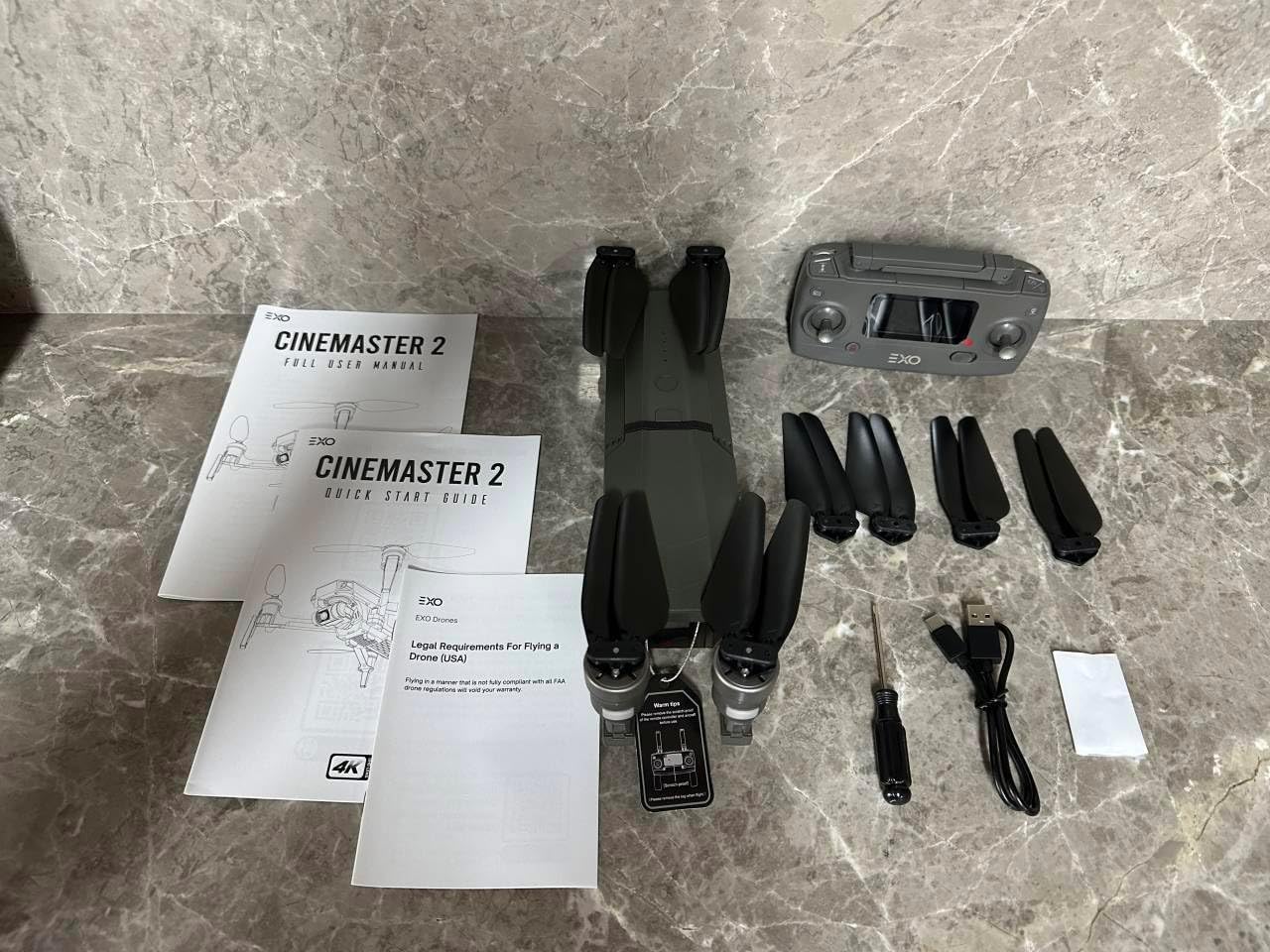
Image 2.1: Contents of the EXO CINEMASTER 2 drone package, including the drone, remote, battery, cables, and manuals.
3. Enstalasyon
3.1 Depliye Dròn nan
- Mete dron an sou yon sifas plat epi ki estab.
- Gently unfold the front arms first, then the rear arms, until they click into place.
- Asire w ke tout elis yo byen tache epi pa gen okenn obstak.
3.2 Enstalasyon ak Chaje Batri
- Insert the 11.4V 3200mAh LiPo battery into the drone's battery compartment until it is securely latched.
- To charge the battery, connect the PD charging cable or USB charging cable to the battery and a compatible power source.
- Charging time is approximately 5.5 hours with a standard 5V 2A charger, or about 1 hour with a PD charger over 45W.
3.3 Enstalasyon Kontwòl a Distans
- Install 2 AA batteries into the remote controller.
- Extend the phone holder on the remote controller and securely mount your smartphone.
- Download and install the EXO drone application on your smartphone.
- Power on the remote controller, then power on the drone. Follow the app's instructions to connect your smartphone to the drone via 5G WiFi.

Image 3.1: The EXO CINEMASTER 2 drone features a 3-axis gimbal for stable 4K video capture.
4. Operasyon Enstriksyon
4.1 Lis Verifikasyon Pre-Vòl
- Ensure drone and remote controller batteries are fully charged.
- Tcheke elis yo pou nenpòt domaj oswa obstak.
- Verify GPS signal strength (for outdoor flight) and optical flow positioning (for indoor flight).
- Ensure the drone app is connected and functioning correctly.
4.2 Kontwòl vòl debaz yo
The remote controller allows for precise manipulation of the drone's movement:
- Baton gòch: Controls altitude (up/down) and yaw (turn left/right).
- Baton dwat: Controls forward/backward movement and sideward flight (left/right).
- Dekolaj/Aterisaj ak yon sèl kle: Press the designated button for automatic takeoff or landing.
4.3 Mòd Vòl Entelijan
The CINEMASTER 2 offers several intelligent flight modes for enhanced control and creative shots:
- Swiv mwen: The drone will automatically follow the remote controller or a designated subject.
- Pwen enterè: The drone will circle a specified point, keeping it in the frame.
- TapFly: Tap a point on your screen, and the drone will fly to that location.
- Pozisyonman koule optik: Provides stable hovering indoors or in areas with weak GPS signals.

Image 4.1: The CINEMASTER 2 drone offers extended flight time and range for capturing vast landscapes.

Image 4.2: User-friendly controls and smart features make the CINEMASTER 2 accessible for various skill levels.
4.4 Operasyon Kamera
The integrated 4K EIS camera with a 3-axis gimbal provides high-quality aerial photography and videography.
- Rezolisyon videyo: Up to 3840x2160@30fps.
- Rezolisyon foto: Up to 3840x2160.
- Transmisyon Imaj: Real-time 720P@30FPS video feed via 5G WiFi to your smartphone, with a range of up to 450m.
- Depo: Supports Micro SD cards (Class 10 or higher, up to 128GB, not included).
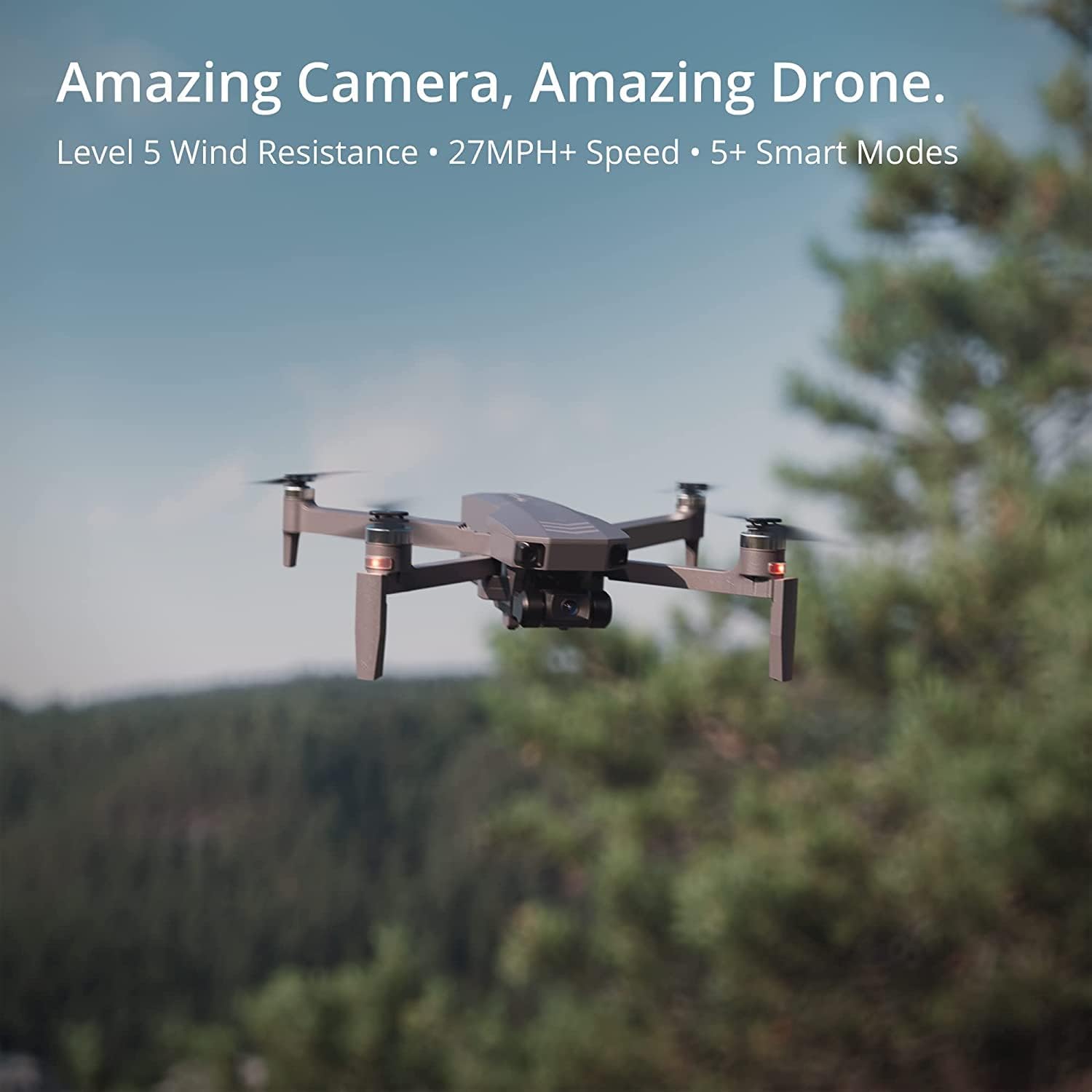
Image 4.3: The CINEMASTER 2 drone's advanced camera system captures stunning aerial footage.
5. Antretyen
5.1 Swen Batri
- Always use the provided charging cables and a compatible power adapter.
- Pa chaje twòp oswa twòp dechaje batri a.
- Store batteries in a cool, dry place away from direct sunlight and extreme temperatures (operating temperature: 5°C to 40°C).
- Si w ap sere l pou yon bon bout tan, chaje batri a jiska 50-60% kapasite li.
5.2 Enspeksyon ak Ranplasman Elis la
- Before each flight, inspect all propellers for cracks, bends, or other damage.
- Replace damaged propellers immediately using the provided screwdriver and spare propellers. Ensure correct propeller orientation (A and B types).
5.3 Netwayaj
- Sèvi ak yon twal mou epi sèk pou netwaye kò dron an ak lantiy kamera a.
- Avoid using liquid cleaners or solvents that could damage electronic components.
NAN. Depanaj
This section addresses common issues you might encounter with your EXO CINEMASTER 2 drone.
| Pwoblèm | Kòz posib | Solisyon |
|---|---|---|
| Dròn nan pa limen | Batri a pa byen enstale oswa li dechaje. | Asire w ke batri a byen chaje epi li byen mete. |
| No image transmission to phone | 5G WiFi not connected or weak signal. | Reconnect 5G WiFi. Ensure phone is within 450m range. Check app permissions. |
| Dron an ap derive pandan vòl la | GPS signal weak or compass not calibrated. | Fly in an open area with strong GPS. Calibrate compass as per app instructions. |
| Tan vòl kout | Battery not fully charged or aged. | Fully charge battery. Consider replacing old batteries. |
| Kontwolè Remote pa reponn | Low transmitter battery or not paired. | Replace AA batteries. Re-pair remote controller with drone. |
7. Espesifikasyon
Detailed technical specifications for the HOSHI EXO CINEMASTER 2 drone.
- Mak: HOSHI
- Non modèl: CINEMASTER 2
- Quadcopter Expanded Size: 395 x 395 x 87 mm
- Quadcopter Folded Size: 295 x 80 x 87 mm
- Quadcopter Weight: 612 g (ki gen ladan batri)
- Max. Ascent Speed: 3 m/s
- Max. Descent Speed: 2 m/s
- Max. Flight Speed: 40 km/h
- Max. Tan vòl: 28 minit
- Max. Altitude Limit: 120 m
- Wind Resistance Level: <4 level
- Max. Flight Distance: > 600 m
- Hovering Accuracy Range (Vertical): 0.3 m (indoor), 0.5 m (outdoor)
- Hovering Accuracy Range (Horizontal): 0.3 m (indoor), 1.5 m (outdoor)
- Motè: 2204 1000KV Motè san bwòs
- ESC: 12A Brushless
- Integrated Positioning Sensor: GPS/Optical Flow/Barometer
- Kamera: 4K EIS 5G WiFi Camera
- Piksèl efikas: 4K
- Max. Transmission Frame Rate: 720P@30FPS
- Sistèm transmisyon videyo: 5G WIFI (802.11.ac)
- Image Transmission Range: 450 m
- Ang lantiy: 120°
- Ouverture: f/2.0
- Longè Fokal: 2.96 mm
- Capteur: 1/3 pous CMOS
- Local Video Frame Rate: 3840x2160@30fps, 1080P@60fps
- File Sistèm: FAT32
- Vitès vole: 1 / 30s-1 / 10000s
- ISO Gamme: 100 - 3200 (Video/Photo)
- Gimbal: 3-axis Coreless
- Pitch Adjustment Range: 0 ° a -90 °
- Roll Servo Range: -30 ° a 30 °
- Yaw Servo Range: -30 ° a 30 °
- Rezolisyon foto maksimòm: 3840x2160
- Rezolisyon videyo maksimòm: 3840x2160
- Kat SD sipòte: Micro SD Card Class 10 and above (not included), Max. 128GB
- Kalite batri: 11.4V 3200mAh LiPo
- Pwa batri: 204 g
- Tan pou chaje: Approx. 5.5 h (5V 2A), Approx. 1 h (PD charger >45W)
- Frekans kontwòl remote: 2.4G
- Max. Remote Control Distance: > 800 m
- Batri transmetè: 2 * AA
- Transmitter Usage Time: Apeprè. 12 h
8. Garanti ak sipò
The HOSHI EXO CINEMASTER 2 drone comes with a standard manufacturer's warranty. For specific warranty terms and conditions, please refer to the warranty card included in your package or contact HOSHI customer service.
Sipò pou Kliyan
For technical assistance, troubleshooting, or inquiries regarding your drone, please contact HOSHI customer support through their official websit la oswa enfòmasyon kontak yo bay nan dokimantasyon pwodwi ou a.


