
1. Entwodiksyon
Thank you for choosing the Enzemit G10 Bluetooth Smart Sunglasses. These innovative sunglasses integrate audio functionality with eye protection, offering a unique blend of technology and style. Designed for comfort and convenience, the G10 allows you to enjoy music, make calls, and access voice assistance without the need for additional earphones, all while protecting your eyes from harmful UV rays and blue light.
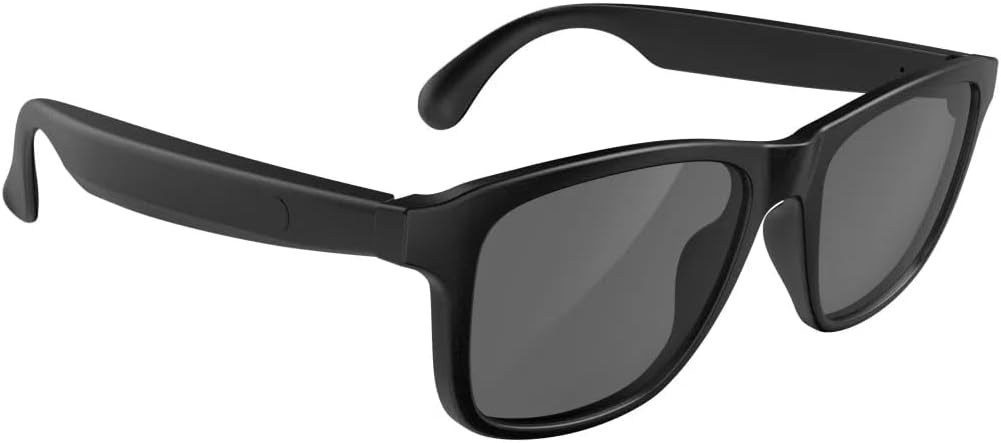
A pair of black Enzemit G10 Bluetooth Smart Sunglasses, showcasing konsepsyon elegant yo.
2. Pwodwi souview
The Enzemit G10 Smart Sunglasses are engineered with several key features to enhance your daily experience:
- Integrated Sound and Vision: Enjoy audio directly from the sunglasses, eliminating the need for separate headphones.
- Premium UV400 Polarized Lenses: Provides full protection against ultraviolet rays, ensuring clear vision and eye comfort outdoors.
- Blokaj Limyè Ble: Lenses are designed to reduce blue light exposure, preventing eye fatigue.
- Batri ki dire lontan: A built-in 160mAh lithium-ion battery offers extended usage times.
- Teknoloji avanse Bluetooth 5.3: Ensures stable, fast, and compatible wireless connections.
- Built-in Microphone & Smart Voice Assistant: Supports hands-free calls and voice commands (e.g., Siri).

Yon prezantasyon enfografikasing key features: immersive stereo speakers, advanced Bluetooth 5.3 technology, and extended battery life.

This image emphasizes the directional speaker technology in the Enzemit G10 Smart Sunglasses, illustrating how sound is directed towards the ear.

A visual representation of the open-ear design of the Enzemit G10 Smart Sunglasses, allowing users to hear their surroundings while enjoying audio.
3. Pake kontni
Tanpri verifye ke tout atik yo prezan nan pakè ou a:
- 1 x Enzemit G10 Smart Glasses
- 1 x kab chaje
- 1 x twal pou netwaye linèt
- 1 x Glasses Box
4. Enstalasyon
4.1 Charging the Sunglasses
Before initial use, fully charge your Enzemit G10 Smart Sunglasses. Use the provided magnetic charging cable.
- Connect the magnetic end of the charging cable to the charging port on the sunglasses' temple.
- Konekte bout USB kab la nan yon adaptè kouran USB estanda (pa enkli) oubyen nan pò USB yon òdinatè.
- The indicator light will show charging status (refer to LED indicator section for details, if available).
- Yon chaj konplè pran anjeneral 1.5 a 2 èdtan.

The image shows the Enzemit G10 Smart Sunglasses being charged via its magnetic charging port, with a close-up of the magnetic connector.

This graphic illustrates the battery performance of the Enzemit G10 Smart Sunglasses, detailing 4 hours of music play, 5 hours of call time, 1.5 hours for recharging, and 100 hours of standby time.
4.2 Bluetooth Pairing
To connect your sunglasses to a smartphone or other Bluetooth-enabled device:
- Ensure the sunglasses are charged and powered off.
- Press and hold the power button (or designated touch area) for approximately 5 seconds until the indicator light flashes, indicating pairing mode.
- On your smartphone, navigate to Bluetooth settings and turn Bluetooth on.
- Chèche pou available devices and select "G10" from the list.
- Once connected, the indicator light on the sunglasses will change (e.g., solid blue or slow flash).

An illustration depicting the Enzemit G10 Smart Sunglasses wirelessly connecting to a smartphone, symbolizing Bluetooth pairing.
5. Operasyon Enstriksyon
The Enzemit G10 Smart Sunglasses feature intuitive touch controls located on the temples. Refer to the diagram below for specific functions:

This image displays the touch control functions on the Enzemit G10 Smart Sunglasses, including power, voice assistant, play/pause, and call management.

A close-up image showing a finger interacting with the touch control area on the temple of the Enzemit G10 Smart Sunglasses.
5.1 Power On/Off
- Pouvwa sou: Tap the touch control area for 2 seconds.
- Pouvwa Off: Tap the touch control area for 5 seconds.
5.2 Mizik lèktur
- Jwe/Poz: One tap on the touch control area.
5.3 Jesyon Apèl
- Reponn apèl: Tap on the right temple.
- Fini apèl: One tap on the touch control area.
- Rejte apèl: Tap on the left temple.
5.4 Asistan Vwa
- Aktive Asistan Vwa a (pa egzanp, Siri): Tap the touch control area for 2 seconds.
6. Antretyen
To ensure the longevity and optimal performance of your Enzemit G10 Smart Sunglasses, follow these maintenance guidelines:
- Netwayaj Lantiy: Use the provided glasses cleaning cloth to gently wipe the lenses. Avoid using abrasive materials or harsh chemicals that could scratch or damage the lens coating.
- Netwayaj ankadreman: Siye ankadreman an ak yon twal mou,amp cloth. Do not submerge the sunglasses in water.
- Depo: When not in use, store the sunglasses in the provided glasses box to protect them from dust, scratches, and impacts.
- Evite tanperati ekstrèm: Do not expose the sunglasses to extreme heat or cold, as this can damage the battery and electronic components.
- Rezistans dlo: The sunglasses may have a degree of water resistance (e.g., IPX4 for splash resistance), but they are not designed for swimming or submersion. Avoid direct contact with excessive water.
NAN. Depanaj
If you encounter issues with your Enzemit G10 Smart Sunglasses, refer to the following common solutions:
| Pwoblèm | Kòz posib | Solisyon |
|---|---|---|
| Sunglasses do not power on. | Batri ki ba. | Charge the sunglasses fully using the provided cable. |
| Pa ka asosye ak aparèy Bluetooth. | Sunglasses not in pairing mode; Bluetooth off on device; device too far. | Ensure sunglasses are in pairing mode (flashing indicator). Turn Bluetooth on your device. Keep devices within 10 meters. |
| Pa gen son oswa volim nan ba. | Volume too low on sunglasses or connected device; connection issue. | Adjust volume on both sunglasses and connected device. Reconnect Bluetooth. |
| Asistan vwa a pa reponn. | Incorrect activation gesture; device not connected. | Ensure you are tapping for 2 seconds. Verify Bluetooth connection. |
Si pwoblèm nan pèsiste apre ou fin eseye solisyon sa yo, tanpri kontakte sèvis kliyan.
8. Espesifikasyon
Detailed technical specifications for the Enzemit G10 Smart Sunglasses:
- Non modèl: G10 Smart glasses
- Mak: Enzemit
- Nimewo Modèl Atik: G10
- Koneksyon Teknoloji: Bluetooth
- Estanda kominikasyon san fil: Bluetooth 5.3
- Batri: 2 pil ityòm-ion (enkli)
- Kapasite batri: 160mAh (approximate)
- Tan pou chaje: 1.5 - 2 èdtan
- Tan pou jwe mizik: Jiska 4 èdtan
- Rele Tan: Jiska 5 èdtan
- Tan sibstiti: Jiska 100 èdtan
- Pwa atik: 3.52 ons
- Karakteristik espesyal: Lightweight, Music Player, Phone Call, Voice Call
- Manifakti: Shenzhen Gonbes Teknoloji Co., Ltd

A diagram from a top-down perspective, labeling key components such as dual directional speakers, magnetic charging port, microphone, and changeable front frame.

A technical drawing providing the dimensions of the Enzemit G10 Smart Sunglasses, including frame width, lens height, and temple length.
9. Garanti ak sipò
9.1 Enfòmasyon sou Garanti
The Enzemit G10 Smart Sunglasses come with a limited manufacturer's warranty. Please refer to the product packaging or the official Enzemit website for specific warranty terms and conditions. This warranty typically covers defects in materials and workmanship under normal use.
9.2 Sipò pou Kliyan
For technical assistance, troubleshooting, or warranty claims, please contact Enzemit customer support through the retailer where the product was purchased or visit the official Enzemit websit pou enfòmasyon kontak.