
TELESIN X4
TELESIN X4 Dual Battery Charger and Storage Case User Manual
Modèl: X4
1. Entwodiksyon
This manual provides detailed instructions for the safe and efficient use of your TELESIN X4 Dual Battery Charger and Storage Case. This device is designed to charge two Insta360 X4 batteries simultaneously and offers integrated storage for micro SD cards. Please read this manual thoroughly before operating the device.

Image 1: The TELESIN X4 Dual Battery Charger and Storage Case, a compact solution for charging and storing Insta360 X4 batteries and micro SD cards.
2. Pwodwi souview
2.1 Karakteristik
- Fonksyonalite doub: Serves as both a charging station for two Insta360 X4 batteries and a protective storage case.
- Depo entegre: Includes dedicated slots for micro SD cards, keeping them secure and organized.
- Kontra enfòmèl ant ak pòtab: Small and lightweight design for easy transport in bags or pockets.
- Intelligent Fast Charging: Supports PD3.0 USB Type-C for rapid charging, achieving 100% charge in approximately 65 minutes.
- LED Smart Indicators: Two independent LED indicators display the charge level of each battery at a glance.
- Pwoteksyon Sekirite: Built-in safeguards against overcharging, short circuits, over-discharge, over-temperature, over-current, and over-voltage.
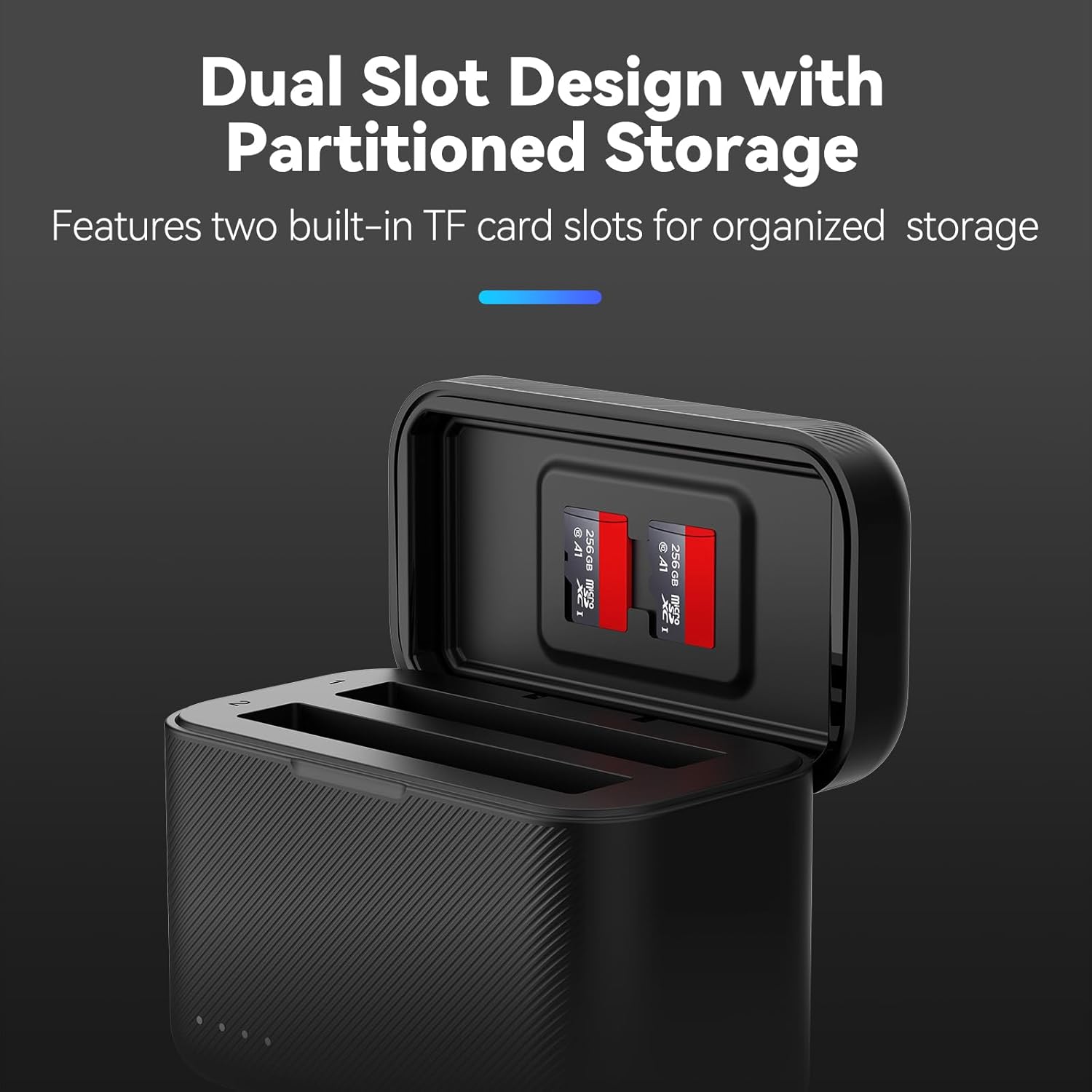
Image 2: The charger features a dual-slot design for batteries and partitioned storage for micro SD cards, ensuring organized and secure keeping.
2.2 Kontni pake a
Verifye ke tout atik ki nan lis anba a yo enkli nan pakè ou a:
- 1 x TELESIN X4 Charging Case
- 1 x USB Kalite-C Chaje Kab
- 1 x manyèl itilizatè

Image 3: Illustrated view of the package contents, including the charging case, charging cable, and user manual.
3. Enstalasyon
- Dekonpoze: Carefully remove the charging case and all accessories from the packaging.
- Inisyal chaj: Before first use, it is recommended to fully charge the device. Connect the provided USB Type-C cable to the charging port on the case and to a compatible power source (e.g., USB wall adapter, power bank, computer USB port).
- Mete pil: Open the flip cover of the charging case. Insert up to two Insta360 X4 batteries into the designated slots. Ensure they are correctly oriented.
- Insert Micro SD Cards (Optional): If desired, insert micro SD cards into the storage slots located on the inside of the flip cover.
4. Operasyon Enstriksyon
4.1 Chaje Batri
To charge your Insta360 X4 batteries:
- Ensure the charging case is connected to a power source via the USB Type-C cable. For optimal fast charging, use a PD3.0 compatible power adapter.
- Insert up to two Insta360 X4 batteries into the charging slots. The LED indicators will illuminate to show the charging status.
- Charging typically takes approximately 65 minutes for a full charge when using a PD3.0 power source.
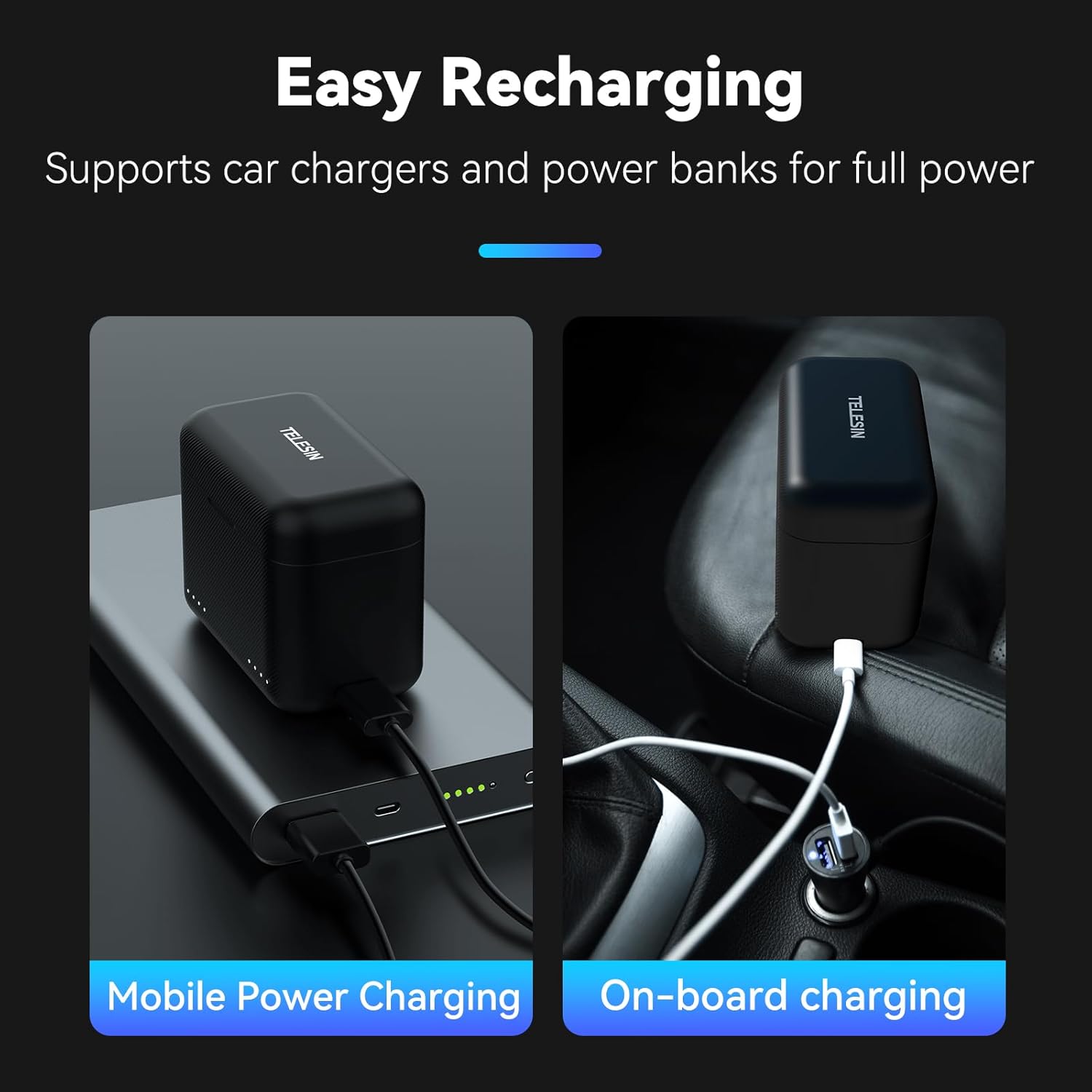
Image 4: The TELESIN X4 charger supports flexible recharging options, including mobile power banks and car chargers, for convenience on the go.
4.2 Endikatè ki ap dirije
The charging case features LED indicators on the front to display the charge status of each battery. These indicators are visible when the flip cover is open or when the case is connected to power.
- Solid Lights: Indicate the current charge level (e.g., 1 light for 25%, 2 for 50%, 3 for 75%, 4 for 100%).
- Limyè k ap flache: Indicate that the battery is currently charging.
- All Lights Solid: Batri a konplètman chaje.

Image 5: The LED indicators on the charger's flip cover provide real-time monitoring of each battery's charge status, from 25% to 100%.
4.3 Depo Kat Mikwo SD
The flip cover of the charging case includes two slots for storing micro SD cards. This allows for convenient and secure transport of your memory cards alongside your batteries.
4.4 Videyo Demonstrasyon Pwodwi
Video 1: A short demonstration of the TELESIN X4 Battery Charger, showcasing its features and ease of use. This video illustrates how to insert batteries and connect the charger for power.
5. Antretyen
- Netwayaj: Use a soft, dry cloth to clean the exterior of the charging case. Avoid using harsh chemicals or abrasive materials.
- Depo: Lè w pa itilize, sere plato a nan yon kote ki fre, sèk, lwen limyè solèy la dirèk ak tanperati ekstrèm.
- Pwoteksyon: Keep the charging case free from water droplets, dust, and debris to ensure optimal performance and longevity.
NAN. Depanaj
| Pwoblèm | Kòz posib | Solisyon |
|---|---|---|
| Batri yo pa chaje | Loose connection, incompatible power source, faulty battery. | Ensure USB-C cable is securely connected. Use a PD3.0 compatible power adapter. Try charging a different battery to isolate the issue. |
| Vitès chaje dousman | Non-PD3.0 power source, charging multiple batteries with low power adapter. | Use a PD3.0 compatible power adapter (e.g., 12V/2A or more powerful). If using a small power charger, charge one battery at a time. |
| Endikatè ki ap dirije yo pa travay | No power, charger malfunction. | Verify power connection. If problem persists, contact customer support. |
7. Espesifikasyon
| Karakteristik | Detay |
|---|---|
| Mak | TELESIN |
| Nimewo Modèl | X4 |
| Koulè | Nwa |
| Dimansyon pwodwi (D x W x H) | 2.36" x 1.69" x 3" (approximately 60mm x 43mm x 76mm) |
| Antre Voltage | 12 Volts (5V=3A, 9V=3A, 12V=2A for Fast Charging) |
| Sòti Voltage | 4.4V 3A |
| Kalite Connector | USB Kalite-C |
| Kantite pò | 2 (for batteries) |
| Tan chaj batri | Approximately 65 minutes (with PD3.0 compatible adapter) |
| Tanperati Fonksyònman | 0°C - 40°C |
| Sètifikasyon | UL, CE, FCC |

Image 6: Detailed product information, including dimensions and electrical specifications, for the TELESIN X4 charger.
8. Garanti ak sipò
8.1 Enfòmasyon sou Garanti
The TELESIN X4 Dual Battery Charger and Storage Case comes with a 2-ane garanti apati dat acha a. Garanti sa a kouvri domaj fabrikasyon epi li asire pwodwi a satisfè pèfòmans espesifye li yo. Tanpri konsève prèv acha ou pou reklamasyon garanti.
8.2 Sipò pou Kliyan
For technical assistance, troubleshooting, or warranty inquiries, please contact TELESIN customer support through the official website or your retailer. Provide your product model number (X4) and purchase details for efficient service.
Official TELESIN Store: Visit the TELESIN Store on Amazon
Ask a question about this manual
Ask about setup, troubleshooting, compatibility, parts, safety, or missing instructions. Manuals+ will review the question and use this page’s manual context to help answer it.