
Entwodiksyon
This manual provides detailed instructions for the installation, operation, and maintenance of your AKAMATE Wireless CarPlay Portable Motorcycle Dash Cam. Please read this manual thoroughly before using the product to ensure proper function and safety. Keep this manual for future reference.
Enfòmasyon sou Sekirite
- Ensure all components are securely mounted to prevent detachment during operation.
- Route all cables away from moving parts, heat sources, and sharp edges to prevent damage and interference.
- Do not attempt to disassemble or modify the device. Unauthorized modifications may void the warranty and pose safety risks.
- The device is waterproof (IP67 rated); however, avoid prolonged submersion or high-pressure water jets.
- Operating the device while riding should be done with caution to avoid distraction. Utilize voice control features for safer interaction.
- Connect the power supply correctly to avoid electrical shorts or damage to your motorcycle's electrical system.
Kontni pake
Verifye ke tout atik ki nan lis anba a yo enkli nan pakè ou a:
- Motorcycle Dash Cam Unit (Main Display)
- Kamera devan
- Kamera dèyè
- Mounting Tool
- Zouti enstalasyon
- Twous fil elektrik
- Twous Hardwire
- Manyèl itilizatè
Pwodwi souview
The AKAMATE Wireless CarPlay Portable Motorcycle Dash Cam is designed to enhance your riding experience with smart connectivity and recording capabilities. It features a 5.5-inch waterproof touch screen, dual 1080P HD cameras for front and rear recording, and supports wireless CarPlay and Android Auto. Integrated Bluetooth 5.3 allows for seamless connection to your smartphone and headset, enabling voice control and hands-free communication.
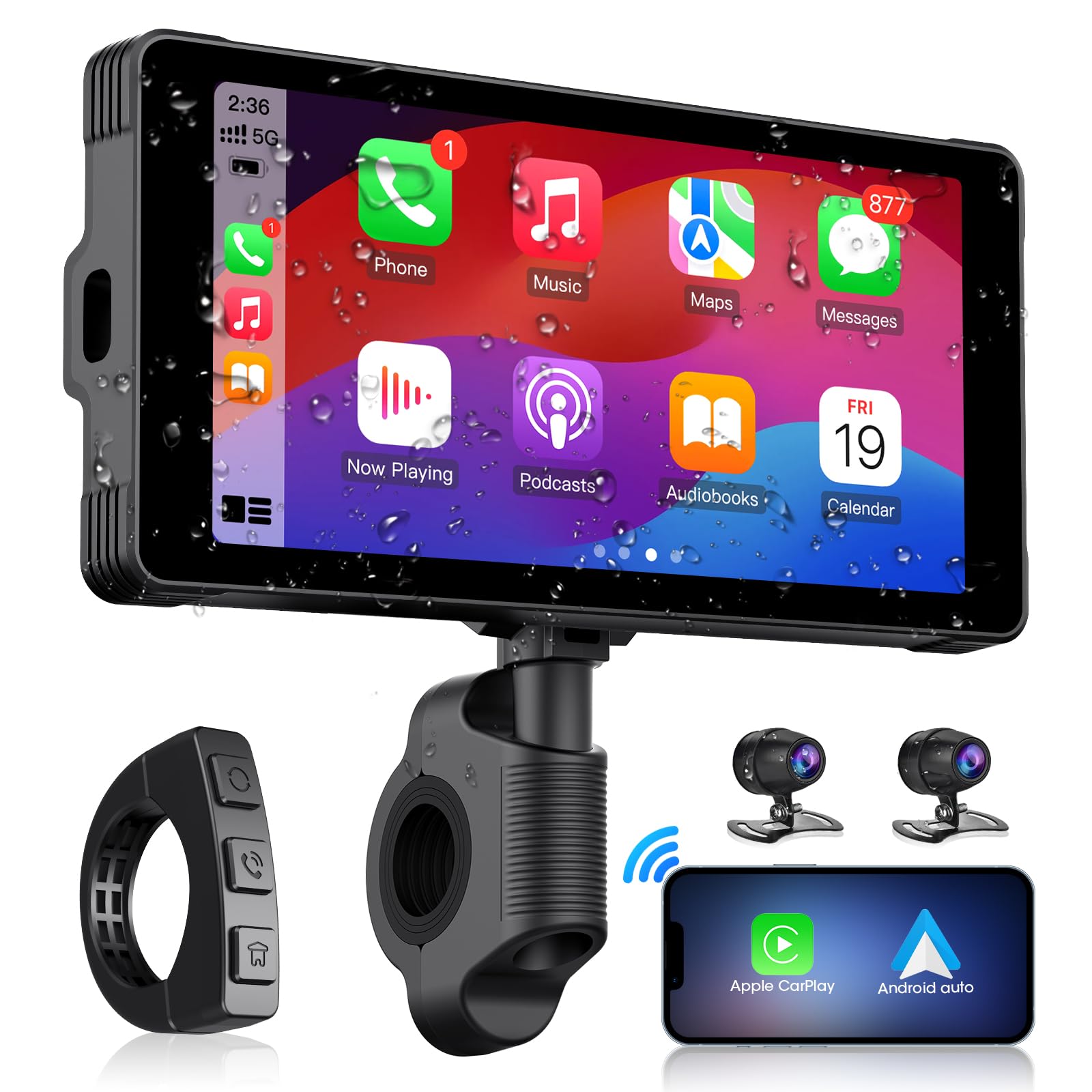
Image: The main AKAMATE dash cam unit, showing its compact design and display.
Enstalasyon
1. Enstalasyon
Proper installation is crucial for the device's performance and your safety. Follow these general steps:
- Monte inite prensipal la: Use the provided mounting tools to securely attach the main display unit to your motorcycle's handlebar. Ensure it is positioned for clear visibility without obstructing your view of the road or controls.
- Kamera Plasman: Install the front and rear cameras in locations that provide a clear, unobstructed view. Typically, the front camera is mounted near the headlight or on the fairing, and the rear camera near the license plate or tail light.
- Fil elektrik: Connect the wiring kit. The hardwire kit typically connects directly to your motorcycle's battery (for constant power) and an accessory wire (for ignition-switched power). Ensure all connections are secure and insulated. Route cables carefully, avoiding hot engine parts, sharp edges, and areas where they might be pinched or snagged. Use zip ties or cable clips to secure wiring.
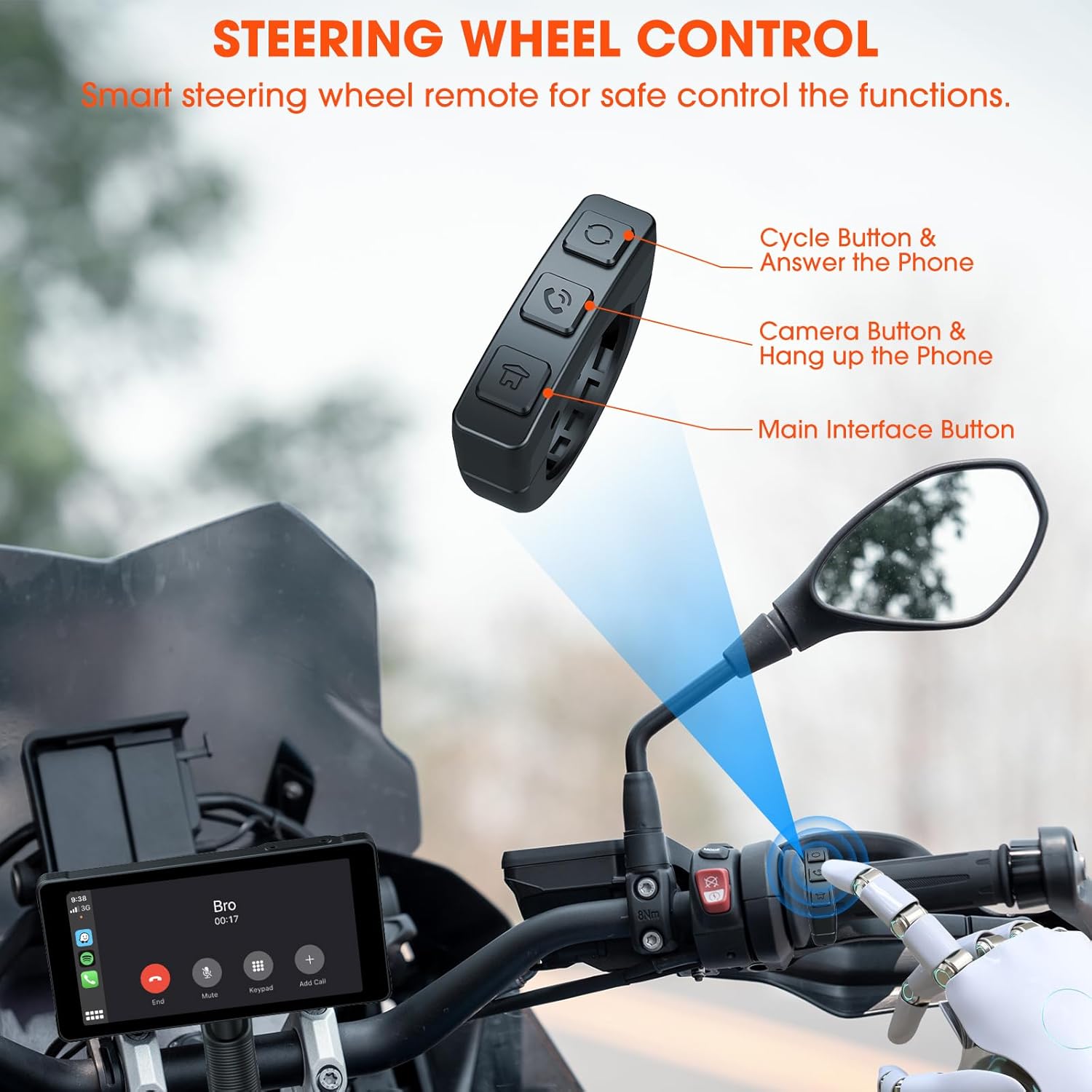
Image: Comparison showing a motorcycle handlebar before and after the installation of the AKAMATE dash cam, highlighting the integrated look and IP67 waterproof rating.
2. Premye Limen
Once installed and wired, turn on your motorcycle's ignition. The dash cam should power on automatically. Follow the on-screen prompts for initial setup, including language selection and time zone settings.
Enstriksyon Operasyon
1. Wireless Connection (CarPlay/Android Auto)
The device supports wireless Apple CarPlay and Android Auto for seamless smartphone integration.
- Asire w ke Bluetooth ak Wi-Fi aktive sou smartphone ou.
- On the dash cam, navigate to the 'Wireless Connection' or 'CarPlay/Android Auto' settings.
- Chèche pou available devices on your phone and select the dash cam's Bluetooth name.
- Confirm the pairing code on both devices. Once paired via Bluetooth, the device will automatically establish a Wi-Fi connection for CarPlay or Android Auto.
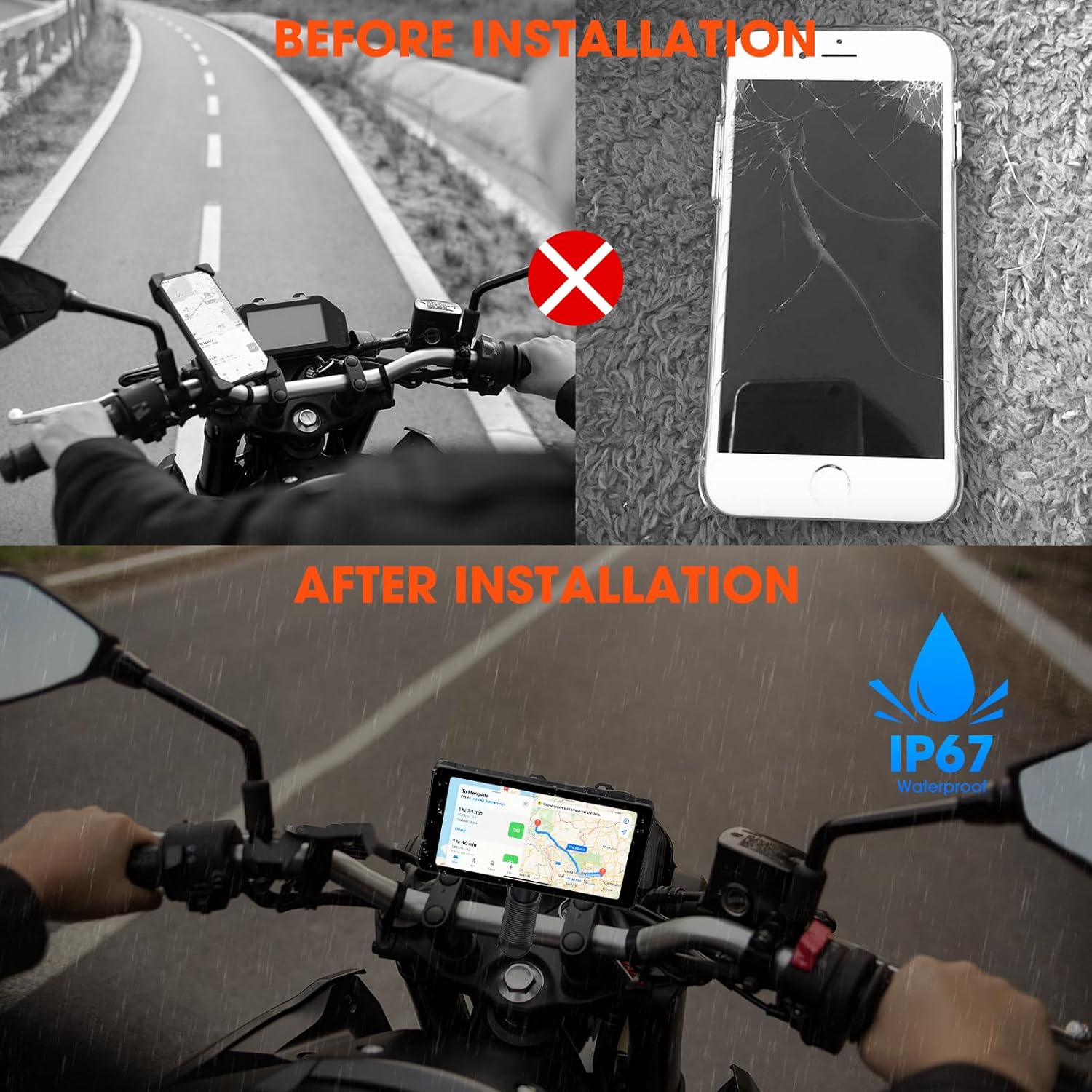
Image: Illustrates the wireless connection feature, showing the dash cam displaying navigation and music, with voice commands for Siri and Google Assistant.
2. Dash Cam Operation (Video Recording)
The device automatically begins recording upon power-on. It features 1080P HD front and rear cameras.
- Anrejistreman bouk: The system records video in continuous loops, overwriting the oldest footage lè kat memwa a plen.
- Anrejistreman Ijans: In the event of a sudden impact or collision, the G-sensor will trigger emergency recording, locking the current footage pou anpeche yo efase li.
- Viewing Footage: Anrejistre videyo kapab viewed directly on the dash cam's screen or by removing the memory card and inserting it into a computer.

Image: Demonstrates the 1080P HD front and rear camera views, highlighting the 170-degree wide-angle recording and loop recording function.
3. Bluetooth Koneksyon
The device utilizes Bluetooth 5.3 for stable connections.
- Aparèy telefòn: Pair your smartphone via Bluetooth for CarPlay/Android Auto functionality and hands-free calls.
- Koup kask: Connect your Bluetooth helmet or earphones to the dash cam to receive audio (navigation prompts, music, calls) directly.

Image: Illustrates the dual Bluetooth connection capability, allowing simultaneous pairing with a smartphone and a Bluetooth helmet or earphones.
4. Kontwòl vwa
With CarPlay or Android Auto connected, you can use voice commands (Siri or Google Assistant) for navigation, music playback, calls, and messages, minimizing manual interaction while riding.
5. Steering Wheel Control (Remote)
A smart remote control is included for convenient operation of key functions without reaching for the main unit.
- Cycle Button & Answer Phone: Used to cycle through modes or answer incoming calls.
- Camera Button & Hang up Phone: Activates camera functions (e.g., take a snapshot) or ends calls.
- Main Interface Button: Navigates to the main menu or home screen.
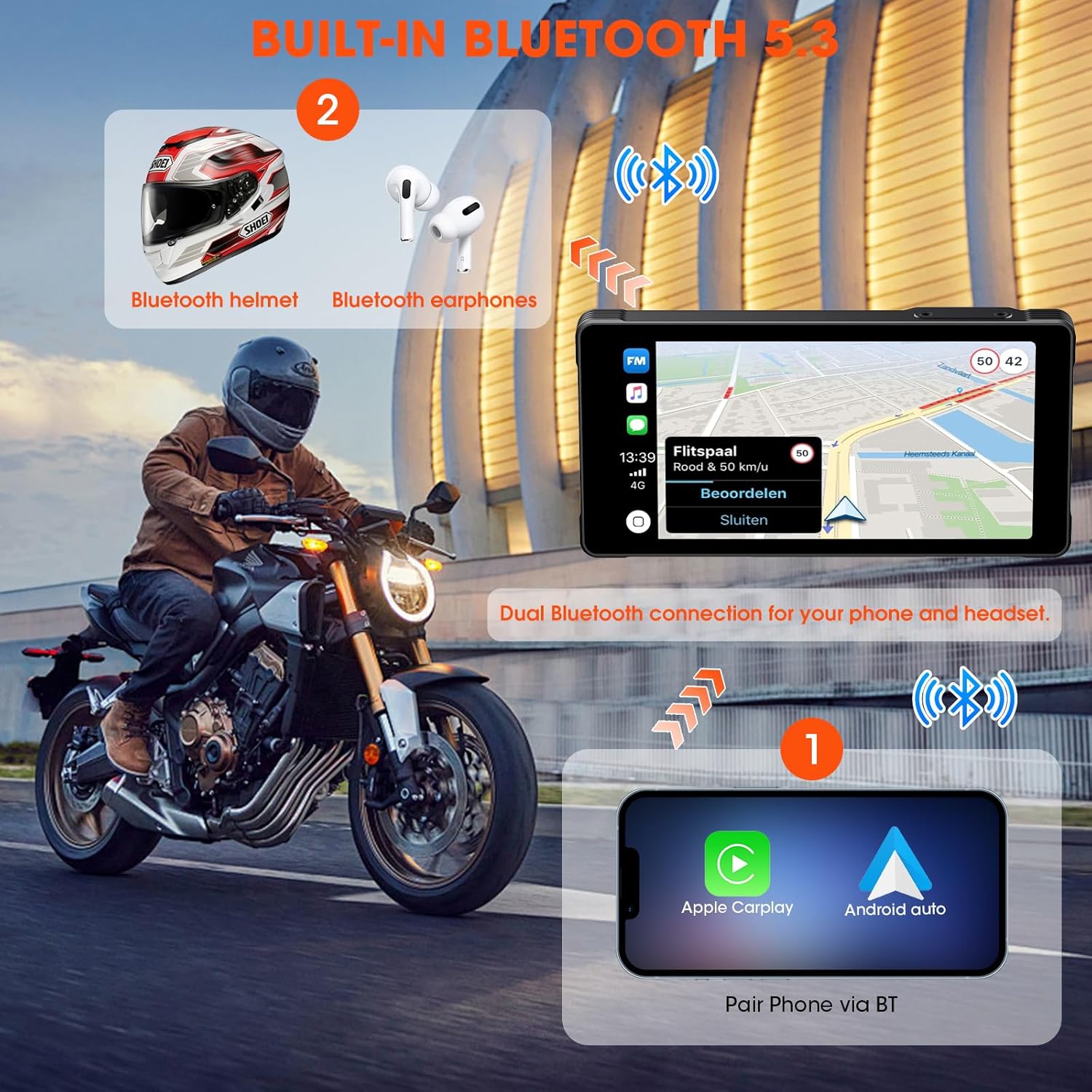
Image: Shows the smart steering wheel remote control and its functions, designed for safe operation while riding.
6. Navigasyon GPS
GPS navigation is provided through your smartphone's CarPlay or Android Auto application. The dash cam acts as a display for your phone's navigation system, offering real-time directions on its screen.
Antretyen
- Netwayaj: Sèvi ak yon mou, damp cloth to clean the screen and device body. Avoid abrasive cleaners or solvents.
- Mizajou mikrolojisyèl: Tcheke manifakti a regilyèman websit pou mizajou firmwèr pou asire pèfòmans optimal ak aksè a nouvo fonksyonalite.
- Kat memwa: Format the memory card regularly (e.g., monthly) to maintain optimal recording performance and prevent data corruption. Back up important footage anvan fòma.
- Enspeksyon kab: Regularly inspect all cables and connections for wear, damage, or loose fittings.
Depanaj
| Pwoblèm | Kòz posib | Solisyon |
|---|---|---|
| Aparèy pa limen. | Incorrect wiring; Blown fuse; Low battery voltage. | Check power connections; Inspect fuse; Ensure motorcycle battery has sufficient charge. |
| CarPlay/Android Auto pa konekte. | Bluetooth/Wi-Fi off on phone; Incorrect pairing; Interference. | Ensure phone's Bluetooth/Wi-Fi is on; Re-pair devices; Move away from sources of interference. |
| Cameras not recording or footage pèvèti. | Memory card full/faulty; Incorrect card format; Loose camera connection. | Format memory card; Replace card if faulty; Check camera cable connections. |
| Pa gen odyo nan kas ekoutè a. | Headset not paired; Volume too low; Incorrect audio output selected. | Ensure headset is paired and connected; Adjust volume; Check audio settings on device. |
Espesifikasyon
| Karakteristik | Detay |
|---|---|
| Manifakti | AKAMATE |
| Dimansyon pwodwi | 0.99 x 14.99 x 7.49 cm (approx. 1 x 15 x 7.5 cm) |
| Pwa atik | 907.18 grams (approx. 2 pounds) |
| ASIN | B0D9B3T8SL |
| Mak | AKAMATE |
| Kalite Sèvis Machin | Motorcycle, Bicycle |
| Koneksyon Teknoloji | Bluetooth, fil |
| Karakteristik espesyal | Voice Control, Wireless Android Auto, Portable Wireless CarPlay, Waterproof (IP67) |
| Rezolisyon Capture Videyo | 1080p |
| Konpozan ki enkli | Motorcycle Dash Cam Unit, Front Camera, Rear Camera, Mounting Tools, Installation Tools, Wiring Kit, Hardwire Kit, User Manual |
| Kalite aliye | Mòn gidon |
| Metòd kontwòl | Remote |
Garanti ak sipò
For warranty information and technical support, please refer to the documentation included with your product or visit the official AKAMATE websit la. Kenbe resi acha ou kòm prèv acha pou reklamasyon garanti.