
1. Entwodiksyon
Welcome to the DOOGEE Blade 10 Max user manual. This guide provides detailed instructions to help you get the most out of your new rugged smartphone. Designed for durability and high performance, the Blade 10 Max features a powerful battery, advanced camera system, and a unique rear display, all running on Android 15.
2. Pwodwi souview
The DOOGEE Blade 10 Max is engineered to withstand challenging environments while providing a rich smartphone experience. Familiarize yourself with its components and design.

Figi 2.1: Devan ak dèyè view of the DOOGEE Blade 10 Max smartphone.
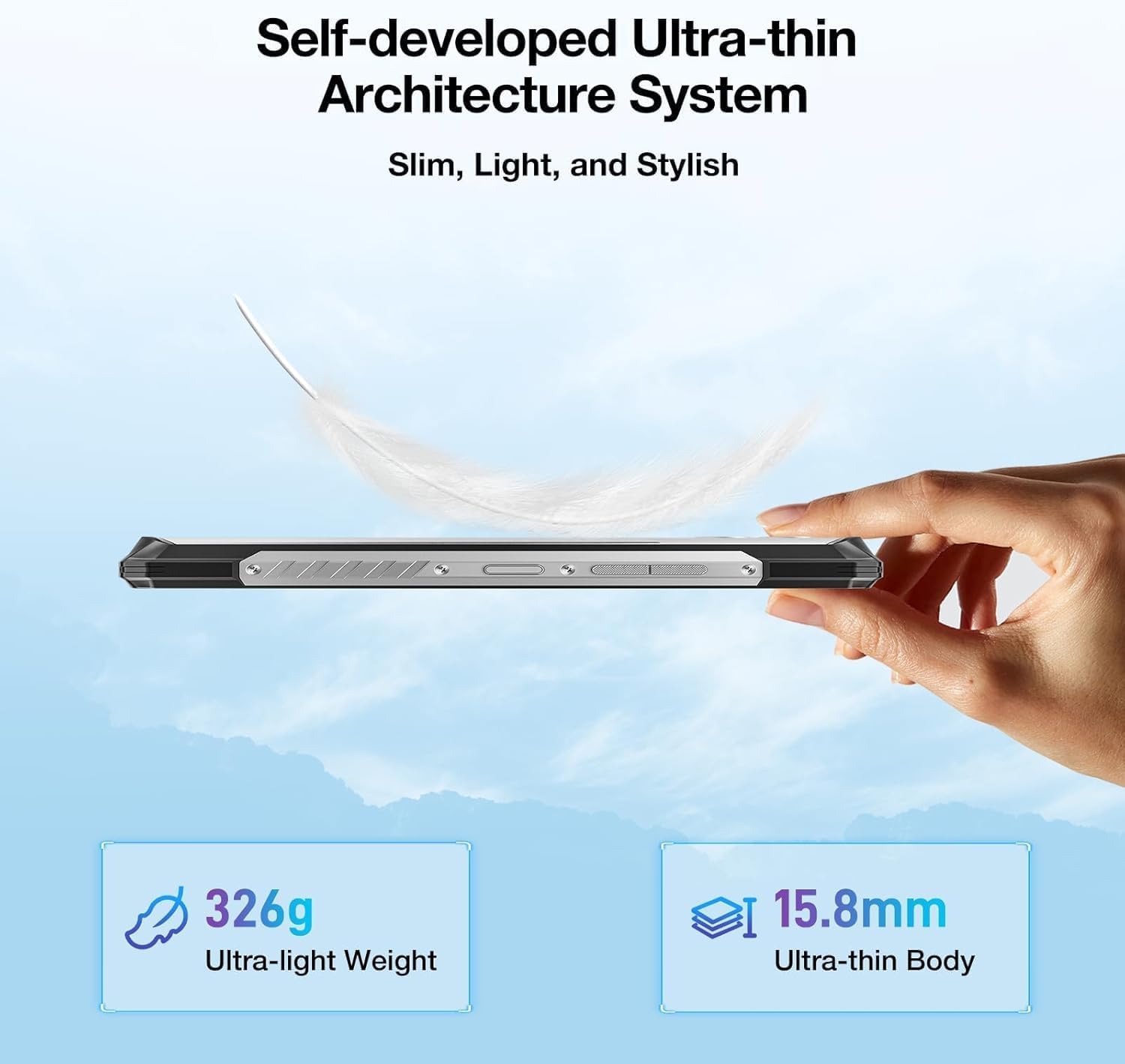
Figi 2.2: Pwofesyonèl bò kotefile montreasing the ultra-thin design of the Blade 10 Max.
2.1 Konpozan kle
- 6.56-inch HD+ IPS Display: Main screen for all interactions.
- 1.54-inch Customizable Rear Screen: Displays time, date, battery status, and notifications without activating the main display.
- Kamera prensipal 50MP ak entèlijans atifisyèl: High-resolution camera for detailed photography.
- Kamera Devan 8MP: Pou selfie ak apèl videyo.
- Capteur anprent bò: Integrated for quick and secure unlocking.
- USB Kalite-C Port: Pou chaje ak transfè done.
- Triple Card Slot: Supports two 4G SIM cards and one microSD card for expandable storage.
- Bouton personnalisable: Yon bouton fizik pwogramab pou aksè rapid nan fonksyon yo.
3. Enstalasyon
3.1 Enstalasyon Kat SIM ak Kat MicroSD
The Blade 10 Max supports dual 4G SIM cards and a microSD card for storage expansion up to 2TB. Ensure the device is powered off before inserting or removing cards.
- Locate the card tray on the side of the device.
- Sèvi ak zouti ejèksyon SIM ki vini ak li a pou ouvri plato a.
- Carefully place your Nano-SIM cards and/or microSD card into the designated slots on the tray. Ensure they are correctly oriented.
- Dousman pouse plato a tounen nan aparèy la jiskaske li klike an plas.

Figure 3.1: Proper insertion of SIM and TF cards into the device tray.
3.2 Initial Power-On and Charging
To power on your device, press and hold the Power button until the DOOGEE logo appears. For initial charging, connect the provided USB Type-C cable to the phone and a compatible 18W fast charger.
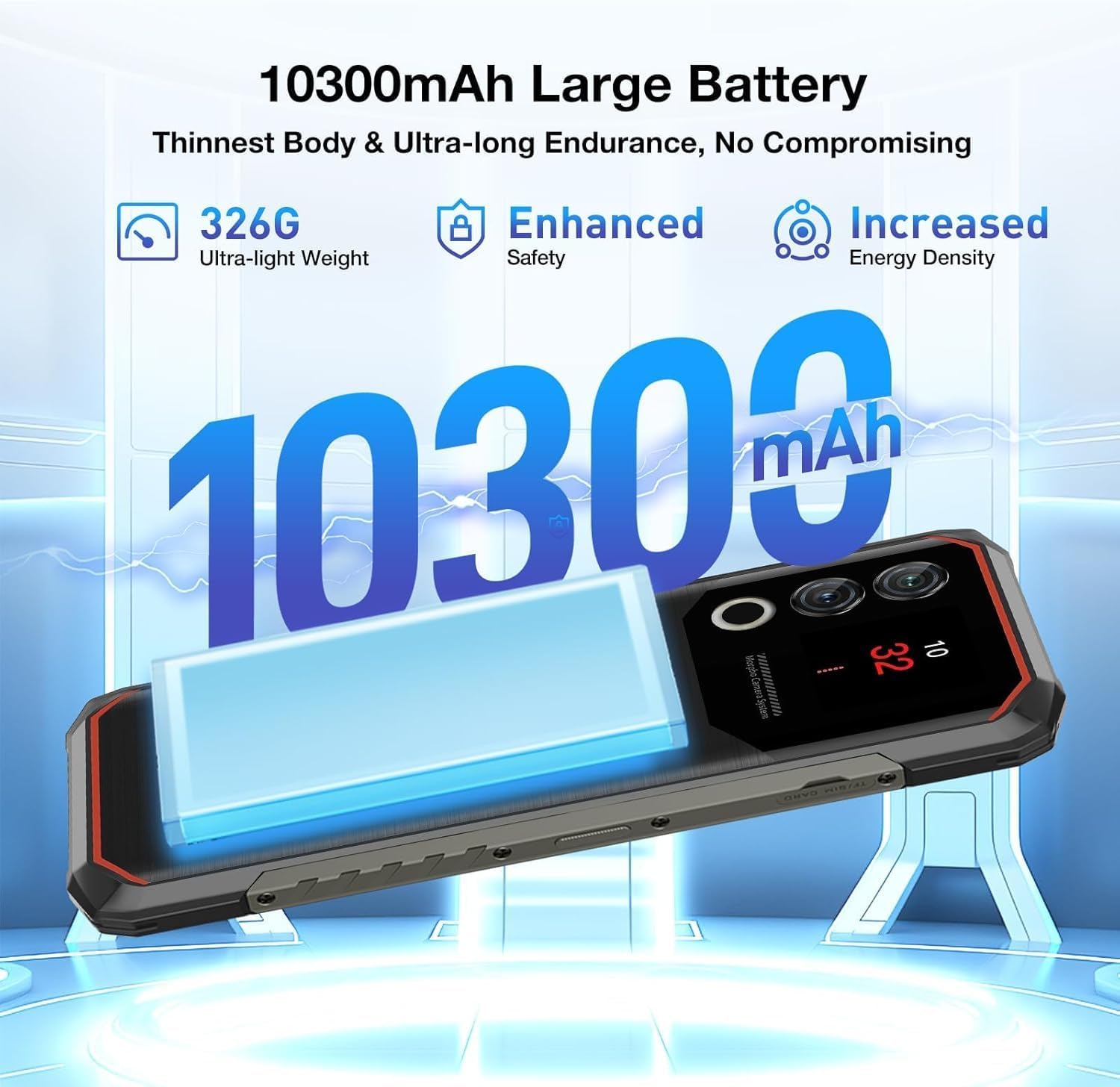
Figure 3.2: The 10300mAh battery provides extended usage.
4. Opere Aparèy la
4.1 Navigasyon debaz
The Blade 10 Max runs on Android 15, offering intuitive navigation through touch gestures. Swipe up from the bottom for the app drawer, swipe down from the top for notifications and quick settings, and use the navigation bar or gestures for back, home, and recent apps.
4.2 Using the 1.54-inch Rear Screen
The innovative 1.54-inch rear screen provides quick access to essential information without waking the main display. It can show the time, date, battery level, charging status, and more. Customize its display options in the phone's settings under 'Rear Screen'.

Figure 4.1: The customizable 1.54-inch rear screen for quick information access.
4.3 Fonksyon Kamera
Capture stunning photos with the 50MP AI main camera and 8MP front camera. The AI camera automatically recognizes 12 different scenes and optimizes settings for best results. Explore various modes like Portrait, Night Scene, and Pro Mode for enhanced creativity.

Figure 4.2: The 50MP AI camera offers various photography modes.
The integrated Google Smart Camera provides additional functionality, allowing you to copy and translate text, identify objects, plants, or animals, and even assist with homework by scanning questions.
4.4 Karakteristik Sekirite Sosyal
Unlock your device securely using the side-mounted fingerprint sensor or Face Unlock. Both methods provide quick and convenient access while ensuring your data remains protected.
4.5 Koneksyon
The Blade 10 Max supports 4G LTE connectivity across a wide range of bands. It also features NFC for convenient mobile payments via Google Pay and supports GPS, Glonass, Galileo, and Beidou for accurate navigation.
Video 4.1: Demonstration of the DOOGEE Blade 10 Max's ruggedness and functionality after exposure to various liquids.
Video 4.2: A short demonstration of the DOOGEE Blade 10 Max surviving an impact test.
5. Antretyen
To ensure the longevity and optimal performance of your DOOGEE Blade 10 Max, follow these maintenance guidelines.
5.1 Netwaye Aparèy la
Sèvi ak yon mou, damp cloth to clean the exterior of your phone. Avoid harsh chemicals or abrasive materials that could damage the screen or casing. For ports, use a soft brush to gently remove dust or debris.
5.2 Rezistans dlo ak pousyè
The Blade 10 Max is IP68/IP69K and MIL-STD-810H certified, making it resistant to water, dust, and drops. While highly durable, it is not indestructible. Ensure all port covers are securely closed before exposing the device to water or dust. Avoid intentional submersion in deep water or high-pressure water jets. If the device gets wet, dry it thoroughly before charging.

Figure 5.1: The Blade 10 Max is designed for water and dust resistance.
Video 5.1: The DOOGEE Blade 10 Max being used underwater, showcasing konsepsyon ki enpèmeyab li yo.
5.3 Swen Batri
The 10300mAh battery is designed for long endurance. To maximize battery life, avoid extreme temperatures, use the original charger, and avoid completely draining the battery frequently.
NAN. Depanaj
If you encounter issues with your device, refer to the following common solutions.
- Aparèy pa soumen: Asire w batri a chaje. Konekte l nan yon plato epi tann kèk minit anvan ou eseye limen l ankò.
- Ekran an pa reponn: Try restarting the device by holding the Power button for an extended period (usually 10-15 seconds).
- Pwoblèm koneksyon rezo: Check if SIM cards are properly inserted. Verify your mobile data settings and ensure you have signal coverage. Try toggling Airplane Mode on and off.
- Kamera a pa fonksyone: Ensure no other apps are using the camera. Restart the camera app or the device.
- Aplikasyon k ap kraze: Vide kach aplikasyon ki gen pwoblèm nan oubyen enstale li ankò. Asire w ke lojisyèl aparèy ou an ajou.
7. Espesifikasyon
Below are the key technical specifications for the DOOGEE Blade 10 Max.
| Karakteristik | Spesifikasyon |
|---|---|
| Non modèl | Blade 10 Max |
| Sistèm operasyon | Android 15 |
| Gwosè ekspozisyon | 6.56 pous |
| Rezolisyon ekspozisyon | 1280 x 720 (HD+) |
| Rafrechisman pousantaj | 90 Hz |
| Ekran dèyè | 1.54 pous |
| Memwa RAM | 32 GB (8GB fizik + 24GB vityèl) |
| Depo Entèn | 256 GB |
| Depo dilatabl | Jiska 2TB atravè microSD |
| Kamera prensipal | Kamera IA 50 MP |
| Kamera devan | 8 MP |
| Kapasite batri | 10300 mAh |
| Chaje | Chaje rapid 18W, chaje ranvèse OTG |
| Processeur | UNISOC T7200 Octa-Core (1.6GHz, 12nm) |
| Koneksyon | 4G, Wi-Fi, Bluetooth, NFC (Google Pay) |
| Navigasyon | GPS, Glonass, Galileo, Beidou |
| Durability | IP68, IP69K, MIL-STD-810H Certified |
| Sekirite | Rekonesans anprent bò, Deblokaj figi |
| Dimensions (Thinnest Point) | 9mm |
| Pwa | 326g (11.5 oz) |
8. Garanti ak sipò
Your DOOGEE Blade 10 Max comes with a manufacturer's warranty. Please refer to the warranty card included in your product packaging for specific terms and conditions. For technical support, troubleshooting assistance, or warranty claims, please visit the official DOOGEE websit oswa kontakte sèvis kliyan yo.
DOOGEE offers a 30-day money-back guarantee and a 2-year limited warranty. 24/7 online support is also available.