
BOTSLAB HK30
BOTSLAB HK30 Car Dash Cam User Manual
4K+1080P+1080P Car Dash Cam with Angle Front Camera and Color Night Vision
1. Entwodiksyon
Thank you for choosing the BOTSLAB HK30 Car Dash Cam. This manual provides detailed instructions for the installation, operation, and maintenance of your new dash camera system. Please read this manual thoroughly before using the product to ensure proper function and safety. Keep this manual for future reference.
2. Enfòmasyon sou Sekirite
- Pa opere kamera tablodbò a oswa jwenn aksè nan paramèt li yo pandan w ap kondui. Toujou kanpe machin nan ak prekosyon anvan ou fè nenpòt ajisteman.
- Asire w ke kamera tablodbò a byen monte epi li pa bloke vizyon chofè a. view oubyen entèfere ak deplwaman sak lè a.
- Use only the original power adapter and cables provided with the device. Using unauthorized accessories may damage the product and void the warranty.
- Evite ekspoze kamera a nan tanperati ekstrèm, limyè solèy dirèk pou peryòd pwolonje, oswa imidite twòp.
- Pa eseye demonte oswa repare aparèy la tèt ou. Kontakte sipò kliyan pou asistans.
- Regularly format the memory card to ensure optimal recording performance.
3. Pake kontni
Tanpri tcheke pake a pou atik sa yo:
- BOTSLAB HK30 Dash Cam Unit
- Chargeur machin (Kab kouran)
- Mounting Bracket (with adhesive pad)
- Manyèl itilizatè
- Optional: Rear Camera (if purchased as a bundle)
- Optional: GPS Module
4. Pwodwi souview
The BOTSLAB HK30 is a multi-channel dash cam designed to provide comprehensive coverage of your driving environment. It features a main front camera with 4K resolution, and supports additional cameras for rear and interior views (sold separately or as part of a bundle).

Image: The main BOTSLAB HK30 dash cam unit, showing the front lens and the Botslab branding.
Karakteristik kle yo enkli:
- 4K Front Camera: Captures high-resolution video of the road ahead.
- 140° lajè Viewing Ang: Provides extensive coverage, minimizing blind spots.
- Vizyon lannwit koulè: Enhances visibility and clarity in low-light conditions.
- GPS entegre: Records speed and location data for your journeys.
- G-Capteur: Bloke videyo otomatikman files upon impact to prevent overwriting.
- Anrejistreman bouk: Continuously records by overwriting the oldest files lè kat memwa a plen.
- Siveyans pou Gare: Offers 24-hour surveillance with time-lapse recording and collision-triggered normal recording (requires buck line kit, sold separately).
- Kontwòl aplikasyon: Connects to your smartphone for easy settings adjustment, live view, and video download.

Image: An illustration demonstrating the 140-degree wide viewing angle of the dash cam, showing its ability to capture a broad perspective of the road.
5. Enstalasyon ak Enstalasyon
5.1 Mete Kat Memwa
Before first use, insert a high-speed (Class 10 or higher) microSD card (up to 256GB recommended) into the dash cam's memory card slot. Ensure the card is inserted correctly until it clicks into place. Format the card via the dash cam's settings menu or the mobile app before initial recording.
5.2 Enstale Kamera Dash la
- Netwaye zòn vit machin nan kote ou gen entansyon monte kamera tablodbò a. Asire w ke li pa gen pousyè ak grès.
- Attach the adhesive pad to the mounting bracket, then firmly press the bracket onto the chosen spot on your windshield, ideally behind the rearview glas pou optimal view and minimal obstruction.
- Slide the dash cam unit onto the mounted bracket until it locks securely.
- Adjust the camera lens angle to ensure it captures the road ahead clearly, with approximately 60% road and 40% sky visible.
5.3 Koneksyon pouvwa
- Connect the provided car charger cable to the dash cam's power input port.
- Branche lòt bout chajè machin nan nan priz kouran 12V machin ou an (priz alimyè sigarèt).
- Route the power cable neatly along the edge of the windshield and dashboard to conceal it and prevent interference with driving.
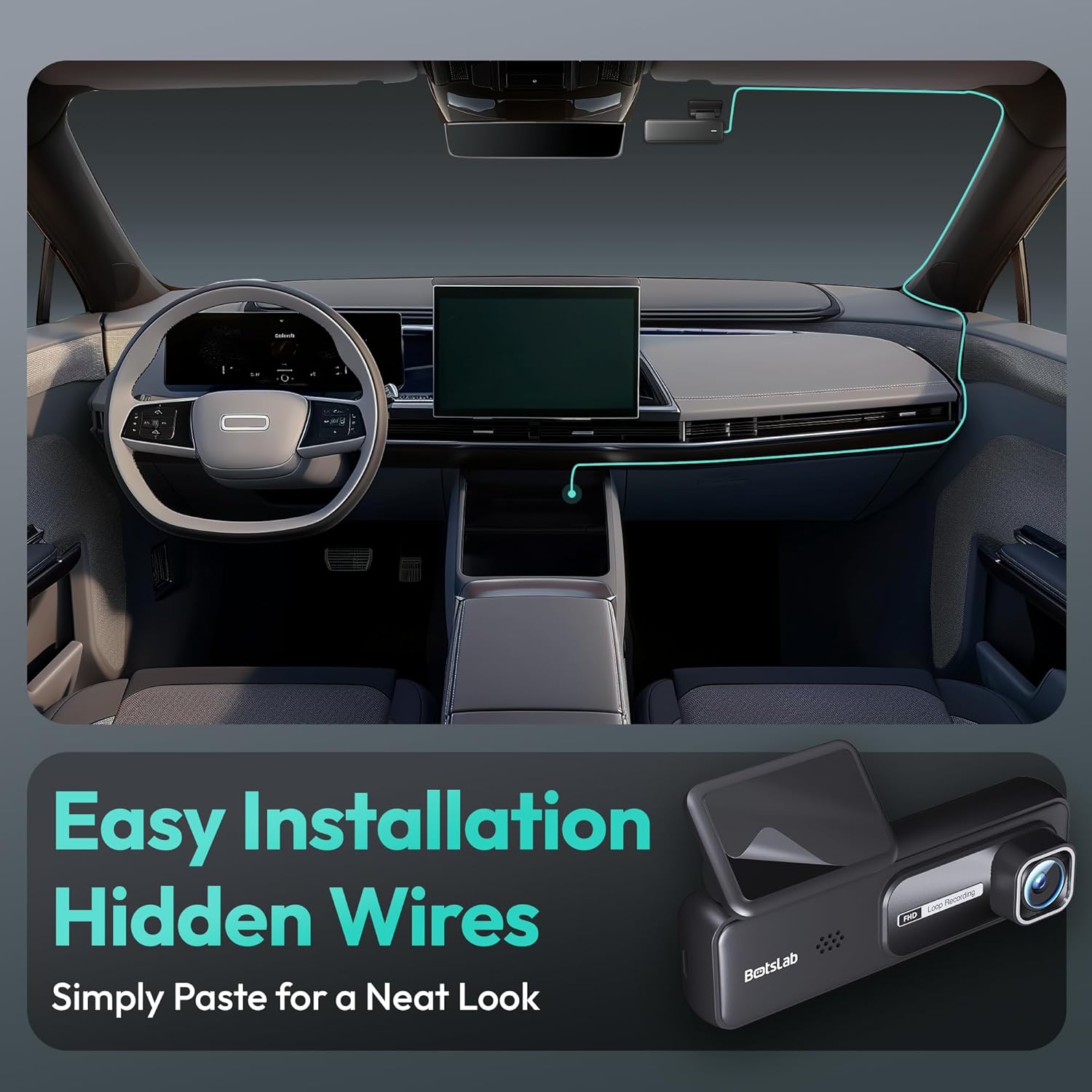
Image: A visual guide illustrating the process of easy dash cam installation with hidden wires, showing how to route the cable neatly along the car's interior for a clean look.
5.4 Koneksyon Modil GPS (si sa aplikab)
If your package includes a separate GPS module, connect it to the designated port on the dash cam. Ensure the GPS module is placed in an area with a clear view nan syèl la pou yon resepsyon siyal optimal.
6. Operasyon Enstriksyon
6.1 Anrejistreman Otomatik
Once powered on and connected to your vehicle's ignition, the dash cam will automatically start recording when the engine is started. It will stop recording and power off shortly after the engine is turned off.
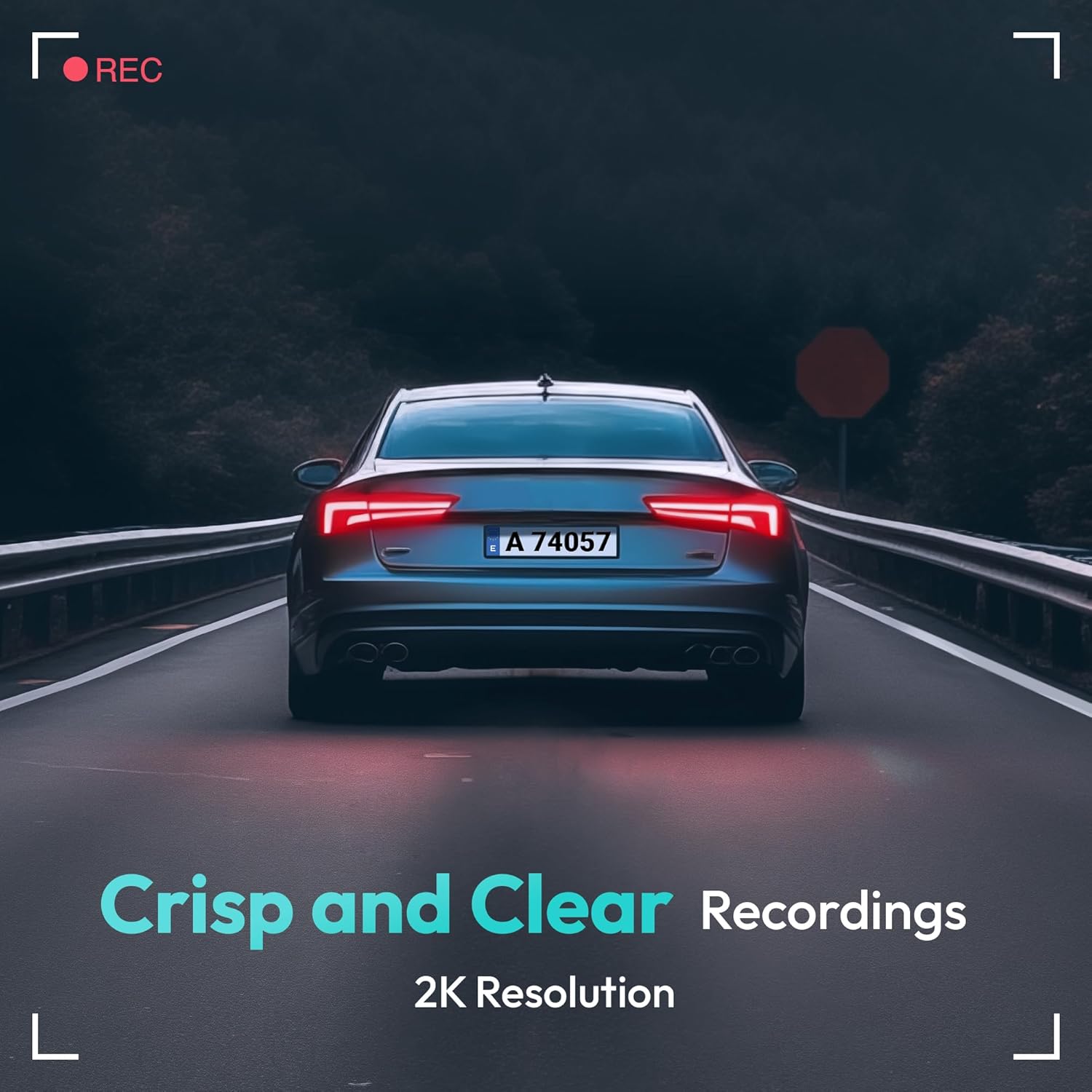
Image: A visual representation highlighting the crisp and clear recording capabilities of the dash cam, indicating 2K resolution for detailed footage.
6.2 Anrejistreman bouk
Kamera a anrejistre videyo an bouk kontinyèl (pa egzanp, segman 1, 3, oswa 5 minit). Lè kat memwa a plen, kat ki pi ansyen an ki debloke a fileNouvo anrejistreman yo pral otomatikman ranplase yo. Sa asire anrejistreman kontinyèl san entèvansyon manyèl.
6.3 G-Capteur (Anrejistreman Ijans)
The built-in G-Sensor detects sudden impacts or collisions. When an impact is detected, the current video segment will be automatically locked and saved to a protected folder on the memory card, preventing it from being overwritten by loop recording. These files are crucial for accident evidence.
6.4 Siveyans pakin
For 24-hour parking surveillance, a hardwire kit (buck line) is required (sold separately). Once installed, the dash cam can utilize:
- Tan-erè Anrejistreman: Records continuously at a low frame rate to save storage space while providing a full overview of parking events.
- Collision-Triggered Recording: If an impact is detected while parked, the dash cam will wake up and record a short video segment, which will be locked.

Image: An illustration depicting the 24/7 parking monitoring feature, highlighting time-lapse recording and collision-triggered normal recording capabilities, with a shield icon indicating protection.
6.5 App Control and Connectivity
Download the official BOTSLAB app from your smartphone's app store. Connect your phone to the dash cam's Wi-Fi network (SSID and password usually found on the device or in the manual). Through the app, you can:
- View emisyon videyo an dirèk.
- Adjust dash cam settings (resolution, G-sensor sensitivity, loop recording duration, etc.).
- Lektur videyo anrejistre.
- Telechaje videyo files dirèkteman nan telefòn ou.
- Mizajou firmwèr.
6.6 GPS Tracking and Playback
With the GPS module connected, the dash cam records your vehicle's speed and location data. This information can be viewed during video playback using the dedicated PC viewer software (available for download from the BOTSLAB website) or within the mobile app, often overlaid on a map (e.g., Google Maps).
7. Antretyen
7.1 Netwaye Aparèy la
Use a soft, dry cloth to clean the dash cam's lens and body. Do not use liquid cleaners or abrasive materials, as they may damage the device.
7.2 Jesyon Kat Memwa
It is recommended to format the microSD card once a month to maintain optimal performance and prevent data corruption. Back up any important files anvan fòma.
7.3 Mizajou Firmware
Periodically check the BOTSLAB official website or the mobile app for available firmware updates. Firmware updates can improve performance, add new features, or fix bugs. Follow the instructions provided with the firmware update carefully.
NAN. Depanaj
| Pwoblèm | Kòz posib | Solisyon |
|---|---|---|
| Kamera tablodbò a pa limen. | No power supply; faulty cable; vehicle's power outlet issue. | Check power cable connection; try another power outlet; ensure vehicle ignition is on. |
| Anrejistreman an sispann oswa li bloke. | Kat memwa plen oswa pèvèti; kat memwa ralanti; pwoblèm firmwèr. | Format memory card; use a high-speed (Class 10+) card; update firmware. |
| Kalite videyo a pa bon. | Lantiy sal; fim pwoteksyon an toujou sou lantiy la; rezolisyon an pa kòrèk. | Clean the lens; remove protective film; set recording resolution to highest available. |
| Siyal GPS pa jwenn. | GPS module not connected; poor satellite reception. | Ensure GPS module is connected; move vehicle to an open area with clear sky view. |
| Pa ka konekte ak Wi-Fi/Aplikasyon an. | Incorrect Wi-Fi password; phone too far from device; app not updated. | Verify Wi-Fi password; ensure phone is close to dash cam; update app. |
9. Espesifikasyon
| Karakteristik | Detay |
|---|---|
| Non modèl | HK30 |
| Rezolisyon Capture Videyo | Front: 4K (1944p), Rear/Interior: 1080P (if applicable) |
| Viewing Ang | 140° (Devan) |
| Koneksyon Teknoloji | USB, San fil (Wi-Fi) |
| Karakteristik espesyal | App Control, G-Sensor, Loop Recording, Parking Monitor, Color Night Vision |
| Depo | MicroSD Card (up to 256GB, Class 10 or higher) |
| Kalite aliye | Vit devan mòn |
| Sous pouvwa | Chargeur machin (12V) |
| Dimansyon pwodwi | 2 x 5.5 x 5.5 pous |
| Pwa atik | 9.6 ons |
10. Garanti ak sipò
BOTSLAB products come with a limited warranty. Please refer to the warranty card included in your package or visit the official BOTSLAB website for detailed warranty terms and conditions. For technical support, troubleshooting assistance, or any inquiries, please contact BOTSLAB customer service through the contact information provided on their official websit la oubyen nan aplikasyon mobil lan.
Websit: www.botslab.com (Egzamplyen an, tanpri al gade dokimantasyon pwodwi aktyèl la pou enfòmasyon ki kòrèk yo URL)
Ask a question about this manual
Ask about setup, troubleshooting, compatibility, parts, safety, or missing instructions. Manuals+ will review the question and use this page’s manual context to help answer it.