
1. Entwodiksyon
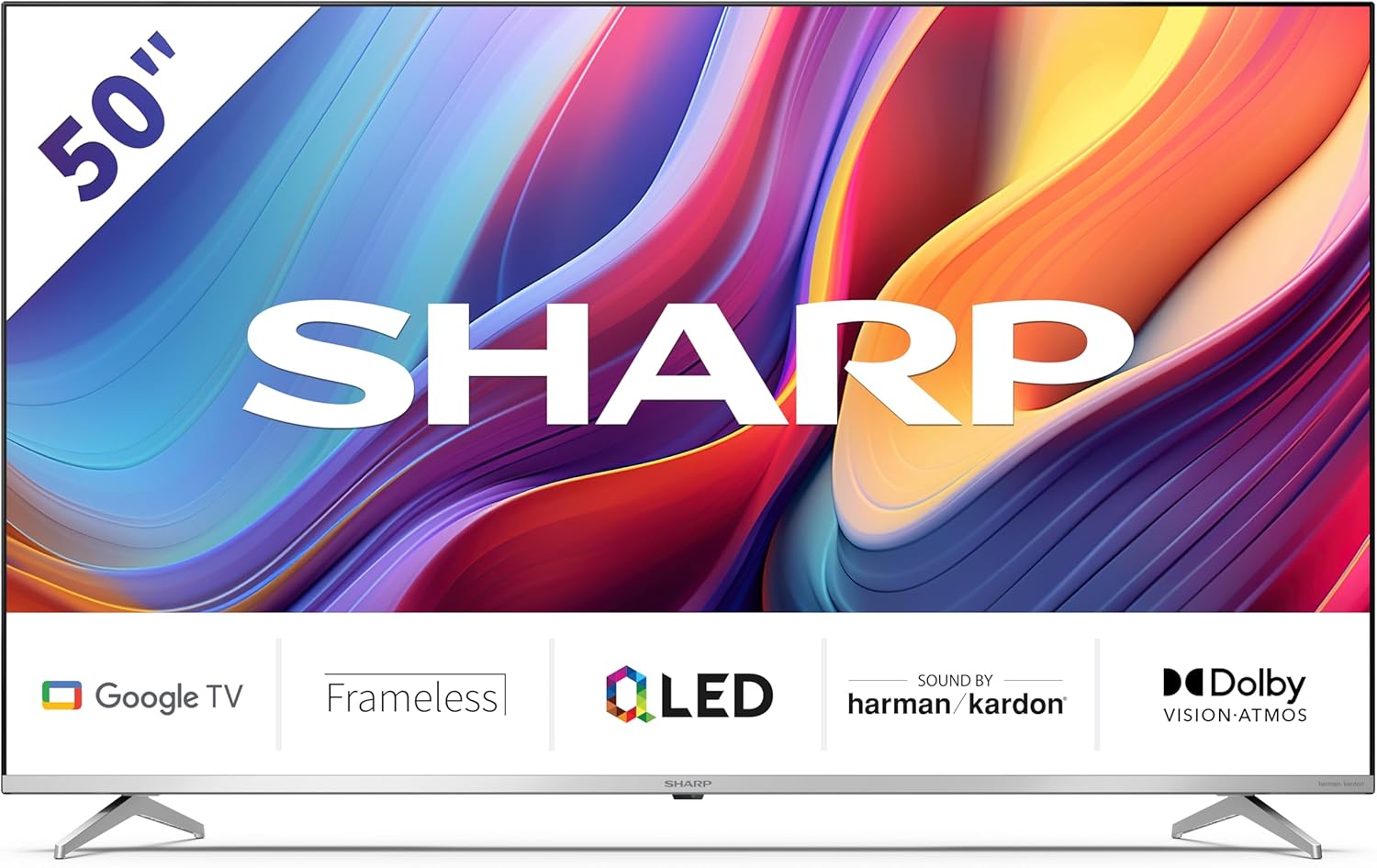
Welcome to the user manual for your new Sharp 50GP6265E 50-inch QLED 4K Ultra HD Google TV. This manual provides essential information for the safe and efficient use of your television. Please read it thoroughly before operating the device and retain it for future reference.
Enfòmasyon enpòtan sou sekirite
- Asire w ke televizyon an mete sou yon sifas ki stab pou anpeche l tonbe.
- Do not block ventilation openings. Proper airflow is crucial to prevent overheating.
- Pwoteje kòd kouran an pou yo pa mache sou oswa kwense.
- Do not expose the TV to rain or moisture to reduce the risk of fire or electric shock.
- Refere tout sèvis yo bay pèsonèl sèvis kalifye.
2. Ki sa ki nan bwat la
Lè w ap debalaje, tanpri verifye si tout konpozan sa yo enkli:
- Sharp 50GP6265E 50-inch QLED 4K Ultra HD Google TV
- Remote kontwòl
- 2 pil AAA (pou kontwòl remote)
- Gid pou kòmanse rapid
- TV stands (if not wall-mounted)
- Kab pouvwa
3. Enstalasyon
3.1 Debake
Retire televizyon an nan anbalaj li avèk prekosyon. Li rekòmande pou konsève anbalaj orijinal la pou transpò oswa antretyen nan lavni.
3.2 Enstalasyon kanpe
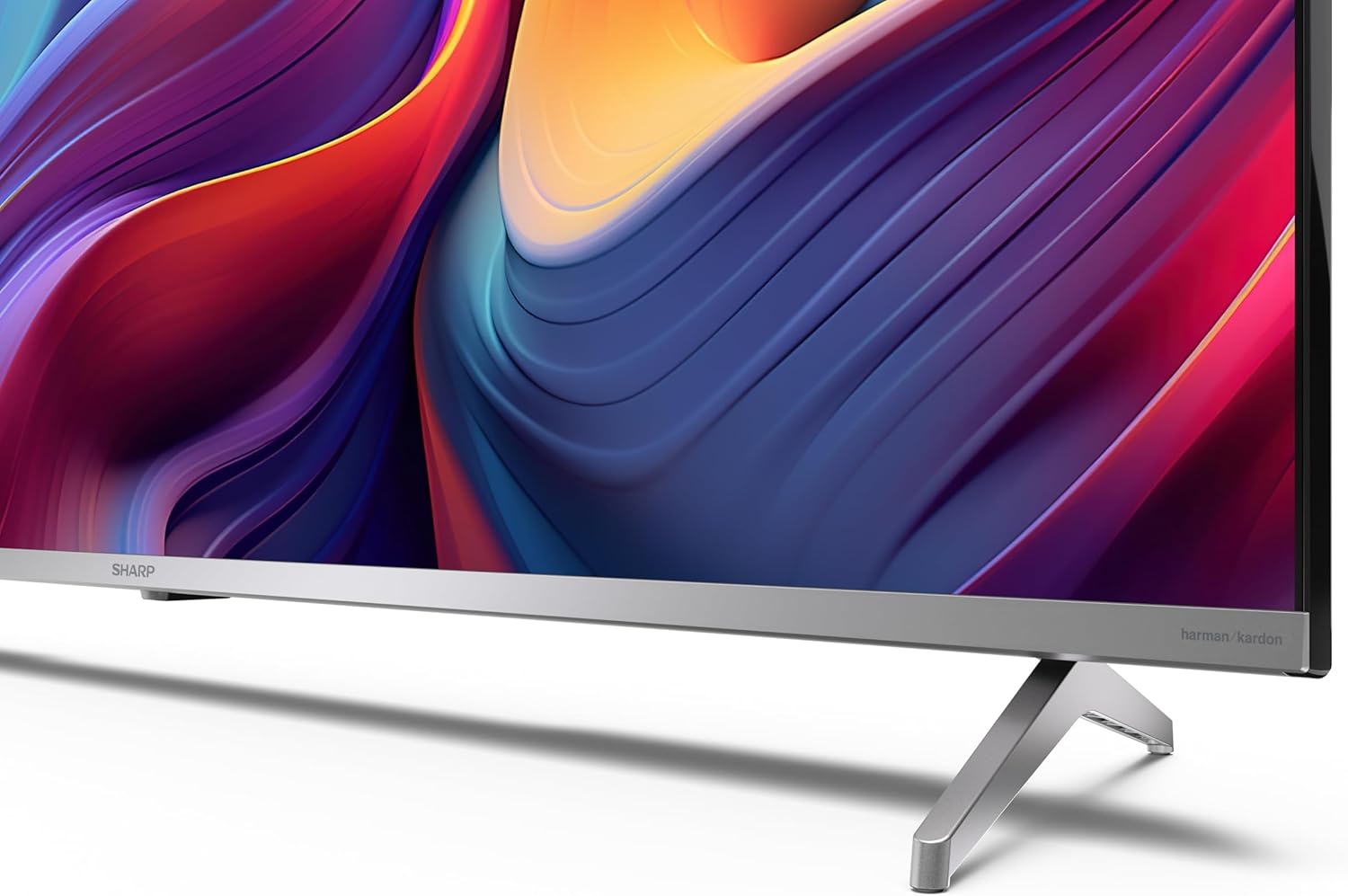
If you are not wall-mounting the television, attach the included stands to the bottom of the TV. Ensure the screws are securely fastened. Refer to the quick start guide for detailed diagrams.
3.3 Montaj mi
For wall mounting, the VESA dimensions required are 400 x 300 mm. Use a compatible wall mount bracket (sold separately) and follow the instructions provided with the bracket. Ensure the wall can support the weight of the television (9.7 kg net weight).

3.4 Konekte periferik
Your Sharp TV offers various connectivity options:
- HDMI: Connect external devices such as Blu-ray players, gaming consoles, or set-top boxes using the 4 HDMI 2.1 ports. One port supports eARC for enhanced audio return channel functionality.
- USB: Use the 2 USB ports for connecting external storage devices to play media or for service updates.
- Ethernet: Pou yon koneksyon entènèt filaire ki estab.
- Wi-Fi: Pou koneksyon entènèt san fil.
- Bluetooth: Konekte kas ekoutè san fil, ba son, oswa lòt akseswa ki pèmèt Bluetooth.

3.5 Premye Enstalasyon
After connecting the power cable and turning on the TV, follow the on-screen instructions to complete the initial setup. This typically includes language selection, network connection, and Google account sign-in for Google TV features.
4. Opere televizyon ou
4.1 Kontwòl Remote
The included remote control allows you to navigate the TV's interface, adjust volume, change channels, and access smart features. Insert the 2 AAA batteries into the remote control, ensuring correct polarity.
4.2 Entèfas Google TV
Your Sharp TV runs on Google TV, which organizes movies, shows, and live TV from all your apps and subscriptions. The home screen provides personalized recommendations and quick access to your favorite content.

Supported internet services include Netflix, Amazon Prime Video, HBO, Disney+, Movistar+, DAZN, Atresmedia, KODI, IPTV, Steamlink, Twitch, VLC, YouTube, Puffin TV Browser, Spotify, Deezer, TuneIn Radio, and many more available on Google Play for Google TV.
4.3 Anviwònman Foto
Experience stunning visuals with 4K Ultra HD resolution and Quantum Dot technology for vibrant colors. The TV supports Dolby Vision and HDR10 for enhanced contrast and brightness. Access picture settings through the TV menu to customize brightness, contrast, color, and sharpness to your preference. AQUOS Smooth Motion technology provides image interpolation for smoother motion.
4.4 Anviwònman son
The integrated Harman/Kardon speaker system (2 x 12 W) delivers immersive audio. With Dolby Atmos support, you can enjoy a rich, multi-dimensional sound experience. Adjust sound modes and equalizer settings in the audio menu.
4.5 Karakteristik Entelijan
- Google Asistan: Sèvi ak kòmandman vokal pou chèche kontni, kontwole aparèy kay entelijan epi jwenn enfòmasyon.
- Chromecast entegre: Cast content from your smartphone, tablet, or computer directly to your TV screen.
5. Antretyen
5.1 Netwaye televizyon an
- Toujou debranche televizyon an anvan ou netwaye li.
- Sèvi ak yon twal mou epi sèk pou siye ekran an ak kabinè a. Pou mak ki difisil pou retire, siye yo yon ti kras.ampRense twal la avèk dlo oswa yon pwodui netwayaj ekran espesyalize.
- Evite itilize pwodui netwayaj abrazif, sir, oswa solvang.
5.2 Mizajou lojisyèl
Your TV may receive software updates to improve performance and add new features. Ensure your TV is connected to the internet to receive these updates automatically or check for them manually in the settings menu.
NAN. Depanaj
Si w rankontre pwoblèm ak televizyon w lan, gade pwoblèm ak solisyon komen sa yo:
| Pwoblèm | Solisyon posib |
|---|---|
| Pa gen pouvwa | Check if the power cable is securely connected to the TV and the power outlet. Ensure the outlet is functional. |
| Pa gen imaj, men gen son | Verifye ke sous opinyon ki kòrèk la chwazi. Tcheke koneksyon aparèy ekstèn yo. |
| Pa gen son, men imaj la la | Check the volume level and mute status. Ensure audio cables are correctly connected for external devices. |
| Remote kontwòl pa travay | Ranplase pil AAA yo. Asire w pa gen okenn obstak ant telekòmand lan ak detèktè IR televizyon an. |
| Pwoblèm koneksyon Wi-Fi | Restart your router and the TV. Re-enter the Wi-Fi password. Ensure the TV is within range of your Wi-Fi network. |
7. Espesifikasyon
| Karakteristik | Detay |
|---|---|
| Mak | Sharp |
| Nimewo Modèl | 50GP6265E |
| Gwosè ekran | 50 pous |
| Teknoloji ekspozisyon | QLED, Quantum Dot |
| Rezolisyon | 4K Ultra HD (3840 x 2160 piksèl) |
| Rafrechisman pousantaj | 60 Hz |
| Sistèm operasyon | Google TV |
| Sipò HDR | Vizyon Dolby, HDR10 |
| Sistèm Audio | Harman/Kardon (2 x 12 W), Dolby Atmos |
| Koneksyon | 4x HDMI 2.1 (with eARC), 2x USB, Wi-Fi, Bluetooth, Ethernet |
| Karakteristik espesyal | Google Assistant, Chromecast built-in, AQUOS Smooth Motion |
| VESA miray mòn | 400 x 300 mm |
| Dimansyon (ak kanpe) | 111.6P x 26.5l x 69.3H cm (1116.4 x 692.9 x 264.7 mm) |
| Dimansyon (san kanpe) | 111.6P x 9.2l x 65.1H cm (1116.4 x 651.3 x 91.5 mm) |
| Pwa nèt | 9.7 kg |
| Klas efikasite enèji (SDR) | G (69 kWh/1000h) |
| Klas efikasite enèji (HDR) | G (98 kWh/1000h) |

Pou jwenn enfòmasyon detaye sou pwodwi a ak done sou efikasite enèji, tanpri al gade baz done EPREL la: https://eprel.ec.europa.eu/qr/1942440
8. Garanti ak sipò
Information regarding spare parts availability and software updates is not explicitly provided for a guaranteed period. Please refer to the manufacturer's official website for the most up-to-date warranty terms and support information.
Manifakti: SHARP
Ofisyèl Websit: www.sharpconsumer.com
For customer service inquiries, please visit the Sharp consumer website or contact their support channels as listed on their official site.