
Entwodiksyon
The AsperX AX2410 Laptop Power Bank is a high-capacity portable charger designed to keep your electronic devices powered on the go. Featuring a 25,000mAh (92.5Wh) battery, 140W Power Delivery (PD 3.1) fast charging, and a TFT Smart Display, this power bank offers efficient and intelligent power management for laptops, smartphones, tablets, and other USB-powered devices. It is also flight-approved for convenient travel.
Kontni pake
- 1 x AsperX 25000mAh Portable Laptop Power Bank (Model: AX2410)
- 1 x 140W Kab USB-C pou USB-C
- 2 x manyèl itilizatè
- 1 x Pote Sak

Image: AsperX Power Bank, USB-C cable, user manual, and carrying pouch, illustrating the items included in the product package.
Pwodwi souview
The AsperX AX2410 features a sleek, deep grey design with a compact form factor. It is equipped with multiple ports and a smart display for optimal user experience.
Karakteristik Fizik
- Dimansyon: 6.56 x 3.21 x 1.08 pous
- Pwa: 1.37 liv
- Koulè: Gri fon
Imaj: Yon imaj anwo-anba view of the AsperX Laptop Power Bank in Deep Grey, highlighting its compact and modern design.
Pò
- USB-C1 (IN/OUT): Up to 140W Max (for fast charging laptops and recharging the power bank).
- USB-A (OUTPUT): Up to 22.5W Max (for standard USB devices).
- USB-C2 (IN/OUT): Up to 45W Max (for fast charging phones/tablets and recharging the power bank).
Imaj: Yon imaj detaye view of the input and output ports on the AsperX Power Bank, clearly labeled with their respective wattage kapasite.
TFT Smart Display
The integrated TFT Smart Display provides real-time information about the power bank's status:
- Nivo batri: Pousantage nan chaj ki rete a.
- Remaining Usage/Recharge Time: Estimated time until empty or fully charged.
- Pouvwa Antre/Sòti: Tan reyèltage pou chak pò konekte.

Image: A close-up of the TFT Smart Display on the power bank, detailing the battery status, time remaining, and individual port power output/input.
Entèn Design
The power bank utilizes high-density automotive-grade power cells, designed to retain over 80% capacity after 5 years. It incorporates a smart chip for efficient power distribution and 14-layer safety protection.

Imaj: Yon stil radyografi view of the AsperX Power Bank, revealing the internal arrangement of its high-density battery cells and electronic components.
Espesifikasyon
| Karakteristik | Detay |
|---|---|
| Dimansyon pwodwi | 6.56 x 3.21 x 1.08 pous |
| Pwa atik | 1.37 liv |
| Nimewo Modèl | AX2410-DG |
| Kapasite batri | 25,000mAh (92.5Wh) |
| Max Sorti pouvwa | 145W total |
| USB-C1 (IN/OUT) | 140W Max |
| USB-C2 (IN/OUT) | 45W Max |
| USB-A (OUTPUT) | 22.5W Max |
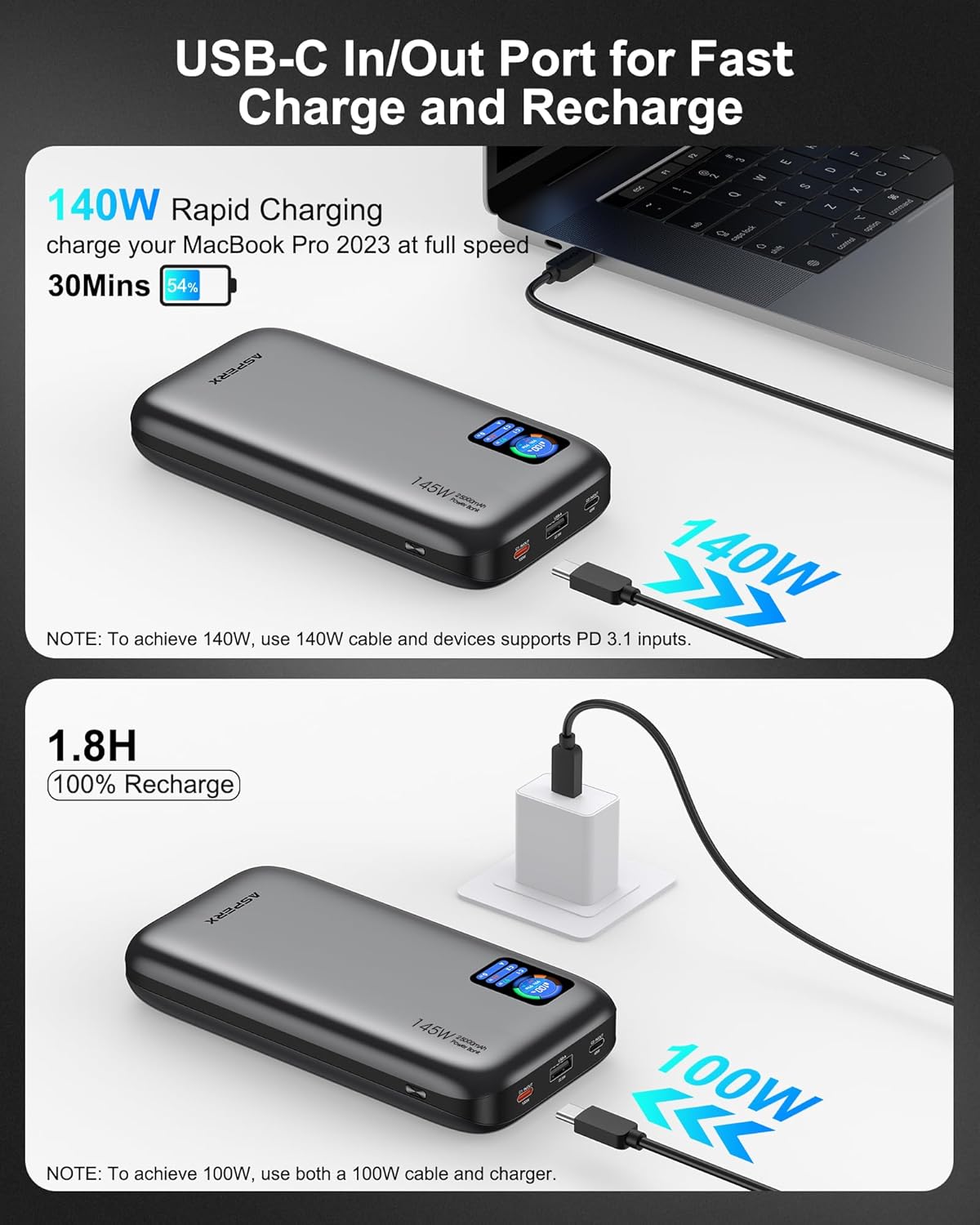
| Tan rechaje | Approx. 1.8 hours (with 100W or higher charging adapter) |
| Karakteristik espesyal | Digital Display, Fast Charging, Over Charging Protection, Short Circuit Protection |
| Konpatibilite | PD3.0, QC3.0, PPS, AFC, UFCS protocols (MacBook, iPhone, Dell XPS, Galaxy, Steam Deck, iPad, etc.) |
Enstalasyon
Premye Chajman Bank Pouvwa a
- Before first use, fully charge your AsperX Power Bank.
- Connect the included 140W USB-C to USB-C cable to either the USB-C1 or USB-C2 port on the power bank.
- Connect the other end of the cable to a compatible USB-C wall adapter (100W or higher recommended for fastest charging).
- The TFT Smart Display will show the input wattage and estimated time until full charge. A full recharge takes approximately 1.8 hours with a 100W+ adapter.

Image: The AsperX Power Bank connected to a wall adapter for recharging, with the display indicating a fast recharge time of 1.8 hours.
Pwoteksyon ekspozisyon
The TFT Smart Display comes with a transparent protective film. You may remove this film before use for optimal clarity.
Enstriksyon Operasyon
Limen / Off ekspozisyon an
Press the power button located on the side of the power bank to activate the TFT Smart Display. The display will automatically turn off after a few seconds of inactivity to conserve power. Double-click the power button to turn the display off manually.
Chaje Aparèy Ou yo
Connect your device to the appropriate port on the power bank using a compatible cable. The power bank will automatically detect the device and begin charging.
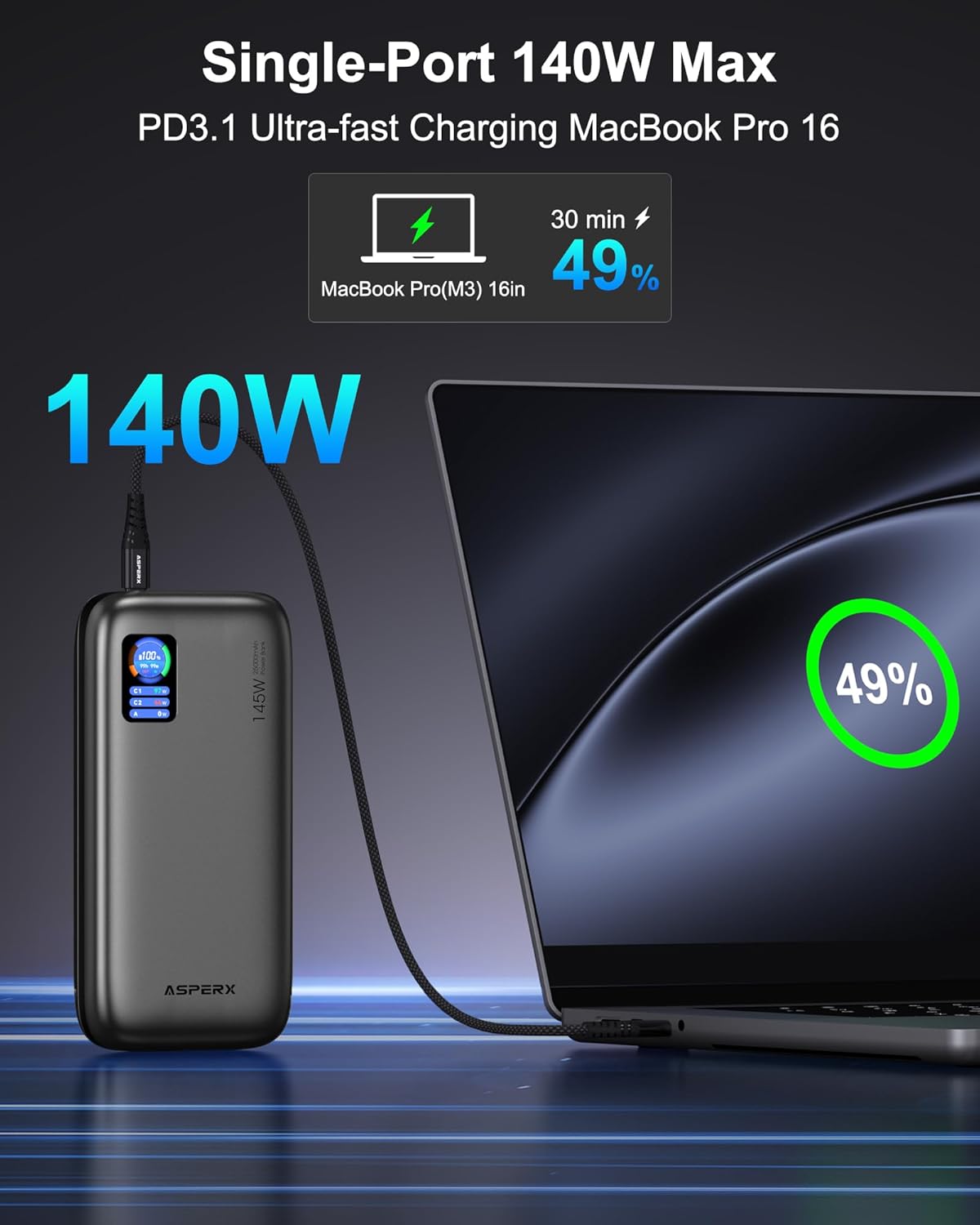
- Chaje yon sèl aparèy: For ultra-fast charging of laptops, use the USB-C1 port (up to 140W).

Image: The AsperX Power Bank connected to a laptop, illustrating its capability to provide 140W ultra-fast charging to a single device.
- Plizyè aparèy chaje: The power bank can charge up to 3 devices simultaneously with a total output of 145W. The smart chip will distribute power optimally.
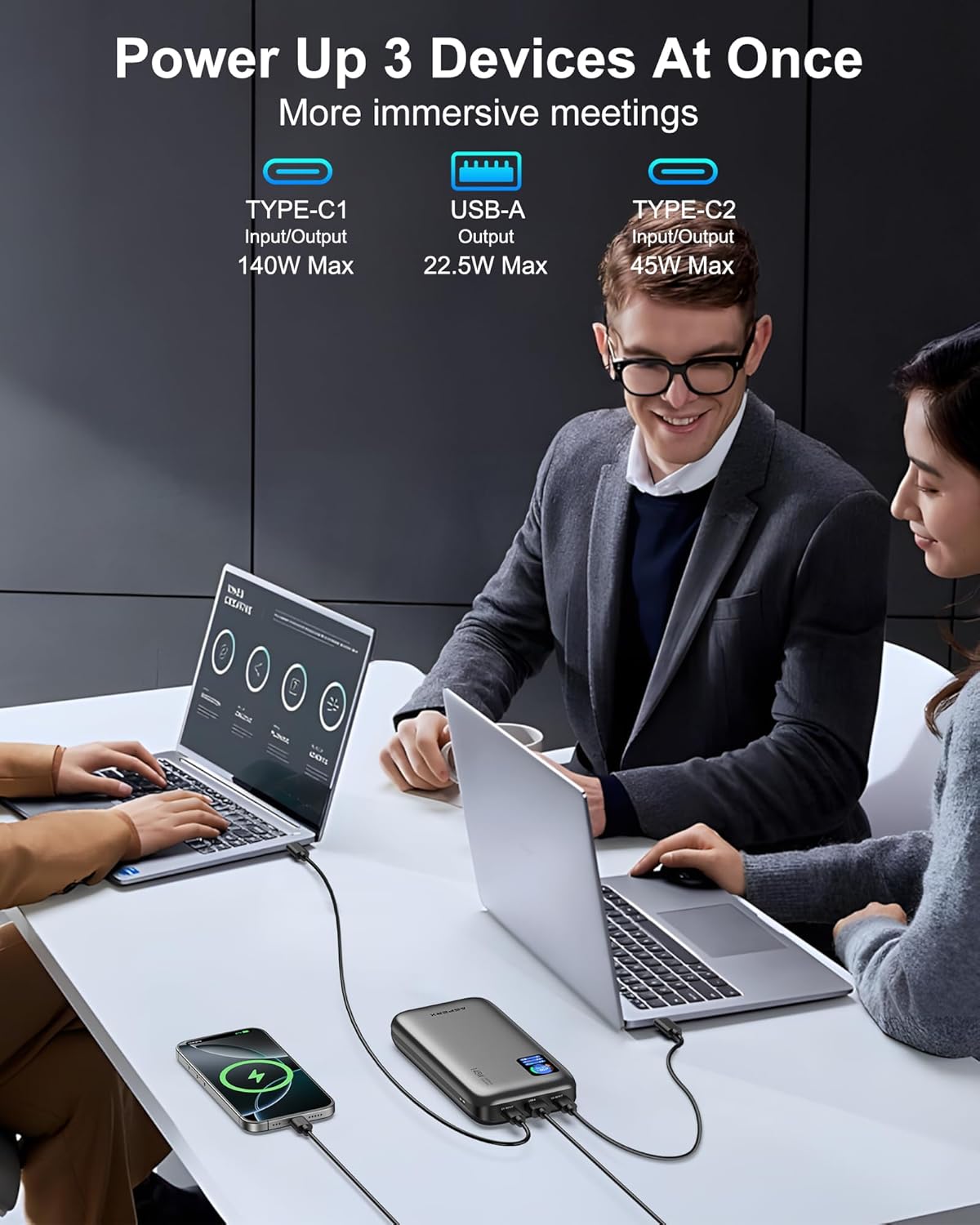
Image: The AsperX Power Bank connected to and charging three different devices concurrently, showcasinkapasite chaje plizyè aparèy li yo.
Mòd ki ba-pouvwa
For low-power devices such as fans, headphones, or smartwatches, press and hold the power button to enter low-power mode. The 'A' on the screen will change from white to red, indicating activation of this mode.
Understanding the TFT Smart Display
Ekran an bay enfòmasyon enpòtan an yon sèl koudey:
- Battery Circle: Montre aktyèl pousantaj batritage.
- Tan ki rete: Indicates estimated hours and minutes of remaining power (OUT) or time to full charge (IN).
- Estati pò: Montre wattage for USB-C1, USB-C2, and USB-A ports.

Image: A graphic illustrating the various indicators on the TFT Smart Display, including battery percentage, time remaining, and individual port power readings.
Flight Approval
With a 92.5Wh capacity, this power bank meets TSA requirements (<100Wh) for safe carry-on use. It is not permitted in checked luggage.

Image: A person using the AsperX Power Bank to charge a laptop on an airplane, emphasizing its flight-approved status and portability for travel.
Senaryo Itilizasyon
The AsperX Power Bank is versatile for various situations:
- Work & Meetings: Keep your laptop and phone charged during long work sessions.
- Vwayaj: Essential for business trips, long flights, and commutes.
- Aktivite deyò: Ideyal pou randone, camping, and as an emergency power source.

Image: The AsperX Power Bank in an outdoor camping setting, charging a laptop, phone, and camera, highlighting its utility for outdoor activities.
Video: A demonstration of the AsperX 145W Laptop Power Bank, showcasing its features and charging capabilities for various devices.
Antretyen
To ensure the longevity and optimal performance of your AsperX Power Bank, follow these maintenance guidelines:
- Depo: Sere bank pouvwa a nan yon kote ki fre epi sèk, lwen limyè solèy dirèk ak tanperati ekstrèm.
- Netwayaj: Sèvi ak yon twal mou epi sèk pou netwaye deyò a. Evite itilize pwodui chimik ki agresif oswa materyèl abrazif.
- Swen batri: For best battery health, avoid completely draining the power bank regularly. Recharge it when the battery level is low.
- Manyen: Do not drop, puncture, or disassemble the device. Avoid exposing it to water or excessive moisture.
Depanaj
If you encounter any issues with your AsperX Power Bank, refer to the following common solutions:
- Aparèy pa chaje:
- Asire w ke bank pouvwa a byen chaje.
- Check that the charging cable is securely connected to both the power bank and your device.
- Verifye ke kab la pa domaje epi li konpatib ak aparèy ou an.
- If charging a low-power device, ensure low-power mode is activated.
- Chaje dousman:
- Confirm that your device and cable support fast charging protocols (PD, QC, etc.).
- Use the USB-C1 port for the highest output (up to 140W).
- Lè w ap chaje plizyè aparèy, yo pataje tout pwodiksyon an, sa ki ka diminye vitès pò endividyèl yo.
- Ekspozisyon pa travay:
- Peze bouton pouvwa a pou aktive ekspozisyon an.
- Ensure the transparent protective film has been removed for clear visibility.
Enfòmasyon sou Sekirite
Tanpri li epi swiv tout enstriksyon sekirite yo pou evite blesi oswa domaj nan aparèy la:
- Pa ekspoze bank pouvwa a nan dife, dlo, oswa tanperati ekstrèm.
- Evite lage l, pike l, oswa demonte l.
- Kenbe soti nan atenn timoun yo.
- Sèvi ak sèlman kab chaje orijinal oswa kab chaje konpatib ki sètifye.
- The power bank features 14-layer safety protection, including over-charge, over-discharge, short-circuit, and temperature protection.

Image: A visual representation of the 14-layer safety protection mechanisms integrated into the AsperX Power Bank, ensuring safe operation.
Garanti ak sipò
AsperX offers an industry-leading 18-month technical support warranty covering defects in materials and workmanship. For any questions or assistance, please contact our 24/7 customer service team.
Contact information can typically be found in the included user manuals or on the official AsperX websit.
Videyo: Yon review of the AsperX 140W 25,000mAh Laptop Power Bank, highlighting its features and performance.