
1. Entwodiksyon
The Belkin BoostCharge Pro 3-in-1 Wireless Charging Pad with Qi2 15W provides convenient wireless charging for compatible devices. It delivers up to 15W for iPhones, 5W for AirPods, and 5W for an Apple Watch. Featuring magnetic Qi2 technology, it ensures a secure and aligned connection. An integrated LED indicator light shows charging status.
2. Pake kontni
Verifye ke tout atik yo prezan nan pakè a:
- 1 x Belkin BoostCharge Pro 3-in-1 Wireless Charging Pad
- 1 x 5ft (1.5M) USB-C to USB-C cable
- 2 x 30W USB-C ekipman pouvwa
3. Gid Enstalasyon
- Konekte adaptè pouvwa a: Insert the USB-C end of the provided cable into the charging pad's USB-C port. Connect the other end of the cable to one of the 30W USB-C power supplies, then plug the power supply into a wall outlet.

Image: The Belkin 3-in-1 Wireless Charging Pad connected to its power adapter and ready for use.
- Position the Charging Pad: Place the charging pad on a flat, stable surface, such as a desk or nightstand. Ensure there is adequate ventilation around the device.
- Apple Watch Charging Puck: The Apple Watch charging puck is detachable. Ensure it is securely connected to the main charging pad if you intend to charge your Apple Watch.
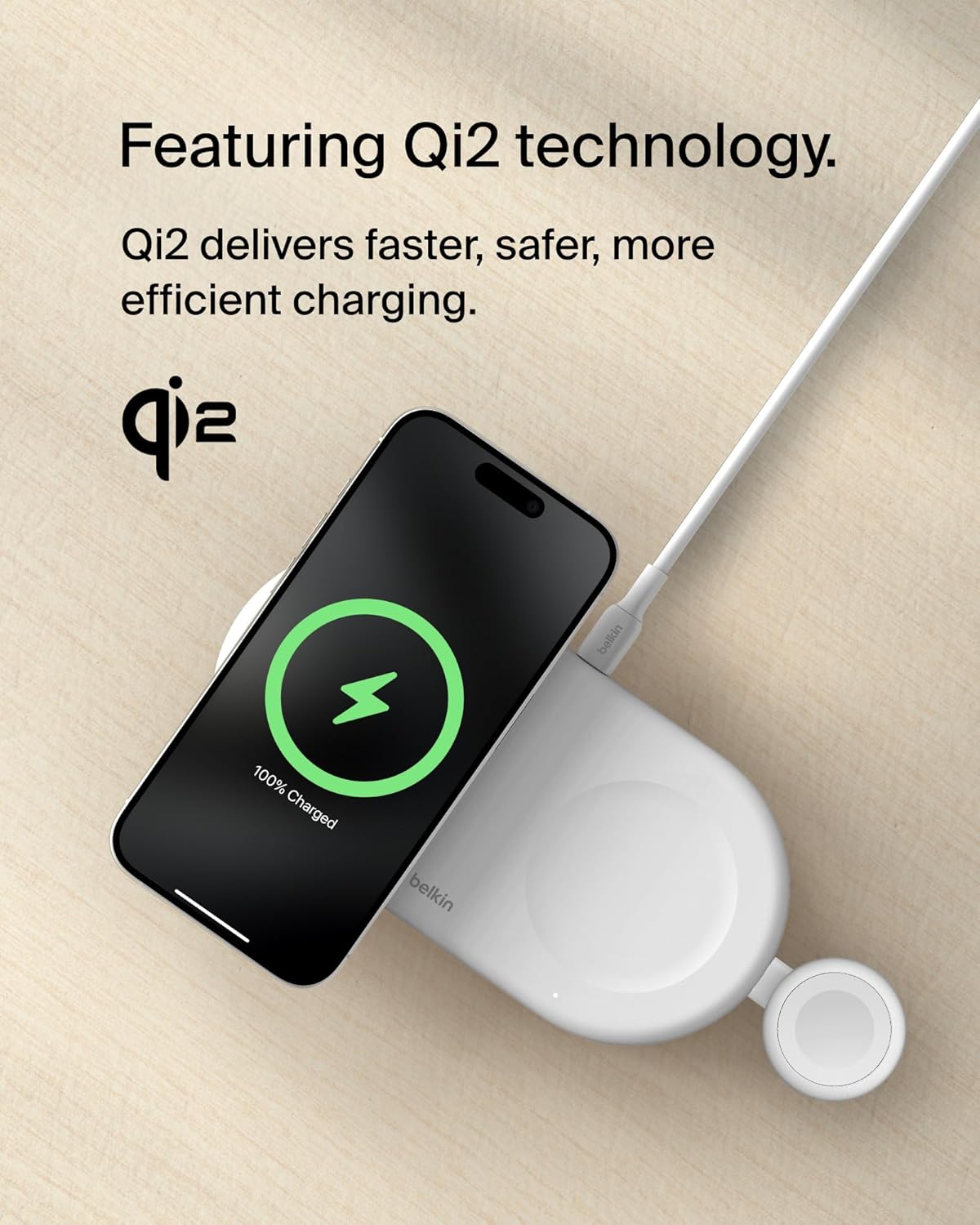
Imaj: Yon gwo plan view of the detachable Apple Watch charging puck, highlighting its integration with the main charging pad.
4. Operasyon Enstriksyon
4.1 Charging an iPhone (15W Qi2)
- Plasman: Place your MagSafe-compatible iPhone (iPhone 17, 16, 15, or 14 series) directly onto the magnetic charging surface of the pad. The magnetic Qi2 technology will align your iPhone for optimal charging.
- Konfimasyon: Your iPhone screen will display a charging animation, indicating that charging has begun. The pad delivers up to 15W fast charging.
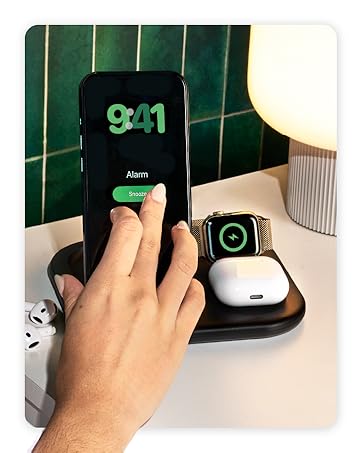
Image: An iPhone placed on the magnetic charging area of the pad, showing the charging indicator on its screen.
4.2 Chaje AirPods (5W)
- Plasman: Place your AirPods (or other Qi-compatible earbuds) in their charging case onto the designated 5W charging spot on the pad.
- Konfimasyon: The LED indicator on your AirPods case will illuminate, confirming that charging is active.
4.3 Chaje Apple Watch (5W)
- Plasman: Place your Apple Watch onto the integrated Apple Watch charging puck. The watch will magnetically snap into place.
- Konfimasyon: Your Apple Watch screen will display a charging icon.

Image: An Apple Watch positioned on its dedicated charging puck, showing the charging status.
4.4 Chaje similtane
The Belkin BoostCharge Pro allows for simultaneous charging of an iPhone, AirPods, and Apple Watch. Ensure all devices are correctly placed on their respective charging areas.

Image: The charging pad actively charging an iPhone, AirPods, and Apple Watch at the same time.
4.5 dirije limyè endikatè
A built-in LED indicator light on the secondary 5W Qi pad provides charging status for your AirPods or other Qi-compatible device. Refer to the device's manual for specific LED behavior.

Image: A close-up of the charging pad showing the LED indicator light, which confirms charging status.
5. Antretyen
- Netwayaj: Disconnect the charging pad from the power source before cleaning. Use a soft, dry, lint-free cloth to wipe the surface. Avoid using abrasive cleaners, solvents, or aerosol sprays.
- Depo: When not in use, store the charging pad in a cool, dry place away from direct sunlight and extreme temperatures. Its slim, lightweight design makes it suitable for travel.
- Swen kab: Evite pliye oswa pliye kab USB-C a twòp pou anpeche li domaje.
NAN. Depanaj
| Pwoblèm | Kòz posib | Solisyon |
|---|---|---|
| Aparèy pa chaje. |
|
|
| Chaje dousman. |
|
|
| LED indicator blinking/not working. |
|
|
7. Espesifikasyon
| Karakteristik | Detay |
|---|---|
| Mak | Belkin |
| Nimewo Modèl | WIZ022ttWH |
| Koneksyon Teknoloji | USB |
| Kalite Connector | USB Kalite C |
| Estanda chaje san fil | Qi2 (Magnetic) |
| Max iPhone Output | 15W |
| Max AirPods Output | 5W |
| Max Apple Watch Output | 5W |
| Konpozan ki enkli | 1 x 3-in-1 BoostCharge Pro Wireless Charging Pad, 1 x 5ft (1.5M) USB-C to USB-C cable, 2 x 30W USB-C power supply |
| Karakteristik espesyal | Fast Charging, LED Indicator Light, Qi2 Technology, Slim/Lightweight Design, Travel-friendly |
| Koulè | Blan |
| Antre Voltage | 9 Volts |
| Sòti aktyèl | 3 Amps |
| Sòti Voltage | 9 Volts |
| Pwa atik | 1.2 liv (apeprè 0.54 kg) |
| Materyèl patiraj | Plastic (made from a minimum of 72% post-consumer recycled content) |
8. Garanti & Sipò
8.1 Enfòmasyon sou Garanti
Pwodwi sa a vini ak yon 2-ane garanti. Additionally, it includes a $2,500 Connected Equipment Warranty (CEW). For detailed terms and conditions, please refer to the official Belkin websit oswa kontakte sipò kliyan.
8.2 Sipò pou Kliyan
Pou plis asistans, sipò teknik, oswa reklamasyon garanti, tanpri vizite sit sipò ofisyèl Belkin nan. website or contact their customer service department. You can find contact information on the Belkin websit: www.belkin.com/support
9. Lòt Resous
9.1 Videyo pwodwi yo
Belkin Brand Video
Videyo sa a bay yon souview of the Belkin brand and its commitment to technology solutions. It showcases various Belkin products and their integration into daily life.