
1. Entwodiksyon
This manual provides detailed instructions for the installation, operation, and maintenance of your BN-LINK U211A Countdown Timer Switch. This device is designed to automate the shut-off of lights and exhaust fans, contributing to energy savings and convenience. Please read this manual thoroughly before installation and use.
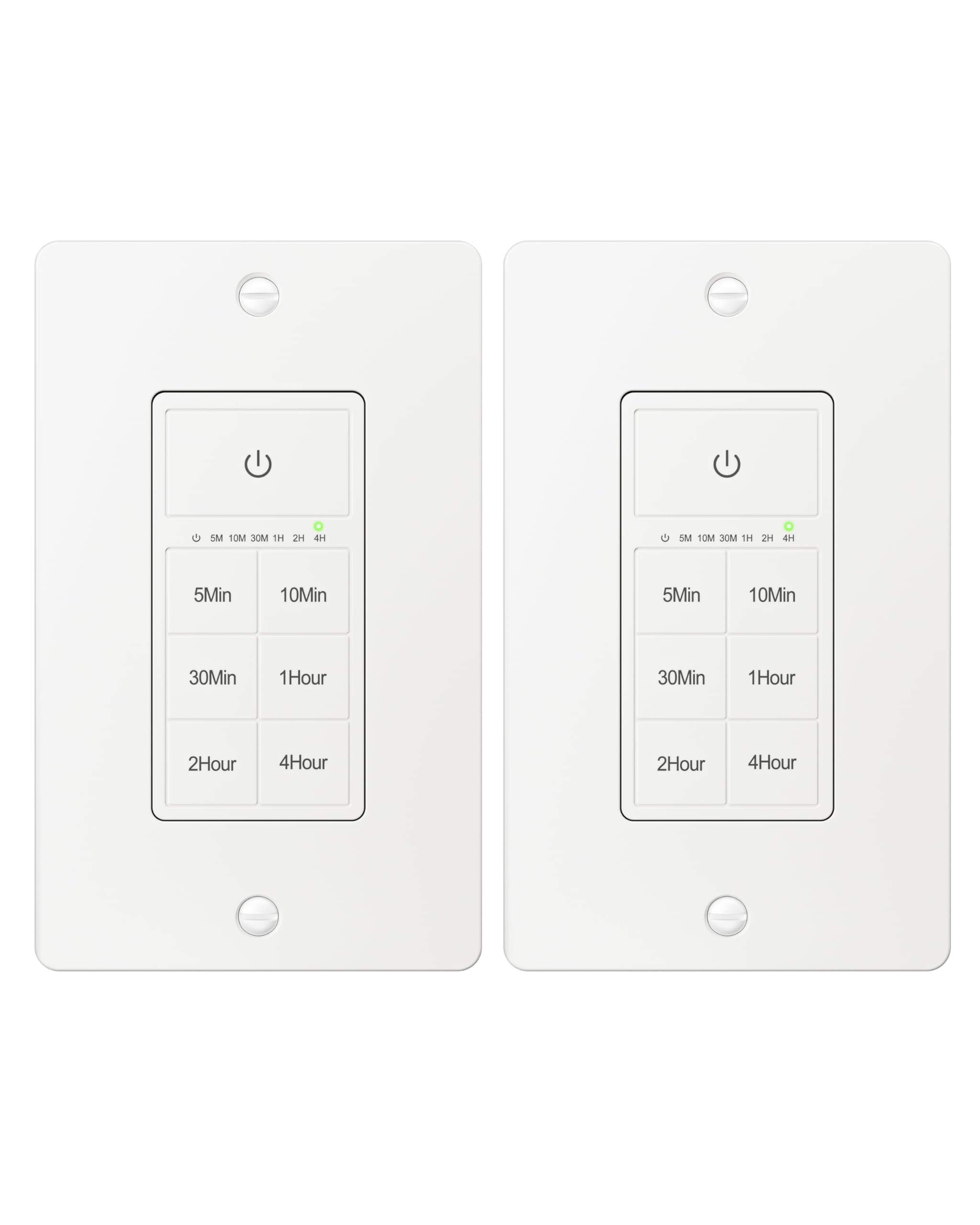
Figure 1: BN-LINK U211A Countdown Timer Switch
2. Enfòmasyon sou Sekirite
- Enstalasyon pwofesyonèl rekòmande: For your safety, it is highly recommended to have a qualified electrician install this product.
- Dekoneksyon pouvwa: Always cut off power at the circuit breaker before attempting any installation, wiring, or maintenance to prevent electric shock.
- Fil net obligatwa: This timer switch requires a neutral wire for proper operation. Ensure your wall box has a neutral wire before proceeding with installation.
- Single Pole Only: This switch is designed for single-pole applications only. It is not intended for use in 3-way applications where multiple switches control the same outlet.
- Itilize andedan kay la sèlman: Pwodwi sa a se pou itilize andedan kay la sèlman.
- Kapasite chaj: Do not exceed the maximum load capacity: 15A/1875W Resistive or General Purpose, 10A/1250W Ballast or Tungsten, ½ HP. Exceeding these limits can cause damage to the switch and connected devices, and poses a fire hazard.
3. Pake kontni
Verifye ke tout atik yo prezan nan pakè ou a:
- BN-LINK U211A Countdown Timer Switch
- Plak mi
- Montaj Vis
- Wire Nuts (Orange Twist Connectors)

Figure 2: Included components and size details
4. Enstalasyon
Swiv etap sa yo ak anpil atansyon pou yon enstalasyon kòrèk:
- Koupe kouran: Turn off the main power at the circuit breaker for the switch location you will be working on.
- Uninstall Current Switch: Carefully remove the existing wall plate and switch from the wall box.
- Idantifye fil yo: Identify the wires in your wall box: hot (line), load, neutral, and ground. A neutral wire is required.
- Konekte fil yo: Use the included orange twist connectors to connect the wires from the wall box to the corresponding wires on the timer switch. Ensure connections are secure.
- Konekte a fil blan from the timer to the fil net nan bwat miray la.
- Konekte a fil nwa from the timer to the hot (line) wire nan bwat miray la.
- Konekte a fil wouj from the timer to the fil chaj nan bwat miray la.
- Konekte a fil vèt from the timer to the fil tè nan bwat miray la.
- Chanjman an sekirite: Gently push all connected wires and the timer switch into the wall box. Secure the timer switch to the wall box using the provided mounting screws.
- Enstale Plak Mi: Attach the decorative wall plate over the installed timer switch.
- Retabli pouvwa: Retounen kouran nan disjoncteurs a.
- Inisyalize: The timer will initialize. Wait for all indicator lights to go out, signaling that initialization is complete.

Figi 3: Dyagram fil elektrik
Video 1: BN-LINK Countdown Timer Switch Installation and Operation Guide. This video demonstrates the installation process and how to use the timer's countdown functions.
5. Operasyon
The BN-LINK U211A Countdown Timer Switch features a touch ON/OFF button and multiple preset countdown options.

Figure 4: Timer Switch Features
Setting a Countdown Timer
- Press the button corresponding to your desired countdown duration (5 min, 10 min, 30 min, 60 min, 2 hours, or 4 hours).
- An LED indicator above the selected time will illuminate, confirming the countdown is active. The connected device (light or fan) will remain on for the selected duration and then automatically turn off.
- If you select a different countdown option while one is already active, the timer will reset to the newly selected duration.
- Pressing the same countdown button while it is active will not restart the countdown. To restart, first press the power button to turn the unit off, then press the desired countdown option again.
Manual ON/OFF and Always ON Mode
- To turn ON (Always ON Mode): If the unit is off, press the main power button (with the power symbol) once. The connected device will turn on and stay on indefinitely.
- Pou etenn: If the unit is in Always ON mode or a countdown is running, press the main power button once to turn the connected device off.
- Override Countdown: If a countdown is active, pressing the main power button once will turn the device off. Pressing it again will enter Always ON mode.
6. Espesifikasyon
| Karakteristik | Spesifikasyon |
|---|---|
| Modèl | U211A |
| Mòd operasyon | Otomatik |
| Rating aktyèl | 15 Amps |
| Opere Voltage | 125 Volts |
| Wattage | 1875 Watts |
| Metòd kontwòl | Manyen |
| Chanje Kalite | Toggle (Push Button Actuator) |
| Kalite Awondisman | 1-fason |
| Kalite aliye | Mi mòn |
| Dimansyon (L x W x H) | 4.2 x 1.8 x 2 pous |
| Materyèl | Plastic (body), Copper, Brass (contacts) |
| Koulè | Blan |
| Evalyasyon Tanperati | 5°F pou 122°F |
| Sètifikasyon | ETL ki nan lis |
NAN. Depanaj
If you encounter issues with your BN-LINK U211A Countdown Timer Switch, refer to the following common solutions:
- Switch la pa reponn:
- Asire w ke kouran an retabli nan disjonktè a.
- Verify all wire connections are secure and correct according to the installation instructions.
- Check if the connected load exceeds the maximum wattage oswa ampepòk.
- Countdown Not Starting/Resetting:
- To restart a countdown, first press the main power button to turn the unit off, then select your desired countdown time again.
- If switching between countdowns, the new countdown will start from its full duration.
- Lights/Fan Remain On Indefinitely:
- The switch might be in "Always ON" mode. Press the main power button once to turn it off, or select a countdown duration.
- Operasyon tanzantan:
- Ensure the neutral wire connection is solid. A loose neutral wire can cause erratic behavior.
- Confirm the switch is not installed in a 3-way circuit.
For further assistance, please contact BN-LINK customer support.
8. Garanti ak sipò
BN-LINK products are designed for ease of use and quality. This product is ETL Listed, ensuring it meets recognized safety standards.
For information regarding product warranty, returns, or technical support, please refer to the documentation included with your purchase or visit the official BN-LINK website. You may also contact BN-LINK customer service directly for assistance.
Règleman retounen: The buybox winner offers a 30-day return policy for refund or replacement.