
1. Entwodiksyon
This manual provides instructions for the safe and efficient operation of the Chainway C71 Android Barcode Scanner. The C71 is a robust and versatile handheld device designed for various applications, including warehouse inventory management and forklift operations. It features a Zebra SE55 long-range 2D/1D/QR code reader, runs on Android 13, and offers comprehensive connectivity options.
Tanpri li manyèl sa a byen anvan ou itilize aparèy la epi konsève li pou referans pita.
2. Pwodwi souview
2.1 Karakteristik kle
- Durable and Versatile Design: Suitable for both indoor and outdoor environments, ideal for warehouse inventory and forklift scanning.
- Zebra SE55 Long Range Scanner: Capable of scanning 2D, 1D, and QR codes from distances up to 40 feet (depending on barcode size and media).
- Sistèm operasyon Android 13: Provides access to the latest Android features and the Google Play Store for application downloads.
- Koneksyon Wireless: Features fast and reliable WiFi, Bluetooth 5.0, NFC, and GPS for seamless data transmission and real-time updates.
- Large Vivid Screen: A bright and clear display for easy reading and interaction in various lighting conditions.
- Batri ki gen gwo kapasite: Ekipe ak yon batri 5000mAh pou peryòd fonksyònman pwolonje.
- Processeur Octa-core: Ensures fast and responsive performance for demanding applications.
2.2 Konpozan Aparèy
The Chainway C71 scanner features a robust design with an integrated display, scanning engine, and various ports and buttons.
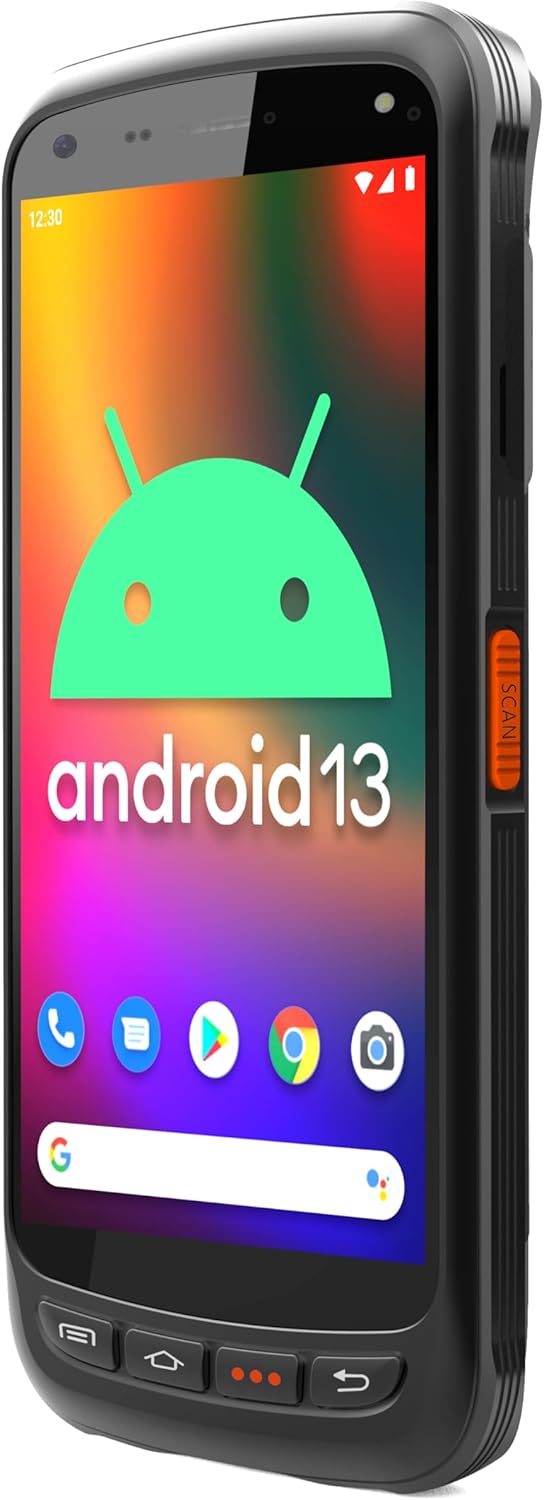
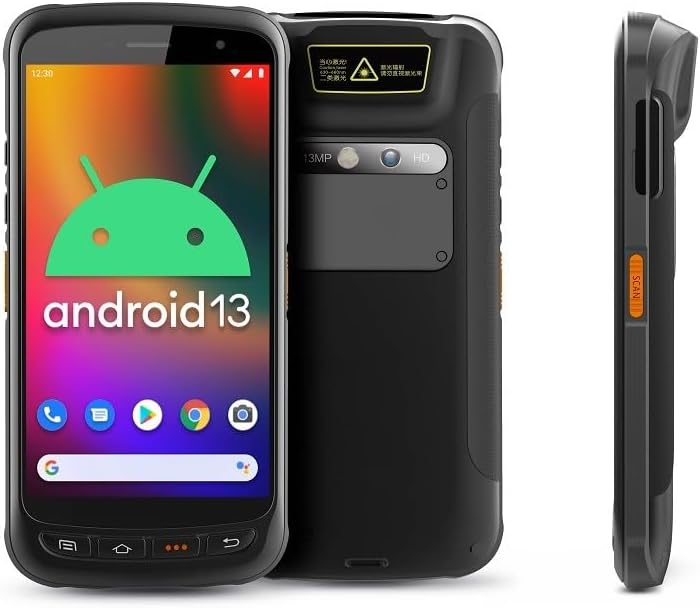
- Ekspozisyon: Large vivid touchscreen for user interaction.
- Bouton Scan: Located on the side for convenient barcode scanning activation.
- Zebra SE55 Scan Engine: Integrated at the top rear for long-range barcode capture.
- Kamera dèyè: For image capture (13MP).
- Kamera devan: For video calls or selfies (5MP).
- Bouton fizik: Power, volume, and programmable function keys.
- Pò: USB-C for charging and data transfer.
3. Enstalasyon
3.1 Enstalasyon ak Chaje Batri
The Chainway C71 requires one Lithium Ion battery for operation. Ensure the battery is correctly installed before first use.
- Jwenn kouvèti konpatiman batri a sou dèyè aparèy la.
- Open the cover and insert the Lithium Ion battery, ensuring the contacts align correctly.
- Fèmen kouvèti lòj batri a byen.
- Connect the device to a power source using the provided USB-C cable and power adapter. The device will begin charging.

3.2 Premye pouvwa sou
- Press and hold the Power button (usually on the side) until the device vibrates and the screen illuminates.
- Swiv enstriksyon ki parèt sou ekran an pou w konplete premye konfigirasyon Android 13 la, ki gen ladan seleksyon lang lan, koneksyon Wi-Fi a, epi koneksyon ak kont Google la.
4. Operasyon Enstriksyon
4.1 Barcode Scanning with Zebra SE55 Engine
The Chainway C71 is equipped with a powerful Zebra SE55 scan engine for efficient barcode capture.
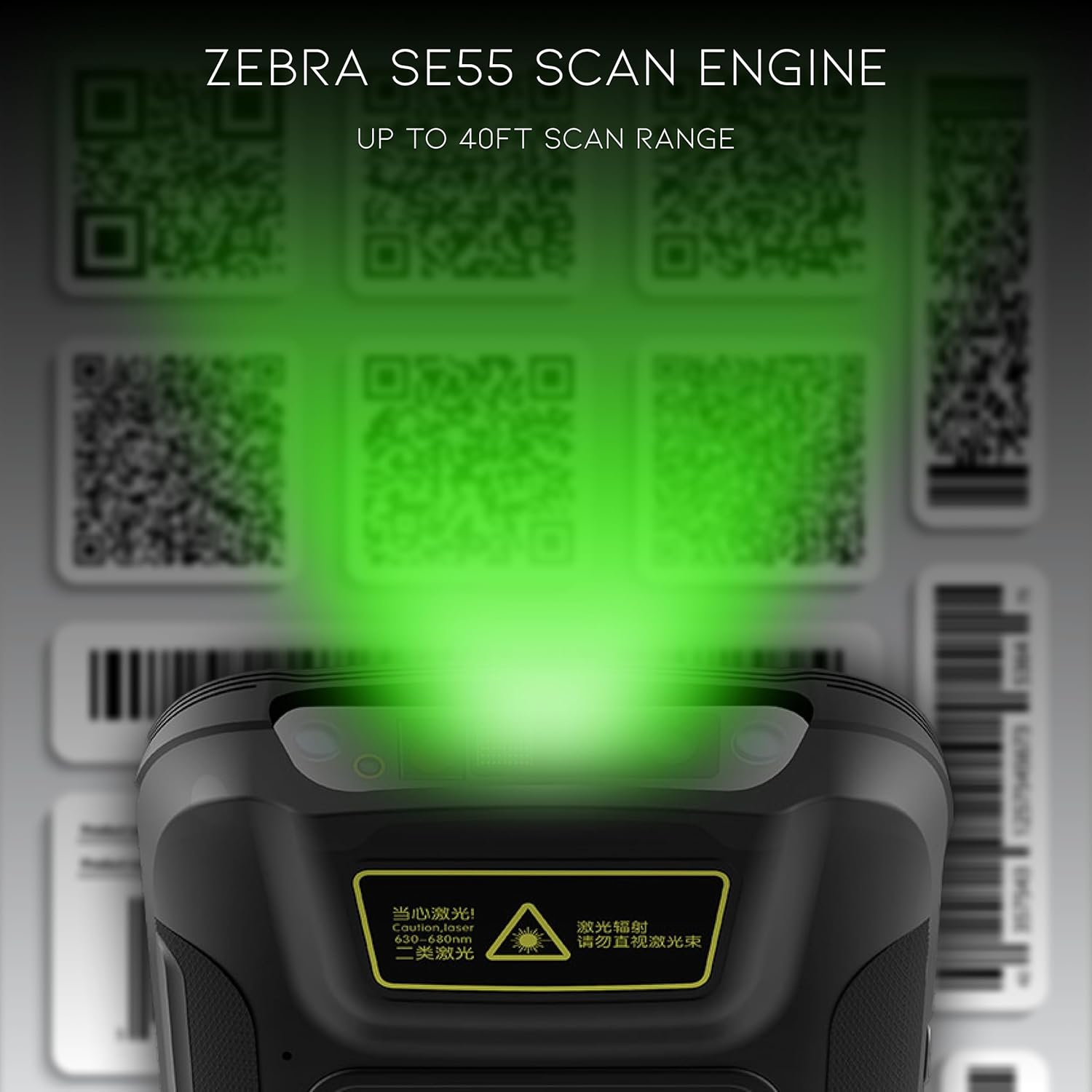
- Open the desired application that requires barcode scanning (e.g., inventory management app).
- Point the top of the device, where the scan engine is located, towards the barcode.
- Press the dedicated scan button on the side of the device. A green aiming pattern will appear.
- Align the aiming pattern with the barcode. The device will emit a sound or vibrate upon successful scan.
- The scanned data will be input into the active field of your application.
Nòt: The Zebra SE55 can scan barcodes from up to 40 feet away, depending on the barcode size and quality. For optimal performance, ensure clear line of sight and adequate lighting.
4.2 Sistèm operasyon Android 13
The C71 runs on Android 13, providing a familiar and intuitive user experience. You can navigate the interface using touch gestures.

- Ekran Kay: Access your installed applications and widgets.
- Notifikasyon: Glise desann soti nan tèt ekran an pou view notifikasyon ak paramèt rapid.
- Google Play Store: Download and install additional applications relevant to your workflow.
4.3 Koneksyon
The device supports multiple connectivity options for data transfer and communication.
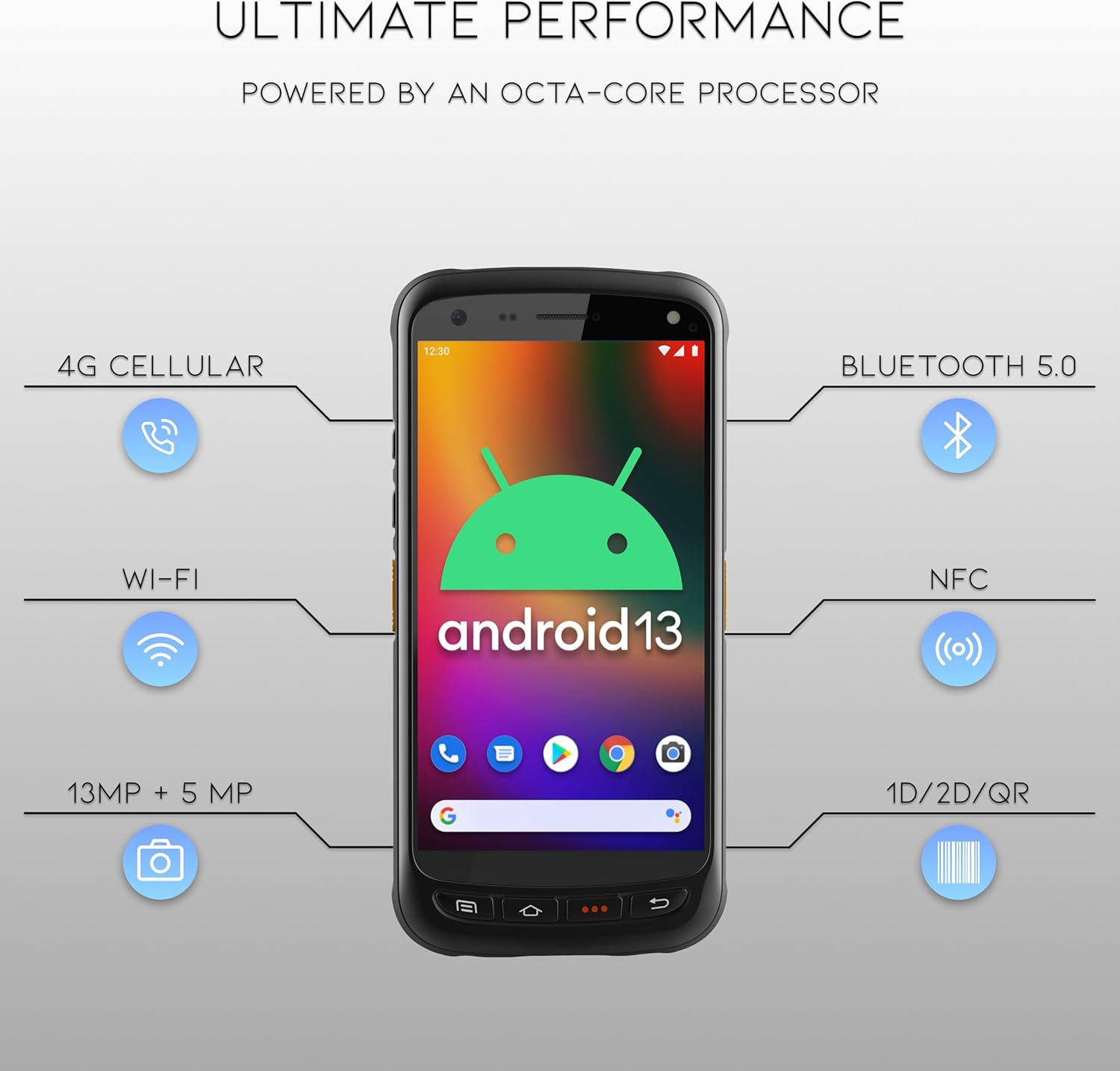
- Wi-Fi: Connect to wireless networks for internet access and data synchronization. Go to Anviwònman > Rezo ak entènèt > Wi-Fi.
- Bluetooth 5.0: Pair with Bluetooth-enabled devices such as headsets or printers. Go to Anviwònman > Aparèy konekte > Bluetooth.
- NFC: For near-field communication applications.
- GPS: For location-based services.
- 4G Selilè: (If equipped with SIM card slot) For mobile data connectivity.
5. Antretyen
5.1 Netwaye Aparèy la
- Sèvi ak yon ti moso twal mou, ki san pèl dampened with water or a mild, non-abrasive cleaning solution to clean the screen and exterior.
- Do not use harsh chemicals, solvents, or abrasive materials, as these can damage the device.
- Asire w pa gen likid ki antre nan pò yo oswa ouvèti yo.
5.2 Swen Batri
- Evite ekspoze batri a nan tanperati ekstrèm (cho oswa frèt).
- Chaje batri a regilyèman, men evite kite l dechaje nèt pou yon bon bout tan.
- Use only the manufacturer-approved charging accessories.
NAN. Depanaj
This section addresses common issues you might encounter with your Chainway C71 scanner.
6.1 Aparèy la pa limen
- Asire w ke batri a kòrèkteman enstale ak konplètman chaje.
- Connect the device to the charger and attempt to power it on after a few minutes.
- Si pwoblèm nan kontinye, kontakte sipò kliyan.
6.2 Barcode Not Scanning
- Verify that the scanning application is open and ready to receive input.
- Ensure the barcode is clean, undamaged, and within the scanner's range (up to 40 feet).
- Check for adequate lighting; extreme glare or insufficient light can affect scanning performance.
- Confirm the scan engine is pointed directly at the barcode.
6.3 Pwoblèm koneksyon Wi-Fi
- Check if Wi-Fi is enabled in the device settings.
- Ensure you are within range of a known Wi-Fi network.
- Verify the Wi-Fi password if connecting to a new network.
- Restart the device and the Wi-Fi router if necessary.
7. Espesifikasyon
Technical specifications for the Chainway C71 Android Barcode Scanner.
| Karakteristik | Detay |
|---|---|
| Nimewo Modèl | C71 |
| Sistèm operasyon | Android 13 |
| Barcode Scanner | Zebra SE55 (2D/1D/QR, up to 40ft range) |
| Processeur | 2.0 GHz Octa-Core Processor |
| Batri | 5000mAh Lithium Ion (1 required) |
| Koneksyon | Wi-Fi, Bluetooth 5.0, NFC, GPS, 4G Cellular (optional) |
| Kamera | 13MP dèyè, 5MP devan |
| Aparèy konpatib | Smartphone, Tablet (as a handheld device) |
| Sous pouvwa | Batri Powered |
| Manifakti | Chainway |

8. Garanti ak sipò
For warranty information and technical support, please contact the seller, BARCODE-USA. Details regarding specific warranty periods and coverage will be provided at the point of purchase or upon request from the seller.
Vandè: BARCODE-USA
For assistance, refer to your purchase documentation or visit the BARCODE-USA store page on Amazon: BARCODE-USA Store