
Entwodiksyon
Mèsi pou acha aasing the LEMON T950 Electronic Kick Drum. This 20"x12" single-zone mesh bass drum trigger pad is designed to provide an authentic acoustic-style feel and appearance for electronic drum setups. This manual provides essential information for setup, operation, maintenance, and troubleshooting to ensure optimal performance and longevity of your product.
Enfòmasyon enpòtan sou sekirite
- Li tout enstriksyon ak anpil atansyon anvan ou itilize.
- Kenbe manyèl sa a pou referans nan lavni.
- Pa ekspoze aparèy la nan tanperati ekstrèm, imidite, oswa limyè solèy dirèk.
- Use only with compatible electronic drum modules and power supplies.
- Asire w ke tout koneksyon an sekirite anvan ou opere.
Kontni pake
The LEMON T950 Electronic Kick Drum package includes:
- 1 x LEMON T950 Electronic Kick Drum (20"x12" Bass Drum)
- Manyèl Itilizatè (dokiman sa a)
Note: Drum pedals, drum module, and other drum kit components are sold separately.
Enstriksyon Enstalasyon
1. Debalaj ak Plasman
Carefully remove the kick drum from its packaging. Place the kick drum in your desired drumming position, ensuring it is stable and secure. The 20"x12" size provides a full-size presence similar to an acoustic bass drum.

Image: The LEMON T950 Electronic Kick Drum integrated into a full electronic drum kit.
2. Connecting to a Drum Module
The T950 kick drum features a single-zone trigger for reliable bass drum response. Connect the kick drum to your electronic drum module using a standard 1/4" jack cable (not included). Ensure the cable is securely plugged into both the kick drum's output and the designated kick input on your drum module.

Image: A double bass drum pedal connected to the kick drum, demonstrating the beater contact area.
3. Adjusting Mesh Head Tension
The mesh head tension can be adjusted to customize the rebound and feel. Use a standard drum key to tighten or loosen the tension rods around the rim. Adjust the tension to achieve your preferred beater feel, whether for lighter jazz playing or a tighter response for heavier styles.

Imaj: Side profile of the kick drum, highlighting the mesh head and adjustable tension rods.
4. Module Settings Adjustment
The LEMON T950 is designed to work with most electronic drum modules, but it is not plug-and-play. You will need to adjust the trigger settings on your drum module for optimal performance. This typically involves setting the trigger type, sensitivity, threshold, and other related parameters to match your specific pedal, beater, and playing technique. Refer to your drum module's manual for detailed instructions on trigger settings.
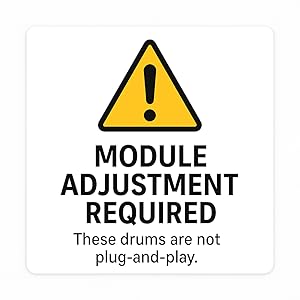
Image: A warning graphic emphasizing the necessity of adjusting drum module settings.
5. E-Pads Compatibility Table
The following table lists some compatible drum modules. Please note that specific settings may vary and require fine-tuning on your module.
| Mak | Modèl konpatib |
|---|---|
| Roland | TD-9, TD-12, TD-17, TD-25, TD-27, TD-30, TD-50 |
| Alesis | Strike Pro, Strata Prime, Strata Core |
| ATV | EXS-3, EXS-5 |
| Audiofront | eDRUMin 4, eDRUMin 8, eDRUMin 10 |
| Pearl | Imite Pwofesyonèl |
| Gewa | G3, G5, G9 |
| 2 bwat | DrumIt 3, DrumIt 5 |
| Simmons | Titan 50, Titan 70 |
Enstriksyon Operasyon
Playing the Kick Drum
Once connected to your drum module and settings are adjusted, the LEMON T950 Electronic Kick Drum operates like a traditional bass drum. Use your bass drum pedal to strike the mesh head. The single-zone trigger is designed for consistent and accurate response, allowing for both single strokes and fast patterns.
The acoustic-style wood shell and mesh head provide a realistic feel and lower acoustic volume compared to an un-muffled acoustic drum, making it suitable for quiet practice environments.
Antretyen
- Netwayaj: Wipe the drum shell and mesh head with a soft, dry cloth. Avoid using abrasive cleaners or solvents.
- Mesh Head Replacement: Over time, the mesh head may wear out. It can be replaced with a standard mesh drum head of the appropriate size (20 inches).
- Tension Rods: Periodically check and tighten tension rods to maintain desired head tension and prevent rattling.
- Depo: When not in use for extended periods, store the kick drum in a dry, temperature-controlled environment.
Depanaj
| Pwoblèm | Kòz posib | Solisyon |
|---|---|---|
| No sound or inconsistent triggering |
|
|
| Double triggering or missed strokes |
|
|
| Unwanted noise or vibration |
|
|
Espesifikasyon
- Modèl: LE-T950-BK
- Kalite: Electronic Kick Drum Trigger Pad
- Gwosè: 20" x 12"
- Trigger Zones: Single-zòn
- Materyèl kokiy: Bwa
- Materyèl tèt: May
- Kalite konektè: Jak 1/4"
- Pwa: Apeprè 20 liv (9.07 kg)
Garanti ak sipò
The LEMON T950 Electronic Kick Drum comes with a Garanti manifakti 1 zan soti nan dat acha a. Garanti sa a kouvri domaj nan materyèl ak atizan konn fè nan itilizasyon nòmal.
For warranty claims, technical support, or further assistance, please contact your retailer or visit the official LEMON websit la. Tanpri konsève prèv acha ou a pou validasyon garanti a.