
1. Entwodiksyon
The OTOFIX D1 PROS 2025 is a professional-grade bidirectional scan tool designed for comprehensive vehicle diagnostics and maintenance. It integrates advanced features such as ECU coding, extensive service functions, active tests, and guided diagnostics to assist automotive technicians and enthusiasts.
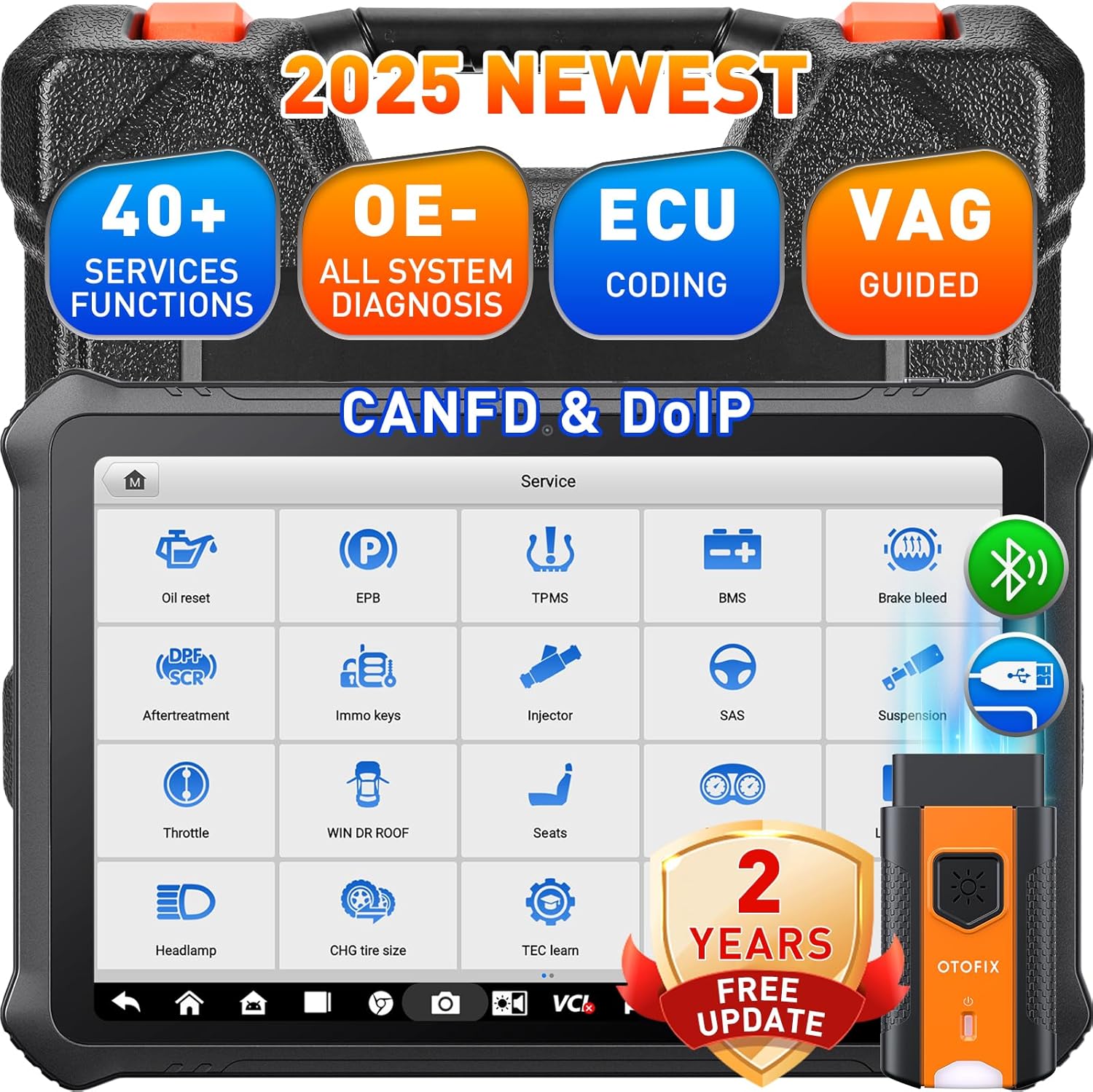
Image: The OTOFIX D1 PROS 2025 scan tool, showcasing its robust design and key capabilities like 40+ services, OE-level diagnosis, ECU coding, and VAG guided functions, along with CANFD & DoIP support and 2 years of free updates.
2. Enstalasyon ak Premye Itilizasyon
2.1 Debale ak Premye Enspeksyon
Carefully unpack all components from the carrying case. Verify that all items listed in the packing list are present and undamaged. The package typically includes:
- OTOFIX D1 PROS Car Scanner
- OTOFIX V1 Vehicle Communication Interface (VCI)
- A/DC Adapter (12 V)
- Auxiliary Power Outlet Adapter
- Kalite-C USB kab
- Spare Fuses (2 PCS)
- USB pou Ethernet adaptè
- Gid referans rapid
- Lis anbalaj
- Twal mou
- Ka pote
2.2 Chaje Aparèy la
Before first use, fully charge the OTOFIX D1 PROS scanner using the provided A/DC adapter. The device features a 15000mAh battery for extended operation.
2.3 Connecting the VCI
Connect the OTOFIX V1 VCI to the vehicle's OBDII port. The VCI communicates wirelessly with the D1 PROS tablet via Bluetooth, allowing for flexible diagnostic operations.
2.4 Enstalasyon lojisyèl inisyal la
Upon first power-on, follow the on-screen prompts to complete the initial setup, including language selection and Wi-Fi connection. Ensure a stable internet connection for software registration and updates.
3. Operating the Scan Tool
3.1 Navige nan Entèfas la
The OTOFIX D1 PROS operates on Android 10.0 with a 10.1-inch touchscreen display. The main menu provides access to various functions such as Diagnostics, Service, Settings, Data Manager, and Update.
3.2 Performing a Full System Scan (AutoScan 2.0)
Select the 'Diagnostics' option from the main menu. The AutoScan 2.0 feature allows for rapid identification of the vehicle and a comprehensive scan of all available modules (e.g., Engine, AT, TPMS, PCM, BCM, ECM) to read and clear diagnostic trouble codes (DTCs).

Image: The OTOFIX D1 PROS display showing the OE-All System Diagnosis interface, illustrating the ability to read codes, clear codes, view ECU information, and perform active tests across various vehicle modules.
3.3 Kodaj ECU
The D1 PROS supports both online and offline ECU coding. This function allows for coding, matching, relearning, and initializing newly replaced ECUs. Personalization features enable activation or deactivation of specific vehicle functions according to user preference.
- Kodaj sou Entènèt: Supported for brands like VW, Skoda, Peugeot, Citroen, DS.
- Offline Coding: Available for over 25 models.
- Programmable Module Installation (PMI): For Ford vehicles, allowing preset ECU data to be written to new modules.

Image: A visual representation of the Advanced ECU Coding capabilities of the OTOFIX D1 PROS, demonstrating how it can match replaced components, disable unnecessary features, activate hidden functions, and customize vehicle settings.
3.4 Fonksyon Sèvis
The tool provides over 40 service functions for common maintenance and repair tasks. These functions facilitate reset, initialization, and adaptation procedures after component replacement or for turning off Malfunction Indicator Lamps (MILs).
- Lwil Reyajiste
- Reyajisteman EPB (Fren Pakin Elektwonik)
- Reyajisteman TPMS (Sistèm Siveyans Presyon Kawotchou)
- ABS senyen
- Piki kodaj
- Matche akseleratè a
- Reyajisteman BMS (Sistèm Jesyon Batri)
- Reyajiste SAS (Capteur Ang Volan)
- Ak anpil ankò.
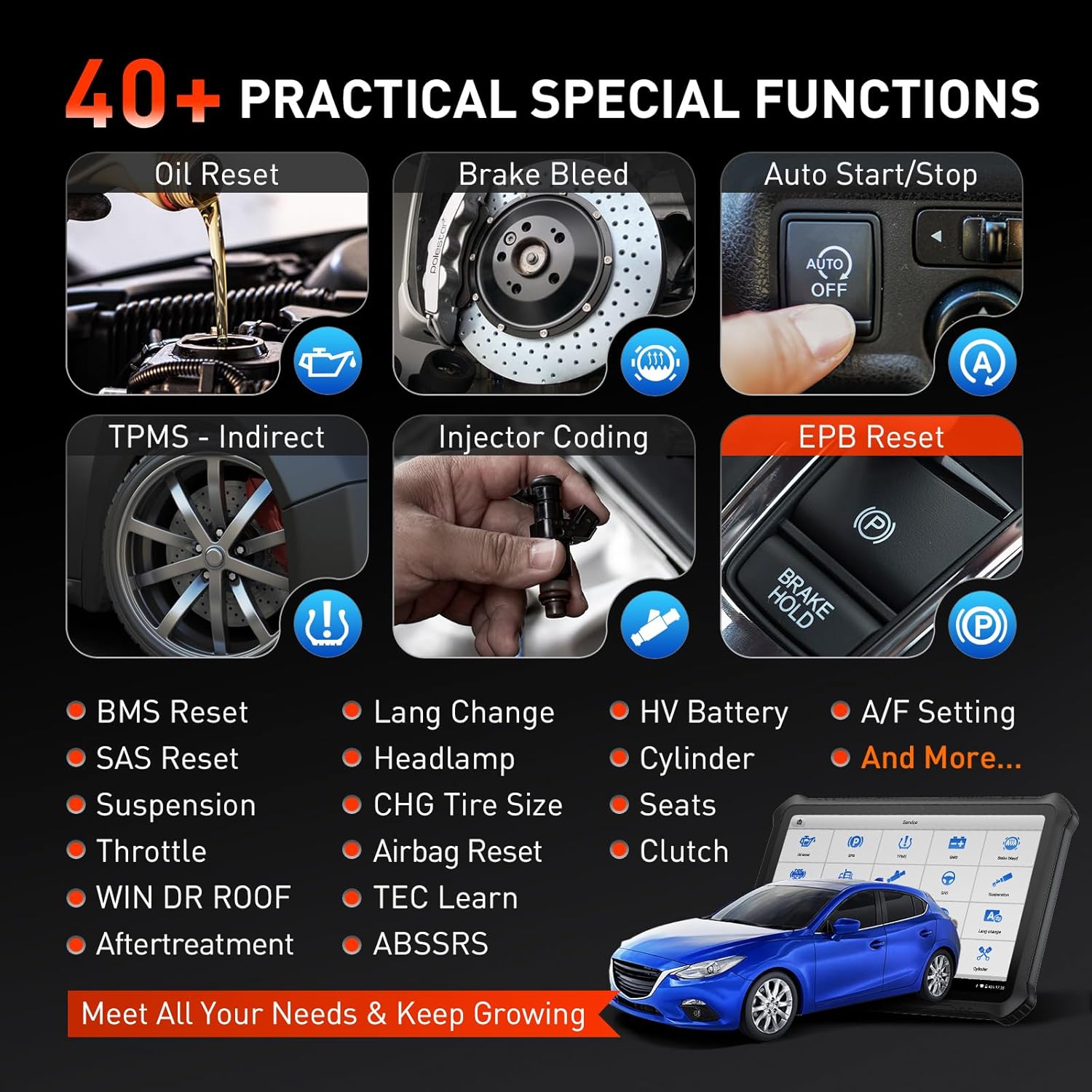
Image: A collage illustrating various practical special functions available on the OTOFIX D1 PROS, including Oil Reset, Brake Bleed, Auto Start/Stop, TPMS Reset, Injector Coding, and EPB Reset, among others.
3.5 Kontwòl Bi-direksyonèl (Tès Aktif)
The active test function allows the D1 PROS to send commands directly to vehicle ECUs to test actuators and pinpoint faults. This includes testing components like fuel pumps, wipers, windows, and lights.

Image: A graphic demonstrating the bi-directional control feature, showing how the OTOFIX D1 PROS can send commands to the vehicle's ECU to test components such as fuel pumps, EVAP systems, wipers, doors/windows, and lamp siyal yo.
3.6 VAG Guided Functions
For VAG models (VW, Audi, Skoda, Seat), the guided functions provide step-by-step instructions for complex procedures like ECU calibration, active tests, and function settings, simplifying diagnostics without requiring security codes or channel numbers.
3.7 FCA SGW Access
The OTOFIX D1 PROS provides secure access to diagnose FCA SGW (Security Gateway) vehicles and bypass the Renault gateway, streamlining diagnostic procedures for these specific vehicle brands.
4. Antretyen
4.1 Mizajou lojisyèl
The OTOFIX D1 PROS comes with 2 years of free software updates. Regularly update the software to ensure optimal performance, access to the latest vehicle coverage, and new features. Updates are typically performed via Wi-Fi through the 'Update' application on the device.
4.2 Netwayaj ak Depo
Use the provided soft cloth to clean the screen and exterior of the device. Avoid using abrasive cleaners or solvents. Store the device in its carrying case in a cool, dry place away from direct sunlight and extreme temperatures when not in use.
4.3 Swen Batri
To prolong battery life, avoid fully discharging the battery frequently. If storing the device for an extended period, ensure the battery is charged to approximately 50-70%.
NAN. Depanaj
5.1 VCI Connection Issues
If the VCI fails to connect to the tablet via Bluetooth, ensure:
- The VCI is securely plugged into the vehicle's OBDII port.
- The vehicle's ignition is on.
- Bluetooth is enabled on the D1 PROS tablet.
- Try restarting both the tablet and the vehicle.
5.2 Pèfòmans Ralanti
While the D1 PROS is designed for fast operation, if you experience slowness:
- Close any unnecessary background applications.
- Ensure sufficient storage space is available (4+128GB memory).
- Fè yon rekòmanse sistèm.
- Asire w ke lojisyèl la ajou.
5.3 Diagnostic Function Not Accessible for Certain Cars
Some advanced functions may not be universally accessible for all vehicle models or years. Refer to the vehicle coverage list or contact OTOFIX support for specific compatibility inquiries.
6. Espesifikasyon
| Karakteristik | Spesifikasyon |
|---|---|
| Mak | OTOFIX |
| Modèl | OTOFIX D1 PROS Scanner |
| Sistèm operasyon | Android 10.0 |
| Rezolisyon ekspozisyon | 1920x1200 |
| Dimansyon pwodwi | 6.3"L x 15.7"L x 19.67"H |
| Pwa atik | 11.23 liv |
| Batri | 1 pil ityòm-ion (enkli), 15000mAh |
| memwa | 4GB RAM + 128GB Depo |
| Koneksyon | BT + WiFi dual connection, CANFD/DoIP protocols |

Image: An illustration highlighting the robust hardware features of the OTOFIX D1 PROS, including its 7250mAh battery (note: specification says 15000mAh, image might be for a different model or older spec, relying on text spec), 4+128GB memory, 10.4-inch screen, Android 11.0 OS (note: specification says Android 10.0, relying on text spec), and octa-core processor.
7. Garanti ak sipò
The OTOFIX D1 PROS scan tool is backed by comprehensive support and warranty terms:
- 2 Years Free Updates: Enjoy two years of complimentary software updates to keep your tool current with the latest vehicle models and diagnostic features.
- 1 Year Quality Undertaking: The product is covered by a one-year quality undertaking.
- 30 Day Return & Replacement: A 30-day window is provided for returns or replacements from the date of purchase.
- 24/7 Post-Sale Response: Access to 24/7 customer support for any questions or concerns.
- Lifetime Tech Instruction: Benefit from lifetime technical instruction and support.
For detailed warranty claims or technical assistance, please refer to the official OTOFIX websit la oubyen kontakte sèvis kliyan yo dirèkteman.

Image: A graphic outlining the 'No Risk Purchase' benefits for the OTOFIX D1 PROS, including Lifetime Tech Instruction, 2 Years Updating with No Fee, 1 Year Quality Undertaking, 30 Day Return & Replacement, and 24*7 Post-Sale Response.