
1. Entwodiksyon ak souview
This manual provides essential information for the safe and effective use of your Canon PowerShot IXY 650 HS Compact Digital Camera. The camera is designed for high-quality image and video capture with user-friendly features.
The Canon PowerShot IXY 650 HS features a 20.2MP CMOS sensor and DIGIC 4+ image processor, enabling high-resolution photos and Full HD 1080p video recording. Its 12x optical zoom lens covers a versatile 25-300mm equivalent focal length, complemented by Intelligent IS image stabilization for sharp results. Built-in Wi-Fi with NFC facilitates easy sharing and remote control.
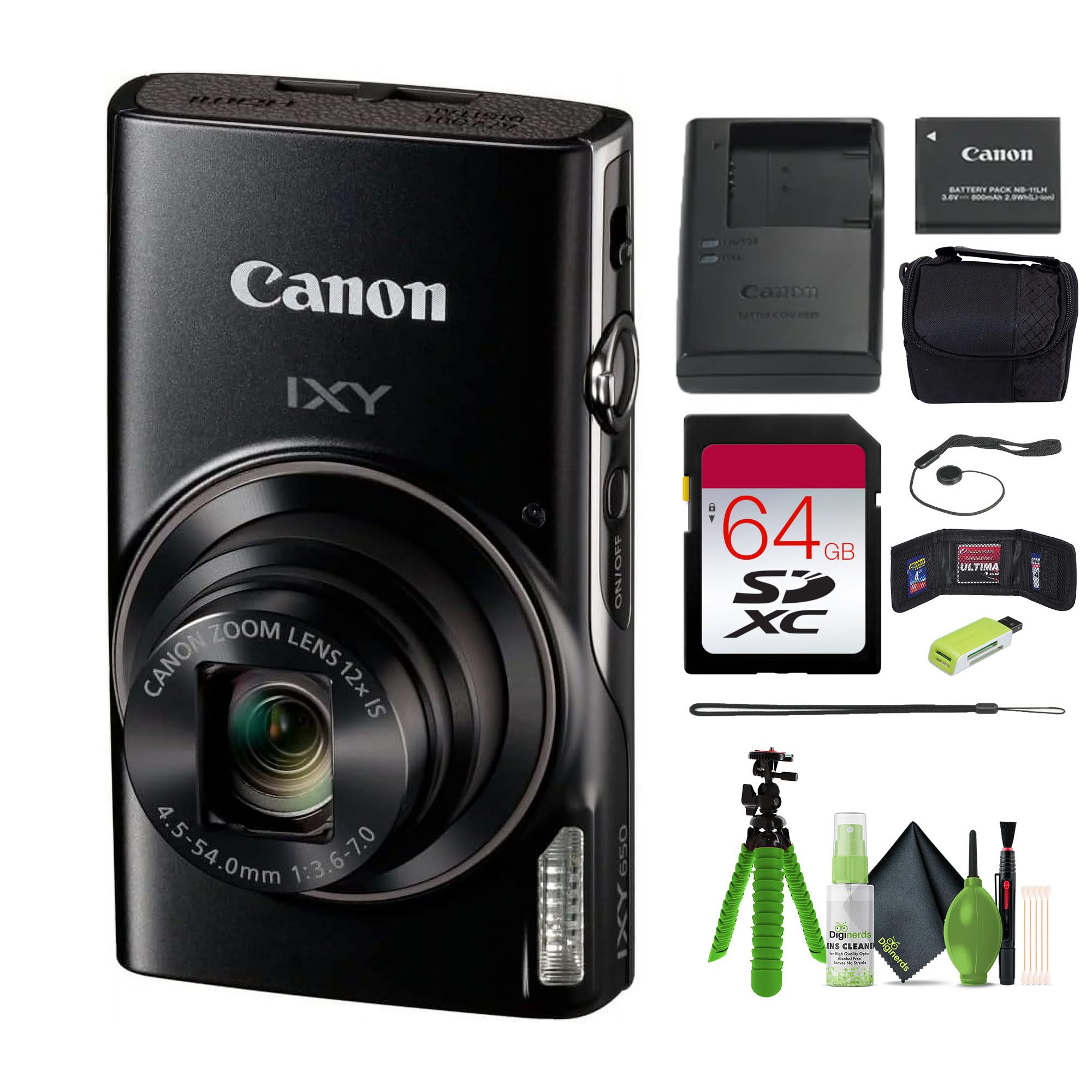
Imaj 1.1: Devan view of the Canon PowerShot IXY 650 HS Compact Digital Camera. This image displays the camera's compact design, the prominent lens with 12x optical zoom, the built-in flash, and the Canon IXY branding.
2. Ki sa ki nan bwat la
Verifye ke tout atik yo prezan nan pake a anvan ou kontinye ak konfigirasyon an.
- Canon IXY 650 Compact Digital Camera (Black)
- 64GB Extreme PRO Memory Card
- Ti Ka
- Lektè kat memwa
- 12 inch Flexible Vlogging Tripod
- Bous Kat Memwa
- Gadyen bouchon lantiy
- Twous netwayaj

Imaj 2.1: Typical contents of the Canon PowerShot IXY 650 HS camera bundle. This image shows the camera, a battery, a battery charger, and a wrist strap, which are core components.
3. Enstalasyon
3.1. Chaje batri a
- Insert the battery into the provided battery charger.
- Ploge plato a nan yon priz kouran.
- The charging indicator light will show the charging status. Charge until the light indicates a full charge.
3.2. Mete pil la ak kat memwa a
- Louvri kouvèti konpatiman batri/kat la ki anba kamera a.
- Mete batri chaje a nan bon oryantasyon an jiskaske li fè yon klik pou l antre nan plas li.
- Insert the 64GB memory card into the card slot until it clicks. Ensure the card is facing the correct direction.
- Fèmen kouvèti lòj la byen.
Imaj 3.1: Side view of the Canon PowerShot IXY 650 HS. This image highlights the top controls including the power button, shutter button, and zoom lever.
4. Itilizasyon Kamera a
4.1. Powering On / Off
Peze a ON/OFF bouton ki sitiye anlè kamera a pou limen oswa etenn li.
4.2. Fotografi debaz
- Chwazi yon mòd pou tire foto: Use the mode dial or menu to select your desired shooting mode (e.g., Automatic, Program, Manual).
- Ankadre piki ou a: Use the 3.0" LCD monitor to compose your image.
- Konsantre: Press the shutter button halfway down to autofocus. The camera will confirm focus.
- Kaptire: Peze bouton vole a nèt pou pran foto a.
4.3. Fonksyon Zoom
The camera features a 12x optical zoom lens. Use the zoom lever around the shutter button to zoom in or out.

Imaj 4.1: Illustration of the camera's zoom capabilities. This diagram shows the visual difference between 1x optical zoom (25mm equivalent), 12x optical zoom (300mm equivalent), and 24x progressive fine zoom (600mm equivalent), demonstrating the camera's versatility for various shooting distances.
4.4. Anrejistreman Videyo
To record Full HD 1080p video at 30 fps, press the dedicated movie record button. Press it again to stop recording.
4.5. Konektivite Wi-Fi ak NFC
The camera features built-in Wi-Fi with NFC for easy sharing and remote control.
- Press the dedicated Wi-Fi button.
- Follow the on-screen instructions to connect to a smartphone or tablet using the Canon Camera Connect app.
- Pou aparèy ki gen NFC, tou senpleman touche kamera a sou aparèy la pou etabli yon koneksyon.

Imaj 4.2: Wi-Fi functionality diagram for the Canon IXY 650 HS. This image illustrates how to activate Wi-Fi by pressing the dedicated button and shows the subsequent connection screen for transferring photos and videos to a smartphone or tablet.
4.6. Image Stabilization (Intelligent IS)
The Intelligent IS system automatically selects the optimal image stabilization mode for various shooting conditions, reducing camera shake for sharper images and smoother videos.

Imaj 4.3: Multi-Scene IS and Auto Shutter features. This image demonstrates how the camera automatically adjusts image stabilization for different scenes, such as nightscapes, and how the auto shutter function detects smiles for optimal portrait capture.
5. Antretyen
- Netwaye lantiy la: Use a soft, lint-free cloth or a lens brush from the cleaning kit to gently remove dust and smudges. Avoid harsh chemicals.
- Netwaye kò a: Siye kò kamera a avèk yon twal mou epi sèk. Pa sèvi ak solvang òganik.
- Swen batri: Sere pil yo nan yon kote ki fre epi sèk. Pa ekspoze yo a tanperati ekstrèm.
- Depo: When not in use for extended periods, remove the battery and store the camera in its case in a dry, well-ventilated area.
NAN. Depanaj
| Pwoblèm | Solisyon |
|---|---|
| Kamera a pa limen. | Asire w ke batri a byen chaje epi li byen mete nan plas li. Eseye yon lòt batri chaje si ou genyen. |
| Imaj yo flou. | Check if the lens is clean. Ensure sufficient lighting. Hold the camera steady or use a tripod. Verify that Intelligent IS is active. |
| Pa ka konekte ak Wi-Fi. | Ensure the Canon Camera Connect app is installed on your smart device. Restart both the camera and the smart device. Check network settings. |
| Erè kat memwa. | Ensure the memory card is correctly inserted. Try formatting the card (this will erase all data). Use a different memory card if the issue persists. |
7. Espesifikasyon
| Karakteristik | Detay |
|---|---|
| Mak | Canon |
| Non modèl | IXY 650 (ELPH 360) HS |
| Rezolisyon Capteur foto | 20.2 MP |
| Teknoloji Capteur Foto | CMOS |
| Zoom optik | 12x |
| Maksimòm Longè Fokal | 300 Millimeters (equivalent) |
| Longè Fokal Minimòm | 25 Millimeters (equivalent) |
| Estabilizasyon Imaj | Optik (Entèlijan IS) |
| Rezolisyon videyo | 1080p Full HD at 30 FPS |
| Koneksyon Teknoloji | NFC, Wi-Fi |
| Gwosè ekran | 3 pous LCD |
| Montre Rezolisyon Maksimòm | 0.461 MP (461k-dot) |
| Sipòte File Fòma | JPEG (Foto), MP4 (Videyo) |
| Fiziyad kontinyèl | 7.2 FPS |
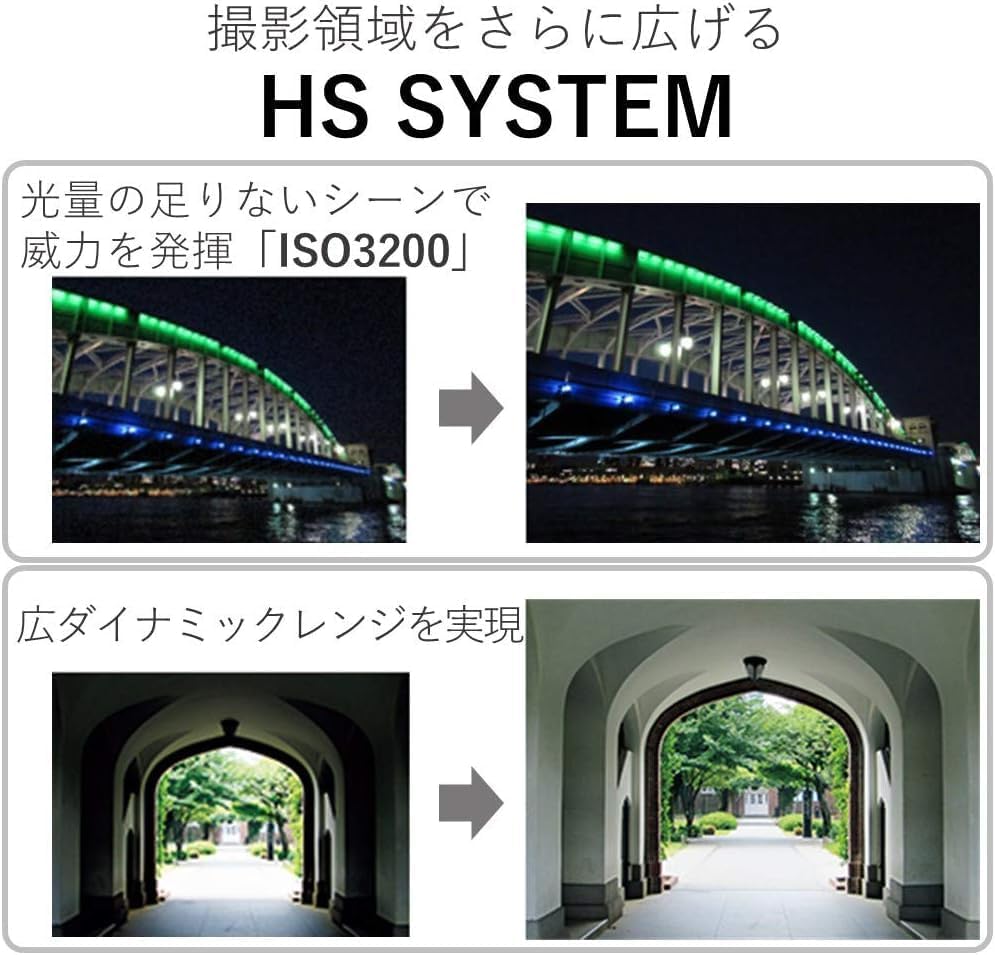
| Maksimòm ISO elaji | 3200 |
| Kalite batri | Lityòm Ion |
| Kapasite Depo memwa | 64 GB (Gwosè memwa ekstèn) |
| Pwa atik | 1.92 liv |
| Koulè | Nwa |
| Nivo rezistans dlo | Pa reziste dlo |
8. Garanti ak sipò
This product comes with a 90-day limited warranty. For warranty claims or technical support, please refer to the official Canon support channels or contact your retailer.
For additional resources, including software downloads and FAQs, visit the official Canon websit.