
1. Enfòmasyon enpòtan sou sekirite
Please read all safety instructions before using this product. Failure to follow these instructions may result in fire, electric shock, injury, or damage to the product or property.
- Pa ekspoze bank pouvwa a nan tanperati ekstrèm, limyè solèy dirèk, oswa imidite ki wo.
- Pa demonte, modifye, oswa eseye repare aparèy la.
- Kenbe lwen dlo ak lòt likid.
- Evite jete oswa sibi aparèy la nan gwo enpak.
- Sèvi ak sèlman kab ak adaptè chaje ki sètifye.
- This power bank is equipped with multiple safety protections: over-charge, over-voltage, over-current, overheat, and short circuit protection.
- The device is airline-approved for safe travel.

If you notice any unusual behavior, such as swelling, overheating, or strange odors, discontinue use immediately and contact customer support.
2. Pwodwi souview
The LanLuk Magnetic Portable Charger is a versatile power bank designed for convenient on-the-go charging. It features a strong magnetic connection for compatible devices, a foldable stand for hands-free viewing, and a clear LED digital display to show remaining battery capacity.

Karakteristik kle:
- Kapasite 10800mAh: Provides multiple charges for compatible devices.
- Chajman san fil mayetik: Up to 15W for MagSafe-compatible iPhones.
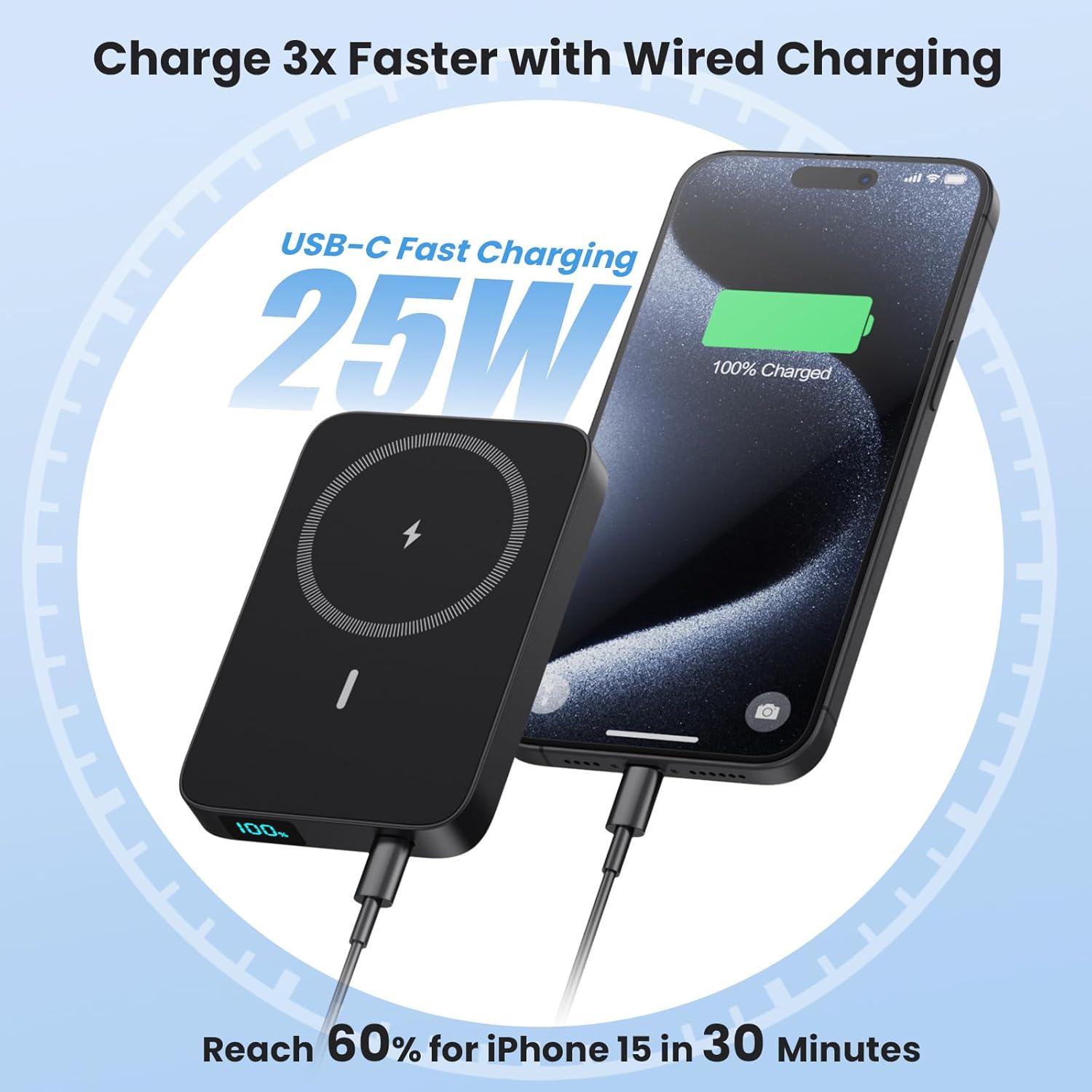
- 25W PD USB-C Fast Charging: For rapid wired charging and recharging.
- Sipò pliyab: Integrated stand for vertical or horizontal viewing.
- Dirije ekspozisyon dijital: Shows precise battery percentage.
- USB-C In/Output & USB-A Output: Versatile connectivity for various devices.
- Konsepsyon kontra enfòmèl ant: Lightweight (0.46lbs) and portable (4.0*2.7*0.6 inches).
Kontni pake:
- 1 x LanLuk 10800mAh Portable Wireless Charger
- 1 x USB-C chaje kab
- 1 x Dustproof Portable Storage Bag
- 1 x Magnetic Charger User Manual
- 1 x 24-Month Customer Service Card
3. Enstalasyon
3.1 Chaje Bank Ekstèn lan
Before first use, fully charge your LanLuk Magnetic Portable Charger. Use the provided USB-C cable and connect it to a compatible USB power adapter (not included).
- Connect the small end of the USB-C cable to the USB-C port on the power bank.
- Connect the other end of the USB-C cable to a USB power adapter.
- Ekran dijital LED la ap montre pwogrè chaj la. Bank pouvwa a konplètman chaje lè ekran an montre 100%.
3.2 Preparing Your Device for Wireless Charging
For optimal magnetic wireless charging, ensure your device is MagSafe compatible. If your device is not natively MagSafe compatible, or if you use a non-MagSafe case, the magnetic connection may be weak or non-existent, and wireless charging may not function correctly.

4. Operasyon Enstriksyon
4.1 Chaje san fil
- Peze bouton pouvwa a yon fwa pou aktive bank pouvwa a.
- Align your MagSafe-compatible iPhone (iPhone 12/13/14/15/16 series) with the magnetic charging area on the power bank. The magnets will snap into place.
- Wireless charging will begin automatically. The LED display on the power bank will show its remaining charge, and your phone will indicate charging status.

4.2 Chaje ak fil
The power bank supports 25W PD fast charging via its USB-C port and standard charging via its USB-A port.
- Peze bouton pouvwa a yon fwa pou aktive bank pouvwa a.
- Connect your device to the power bank using a compatible USB-C to USB-C cable (for 25W PD fast charging) or a USB-A to device-specific cable.
- Chaje ap kòmanse otomatikman.
4.3 Chaje pas-a-travè
The power bank supports pass-through charging, allowing you to charge both your device and the power bank simultaneously. Connect the power bank to a power source, and then connect your device to the power bank.

4.4 Itilizasyon Sipò Pliyab la
The integrated foldable stand allows for convenient hands-free viewpandan y ap chaje.
- Gently pull out the stand from the back of the power bank.
- Place your magnetically attached phone onto the stand in either a vertical or horizontal orientation for comfortable viewing.

4.5 dirije Digital Display
The smart LED display provides real-time information on the power bank's remaining battery capacity.
- Peze bouton pouvwa a yon fwa pou view pousantaj batri atage.
- The display shows the exact percentage soti nan 1% a 100%.

5. Antretyen
- Netwaye bank ekstèn lan avèk yon twal mou epi sèk. Pa sèvi ak pwodui chimik ki agresif oswa materyèl abrazif.
- Sere aparèy la nan yon kote ki fre epi sèk, lwen limyè solèy dirèk ak tanperati ekstrèm.
- Si ou pa itilize bank ekstèn lan pou yon bon bout tan, chaje l omwen yon fwa chak twa mwa pou kenbe batri a an bon eta.
NAN. Depanaj
6.1 Aparèy la pa ap chaje
- Ensure the power bank is sufficiently charged. Check the LED display.
- Press the power button once to activate the power bank before connecting or attaching your device.
- For wireless charging, ensure your device is MagSafe compatible or using a MagSafe-compatible case, and that it is correctly aligned with the charging area.
- For wired charging, try a different cable or port to rule out cable/port issues.
6.2 Chaje dousman
- Ensure you are using a 25W PD compatible adapter and cable for fast wired charging.
- For wireless charging, ensure no foreign objects are between the power bank and your device. Thick, non-MagSafe cases can impede charging speed.
6.3 Bank pouvwa a pa rechaje
- Ensure the USB-C charging cable is securely connected to both the power bank and the power adapter.
- Eseye yon diferan USB-C kab oswa adaptè pouvwa.
7. Espesifikasyon
| Karakteristik | Detay |
|---|---|
| Nimewo Modèl | HX100M7 |
| Kapasite batri | 10800mAh |
| Wireless Chaje Sòti | 15W Max |
| USB-C Antre / Sòti | Chaje rapid 25W PD |
| USB-A Sòti | Chaje estanda |
| Dimansyon | 4.0 x 2.7 x 0.6 pous |
| Pwa | 0.46 liv (7.4 ons) |
| Konpatibilite | iPhone 12/13/14/15/16 Series (MagSafe compatible or with MagSafe cases) |
| Karakteristik espesyal | LED Digital Display, Foldable Stand, Multiple Safety Protections, Airline Approved |

8. Garanti ak sipò
Your LanLuk Magnetic Portable Charger comes with a 24-Month Customer Service warranty. If you encounter any issues or have questions about your product, please contact our customer support team for assistance.
Please refer to the contact information provided on the included Customer Service Card or visit the official LanLuk websit pou detay sipò.