
1. Enstriksyon Sekirite Enpòtan
Please read all instructions carefully before using this appliance and retain for future reference. Failure to follow these instructions may result in electric shock, fire, or serious personal injury.
- Toujou asire w ke vantilatè a mete sou yon sifas ki plat e ki estab pou anpeche li chavire.
- Pa sèvi ak vantilatè a si kòd la oswa ploge a domaje. Si kòd la oswa ploge a domaje, kontakte sèvis kliyan.
- Unplug the fan from the power outlet before cleaning, performing maintenance, or when not in use.
- Pa mete dwèt oswa objè etranje nan okenn ouvèti vantilatè a.
- Aparèy sa a pa fèt pou itilize pa moun (ki gen ladan timoun) ki gen kapasite fizik, sansoryèl oswa mantal redwi, oswa ki pa gen eksperyans ak konesans, sof si yo te bay sipèvizyon oswa enstriksyon konsènan itilizasyon aparèy la pa yon moun ki responsab sekirite yo. .
- Keep children and pets away from the fan during operation. The bladeless design enhances safety, but supervision is always recommended.
- Pa sèvi ak vantilatè a toupre dlo oswa nan d.amp anviwònman.
- Pa bloke antre oswa priz lè.

Figure 1: Protective bladeless design for enhanced safety around children and pets.
2. Pwodwi souview
The advwin Bladeless Tower Fan provides quiet and efficient cooling with a modern design. It features multiple speed settings, oscillation, a timer, and convenient control options.
Kontni pake:
- 1 x advwin Bladeless Tower Fan
- 1 x Kontwòl Remot (pil AAA pa enkli)
- 1 x manyèl itilizatè
Karakteristik kle:
- Konsepsyon san lam: Safe for households with children and pets, and easy to clean.
- 24 Anviwònman Vitès: Offers a wide range of airflow intensity from a gentle breeze to powerful cooling.
- Osilasyon 120°: Provides wide coverage for effective air circulation throughout the room.
- Revèy 12 èdtan: Allows for automatic shut-off, conserving energy and providing convenience.
- Touchscreen & Remote Control: Offers flexible control options for ease of use.
- Fonksyon pou pirifye lè: Helps improve air quality.
- Operasyon trankil: Operates at less than 55 dB, suitable for bedrooms and offices.
3. Enstalasyon
The advwin Bladeless Tower Fan requires no assembly, making setup quick and easy.
3.1 Plasman
- Mete vantilatè a sou yon sifas solid e plat. Asire w ke gen ase espas otou vantilatè a pou yon sikilasyon lè ak yon osilasyon optimal.
- Avoid placing the fan directly against walls or furniture that could obstruct air intake or output.

Figure 2: Stable base and touch control panel.
3.2 Koneksyon pouvwa
- Ploge kòd elektrik la nan yon priz estanda 110V AC.
- Ensure the power cord is not pinched or routed under the fan.
3.3 Enstalasyon pil kontwòl remote la
- The remote control requires AAA batteries (not included).
- Louvri lòj batri a sou do a nan kontwòl remote la.
- Mete de pil AAA, asire w polarite a kòrèk (+/-).
- Fèmen lòj batri a byen.
4. Operasyon Enstriksyon
The fan can be operated using the touch control panel on the unit or the included remote control.
4.1 Power On/Off
- Peze a ON/OFF bouton ki sou panèl kontwòl la oswa sou telekòmand lan pou limen oswa etenn vantilatè a.
- The LED display will show the current settings when the fan is on.
4.2 Ajiste vitès vantilatè a
- Peze a VITESSE button on the control panel or remote to cycle through the 24 available speed settings.
- The LED display will indicate the current speed level.

Figure 3: Fan speed settings.
4.3 Fonksyon Osilasyon
- Peze a Balanse button on the control panel or remote to activate or deactivate the 120° oscillation function.
- When activated, the fan head will rotate horizontally to distribute air across a wider area.
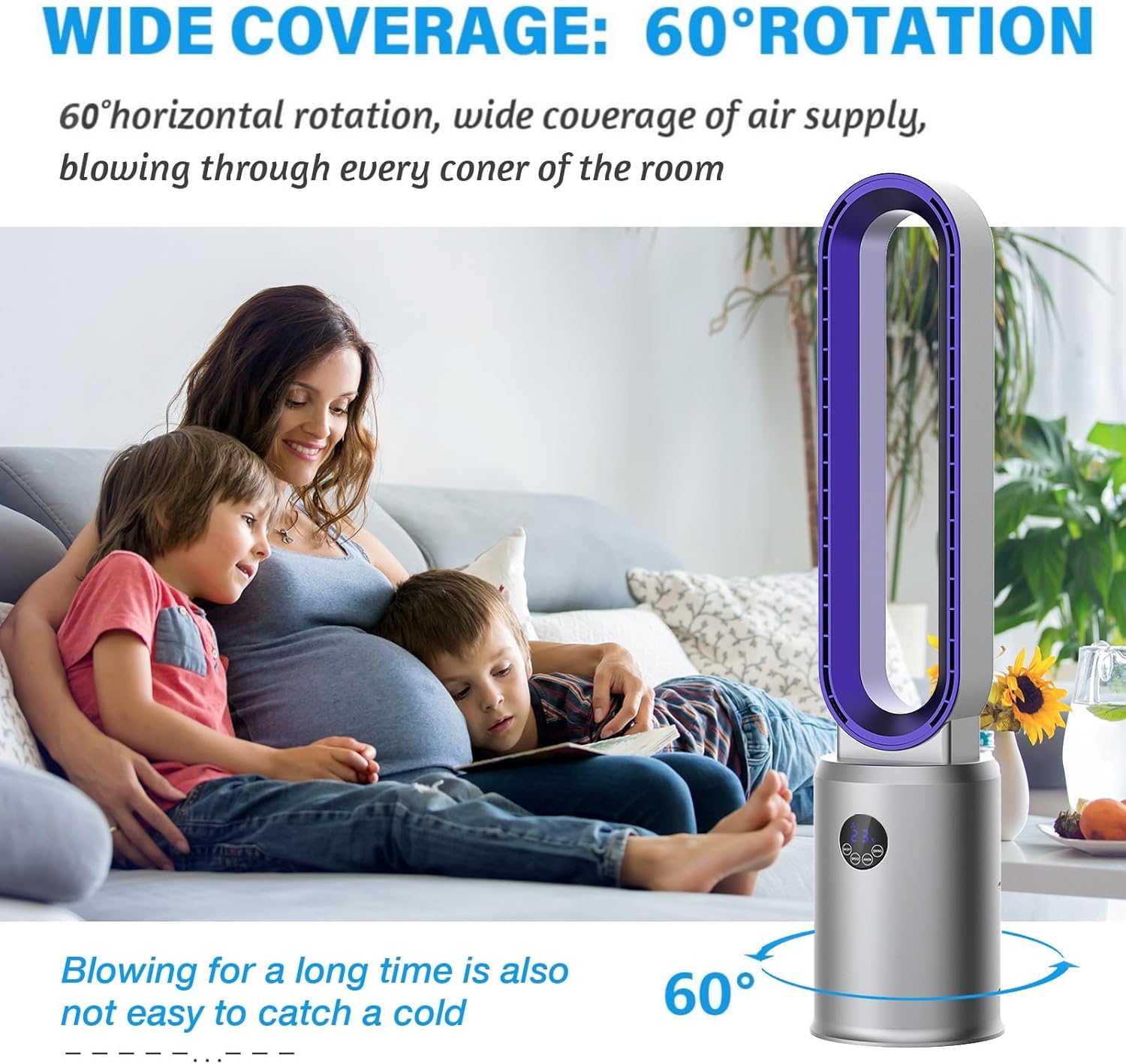
Figure 4: Wide oscillation for broad air distribution.
4.4 Anviwònman revèy
- Peze a TIMER button on the remote control to set the fan to automatically turn off after a specified period (up to 12 hours).
- Each press will increase the timer by one hour. The LED display will show the set time.
4.5 Air Purification Function
- Peze a ANION button on the remote control to activate or deactivate the air purification function.
- This function utilizes an air purifier system to help improve indoor air quality.

Figure 5: Air purification system with filter.
4.6 Mòd dòmi
- Peze a DOMÒM button on the remote control to activate sleep mode.
- In sleep mode, the fan operates at a lower speed and reduced noise level for a more peaceful environment.
5. Antretyen
Netwayaj ak antretyen regilye ap asire pèfòmans optimal ak lonjevite fanatik ou an.
5.1 Netwaye fanatik la
- Toujou debranche vantilatè a nan priz kouran anvan ou netwaye li.
- Due to its bladeless design, cleaning is simplified. Use a soft, damp twal pou siye sifas ekstèn vantilatè a.
- Pa sèvi ak pwodui netwayaj abrazif, solvan, oswa pwodui chimik ki agresif, paske sa yo ka domaje fini vantilatè a.
- For internal cleaning, gently wipe the air intake and outlet areas with a dry cloth or a soft brush to remove dust.
Figure 6: Easy cleaning of the bladeless fan.
5.2 Antretyen filtè lè
The fan includes an air purification system with a filter. Periodically check and clean the filter to maintain air quality and fan efficiency.
- Refer to the specific instructions in the included manual for details on accessing and cleaning or replacing the air filter.
- Ensure the fan is unplugged before attempting any filter maintenance.
NAN. Depanaj
If you encounter any issues with your advwin Bladeless Tower Fan, please refer to the following common problems and solutions:
| Pwoblèm | Kòz posib | Solisyon |
|---|---|---|
| Vantilatè a pa limen. | Pa gen ekipman pou pouvwa. | Asire w kòd kouran an byen branche nan yon priz ki fonksyone. Tcheke disjonktè a. |
| Remote kontwòl pa travay. | Pil mouri oswa obstak. | Replace AAA batteries in the remote. Ensure there is no obstruction between the remote and the fan's sensor. |
| Weak or inconsistent airflow. | Antre/sorti lè bouche oswa filtè sal. | Ensure air inlets and outlets are clear of obstructions. Clean the air filter as per maintenance instructions. |
| Vantilatè a fè yon bri dwòl. | Foreign object or unstable placement. | Unplug the fan and check for any foreign objects. Ensure the fan is on a stable, flat surface. |
If the problem persists after attempting these solutions, please contact advwin customer support for assistance.
7. Espesifikasyon
Detailed technical specifications for the advwin Bladeless Tower Fan (Model RUXI-Z30).
- Modèl: RUXI-Z30
- Mak: advwin
- Sous pouvwa: Elektrik
- Voltage: 110-120 Vòlt (AC)
- Wattage: 35 Watts
- Dimansyon pwodwi (P x W x H): 8.66" x 8.66" x 38.2"
- Pwa nèt: 6.17 liv (2.8 kg)
- Nivo bri: < 55 Decibels
- Ang osilasyon: 120°
- Anviwònman vitès: 24
- Revèy: 1-12 èdtan
- Metòd kontwòl: Remote, Manyen
- Materyèl: ABS Jeni plastik
- Karakteristik espesyal: Bladeless, Portable, Remote Controlled, Air Purifier System, LED Display

Figi 7: Dimansyon pwodwi a.
8. Garanti ak sipò
Pou enfòmasyon sou garanti a ak sipò kliyan, tanpri al gade dokiman ki vini ak pwodwi a oswa kontakte manifakti a dirèkteman.
- Manifakti: ADVWIN
- Kontakte: Please visit the official advwin websit la oubyen gade resi acha w la pou jwenn enfòmasyon pou kontakte sèvis kliyan.