
1. Pwodwi souview
This manual provides essential instructions for the safe and efficient use of your HUAWEI MatePad SE 11" Tablet. Please read this manual thoroughly before using the device and retain it for future reference.

Imaj: Dèyè view of the HUAWEI MatePad SE 11" tablet, highlighting its lightweight (475g) and slim (6.9mm) design. The tablet features a premium metal unibody construction.
The HUAWEI MatePad SE 11" is designed for an immersive visual and audio experience, featuring an 11-inch FullView Eye Comfort screen and a powerful quad-speaker system. Its lightweight and slim design make it highly portable.
2. Inisyal Enstalasyon
2.1. Debale ak Kontni Pakè a
Carefully unpack your HUAWEI MatePad SE 11" tablet. Ensure all items listed below are present:
- HUAWEI MatePad SE 11" Tablet (6GB+128GB)
- Charger
- Kalite-C Kab
- Gid Quick Start
- Kat Garanti
2.2. Chaje tablèt la
Before first use, fully charge the tablet. Connect the Type-C cable to the tablet's USB-C port and the charger, then plug the charger into a power outlet. The tablet supports 22.5W fast charging.
2.3. Powering On / Off
- Pou limen: Press and hold the Power button until the HUAWEI logo appears.
- Pou etenn: Peze epi kenbe bouton Power la, answit chwazi "Power off" nan opsyon yo.
- Pou rekòmanse: Peze epi kenbe bouton Pouvwa a, answit chwazi "Rekòmanse" nan opsyon yo.
2.4. Inisyal Konfigirasyon
Swiv enstriksyon ki sou ekran an pou konplete konfigirasyon inisyal la, tankou:
- Seleksyon lang
- Koneksyon rezo Wi-Fi
- HUAWEI ID login (or create a new one)
- Security settings (PIN, password, pattern, or facial recognition)
3. Itilizasyon Tablèt ou a
3.1. Karakteristik ekspozisyon

Image: The HUAWEI MatePad SE 11" screen, showcasing its 11-inch FHD+ Eye Comfort display. Key features include an 85% screen-to-body ratio, 1920x1200 resolution, and 400 Nits brightness for a clear visual experience.
The 11-inch FHD+ Eye Comfort display provides an immersive visual experience. It features:
- Rezolisyon: 1920 x 1200 piksèl
- Konfò je: TÜV Rheinland certified for low blue light and flicker-free viewing, reducing eye strain during prolonged use.
- Klate: 400 Nits, with 4096-level brightness adjustment.
- E-Book Mode: A dedicated mode for a paper-like reading experience.
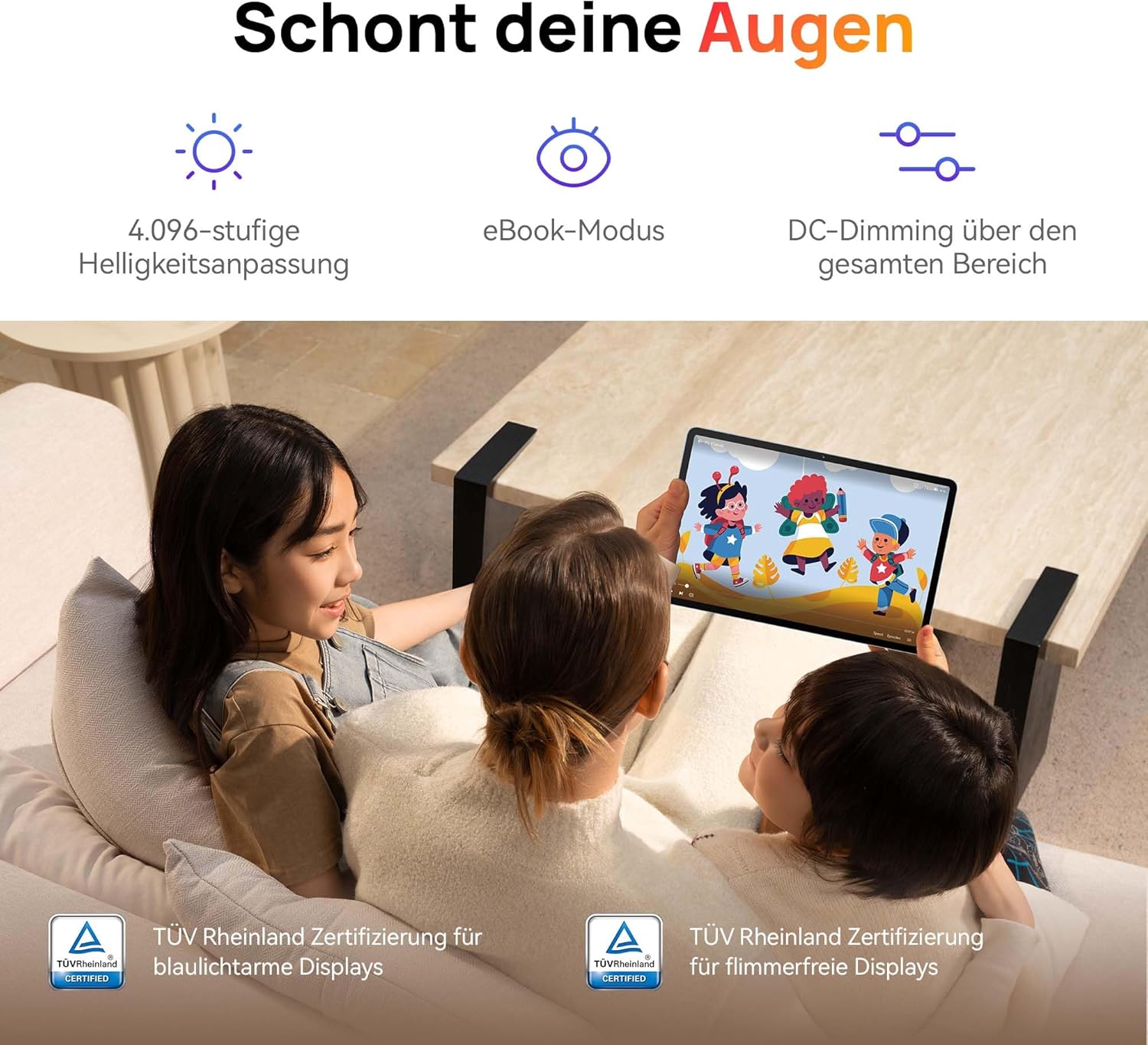
Image: Children using the tablet, illustrating the eye protection features. The display is TÜV Rheinland certified for low blue light and flicker-free operation, ensuring a comfortable vieweksperyans nan.
3.2. Sistèm Odyo

Image: A user enjoying music on the tablet, demonstrating the immersive quad-speaker system. This system is optimized by HUAWEI Histen 9.0 technology for high-quality audio.
The tablet features a symmetrical quad-speaker system optimized by HUAWEI Histen 9.0 technology, providing cinematic sound quality for various applications.
3.3. Kids Corner

Image: The Kids Corner interface on the tablet, designed as a safe and engaging environment for children. Features include posture warnings, a blue light filter, and an eBook mode, along with content from BabyBus.
Kids Corner provides a safe and dedicated environment for children to learn and play. Parents can manage:
- Time limits for usage.
- Allowed applications and content.
- Features like posture warnings and blue light filters to promote healthy digital habits.
It also includes content from BabyBus, offering games, stories, and nursery rhymes.
3.4. M-Pen Lite (Optional Accessory)

Image: The HUAWEI M-Pen Lite stylus, an optional accessory that enhances interaction with the tablet for drawing, writing, and note-taking. It is supported by the HUAWEI MatePad SE 11" Stylus Set.
If you have the HUAWEI M-Pen Lite, it can be used for enhanced interaction, drawing, and note-taking. Ensure your tablet supports the M-Pen Lite stylus set.
The tablet also supports applications like GoPaint for professional and easy-to-use digital art, and HUAWEI Note for organized note-taking.

Image: GoPaint application on the tablet, illustrating its interface for digital art creation.

Image: HUAWEI Note application on the tablet, showing its capabilities for detailed note-taking.
3.5. Koneksyon
- Wi-Fi: Connect to available Wi-Fi networks for internet access. Supports 802.11ac.
- Bluetooth: Pair with Bluetooth devices such as headphones, speakers, or keyboards.
- USB-C pò: Used for charging, data transfer, and connecting compatible accessories.
3.6. Multi-Window and Multi-Device Collaboration
The tablet supports multi-window functionality for enhanced multitasking and multi-device screen sharing for seamless integration with other HUAWEI devices.
4. Antretyen ak Swen
- Netwayaj: Sèvi ak yon twal mou ki pa gen pousyè pou netwaye ekran an ak kò a. Evite materyèl abrazif oswa pwodui chimik ki agresif.
- Swen batri: To prolong battery life, avoid extreme temperatures. Do not allow the battery to fully discharge frequently.
- Mizajou lojisyèl: Tcheke epi enstale mizajou lojisyèl regilyèman pou asire pèfòmans ak sekirite optimal.
- Depo: Keep the tablet in a cool, dry place away from direct sunlight and moisture.
NAN. Depanaj
| Pwoblèm | Solisyon posib |
|---|---|
| Tablèt la pa limen. | Asire w batri a chaje. Konekte chajè a epi tann kèk minit anvan ou eseye limen l ankò. |
| Ekran an pa reponn. | Restart the tablet by holding the Power button for approximately 10 seconds. If unresponsive, ensure the screen is clean and dry. |
| Pwoblèm koneksyon Wi-Fi. | Check if Wi-Fi is enabled. Restart your router and the tablet. Ensure you are within range of the Wi-Fi signal. |
| Apps are not downloading from Play Store. | The HUAWEI MatePad SE 11" runs on HarmonyOS and uses HUAWEI AppGallery. Google Play Store services are not natively supported. Use Petal Search to find and install apps or access web versions of services. |
| Pèfòmans ralanti. | Fèmen aplikasyon ki pa nesesè nan background nan. Vide kach la ak aplikasyon tanporè yo files. Ensure sufficient storage space is available. Restart the tablet. |
6. Espesifikasyon teknik
| Karakteristik | Detay |
|---|---|
| Non modèl | MatePad SE 11" |
| Nimewo Modèl | 53014FHK |
| Dimansyon (L x W x H) | 26.23 x 16.38 x 0.69 cm |
| Pwa | 475 gram |
| Gwosè ekspozisyon | 11 pous |
| Kalite ekspozisyon | LCD |
| Rezolisyon ekspozisyon | 1920 x 1200 piksèl (FHD+) |
| Aspè rapò | 16:9 |
| Sistèm operasyon | HarmonyOS |
| Processeur | Huawei Processor (Agassi6-W09C) |
| RAM | 6 GB |
| Kapasite Depo | 128 GB |
| Kalite batri | Lityòm-polymère |
| Kapasite batri | 7700 mAh |
| Chaje | 22.5W Fast Charging (via USB Type-C) |
| Rezolisyon kamera dèyè | 8 megapiksèl |
| Moun kap pale | 4 speakers with HUAWEI Histen 9.0 |
| Teknoloji san fil | Wi-Fi (802.11ac), Bluetooth |
| Pò USB | 1 (USB Type-C) |
| Karakteristik espesyal | 11-inch Eye Comfort Screen, Kids Corner, Multi-window, Multi-device screen sharing |
| Enkli nan bwat | Tablet, Charger, Type-C Cable, Quick Start Guide, Warranty Card |
7. Garanti ak sipò
7.1. Enfòmasyon sou Garanti
Your HUAWEI MatePad SE 11" Tablet comes with a manufacturer's warranty. Please refer to the included Warranty Card for specific terms and conditions. Spare parts availability is guaranteed for 24 months.
7.2. Sipò pou Kliyan
For technical assistance, troubleshooting beyond this manual, or warranty claims, please contact HUAWEI customer support. Visit the official HUAWEI websit pou enfòmasyon kontak ak resous sipò.
Resous sou entènèt: Sipò HUAWEI Websit