
Anykit AKE390i
Anykit Visual Ear Wax Removal Camera (Model AKE390i) User Manual
Digital Otoscope with 6 LED Lights and Earwax Removal Tool
1. Entwodiksyon
This manual provides instructions for the safe and effective use of your Anykit Visual Ear Wax Removal Camera, Model AKE390i. This device is a digital otoscope designed to visualize the ear canal and assist in earwax removal. It features a camera with LED illumination and connects to compatible mobile devices for real-time viewing.
Tanpri li manyèl sa a byen anvan ou itilize aparèy la epi konsève li pou referans pita.

Figure 1: Anykit Visual Ear Wax Removal Camera with accessories.
2. Avètisman Sekirite Enpòtan
- AVÈTISMAN: SA A SE PA YON JOUÈ. Kenbe pwodwi a lwen timoun ki poko gen 12 zan.
- This otoscope camera is not intended to diagnose, treat, cure, or prevent any disease or health condition. Consult a medical professional for any health concerns.
- Do not insert the device too deeply into the ear canal. Excessive force or improper use can cause injury.
- Always use the provided specula and protective covers to prevent direct contact of the camera tip with the ear canal walls.
- Clean the device and accessories thoroughly before and after each use as described in the Maintenance section.
- If you experience pain, discomfort, or bleeding during use, discontinue immediately and seek medical advice.
3. Pake kontni
Verifye ke tout atik yo prezan nan pakè ou a:
- Anykit Visual Ear Wax Removal Camera (Otoscope)
- USB Type-C Cable (integrated)
- Soft Silicone Earpicks
- Adjustable Protection Covers
- Replacement Specula
- Manyèl itilizatè
- Sak Depo (ka varye selon pake a)

Figure 2: Included components in the product package.
4. Enstalasyon ak Premye Itilizasyon
4.1 Konpatibilite
The Anykit Visual Ear Wax Removal Camera is compatible with:
- Android 8.0+ devices (must support OTG functionality).
- iPhone 15/15 Pro/15 Plus/15 Pro Max.
- iPad (12th generation and newer).
Pa konpatib ak: PCs, iPad Pro (4th generation), iPad 4, or iPad 2. This otoscope does not include a Type-C to Lightning adapter. If using your own adapter, ensure it supports OTG.
4.2 Enstalasyon App
- Download "Xscope" App: Chèche pou "Xscope" in the Google Play Store (for Android) or Apple App Store (for iOS) and download the application.
- Bay otorizasyon: After installation, open the app. When prompted, click "Allow" to grant necessary permissions for the device to function.

Figure 3: App download and connection steps.
4.3 Koneksyon Aparèy
- Connect Otoscope: Plug the USB Type-C connector of the otoscope into your compatible smartphone or tablet.
- Kouri aplikasyon: Open the "Xscope" application. The device should automatically connect, and you will see a live view soti nan kamera a.
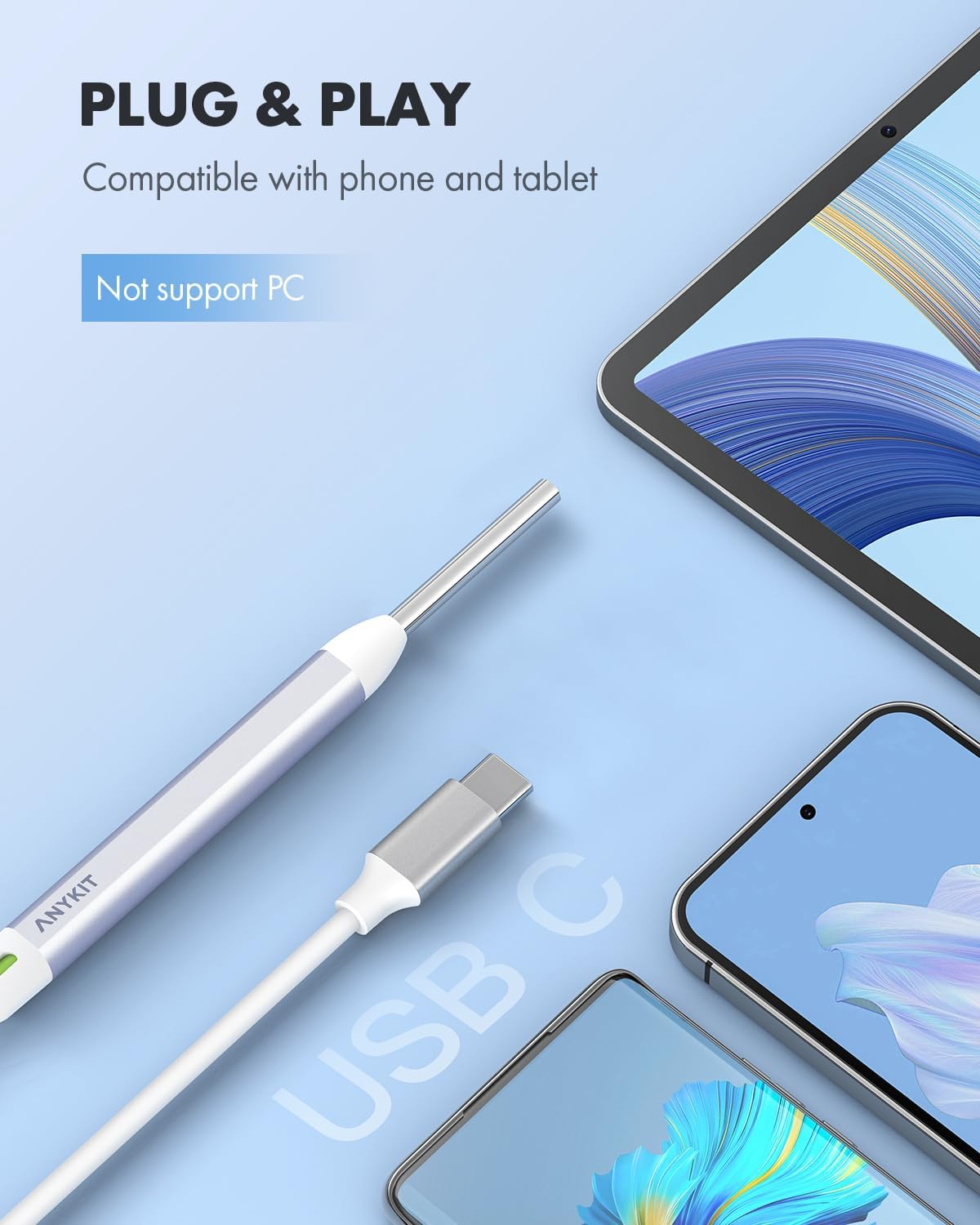
Figure 4: Connecting the otoscope to a mobile device.
5. Operasyon Enstriksyon
5.1 Tache Pwodwi pou Telefòn
Before use, attach a clean speculum and an adjustable protection cover to the tip of the otoscope. These accessories ensure safe insertion and prevent over-insertion into the ear canal.
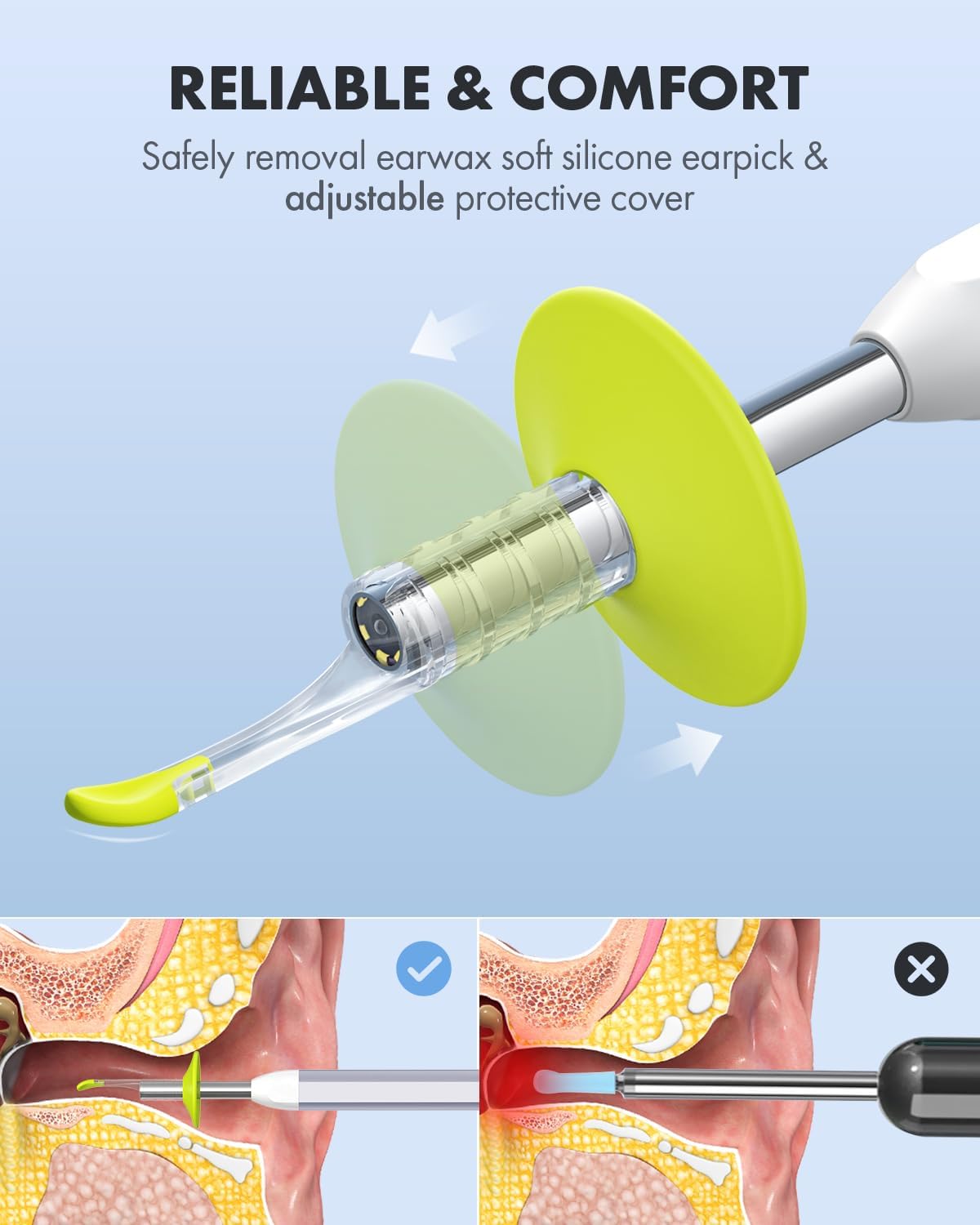
Figure 5: Attaching the protective cover and earpick.

Figure 6: Importance of using specula for safe operation.
5.2 Viewing and Navigation
Once connected and the app is running, you will see a live feed from the otoscope camera on your device screen. The device features a 1080p HD camera lens with 6 illumination LED lights for clear visualization.

Figure 7: High-definition camera lens and LED illumination.
5.3 View Mòd
The "Xscope" app offers different view modes for enhanced monitoring:
- Mòd tout ekran: Displays the real-time image from the otoscope across the entire screen.
- Mòd Ekran Fann: Allows for a clear comparison between a previously captured image and the real-time view. This is useful for tracking changes or progress.

Figure 8: Split-screen mode for ear health tracking.
5.4 Kaptire Imaj ak Videyo
The app allows you to capture still images and record videos of your ear canal. These can be saved to your device's gallery.
- Pran foto: Tap the camera icon within the app to capture a still image.
- Anrejistre videyo: Tap the video icon to start and stop video recording.
Captured media can be shared with healthcare professionals for remote consultation, saving time and facilitating quick advice.

Figure 9: Sharing images and videos for remote consultation.
6. Antretyen ak Swen
6.1 Cleaning the Otoscope
- Lantiy kamera: Gently wipe the camera lens with a soft, dry cloth or a cotton swab lightly dampened with rubbing alcohol. Ensure no liquid enters the device.
- Kò Aparèy: Wipe the main body of the otoscope with a clean, damp cloth. Do not submerge the device in water or any cleaning solutions.
6.2 Netwayaj Pwodwi pou Telefòn
- Earpicks and Specula: Wash reusable earpicks and specula with mild soap and water. Rinse thoroughly and allow them to air dry completely before storage or next use. Disposable accessories should be discarded after a single use.
6.3 Depo
Store the otoscope and its accessories in the provided storage bag in a clean, dry place, away from direct sunlight and extreme temperatures.

Figure 10: Storage bag for organizing the otoscope and accessories.
NAN. Depanaj
| Pwoblèm | Kòz posib | Solisyon |
|---|---|---|
| No image on screen / Device not recognized |
|
|
| Imaj la twoub oswa pa klè |
|
|
| Aplikasyon an plante oswa bloke |
|
|
8. Spécifications pwodwi
| Karakteristik | Detay |
|---|---|
| Nimewo Modèl | AKE390i |
| Mak | Anykit |
| Rezolisyon kamera | 1080p HD |
| Ekleraj | 6 dirije limyè |
| Koneksyon | USB Type-C (Wired) |
| Konpatibilite | Android 8.0+ (OTG support), iPhone 15 series, iPad (12th Gen+) |
| Dimansyon pake | 6.02 x 2.56 x 1.65 pous |
| Pwa atik | 3.53 ons |
| ASIN | B0D2D8CT8X |
9. Garanti ak sipò
Specific warranty information is not provided in this manual. For details regarding warranty coverage, please refer to the product packaging or contact Anykit customer support directly.
For technical support, troubleshooting assistance, or inquiries about your Anykit Visual Ear Wax Removal Camera, please visit the official Anykit websit entènèt la oubyen kontakte depatman sèvis kliyan yo. Anjeneral, ou ka jwenn enfòmasyon pou kontakte yo sou anbalaj pwodwi a oubyen sou fich manifakti a. websit.
10. Limit responsabilite nou legal
Statements regarding dietary supplements have not been evaluated by the FDA and are not intended to diagnose, treat, cure, or prevent any disease or health condition. This product is not a medical device intended for diagnosis or treatment of medical conditions.
Ask a question about this manual
Ask about setup, troubleshooting, compatibility, parts, safety, or missing instructions. Manuals+ will review the question and use this page’s manual context to help answer it.