
1. Entwodiksyon
The Machenike K500W is a versatile mechanical gaming keyboard designed for performance and flexibility. It features a compact 94-key layout, tri-mode connectivity (Bluetooth, 2.4G wireless, and wired USB), hot-swappable switches, and customizable RGB backlighting. This manual provides essential information for setting up, operating, maintaining, and troubleshooting your K500W keyboard.
Karakteristik kle:
- Tri-Mode Connectivity: Bluetooth 5.0, 2.4G Wireless, and Wired USB.
- 94-Key Compact Layout.
- 100% Anti-Ghosting & N-Key Rollover.
- Hot-Swappable Switches (compatible with 3/5-pin switches).
- PBT Doubleshot Keycaps.
- Customizable RGB Backlighting (20 effects, 16.8 million colors).
- Programmable Driver Software.
- Built-in 2500mAh Lithium Battery.
- Son Damping Silicone Pad for improved acoustics.
2. Enstalasyon
2.1 Premye chaj
Before first use, ensure the keyboard is fully charged. Connect the keyboard to a USB power source using the provided USB-C cable. The charging indicator will show the charging status.
2.2 Konekte klavye a
The Machenike K500W supports three connection modes:
2.2.1 Mòd Filaire
- Konekte kab USB-C a nan klavye a epi konekte lòt bout la nan pò USB òdinatè w la.
- Klavye a ap rekonèt otomatikman epi l ap pare pou itilize.
2.2.2 2.4G Mòd san fil
- Locate the 2.4G USB receiver, typically stored in a dedicated slot on the keyboard.
- Branche reseptè USB 2.4G la nan yon pò USB ki disponib sou òdinatè w la.
- Switch the keyboard's mode selector to 2.4G wireless mode. The keyboard should connect automatically.
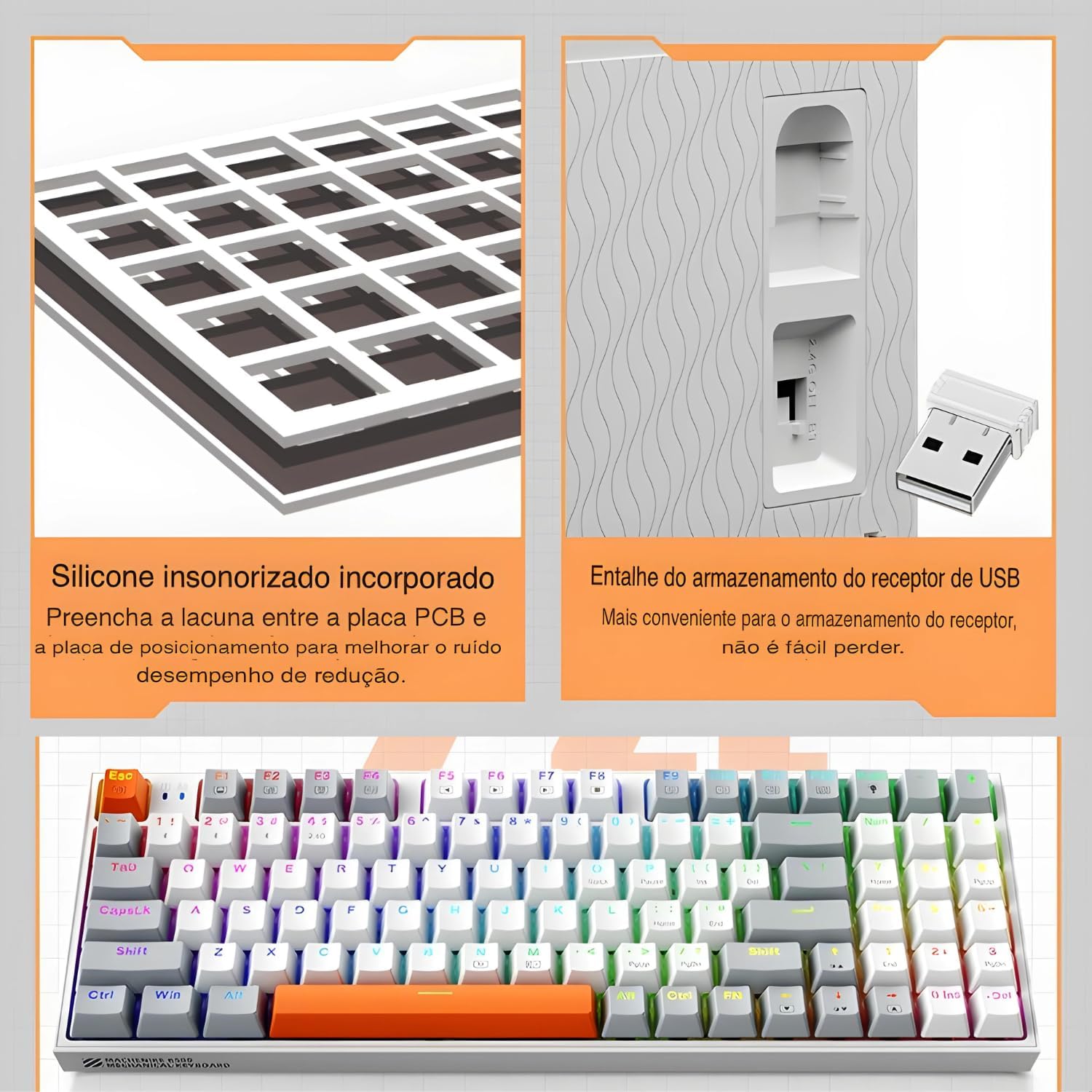
The keyboard features a silicone sound damping pad and a convenient storage slot for the 2.4G USB receiver.
2.2.3 Bluetooth mòd
- Switch the keyboard's mode selector to Bluetooth mode.
- Sou òdinatè w la oswa aparèy ou an, aktive Bluetooth epi chèche nouvo aparèy.
- Select "Machenike K500W" from the list of available devices to pair.
- If prompted, enter the pairing code displayed on your screen.

The Machenike K500W supports tri-mode connectivity, allowing connection to multiple devices like PCs, laptops, and smartphones.
3. Operasyon Enstriksyon
3.1 Aranjman ak Fonksyon Kle yo
The K500W features a compact 94-key layout, providing essential keys while saving desk space. Familiarize yourself with the key positions, especially the function (Fn) key combinations for multimedia and lighting controls.
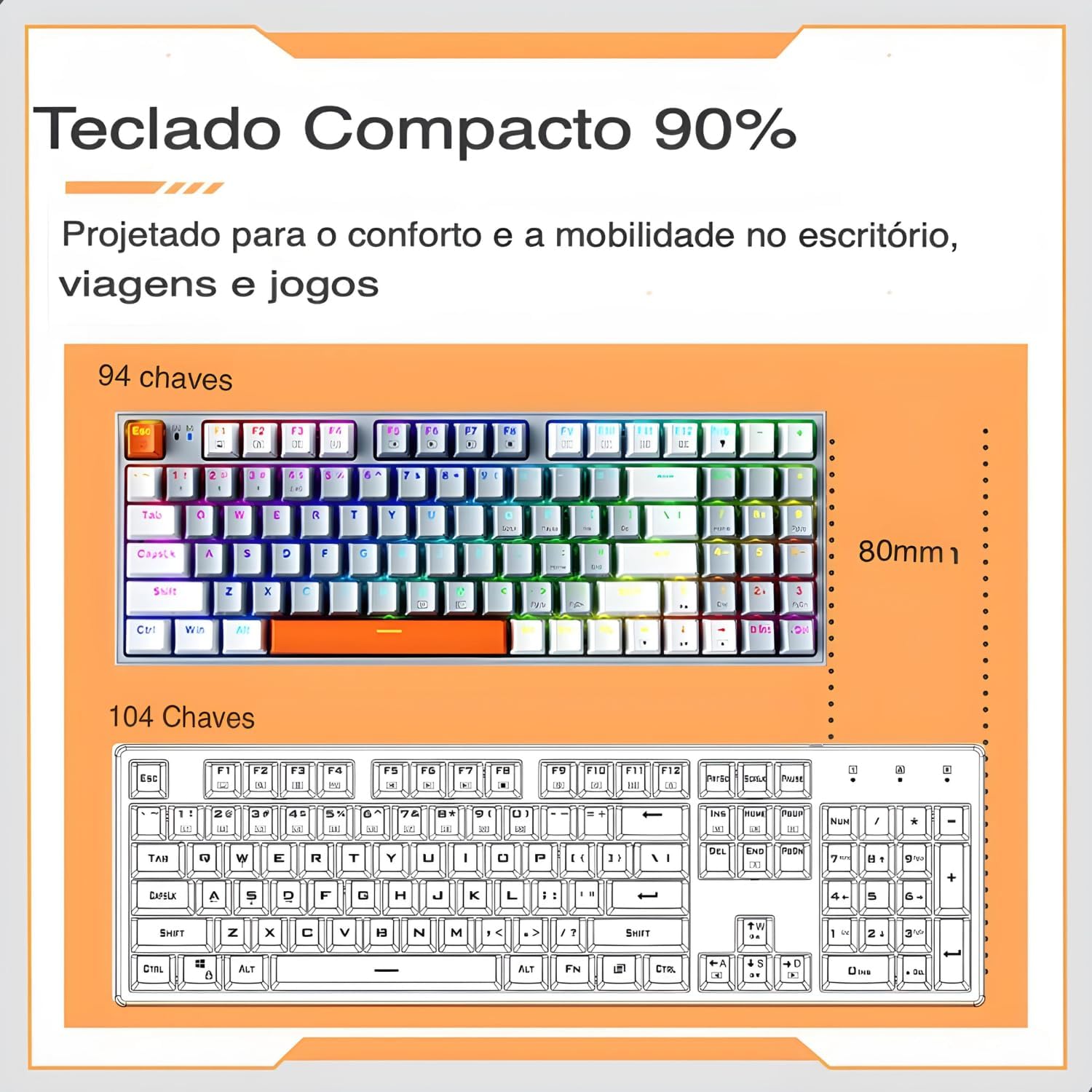
The 94-key compact layout offers more space for mouse movement compared to a 104-key keyboard.
3.2 RGB ekleraj
The keyboard features dynamic RGB backlighting with 20 lighting effects and approximately 16.8 million programmable colors. Use the dedicated function keys (often combined with the Fn key) to cycle through lighting modes, adjust brightness, and change speed.
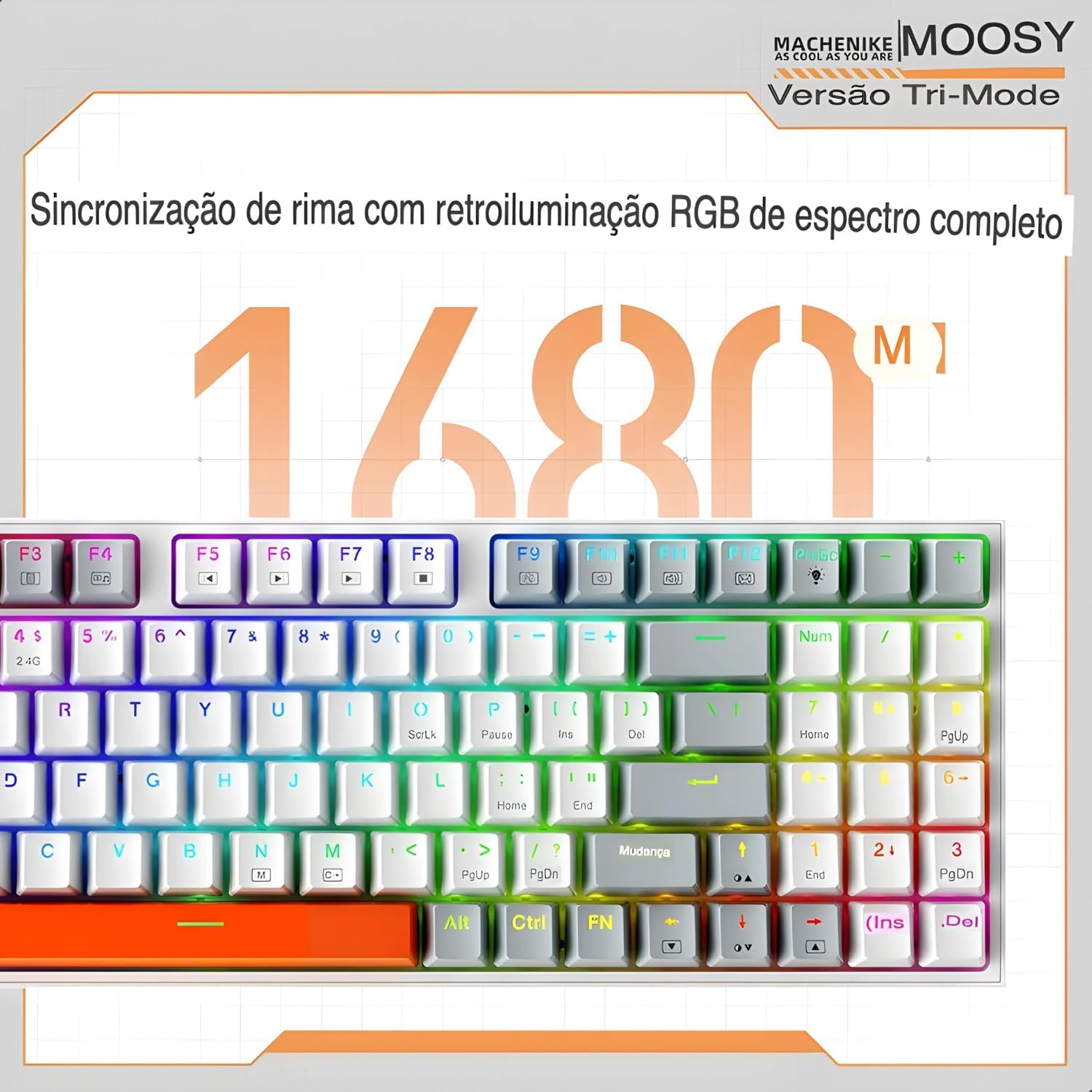
Experience full-spectrum RGB backlighting with 16.8 million colors and various dynamic effects.
3.3 Switch ki ka ranplase a cho
The K500W allows you to easily change mechanical switches without soldering. This feature enables customization of your typing experience. Use the included switch puller to remove existing switches and insert new 3-pin or 5-pin compatible switches.

The hot-swap feature allows for easy installation and replacement of mechanical switches.
3.4 Programmable Driver Software
For advanced customization, download and install the Machenike K500W programmable driver software. This software allows you to remap keys, create macros, and fine-tune RGB lighting effects to your preference.
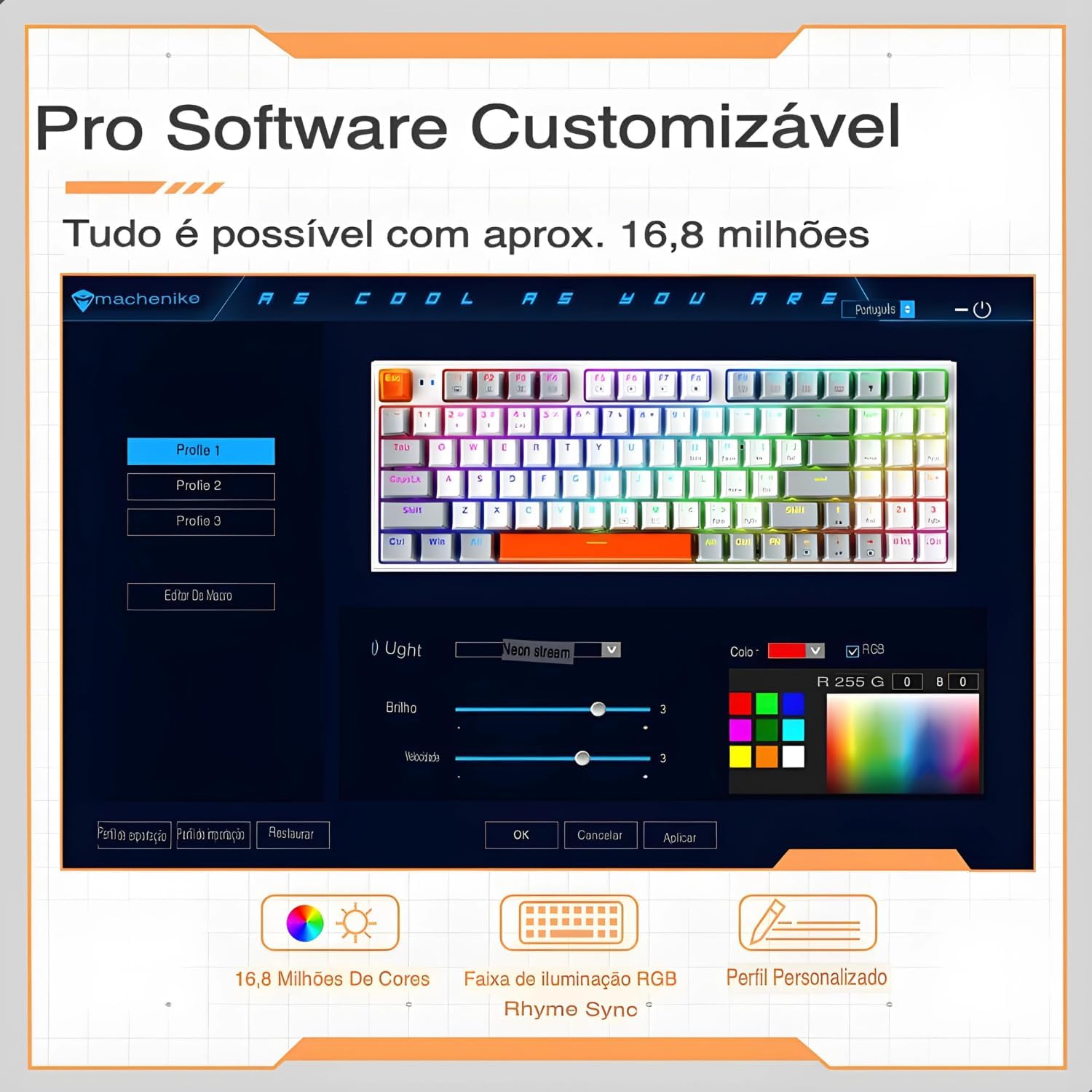
The professional software allows for customizable RGB lighting, macro creation, and personalized profiles.
4. Antretyen
Bon antretyen asire lonjevite ak pèfòmans optimal klavye ou a.
- Evite devèsman: Keep liquids away from your mechanical keyboard, as spills can damage the internal circuits.
- Gentle Disconnection: When disconnecting the cable, always pull the plug, not the cable itself, to prevent damage.
- Netwayaj regilye: Dust and debris can accumulate and affect performance. Regularly clean your keyboard using compressed air and a soft cloth. For keycaps, you can remove them for a deeper clean.
- Pwoteje konektè USB a: When not in use, disconnect and store the keyboard properly to protect the USB connector from damage.
- Mizajou lojisyèl: Keep the keyboard's software and drivers updated to ensure optimal performance and access to new features.
- Evite gout: While mechanical keyboards are durable, severe impacts can still cause damage. Handle with care.
NAN. Depanaj
If you encounter issues with your Machenike K500W keyboard, refer to the following troubleshooting steps:
5.1 Connectivity Issues (Bluetooth or 2.4G Wireless)
- Adaptè Bluetooth: Use a reputable brand Bluetooth adapter. Other adapters may cause compatibility issues. Refer to your adapter's instructions for installation details.
- Aktivasyon Bluetooth: Before connecting, ensure your computer's Bluetooth adapter is correctly installed and Bluetooth is enabled.
- Re-paire: If you cannot connect, disable or delete the existing keyboard connection from your device's Bluetooth settings, then re-pair according to the setup instructions.
- Device Change: If your computer's Bluetooth device has changed, you must re-pair the keyboard.
- Entèferans: If your computer's Bluetooth is connected to other devices, check if the Bluetooth speed is adequate or if there's interference.
- 2.4G Anomaly: For 2.4G mode issues, re-pair the keyboard and device by removing the 2.4G receiver and inserting it into another valid USB port.
- Ranje operasyon: Ensure the keyboard is used within a 10-meter working range from the receiver/device.
5.2 Endikasyon Low Battery
If the keyboard shows a low battery indication, connect it to a USB power source using the provided cable to charge it. Refer to section 2.1 for initial charging instructions.
6. Espesifikasyon
| Karakteristik | Detay |
|---|---|
| Mak | Machenike |
| Nimewo Modèl | K500W |
| Koneksyon Teknoloji | Bluetooth 5.0, 2.4G Wireless, Wired (USB-C) |
| Deskripsyon klavye | Mekanik |
| Kantite kle | 94 kle |
| Chanje Kalite | Chanjman cho (konpatib ak 3/5 broch) |
| Materyèl Keycap | PBT Doubleshot Plastic |
| Sipò pou ekleraj | RGB (20 modes, 16.8 million colors) |
| Kapasite batri | 2500mAh ityòm batri |
| Aparèy konpatib | PC, Laptop, tablèt |
| Dimansyon | 36 x 13 x 5 cm (apeprè) |
| Karakteristik espesyal | Anti-ghosting, N-key rollover, Programmable, Sound Damping pad |

Plis paseview of the Machenike K500W's main features and specifications.
7. Garanti ak sipò
7.1 Enfòmasyon sou Garanti
Pwodwi sa a vini ak yon 90-jou garanti from the date of purchase. The warranty covers manufacturing defects and malfunctions under normal use. It does not cover damage caused by misuse, accidents, unauthorized modifications, or normal wear and tear.
7.2 Sipò pou Kliyan
For technical assistance, warranty claims, or any questions regarding your Machenike K500W keyboard, please contact the seller or manufacturer's customer support. Refer to your purchase documentation for contact details.