
1. Entwodiksyon
Thank you for choosing the LanLuk 200W GaN IV 8-Port USB-C Charging Station. This device is designed to provide efficient and safe charging for a wide range of electronic devices, including laptops, smartphones, tablets, and more. Please read this manual carefully before use to ensure proper operation and to maximize the lifespan of your product.
2. Enstriksyon Sekirite
- Pa ekspoze aparèy la nan dlo, imidite, oswa tanperati ekstrèm.
- Evite jete oswa sibi aparèy la nan gwo enpak.
- Do not disassemble, modify, or attempt to repair the device yourself. This will void the warranty and may cause damage or injury.
- Itilize sèlman kòd pouvwa yo bay la.
- Ensure proper ventilation around the charging station during use to prevent overheating.
- Kenbe soti nan atenn timoun yo.
- Unplug the charging station from the power outlet when not in use or during electrical storms.
3. Pake kontni
Verifye ke tout atik yo prezan nan pakè ou a:
- 1 x LanLuk 200W 8-in-1 USB-C Charging Station
- 1 x pouvwa kòd
- 1 x manyèl enstriksyon
4. Pwodwi souview
The LanLuk 200W GaN IV 8-Port USB-C Charging Station features advanced GaN IV technology for higher energy efficiency, upgraded heat dissipation, and a compact design. It provides a total of 200W power output across 8 ports, allowing you to charge multiple devices simultaneously.
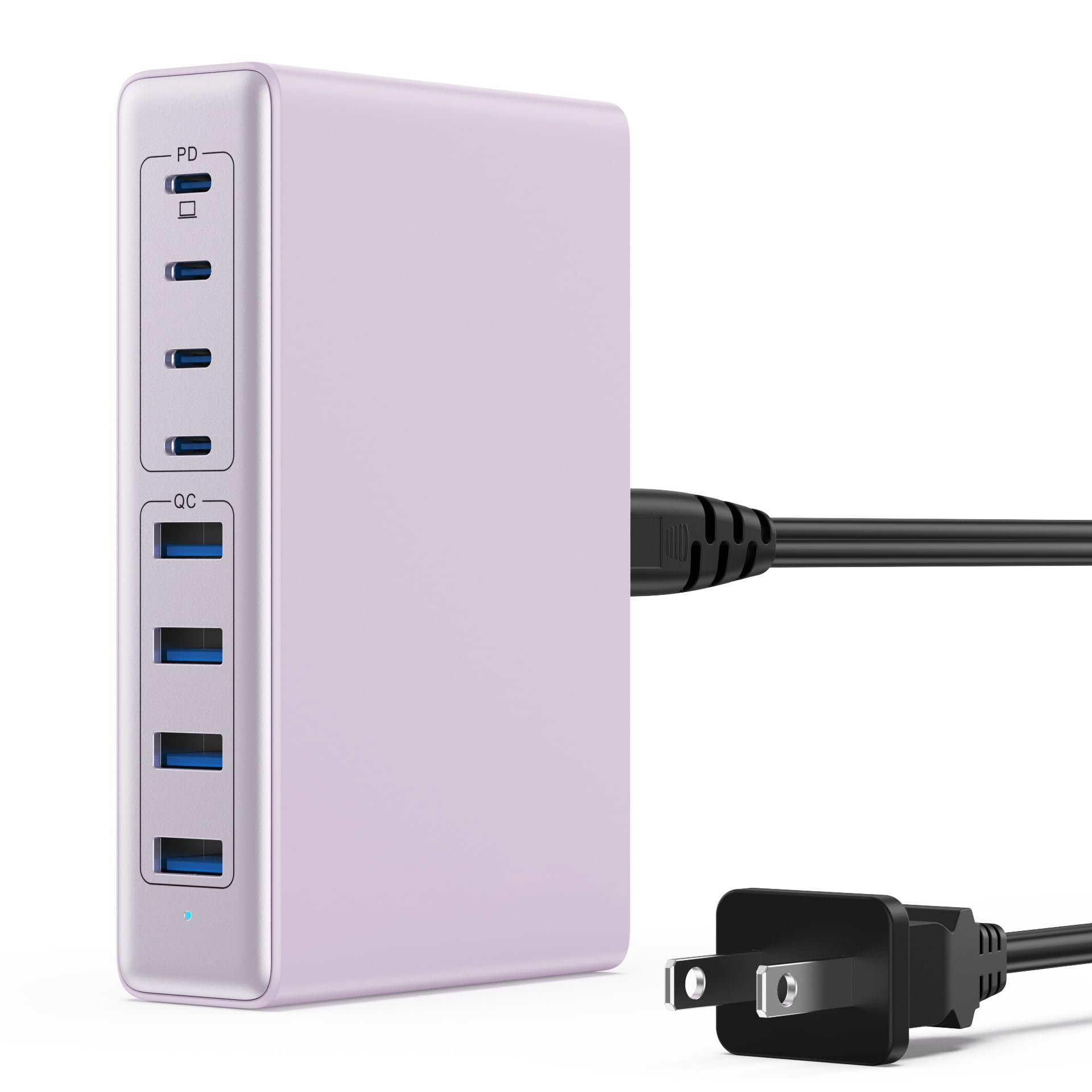
Image: The LanLuk 200W GaN IV 8-Port USB-C Charging Station in purple.
Karakteristik kle:
- GaN IV Technology: Utilizes the latest Gallium Nitride (GaN) IV chip for enhanced efficiency, reduced heat, and a smaller form factor.
- 200W Pwisans Total Sòti: Delivers optimal power to charge up to 8 devices simultaneously at full speed.
- 8 pò chaje: Includes 4 USB-C ports (PD 3.0) and 4 USB-A ports (QC 4.0) for broad compatibility.
- 65W pouvwa livrezon (PD): One dedicated USB-C port provides up to 65W, capable of fast-charging laptops like MacBook Pro/Air, Dell XPS, and more.
- Multi-Protection Safety System: Built-in intelligent IC with six safety protections: over-voltage, over-current, over-charge, over-temperature, static electricity, and short circuit.
- Inivèsèl konpatibilite: Supports a wide range of devices including iPhones, iPads, Android phones, laptops, gaming consoles (Steam Deck, Nintendo Switch), smartwatches, and headphones.
- Konsepsyon pòtab: Compact size (approximately 5 inches by 3 inches) with a 1.5M/5FT AC extension power cord for flexible placement.
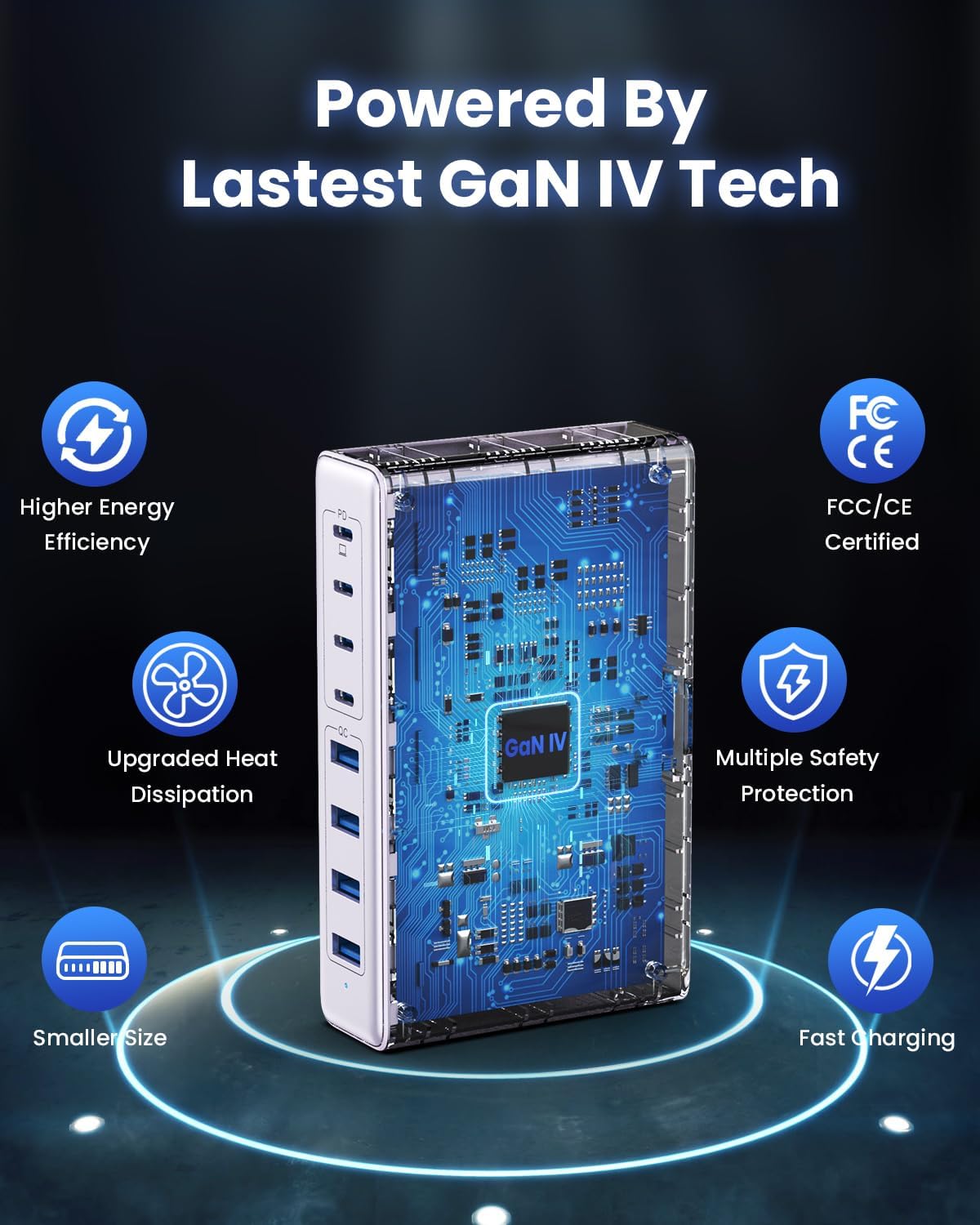
Image: Diagram illustrating the benefits of GaN IV technology, including higher energy efficiency, upgraded heat dissipation, smaller size, multiple safety protections, and fast charging.

Image: Visual representation of the charging station connecting to 8 different devices (4 USB-C, 4 USB-A).

Image: Infographic showing the universal compatibility with laptops/tablets (MacBook Pro, Dell XPS, iPad Pro), smartphones (iPhone, Samsung Galaxy, Google Pixel), and gaming devices/others (ROG ALLY, Steam Deck, AirPods, Switch).

Image: Illustration highlighting the USB-C1 port's 65W output, perfect for laptops, showing a MacBook charging.
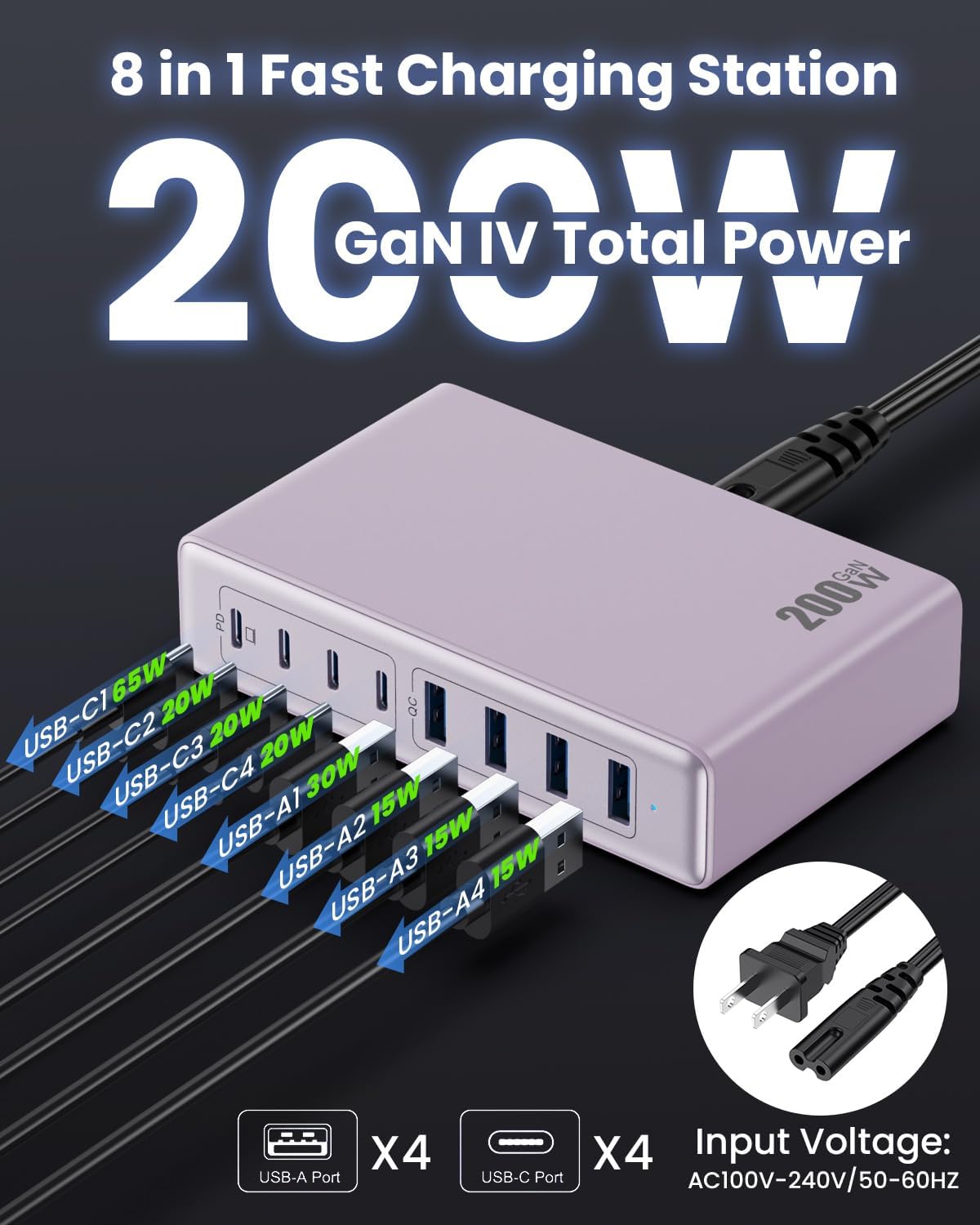
Imaj: Detaye view of the charging station's ports and their individual power outputs (USB-C1 65W, USB-C2 20W, USB-C3 20W, USB-C4 20W, USB-A1 15W, USB-A2 15W, USB-A3 15W, USB-A4 15W).

Image: Comparison chart showing the LanLuk charger's advantages over other chargers in terms of total max output, one port output, number of ports, devices charged, portability, and sustainability.
5. Enstalasyon
- Dekonpoze: Retire estasyon chaje a ak tout akseswa yo nan anbalaj la avèk anpil atansyon.
- Konekte fil elektrik: Insert the included power cord into the AC input port on the back of the charging station.
- Ploge nan priz: Plug the other end of the power cord into a standard AC wall outlet (100-240V, 50/60Hz).
- Pare pou itilize: The charging station is now ready to charge your devices.
6. Operasyon Enstriksyon
- Identify Port Type: Determine whether your device requires a USB-C or USB-A connection.
- Konekte aparèy: Plug your device's charging cable into the appropriate port on the charging station. For optimal laptop charging, use the 65W PD USB-C1 port.
- Kòmanse chaje: Your device should begin charging automatically. The intelligent chip will identify the device and deliver the optimal charging current.
- Siveye chaje: Some devices may display a charging indicator.
- Dekonekte: Once charging is complete, safely disconnect your device from the charging station.
7. Espesifikasyon
| Karakteristik | Deskripsyon |
|---|---|
| Mak | LanLuk |
| Nimewo Modèl | HX-P21 |
| Wattage | 200 Watt (Total) |
| Total pò USB | 8 (4 USB-C, 4 USB-A) |
| USB-C Sòti | PD USB C (up to 65W on one port) |
| USB-A Sòti | QC4.0 USB-A |
| Antre Voltage | 100-240 Volts (AC), 50-60 Hz |
| Sòti aktyèl | 4 Amps (Max) |
| Materyèl | Plastic (ABS and PC fireproof materials) |
| Karakteristik espesyal | GaN IV Technology, Fast Charging, Lightweight Design, Charging Indicator, Universal Compatibility, Short Circuit Protection |
| Dimansyon | Approximately 5 inches x 3 inches (portable) |
| Sous pouvwa | Fil elektrik |
NAN. Depanaj
- Aparèy pa chaje:
- Asire w ke estasyon chaje a byen branche nan yon priz kouran ki aktif.
- Check if the charging cable is securely connected to both the charging station and your device.
- Try a different charging cable or port to rule out a faulty cable or port.
- Verify your device is compatible with the charging station's output specifications.
- Chaje dousman:
- Ensure you are using a fast-charging compatible cable for your device.
- For laptops, use the dedicated 65W PD USB-C1 port.
- Charging multiple devices simultaneously may distribute the total power, potentially reducing individual port speeds.
- Check if your device supports fast charging protocols (PD, QC).
- Surchof:
- Asire w ke estasyon chaje a gen bon vantilasyon epi li pa kouvri.
- If excessive heat persists, discontinue use and contact customer support.
9. Antretyen
- Netwayaj: Dekonekte estasyon chaje a nan priz kouran an anvan ou netwaye li. Sèvi ak yon twal mou epi sèk pou siye sifas la. Pa sèvi ak pwodui netwayaj likid oswa ayewosòl.
- Depo: Sere aparèy la nan yon kote ki fre, sèk lwen limyè solèy la dirèk ak imidite lè li pa itilize.
- Swen kab: Avoid bending or crimping charging cables excessively to prevent damage.
10. Garanti ak sipò
LanLuk provides a 3-ane garanti for free replacement. If you encounter any issues or have questions regarding your product, please contact our customer support team for assistance.
Sipò Kliyan: Please refer to the contact information provided on the product packaging or our official websit pou sipò.