
Prolink DS-3106-CCL
Prolink DS-3106 3MP Home Security Camera User Manual
Model: DS-3106-CCL
Entwodiksyon
The Prolink DS-3106 3MP Full HD Pan/Tilt/Zoom Smart Home Security Camera is designed to provide comprehensive indoor monitoring. Featuring a 110-degree wide-angle lens and 10-meter night vision, this AI-enabled camera ensures the safety of your household. It also includes a built-in microphone and speaker for two-way communication, allowing you to interact with occupants remotely.

Image: Prolink DS-3106 Home Security Camera with companion mobile application interface.
Ki sa ki andedan bwat la
Verify that all components are present in the packaging before proceeding with installation.

Image: Contents of the Prolink DS-3106 package.
- Prolink DS-3106 Smart Security Camera
- Mount accessories (mounting kit with screw set)
- Power adapter (5V 1A, UK plug)
- USB cable (Type A to Type-C)
- Gid enstalasyon rapid
Pwodwi souview ak Karakteristik
Deteksyon ki mache ak entèlijans atifisyèl
The camera utilizes smart AI to analyze human contours, enabling faster detection and delivering timely notifications upon detection of activity within its field of view.

Image: Smart AI Detection and Notification feature highlighting human contour analysis.
Full HD 3MP Resolution
Capture every detail in Full HD with 3-megapixel resolution. The camera incorporates Wide Dynamic Range (WDR) image enhancement for clearer visuals.

Image: Comparison of 3MP Full HD resolution versus 2MP, demonstrating enhanced detail.
Klè Vizyon lannwit
The DS-3106 provides clear night vision with a visual distance of up to 10 meters in low light conditions, ensuring continuous monitoring even in darkness.

Image: Night vision capability comparison, showing superior clarity of the Prolink DS-3106.
Pan-Tilt-Zoom (PTZ) Functionality
Achieve wide-range coverage with 360-degree pan and 110-degree tilt capabilities. The camera also features 6X digital zoom and can be mounted on ceilings or walls to eliminate blind spots.

Image: Pan-Tilt-Zoom functionality and wide-angle view demonstrasyon.
Wide dinamik Range (WDR)
WDR technology adjusts lighting contrast to minimize shadowing effects and overexposure, rendering images that are true to life, even in challenging lighting conditions.
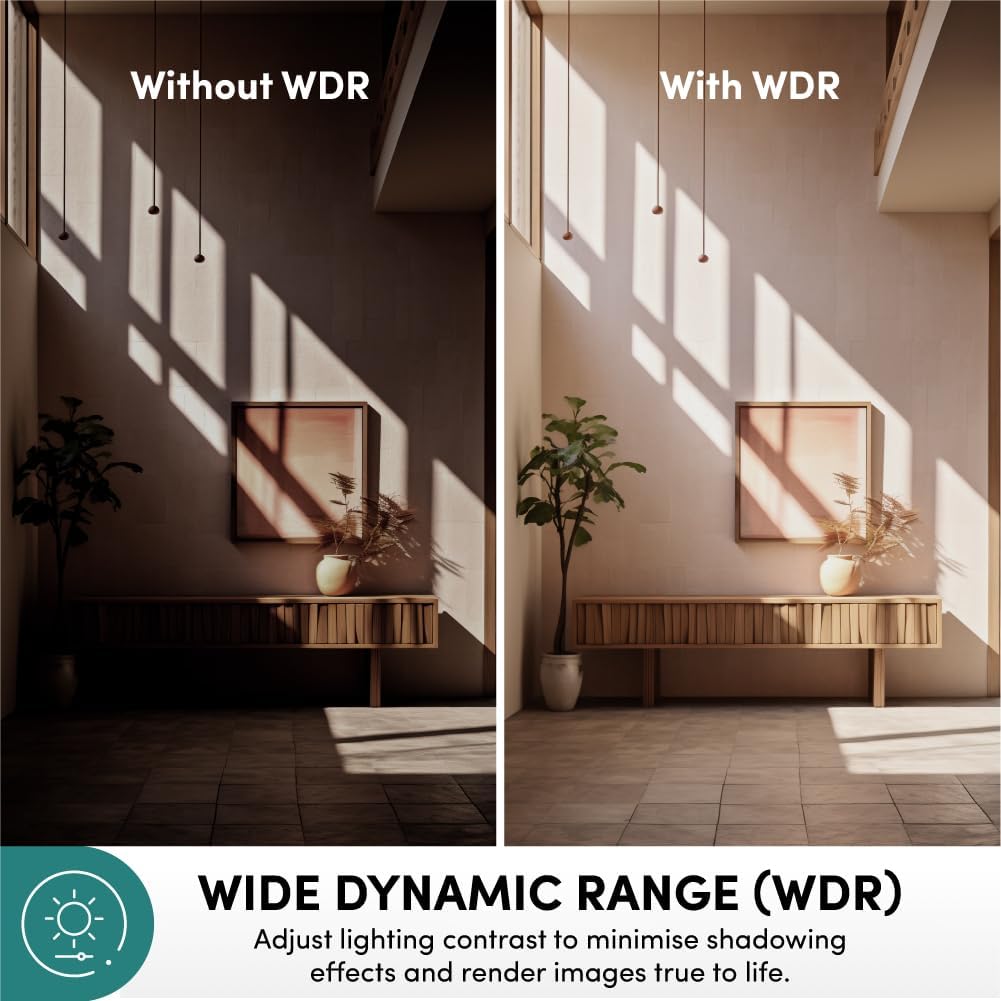
Image: Effect of Wide Dynamic Range (WDR) on image quality.
De-fason kominikasyon
The integrated microphone and speaker enable live view and two-way audio communication, allowing you to speak and listen through the camera via the mobile application.
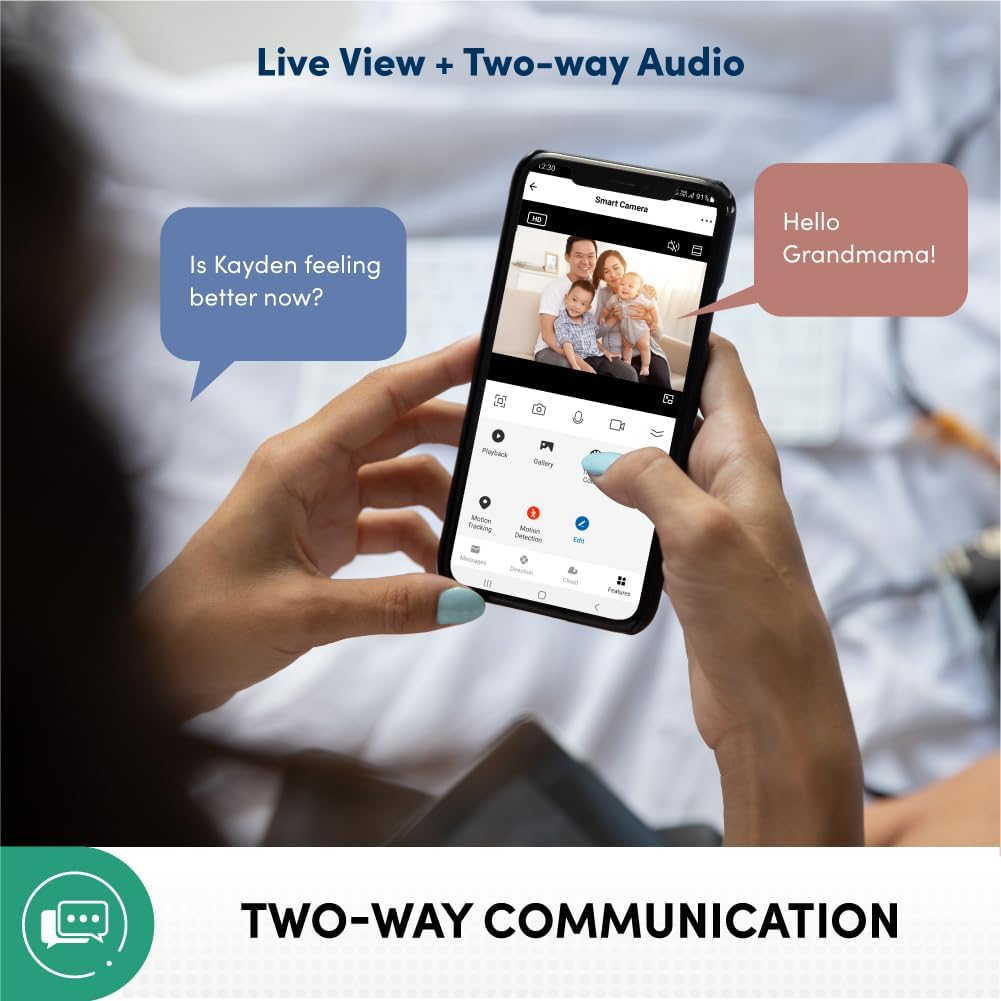
Image: Two-way communication feature via the mobile app.
Privacy Protection and Data Security
Your data and privacy are protected by end-to-end encryption (AES/TLS) to prevent malicious cyber attacks. The system is hosted on Amazon AWS Cloud Server and features 2-layer user login (password/pattern). It is also certified by the Cyber Security Agency of Singapore.

Image: Privacy protection and data security features.
Multiple Recording Methods
The camera supports various recording and storage options, including 3rd party NVR (ONVIF Compatible), optional cloud storage (subscription required), direct recording to smartphone/tablet, and local storage via microSD card up to 512GB (sold separately).

Image: Available recording and storage methods.
Gid Enstalasyon
1. Limen Kamera a
- Connect the provided USB cable to the camera's Type-C port.
- Connect the other end of the USB cable to the 5V 1A power adapter.
- Ploge adaptè pouvwa a nan yon priz elektrik estanda.
- Wait for the camera's indicator light to show it is ready for pairing (refer to the Quick Installation Guide for specific light patterns).
2. Mobile Application Installation and Pairing
- Download the official Prolink Smart Home application from your device's app store (available for Android and iOS).
- Open the application and create a new account or log in if you already have one.
- Swiv enstriksyon ki nan aplikasyon an pou ajoute yon nouvo aparèy. Sa anjeneral enplike eskane yon kòd QR sou kamera a oswa chwazi modèl kamera a manyèlman.
- Ensure your mobile device is connected to a 2.4GHz Wi-Fi network during the pairing process.
- Once connected, you will be able to view the live feed and access camera settings.
3. Enstalasyon Kamera a (Si ou vle)
The camera can be placed on a flat surface or mounted on a wall/ceiling using the included mounting kit.
- Chwazi yon kote ki apwopriye pou pi bon rezilta yo viewkouvèti asirans lan.
- Use the mounting bracket as a template to mark screw holes on the desired surface.
- Fè twou gid epi mete lank miray si sa nesesè.
- Fikse sipò montaj la sou sifas la avèk vis yo bay yo.
- Attach the camera to the mounting bracket, ensuring it is securely locked in place.
Enstriksyon Operasyon
Viv View ak Siveyans
- Open the Prolink Smart Home app on your smartphone or tablet.
- Select the DS-3106 camera from your device list to access the live video feed.
- Use the on-screen controls to pan (rotate horizontally) and tilt (rotate vertically) the camera lens for a full 360-degree view.
- Pinch to zoom in or out on the live feed to utilize the 6X digital zoom.
De-fason kominikasyon Audio
- Pandan w ap viv la view, tape ikòn mikwofòn nan pou aktive odyo bidireksyonèl la.
- Speak into your mobile device's microphone to transmit your voice through the camera's speaker.
- The camera's built-in microphone will pick up audio from the camera's environment, which will be played through your mobile device's speaker.
Anrejistreman ak lèktur
- Local Storage (microSD card): Insert a microSD card (up to 512GB, sold separately) into the camera's card slot. Configure recording settings (e.g., continuous, motion-triggered) via the app.
- Depo nwaj: If subscribed to cloud storage, recordings will automatically upload to the cloud based on your settings.
- Lektur: Aksè anrejistre footage through the "Playback" or "Gallery" section in the Prolink Smart Home app. Select the date and time to review evènman yo.
Deteksyon Mouvman ak Alèt
- Enable motion detection in the camera settings within the app.
- Adjust sensitivity levels and define detection zones as needed.
- Receive instant push notifications on your mobile device when motion is detected.
Antretyen
- Netwayaj: Siye lantiy kamera a ak kò a dousman avèk yon twal mou epi sèk. Evite itilize pwodui chimik ki agresif oswa materyèl abrazif ki ka domaje sifas la oswa lantiy la.
- Mizajou mikrolojisyèl: Regularly check for and install firmware updates through the Prolink Smart Home app to ensure optimal performance, security, and access to new features.
- Plasman: Asire w ke kamera a mete nan yon kote ki stab, lwen limyè solèy dirèk, tanperati ekstrèm, ak imidite ki wo.
- Estabilite rezo: Maintain a stable Wi-Fi connection for uninterrupted monitoring and recording.
Depanaj
| Pwoblèm | Kòz posib | Solisyon |
|---|---|---|
| Kamera pa limen | Pwoblèm adaptè kouran oswa kab; pwoblèm priz kouran. | Check power connections. Try a different outlet. Ensure the power adapter is functioning correctly. |
| Pa ka konekte ak Wi-Fi | Modpas Wi-Fi ki pa kòrèk; kamera a twò lwen routeur la; rezo Wi-Fi 5GHz. | Verify Wi-Fi password. Move camera closer to router. Ensure you are connecting to a 2.4GHz Wi-Fi network. Reset camera and try pairing again. |
| Pa gen okenn videyo an dirèk | Internet connection issue; camera offline; app glitch. | Check your internet connection. Restart the camera. Close and reopen the Prolink Smart Home app. |
| Deteksyon mouvman pa travay | Feature disabled; sensitivity too low; incorrect detection zone. | Aktive deteksyon mouvman nan paramèt aplikasyon an. Ogmante sansiblite. Ajiste zòn deteksyon yo. |
| De-fason odyo pa fonksyone | Microphone/speaker muted in app; volume too low; network latency. | Check audio settings in the app. Increase volume on your mobile device. Ensure stable network connection. |
Espesifikasyon
| Karakteristik | Detay |
|---|---|
| Nimewo Modèl | DS-3106-CCL |
| Rezolisyon Capture Videyo | 3 MP (2304 effective resolution) |
| Koulè | Chabon |
| Dimansyon (L x W x H) | 7.5 x 7.5 x 11.3 cm |
| Pwa | 186 g |
| Viewing Ang | 110 Degrees (wide-angle lens) |
| Pan / Panche Range | Pan: 360 Degrees, Tilt: 110 Degrees |
| Zoom dijital | 6X |
| Vizyon lannwit Range | Jiska 10 mèt |
| Koneksyon Teknoloji | Wi-Fi (2.4GHz) |
| Karakteristik espesyal | AI-Powered Detection, 2-Way Audio, Wide Dynamic Range (WDR), Privacy Protection (AES/TLS Encryption) |
| Opsyon Depo | microSD card (up to 512GB), Cloud Storage (optional), 3rd Party NVR (ONVIF Compatible) |
| Sous pouvwa | Elektrik ak fil (5V 1A) |
| Kalite enstalasyon | Freestanding, Wall Mount, Ceiling Mount |
| Andedan kay la / Deyò Itilizasyon | Andedan kay la |
| Kalite kontwolè | Android, iOS (via Prolink Smart Home App) |
Garanti ak sipò
For warranty information, technical support, or service inquiries, please refer to the official Prolink website or contact Prolink customer service directly. Details can typically be found in the Quick Installation Guide included with your product or on the manufacturer's official support pages.
Manifakti: Prolink
Vandè: Prolink Official (via Amazon.sg)
Règleman retounen: 15 days (refund/replacement) as per Amazon.sg policy.
Ask a question about this manual
Ask about setup, troubleshooting, compatibility, parts, safety, or missing instructions. Manuals+ will review the question and use this page’s manual context to help answer it.