
Segway BTX1000
Segway Cube 1000 Power Station User Manual
Modèl: BTX1000
1. Entwodiksyon
This manual provides essential information for the safe and efficient operation of your Segway Cube 1000 Power Station. The Segway Cube 1000 is a high-performance portable power solution designed for various applications, including camping, home backup, and outdoor work. It features a 2200W AC output, expandable capacity up to 5kWh with additional battery packs, and compatibility with a 200W portable solar panel charger.
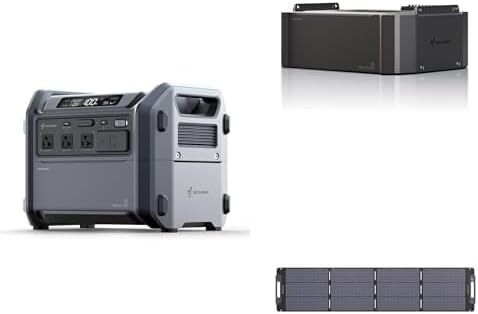
Image 1.1: The Segway Cube 1000 Power Station (left), an expansion battery pack (top right), and a portable solar panel (bottom right).
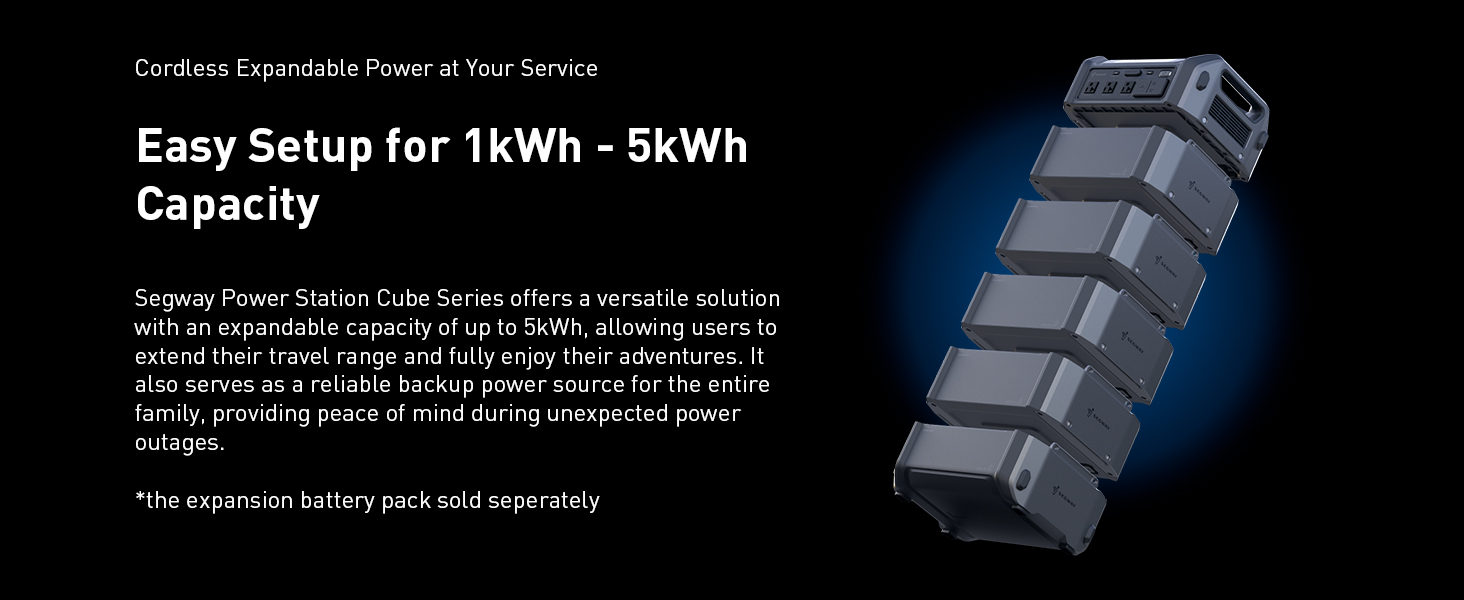
Image 1.2: Key features of the Segway Cube 1000 series, including 1kWh base capacity, 1250W fast charging, expandable battery up to 5kWh, durable LiFePO4 battery (4000+ cycles), 5-year warranty, and IP56 rating for the battery pack.
2. Enfòmasyon sou Sekirite
Read all safety warnings and instructions before using the product. Failure to follow the warnings and instructions may result in electric shock, fire, and/or serious injury.
Prekosyon Sekirite Jeneral
- Pa demont, repare, oswa modifye inite a.
- Do not place the unit near fire or expose it to heat.
- Do not expose the unit to direct sunlight for prolonged periods.
- Pa sèvi ak oswa sere aparèy la nan yon twalèt oswa nan yon zòn ki ekspoze a dlo oswa lapli.
- Sèvi ak sèlman câbles ak akseswa orijinal oswa sètifye.
- Kenbe aparèy la lwen timoun ak bèt kay.
- Asire bon vantilasyon pandan w ap itilize pou anpeche surchof.
- Pa mete objè etranje nan pò yo oswa ouvèti yo.
Sekirite batri
The Segway Cube 1000 uses a LiFePO4 battery, known for its durability and safety. However, proper handling is still crucial.
- Do not puncture, strike, or drop the battery pack.
- If the battery pack shows signs of damage, swelling, or leakage, discontinue use immediately and contact support.
- The battery pack has an IP56 rating, indicating protection against dust and strong jets of water. However, it is not designed for submersion.

Image 2.1: The Segway Cube power station features an IP56 protection rating, ensuring reliable performance in wet and rainy environments.

Image 2.2: The Battery Management System (BMS) provides 10 protection mechanisms for enhanced safety and longevity.
3. Enstalasyon
Debalaj ak premye enspeksyon
Carefully remove all components from the packaging. Inspect the power station, expansion battery packs (if purchased), and solar panel for any signs of damage. If any damage is found, do not use the product and contact customer support.
Inisyal chaje
Before first use, fully charge the Segway Cube 1000 Power Station. Connect the included charging cable to a standard AC wall outlet. The display will indicate the charging status. A full charge typically takes approximately 1.2 hours.
Connecting Expansion Battery Packs
The Segway Cube 1000 can be expanded with additional 1kWh battery packs (sold separately) to increase its total capacity up to 5kWh. To connect, align the expansion battery pack with the main unit and stack them securely. The system will automatically recognize the added capacity.

Image 3.1: The Segway Cube Series allows for easy setup and expansion of capacity from 1kWh up to 5kWh by stacking additional cordless battery units.
Konekte panèl solè a
To charge the power station using the 200W portable solar panel, connect the solar panel to the designated input port on the Segway Cube 1000. Position the solar panel in direct sunlight. Use the integrated Solar Angle Guide to optimize the panel's orientation for maximum charging efficiency.
4. Operasyon Enstriksyon
Limen / Off
Press and hold the main power button to turn the unit on or off. The display screen will illuminate, showing battery level, output wattage, ak lòt enfòmasyon ki enpòtan.
Using AC/DC Outputs
Connect your devices to the appropriate AC outlets or DC ports (USB-A, USB-C, 12V car port). Press the respective AC or DC power buttons to activate the outputs. The Segway Cube 1000 provides a 2200W AC output, suitable for most home appliances.

Image 4.1: The Cube Series offers a 2200W AC powerful output, expandable to 4400W with the R-Drive function for resistive devices.
Chaje inite a
The power station can be recharged via AC wall outlet, solar panel, or car charger.
- Chaje AC: Connect the charging cable to a wall outlet for up to 1250W input, allowing a full recharge in approximately 1.2 hours.
- Solè chaje: Connect the 200W solar panel for up to 800W DC input. The Maximum Power Point Tracking (MPPT) function ensures up to 97% conversion efficiency.
- Chaje machin: Use a compatible car charger (sold separately) to recharge the unit from your vehicle's 12V outlet.

Image 4.2: Super fast recharging options include 1250W AC (wall outlet) and 800W solar charging with MPPT for high efficiency.
R-Drive Function
The R-Drive function allows the Segway Cube 1000 to power appliances with power consumption up to 4400W, exceeding its nominal 2200W output. This function is particularly suitable for resistive devices and appliances with low sensitivity, such as electric kettles, hair dryers, electric cookers, and electric ovens. It intelligently adjusts the output to safely handle higher loads.
Fonksyon UPS (Alimantasyon san Enteripsyon)
When connected to an AC wall outlet and simultaneously powering devices, the Segway Cube 1000 acts as an Uninterruptible Power Supply (UPS). In the event of a power outage, the unit swiftly activates, delivering stored power in just 0.03 seconds, ensuring continuous operation for connected devices.

Image 4.3: The UPS function with a 0.03-second switch time makes the Segway Cube a smart choice for home power backup.
Using the Segway Smart App
The Segway Cube 1000 can be controlled and monitored via the Segway-Ninebot App. Download the app from your device's app store. Connect the power station via Bluetooth to your smartphone. The app allows you to:
- Monitor power status and work status in real-time.
- Control output and input functions.
- Manage power flow.

Image 4.4: Stay in control with the Segway Smart App, offering full control and monitoring from your fingertips.
Example ka itilize
- Emergency Car Battery Charging: The unit can detect a car battery and recharge it with stabilized voltage ak aktyèl. Note: For charge only, cannot be used for jump-start. Charge cable sold separately.

Image 4.5: The Segway Cube can charge your car battery for emergencies.
- Home Power Backup: With up to 5kWh expandable capacity, the Cube Series can power essential home appliances during outages, utilizing its R-Drive and UPS functions.
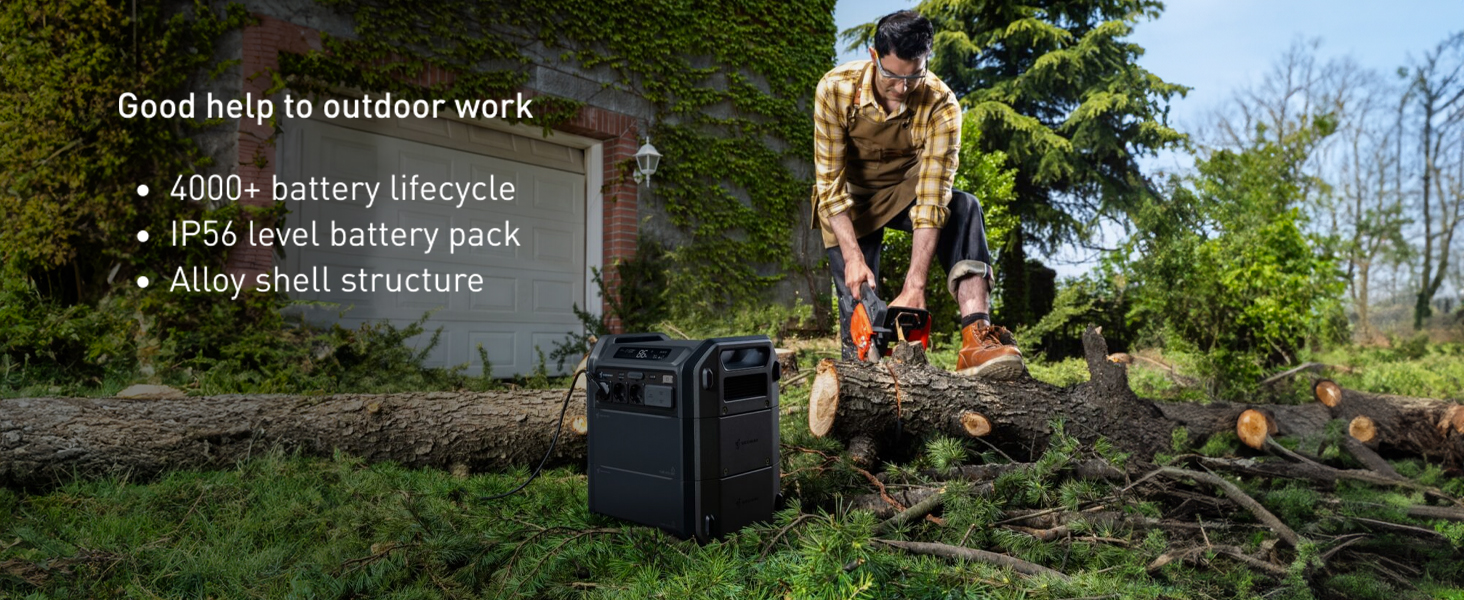
Image 4.6: No worry about power outages with the Segway Cube's expandable capacity, R-Drive, and UPS functions.
- Outdoor Work: Its robust build and high power output make it suitable for powering tools for outdoor tasks.

Image 4.7: The Segway Cube is a good help for outdoor work, featuring 4000+ battery lifecycle, IP56 rating, and alloy shell structure.
- RV Life: Provides reliable power for extended periods, with efficient solar charging capabilities.

Image 4.8: Enjoy no power limits on RV life with MPPT solar support and fast charging capabilities.

Imaj 4.9: Egzanpamples of what can be powered with 1kWh capacity.
5. Antretyen
Battery Care and Longevity
The Segway Cube 1000 is equipped with durable LiFePO4 battery cells, designed to last over 4000 cycles. To maximize battery lifespan:
- Evite dechaje batri a nèt souvan.
- Sere aparèy la nan yon kote ki fre epi sèk, lwen limyè solèy dirèk ak tanperati ekstrèm.
- If storing for extended periods, charge the unit to approximately 50-80% every 3-6 months.

Image 5.1: The Segway Cube is powered by self-developed LiFePO4 battery cells, ensuring upgraded safety and endurance with over 4000 cycles.
Netwayaj
Wipe the exterior of the unit with a soft, dry cloth. Do not use abrasive cleaners or solvents. Ensure all ports are free of dust and debris.
Depo
When not in use, store the power station in a well-ventilated area, protected from moisture and extreme temperatures. Disconnect all cables before storing.
NAN. Depanaj
Pwoblèm komen ak solisyon yo
- Aparèy la pa limen:
- Asire w batri a chaje. Konekte l nan yon priz kouran epi eseye limen l.
- Check if the power button is pressed and held sufficiently.
- Pa gen pwodiksyon nan pò yo:
- Ensure the specific AC/DC output button is activated.
- Check if the device connected is within the power station's wattage limit.
- Verify the cable connection to the device.
- Slow charging or not charging:
- For AC charging, ensure the wall outlet is functioning correctly.
- For solar charging, ensure the solar panel is in direct sunlight and properly angled. Check for any obstructions.
- Asire w ke kab chaje a byen konekte ak estasyon kouran an ak sous kouran an.
- Pwoblèm koneksyon aplikasyon an:
- Ensure Bluetooth is enabled on your smartphone and the power station.
- Restart the Segway Cube 1000 and your smartphone.
- Asire w ke aplikasyon an mete ajou ak dènye vèsyon an.
Si pwoblèm yo pèsiste, tanpri al gade seksyon Garanti ak Sipò a pou plis asistans.
7. Espesifikasyon
| Karakteristik | Spesifikasyon |
|---|---|
| Mak | Segway |
| Nimewo Modèl | BTX1000 |
| Wattage (Klasye) | 2200W |
| R-Drive Function Output | Jiska 4400W |
| Sous pouvwa | Mache ak pil, Mache ak enèji solè |
| Itilizasyon Rekòmande | Camping, Komèsyal, Rezidansyèl |
| Kalite batri | LiFePO4 |
| Sik batri | 4000+ |
| Ingress Protection (Battery Pack) | IP56 |
| AC Chaje Antre | Jiska 1250W |
| Antre Chaje Solè | Up to 800W (MPPT) |
| UPS Chanje Tan | 0.03 segonn |
| Plòg pouvwa total | 2 (AC) + USB/DC ports |
| Konpozan ki enkli | Chaje kab |
| Koulè | Gri |
8. Garanti ak sipò
Enfòmasyon sou Garanti
The Segway Cube 1000 Power Station comes with a 5-year warranty. Please retain your proof of purchase for warranty claims. The warranty covers defects in materials and workmanship under normal use.
Sipò pou Kliyan
For technical assistance, troubleshooting not covered in this manual, or warranty inquiries, please contact Segway customer support. Refer to the official Segway websit la pou jwenn enfòmasyon kontak ki pi ajou yo.
Ask a question about this manual
Ask about setup, troubleshooting, compatibility, parts, safety, or missing instructions. Manuals+ will review the question and use this page’s manual context to help answer it.