
1. Introduction and Safety Warnings
Thank you for choosing the Devoko Height Adjustable Desk. This manual provides essential information for the safe assembly, operation, and maintenance of your new desk. Please read it thoroughly before use and retain it for future reference.
Avètisman sekirite:
- Do not exceed the recommended load capacity of 85 kg (static) / 70 kg (dynamic). Overloading can cause damage to the desk and potential injury.
- Use the desk by alternating between sitting and standing positions to avoid health problems associated with prolonged sitting.
- Kenbe timoun ak bèt kay lwen biwo a pandan w ap opere pou evite aksidan.
- Ensure all cables are properly managed and secured to prevent tripping hazards or damage to the motor mechanism.
- Do not place liquids directly on the control panel or motor components.
- If any unusual noise, smell, or malfunction occurs, immediately unplug the desk from the power outlet and contact customer support.
2. Pwodwi souview ak Karakteristik kle yo
The Devoko Height Adjustable Desk is designed to promote a healthier work environment by allowing seamless transitions between sitting and standing positions. It features a robust construction and intelligent functionalities.
Karakteristik kle:
- Konsepsyon Sante-Konsyan: Promotes alternating between sitting and standing to reduce fatigue and improve focus.
- Kalite serye: Industrial-grade steel frame, FSC-certified solid MDF wood tabletop, with a static load capacity of 85 kg and dynamic load capacity of 70 kg.
- Easy Height Adjustment: Electric adjustment with a range of 71 cm to 119 cm.
- Prereglaj memwa: Two programmable memory slots for preferred sitting and standing heights.
- Motè dirab ak trankil: Powerful, energy-efficient motor operating at less than 50 dB, tested for over 10,000 cycles.
- Intelligent Anti-Collision System: Automatically stops and slightly reverses if an obstruction is detected during height adjustment.
- Jesyon kab entegre: Features cable grommets and a foldable cable tray to keep your workspace tidy.
- Lòt Pwodwi pou Telefòn: Includes a free hook for headphones or bags.
Eleman:
The desk consists of a sturdy metal frame, a multi-part tabletop, an electric motor system, a control panel, and various accessories for assembly and cable management.

Figi 2.1: An jeneral view of the Devoko height-adjustable desk in white, showcasing its spacious surface and clean design with multiple monitors, a laptop, keyboard, mouse, and headphones.

Figure 2.2: The desk in a modern office setting, illustrating its intuitive design and key performance metrics: automatic rebound for safety, noise level below 50 dB for quiet operation, and a lifting speed of 22mm/s.

Figi 2.3: Yon imaj detaye view of the desk's control panel, featuring up and down adjustment buttons, two memory preset buttons (1 and 2), and an automatic reset function. It also highlights the intelligent anti-collision system for enhanced safety.

Figure 2.4: An illustration demonstrating the versatile height adjustment range of the desk, from a minimum of 71 cm suitable for sitting to a maximum of 119 cm for comfortable standing.
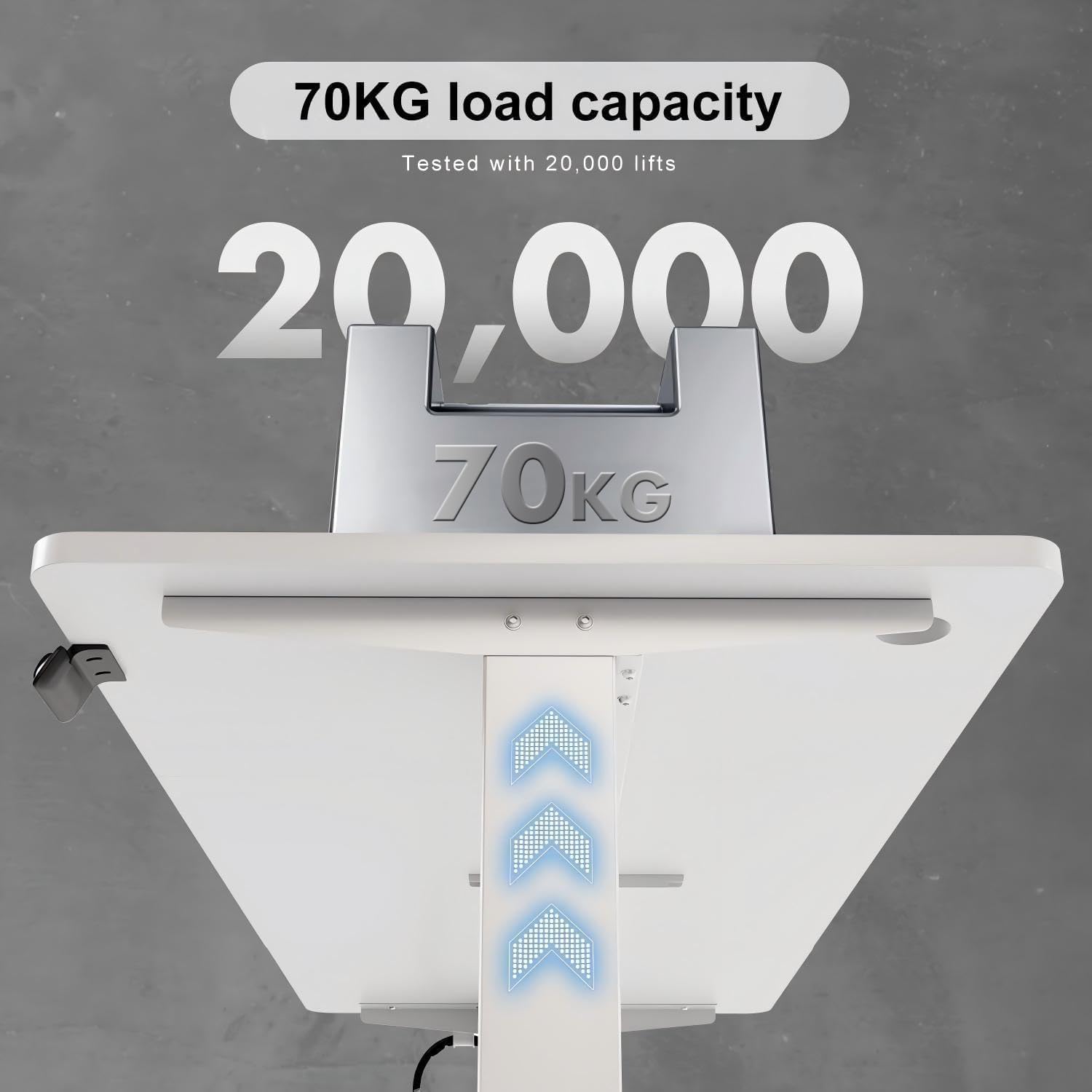
Figure 2.5: Visual representation of the desk's robust construction, indicating a tested load capacity of 70 kg, ensuring stability for various workstation setups.

Figure 2.6: A comparative graphic illustrating the desk's quiet operation, with a noise level below 50 dB, comparable to light rain and significantly quieter than normal conversation or truck noise.
3. Enstalasyon ak Asanble
The Devoko Height Adjustable Desk requires assembly. Please follow the instructions provided in the separate assembly guide included with your product. Ensure all parts are present before beginning assembly.
Etap Asanble Jeneral la:
- Depake tout konpozan yo epi verifye yo avèk lis pyès yo.
- Assemble the desk frame according to the provided diagrams.
- Attach the tabletop sections securely to the frame. Note: The tabletop may come in multiple parts.
- Install the motor and control panel, ensuring all electrical connections are firm.
- Attach the cable tray and any additional accessories like the headphone hook.
- Connect the power cable and perform an initial test of the height adjustment.

Figi 3.1: Yon eksplozyon view showing all components of the height-adjustable desk, including the three-part tabletop, frame elements, motor, and control unit. A warning advises checking the parts list before installation.
4. Operasyon Enstriksyon
Ajisteman wotè:
- To raise the desk, press and hold the UP arrow button on the control panel.
- To lower the desk, press and hold the DESANN arrow button on the control panel.
- Release the button when the desired height is reached.
Prereglaj memwa:
The desk features two memory presets (1 and 2) to store your preferred sitting and standing heights.
- Ajiste biwo a nan wotè ou vle a avèk bouton MONTE/DESANN yo.
- Press and hold the desired memory button (1 or 2) until you hear a beep or see the display flash. This indicates the height has been saved.
- To recall a saved height, simply press the corresponding memory button (1 or 2). The desk will automatically move to the stored position.
Fonksyon Reyajisteman Otomatik:
If the desk encounters an error or needs to be recalibrated, use the automatic reset function.
- Peze epi kenbe la M button (or the button indicated for reset on your control panel, often a combination or specific symbol) until the desk moves to its lowest position and then slightly back up. This completes the reset cycle.
Intelligent Anti-Collision System:
The desk is equipped with an anti-collision system. If the desk encounters an obstruction while moving up or down, it will automatically stop and reverse slightly to prevent damage to the desk or objects.
5. Antretyen
Regular maintenance ensures the longevity and optimal performance of your Devoko desk.
- Netwayaj: Siye sifas biwo a ak ankadreman an avèk yon twal mou.amp twal. Evite pwodui netwayaj abrazif oswa pwodui chimik ki ka domaje fini an.
- Jesyon kab: Periodically check that all cables are securely routed through the cable tray and grommets to prevent tangling or damage.
- Koneksyon: Ensure all screws and bolts remain tight. Re-tighten if necessary.
- Swen motè: The motor is designed for durability and requires no special lubrication. Keep the motor area free from dust and debris.
NAN. Depanaj
If you encounter issues with your Devoko Height Adjustable Desk, refer to the following common problems and solutions:
| Pwoblèm | Kòz posib | Solisyon |
|---|---|---|
| Biwo a pa deplase | No power, loose cable, motor overload, or system error. | Check power connection. Ensure all cables are securely plugged in. Unplug for 10 minutes and plug back in. Perform a reset (see Operating Instructions). Reduce load if overloaded. |
| Biwo a deplase inegalman | Uneven load distribution, or system imbalance. | Distribute weight evenly on the desk surface. Perform a reset. |
| Anti-collision system triggers frequently | Obstruction in the path of movement, or sensitivity setting. | Clear any objects from the desk's path. Refer to the full assembly guide for potential sensitivity adjustments (if applicable). |
| Bri dwòl pandan operasyon an | Loose components, or motor issue. | Check all screws and connections for tightness. If noise persists, discontinue use and contact customer support. |
If the problem persists after attempting these solutions, please contact Devoko customer support for further assistance.
7. Espesifikasyon
Detailed technical specifications for the Devoko Height Adjustable Desk (Model 0427).
| Karakteristik | Detay |
|---|---|
| Mak | Devoko |
| Nimewo Modèl | 0427 |
| Koulè | Blan |
| Dimansyon rasanble (L x W x H) | 140 x 70 x 72 cm (Note: Product title states 140x60cm, but specifications indicate 140x70cm. Please verify actual product dimensions.) |
| Dimansyon pake (L x W x H) | 81 x 17.5 x 51 cm |
| Pwa atik | 19 Kilogram |
| Materyèl | Metal (frame), Engineered Wood (tabletop) |
| Ranje Ajisteman Wotè | 71 cm a 119 cm |
| Load Capacity (Static) | 85 kg |
| Load Capacity (Dynamic) | 70 kg |
| Nivo bri | < 50 dB |
| Karakteristik | Height Adjustable, Electric, Memory Presets, Anti-Collision System, Cable Tray |
| Fini Kalite | Vèni |
| Peyi orijin | Lachin |
8. Garanti ak sipò
Devoko products are manufactured to high-quality standards. While specific warranty details are not provided in this manual, please retain your proof of purchase for any warranty claims.
Sipò Kliyan:
For technical assistance, troubleshooting beyond this manual, or warranty inquiries, please contact Devoko customer support through the retailer where you purchased the product or visit the official Devoko websit pou enfòmasyon kontak.
Tanpri kenbe nimewo modèl ou a (0427) ak dat acha a pare lè w ap kontakte sipò a.