
Oclean Oclean Electric Toothbrush for Adults
Oclean Electric Toothbrush for Adults Instruction Manual
Model: Oclean Electric Toothbrush for Adults
1. Pwodwi souview
The Oclean Electric Toothbrush for Adults is a high-performance sonic toothbrush designed for superior oral hygiene. It features a powerful motor, long-lasting battery, multiple cleaning modes, and smart timer functions to provide a comprehensive and personalized brushing experience. This manual provides detailed instructions for its proper use and maintenance.

Image 1: Oclean Electric Toothbrush and included accessories.
2. Ki sa ki nan bwat la
Upon opening your Oclean Electric Toothbrush package, you will find the following components:
- 1 x Oclean Electric Toothbrush Handle
- 6 x Toothbrush Replacement Heads
- 1 x ka vwayaj
- 1 x USB Chaje Kab
- 1 x Manyèl Enstriksyon (dokiman sa a)

Image 2: All components included in the Oclean Electric Toothbrush package.
3. Enstalasyon
- Dekonpoze: Ak anpil atansyon retire tout eleman nan anbalaj la.
- Chaje totalman: Before first use, fully charge the toothbrush. Refer to the "Charging" section for detailed instructions.
- Tache tèt bwòs: Align the brush head with the metal shaft on the toothbrush handle and push down firmly until it clicks into place.
4. Chaje
The Oclean Electric Toothbrush features convenient USB-C fast charging and an exceptionally long battery life.
- Pò chaje: The USB-C charging port is located at the bottom of the toothbrush handle, protected by a waterproof cover. Gently open the cover to access the port.
- Tan pou chaje: A quick 10-minute charge provides enough power for up to 2 weeks of daily use.
- Lavi batri: A full charge can last for up to 150 days, making it ideal for travel.

Image 3: USB-C fast charging capability.

Image 4: Extended battery life of 150 days on a single full charge.
5. Operasyon
Follow these steps for effective brushing with your Oclean Electric Toothbrush:
- Prepare: Mouye tèt bwòs dan an epi aplike yon ti kantite pat dan.
- Pouvwa sou: Peze bouton pouvwa a pou limen bwòs dan an.
- Chwazi mòd: Press the power button repeatedly to cycle through the 5 available cleaning modes until you find your desired setting.
- Bwòs: Gently guide the brush head across all surfaces of your teeth. The toothbrush provides 76,000 vibrations per minute for thorough cleaning.
- Revèy entelijan: Utilize the built-in 2-minute smart timer with 30-second interval reminders to ensure even cleaning across all four quadrants of your mouth.
- Pouvwa Off: After brushing, press and hold the power button to turn off the toothbrush.
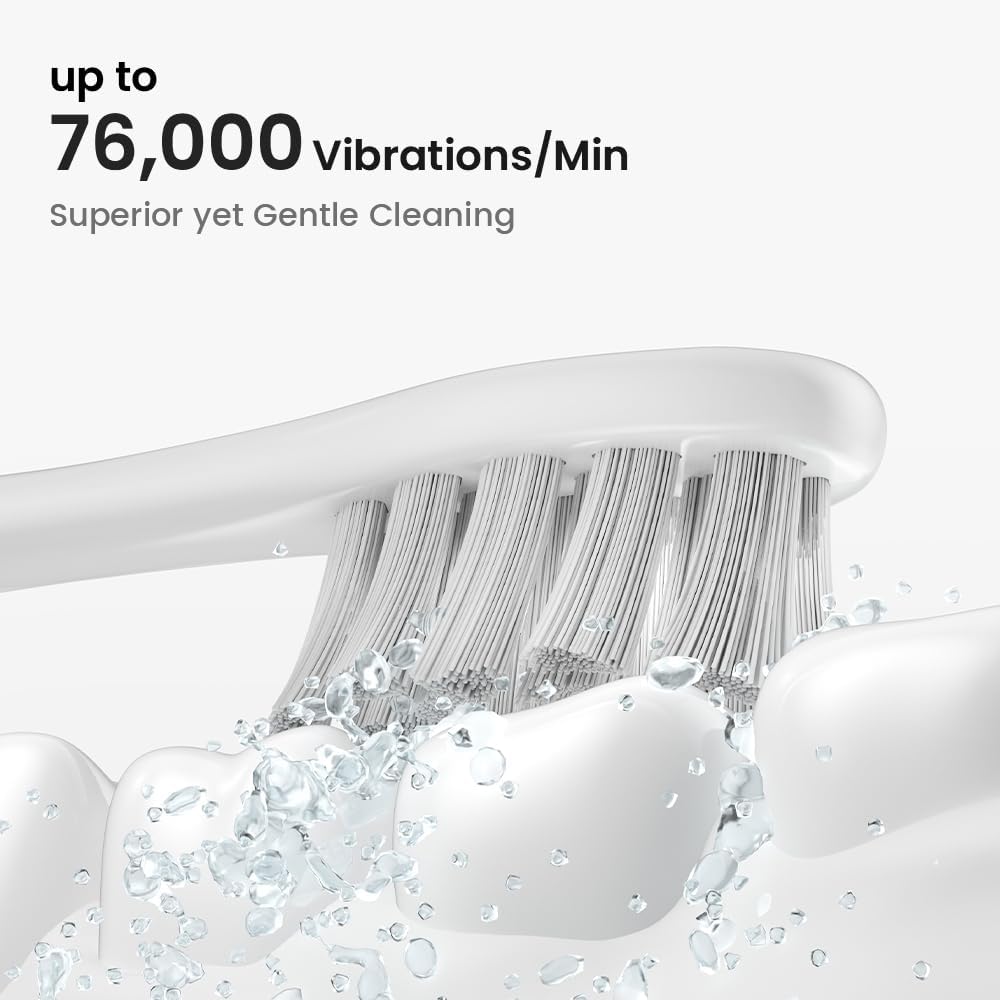
Image 5: High-frequency vibrations for effective cleaning.
6. Mòd bwose
Your Oclean Electric Toothbrush offers 5 distinct brushing modes to cater to various oral care needs:
- Soft Clean: Gentle cleaning for sensitive teeth and gums.
- Daily Clean: Standard mode for everyday plaque removal.
- Pwofondè Netwaye: Intensive cleaning for stubborn plaque and stains.
- Blanchiman: Designed to help remove surface stains for brighter teeth.
- Swen jansiv: Provides a gentle massage for improved gum health.

Imaj 6: Plis paseview of the 5 distinct brushing modes.
7. Smart Timer
The integrated smart timer ensures you brush for the dentist-recommended 2 minutes, with prompts to guide you through each quadrant of your mouth.
- 2-Minit minutri: The toothbrush automatically stops after 2 minutes of brushing.
- 30-Second Reminders: A brief pause or change in vibration will indicate when to move to the next quadrant of your mouth (upper right, upper left, lower right, lower left).

Image 7: Smart Timer functionality for optimal brushing.
8. Antretyen
Proper maintenance ensures the longevity and effectiveness of your Oclean Electric Toothbrush.
- Rense tèt bwòs la: Apre chak itilizasyon, rense tèt bwòs la byen anba dlo k ap koule pou retire tout rès pat dan ak debri.
- Manch pwòp: Siye manch bwòs dan ak yon damp cloth as needed. The toothbrush is IPX7 waterproof, allowing for safe rinsing.
- Ranplase tèt bwòs: For optimal cleaning performance and hygiene, replace the toothbrush head every 3 to 6 months, or sooner if the bristles appear frayed.
- Depo: When not in use, store the toothbrush in a dry place. Use the provided travel case for convenient and hygienic storage during travel.

Image 8: High-density DuPont bristles for effective yet gentle cleaning.
NAN. Depanaj
If you encounter any issues with your Oclean Electric Toothbrush, please consider the following common solutions:
- Bwòs dan pa limen: Ensure the toothbrush is fully charged. Connect it to the charger and allow sufficient time for charging.
- Vibrasyon fèb: This may indicate a low battery. Recharge the toothbrush. If the issue persists after charging, the brush head might need replacement.
- bri ki pa nòmal: Check if the brush head is securely attached. If not, remove and reattach it firmly.
- Pwoblèm chaj: Ensure the USB-C cable is properly connected to both the toothbrush and a power source. Try a different USB port or adapter.
For further assistance, please contact Oclean customer support.
10. Espesifikasyon
| Karakteristik | Detay |
|---|---|
| Mak | Oclean |
| Modèl | Oclean Electric Toothbrush for Adults |
| Sous pouvwa | Batri Powered |
| Karakteristik espesyal | Customizable, bwose revèy |
| Atik deskripsyon fèm | Mou |
| Ranje laj (Deskripsyon) | Granmoun |
| Manifakti | Shenzhen Yunding Information Technology Co.,Ltd. |
| Dimansyon pake | 9.17 x 5.75 x 1.65 pous; 11.36 ons |
11. Garanti & Sipò
For information regarding product warranty, returns, or technical support, please refer to the official Oclean websit la oubyen kontakte machann kote ou te achte pwodwi a. Kenbe prèv acha ou a pou nenpòt reklamasyon garanti.
Limit responsabilite nou legal: Statements regarding dietary supplements have not been evaluated by the FDA and are not intended to diagnose, treat, cure, or prevent any disease or health condition. This product is an electric toothbrush and not a dietary supplement.
Ask a question about this manual
Ask about setup, troubleshooting, compatibility, parts, safety, or missing instructions. Manuals+ will review the question and use this page’s manual context to help answer it.