
Toputure TP8
Toputure TP8 Electric Treadmill User Manual
Brand: Toputure | Model: TP8
Entwodiksyon
Thank you for choosing the Toputure TP8 Electric Treadmill. This manual provides essential information for the safe and efficient use, setup, operation, and maintenance of your new fitness equipment. Please read this manual thoroughly before first use and keep it for future reference.
Enfòmasyon enpòtan sou sekirite
- Toujou konsilte avèk yon pwofesyonèl swen sante anvan ou kòmanse nenpòt nouvo pwogram egzèsis.
- Asire w ke tapi kous la mete sou yon sifas plat, ki stab ak ase espas toutotou li.
- Kenbe timoun ak bèt kay lwen tapi a pandan operasyon an.
- Pa sèvi ak tapi kous la si li domaje oswa si li pa fonksyone byen.
- Always use the safety key/lanyard during operation. The treadmill will not start without it.
- Mete soulye atletik ki apwopriye.
Kontni pake
Lè w ap debale pakè a, tanpri verifye si tout atik sa yo enkli nan pakè a:
- Toputure TP8 Electric Treadmill
- Tool Kit (for minor adjustments)
- Pouvwa kab
- Kontwòl Remote
- Lubrifyan lwil oliv
- Manyèl itilizatè

Figi 1: Included accessories with the Toputure TP8 Electric Treadmill.
Enstalasyon
The Toputure TP8 Electric Treadmill features a no-installation design, making it ready for use almost immediately after unboxing.
Unfolding and Positioning
- Retire tapi kous la nan anbalaj li avèk prekosyon.
- Place the treadmill on a flat, level surface. Ensure there is at least 0.6 meters (2 feet) of clear space on all sides and 2 meters (6.5 feet) behind the treadmill for safety.
- If using the handlebar, lift it into the upright position and secure it using the provided locking pins or screws.
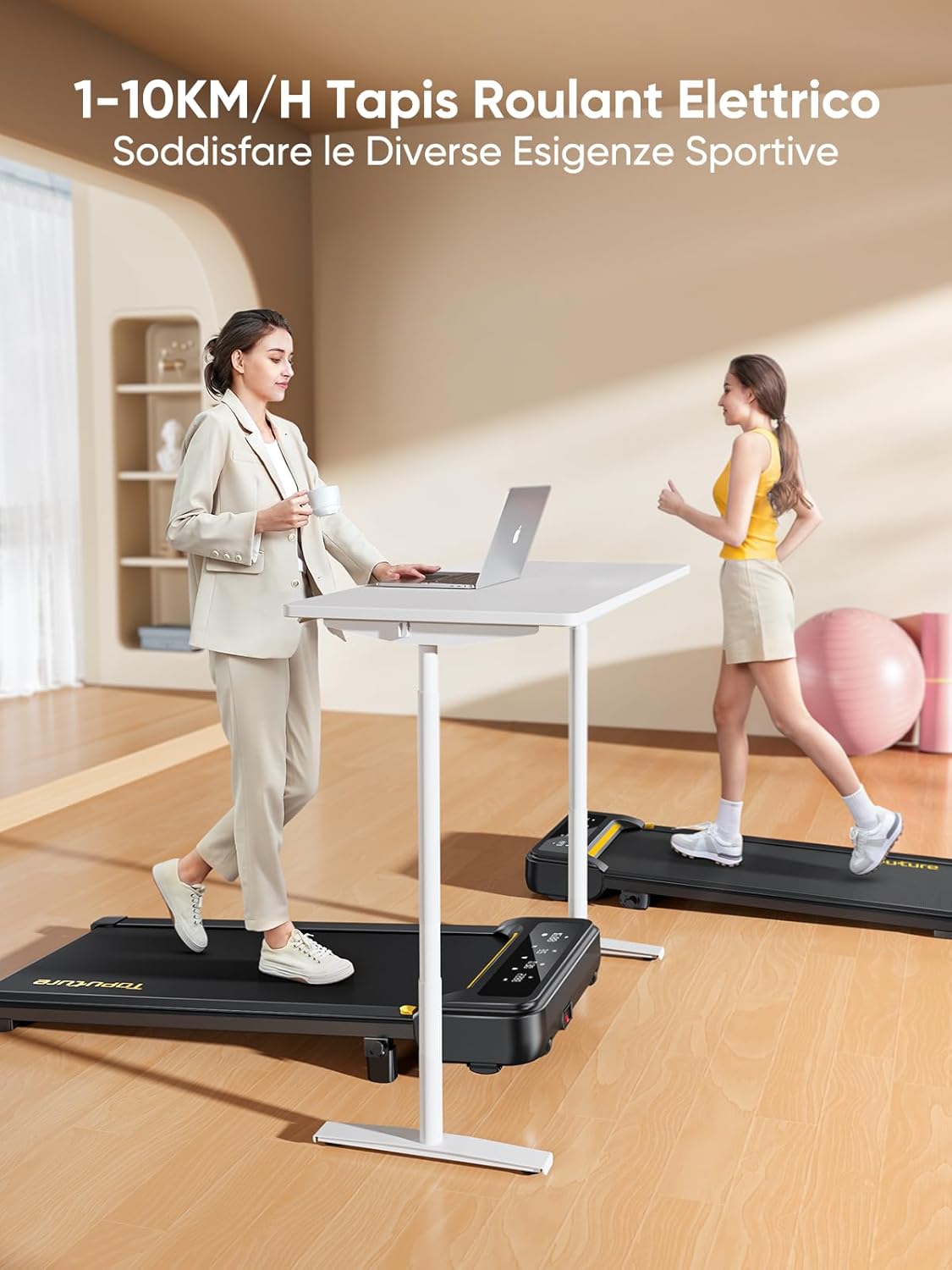
Figi 2: Treadmill ready for use in a home environment.
Ajisteman Incline
The treadmill offers a 10% incline feature, adjustable in 2 steps to simulate varied terrain and increase calorie burn. To adjust the incline:
- Locate the incline adjustment mechanism at the rear of the treadmill.
- Pull out the bolt and rotate the incline block to the desired position.
- Insert the bolt securely into the corresponding hole to lock the incline in place.

Figi 3: Manual incline adjustment mechanism.
Koneksyon pouvwa
Connect the power cable to the treadmill and then to a suitable power outlet. Ensure the power switch is in the 'OFF' position before plugging in.
Enstriksyon Operasyon
Kòmanse tapi an
- Ensure the safety key is properly inserted into its designated slot on the console. The treadmill will not operate without it.
- Monte sou senti tapi kous la.
- Press the 'Start' button on the console or remote control. The treadmill will begin at a low speed.
Adjusting Speed and Mode
The speed range is 1-10 km/h, suitable for walking, jogging, and running. You can adjust the speed using the console buttons or the remote control.
- Konsole: Use the '+' and '-' buttons to increase or decrease speed.
- Kontwòl Remote: The remote allows for easy speed adjustments and stopping the machine. It features magnets on the back for convenient attachment to the treadmill, preventing loss.
- Fonksyon Pòz: The remote control includes a pause button. Pressing this button will temporarily stop the belt while preserving your workout data.

Figi 4: Multifunction LED display and remote control storage.
Multifunction LED Display
The integrated LED display clearly shows real-time workout data, including time, distance, speed, and calories burned, providing a clear overview of your exercise progress.

Figi 5: Clear display of workout metrics.
Koneksyon Aplikasyon Entelijan
This walking pad can connect to multiple exercise apps, offering various training courses and allowing you to interact with other users online. Refer to the app's instructions for pairing and usage.

Figi 6: Treadmill connected to a smart fitness app.
Sispann tapi roulan an
To stop the treadmill, press the 'Stop' button on the console or remote control. For emergency stops, pull the safety key from its slot.
Antretyen
Regular maintenance ensures the longevity and optimal performance of your Toputure TP8 Electric Treadmill.
Netwayaj
- Toujou debranche tapi kouran an anvan ou netwaye li.
- Siye konsòl la ak sifas ekstèn yo ak yon twal mou.amp twal. Evite pwodui netwayaj abrazif oswa solvan.
- Detanzantan pase aspiratè anba tapi kous la pou anpeche pousyè ak debri akimile.
Lubrifikasyon
The unique lubrication hole design makes maintenance more convenient. Apply the provided lubrication oil to the running belt as instructed in the detailed manual or when the treadmill indicates it's needed. Proper lubrication reduces friction and extends belt life.
Ajisteman senti
If the running belt becomes misaligned or too loose/tight, refer to the detailed manual for instructions on how to adjust it using the included tool kit. Incorrect adjustment can damage the treadmill.
Depanaj
Seksyon sa a adrese pwoblèm komen ou ka rankontre ak tapi kous ou a. Pou pwoblèm ki pa nan lis la a, tanpri kontakte sèvis kliyan.
| Pwoblèm | Kòz posib | Solisyon |
|---|---|---|
| Treadmill pa kòmanse | Safety key not inserted; Power cable not connected; Power switch off. | Insert safety key; Check power connections; Turn power switch ON. |
| Belt slips or hesitates | Senti a twò lach; Pa gen ase lubrifikasyon. | Adjust belt tension (refer to manual); Apply lubrication oil. |
| Bri dwòl pandan operasyon an | Loose components; Belt misalignment; Motor issue. | Check and tighten all bolts; Adjust belt alignment; Contact customer support. |
Espesifikasyon
| Karakteristik | Detay |
|---|---|
| Mak | Topiture |
| Nimewo Modèl | TP8 |
| Klas pwodwi | Treadmill elektrik |
| Koulè | Nwa |
| Materyèl | Alloy Steel |
| Dimansyon pwodwi (L x W x H) | 130P x 60l x 14H cm (approx. 51.2 x 23.6 x 5.5 inches) |
| Pwa atik | 34.5 kilogram (apeprè 76 liv) |
| Vitès maksimòm | 10 kilomèt pa èdtan |
| Vitès minimòm | 1 Kilometer per hour |
| Pousan Incline Maksimòmtage | 9% (manual adjustment) |
| Pouvwa motè | 2.5 Puissance |
| Pwa Maksimòm Rekòmande | 130 kg (apeprè 300 lbs) |
| Running Deck Length | 100 santimèt (apeprè 39.4 pous) |
| Running Deck Width | 40 santimèt (apeprè 15.7 pous) |
| Kalite ekspozisyon | dirije |
| Koneksyon Teknoloji | Power Cable (App connectivity via Bluetooth) |
| Kantite Pwogram yo | 12 |
| Karakteristik espesyal | Pre-installed workouts, Wheels for portability, Compact design, Manual incline, Portable |
| Itilizasyon Rekòmande | Walking, jogging, running, home workouts, office workouts |
| Odyans sib | Granmoun |
| Asanble obligatwa | Non |
Garanti ak sipò
Garanti pwodwi
The Toputure TP8 Electric Treadmill comes with a 2-ane garanti apati dat acha a. Garanti sa a kouvri domaj fabrikasyon ak fonksyònman ki pa kòrèk nan itilizasyon nòmal. Tanpri konsève prèv acha ou pou reklamasyon garanti.
Sipò pou Kliyan
For any questions, technical assistance, or warranty claims, please contact Toputure customer support through the retailer's platform or the official Toputure website. Our support team is available to assist you with any issues you may encounter.
Lòt Resous
Pwodwi souview Videyo
Videyo 1: Yon souview of the WalkingPad foldable electric treadmill, demonstrating its compact design, ease of use, and various features. This video highlights how the treadmill can be easily stored and used in different home or office settings.
Ask a question about this manual
Ask about setup, troubleshooting, compatibility, parts, safety, or missing instructions. Manuals+ will review the question and use this page’s manual context to help answer it.