
Entwodiksyon
This manual provides essential instructions for the safe and efficient operation, maintenance, and troubleshooting of your Oster OCAF900 Digital Espresso Coffee Machine. Please read all instructions carefully before first use and keep this manual for future reference.
Enfòmasyon enpòtan sou sekirite
Toujou swiv prekosyon sekirite debaz yo lè w ap itilize aparèy elektrik pou diminye risk dife, chòk elektrik, ak/oswa blesi pou moun, tankou sa ki annapre yo:
- Li tout enstriksyon yo.
- Pa manyen sifas cho. Sèvi ak manch oswa bouton.
- Pou pwoteje tèt ou kont chòk elektrik, pa plonje kòd, ploge, oswa aparèy nan dlo oswa nan lòt likid.
- Sipèvizyon sere se nesesè lè nenpòt aparèy itilize pa oswa toupre timoun yo.
- Debranche soti nan priz lè yo pa itilize ak anvan netwaye. Kite refwadi anvan ou mete oswa retire pati yo, epi anvan ou netwaye aparèy la.
- Pa opere nenpòt aparèy ki gen yon kòd oswa ploge ki domaje oswa apre aparèy la fonksyone byen, oswa li te domaje nan nenpòt fason.
- Itilizasyon akseswar manifakti aparèy la pa rekòmande pou yo ka lakòz dife, chòk elektrik oswa blesi sou moun.
- Pa sèvi ak deyò.
- Pa kite kòd pandye sou kwen tab oswa kontwa, oswa manyen sifas cho.
- Pa mete sou oswa toupre yon gaz cho oswa recho elektrik, oswa nan yon fou chofe.
- Toujou branche ploge a nan aparèy la an premye, answit branche kòd la nan priz miray la. Pou dekonekte li, vire nenpòt kontwòl sou "off", epi retire ploge a nan priz miray la.
- Pa sèvi ak aparèy pou lòt itilizasyon ki gen entansyon an.
- Ou dwe pran anpil prekosyon lè w ap deplase yon aparèy ki gen likid cho.
Pwodwi souview
The Oster OCAF900 is a digital espresso coffee machine designed for both ground coffee and Nespresso-compatible capsules. It features a 20-bar pump for optimal extraction, a milk frother, and programmable functions.
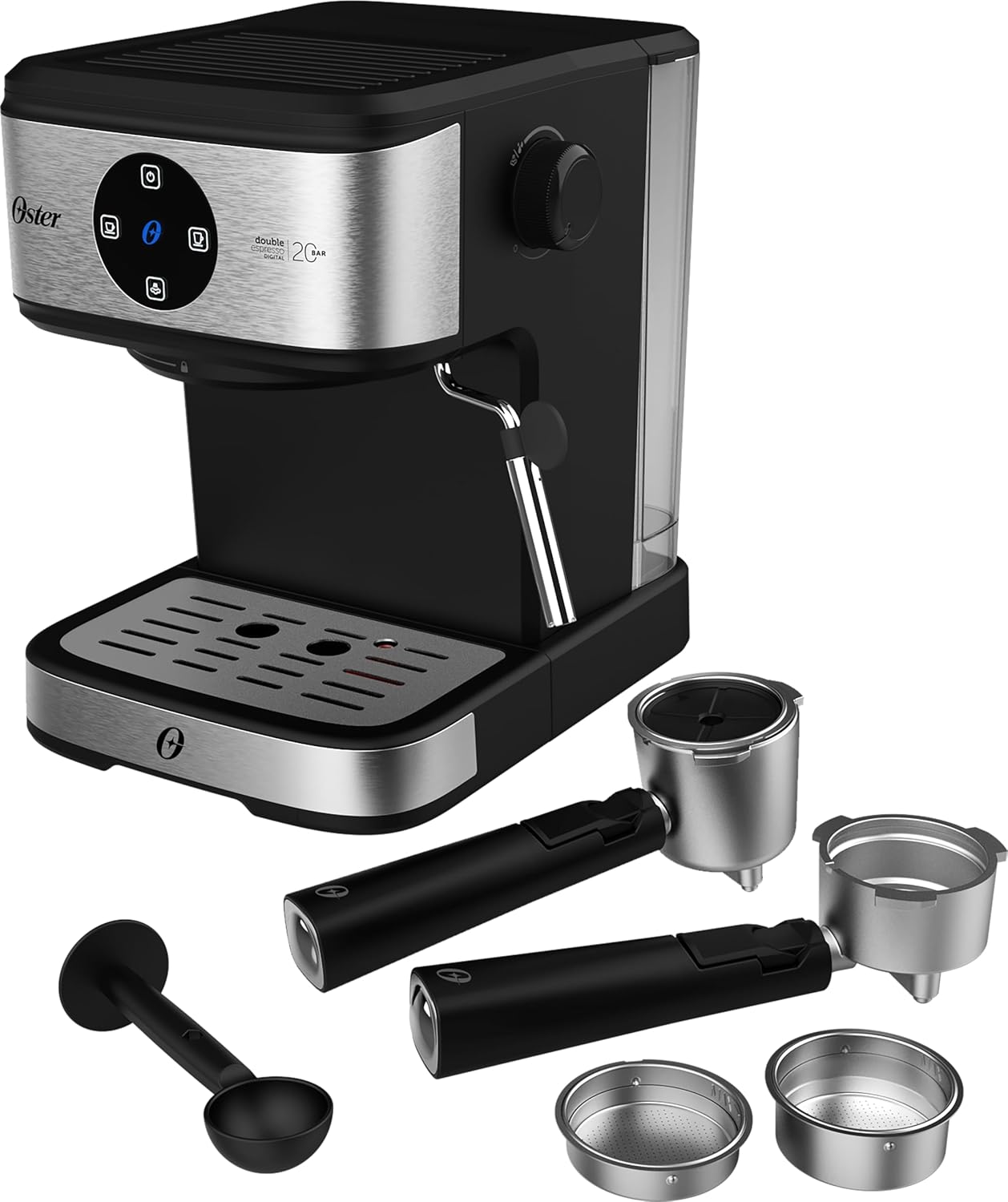
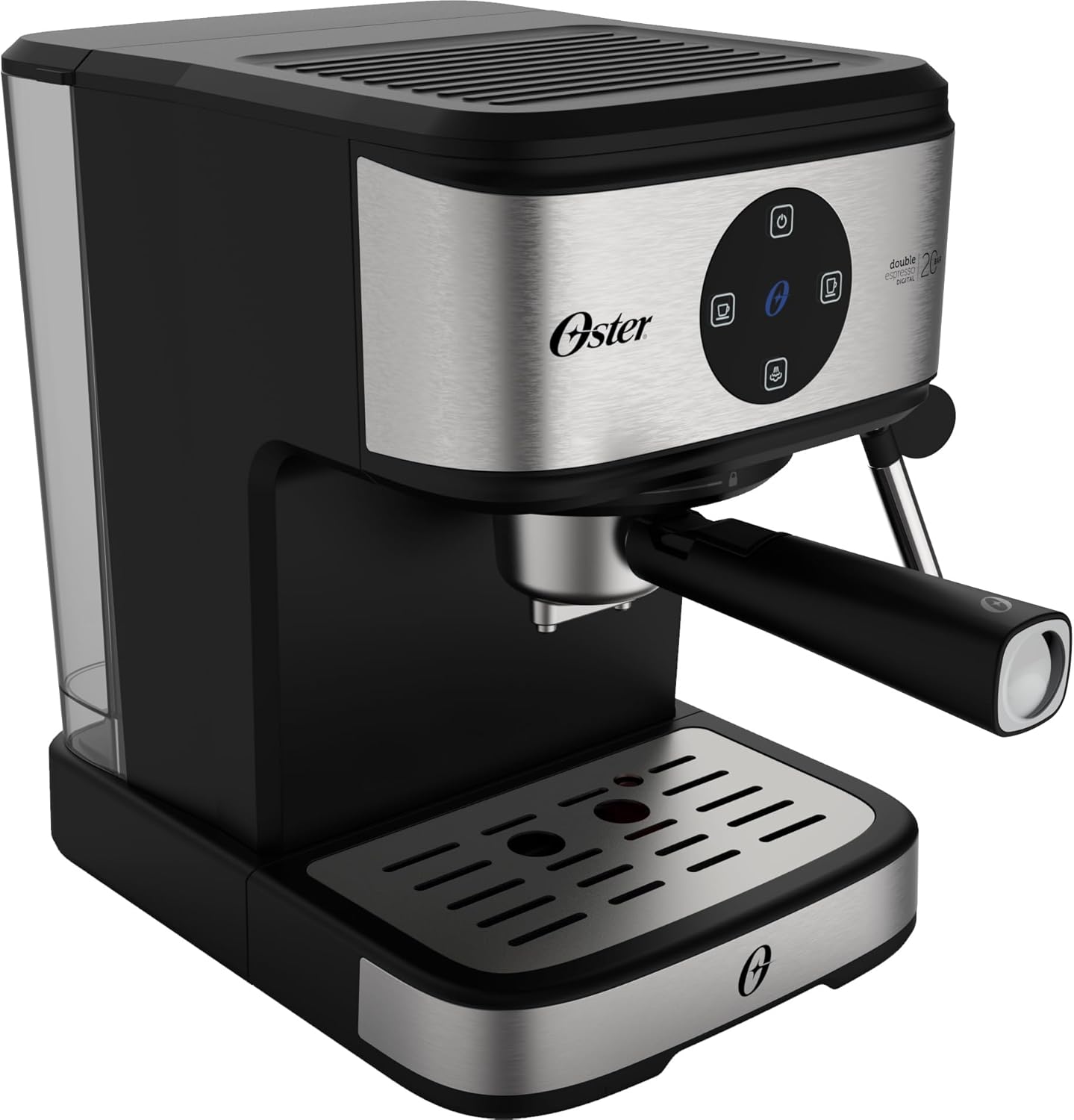
Devan view of the Oster OCAF900 Digital Espresso Coffee Machine, showcasing konsepsyon elegant li yo ak panèl kontwòl dijital li yo.

Included accessories: portafilters for single and double espresso, a measuring spoon/tamper, and a capsule adapter.
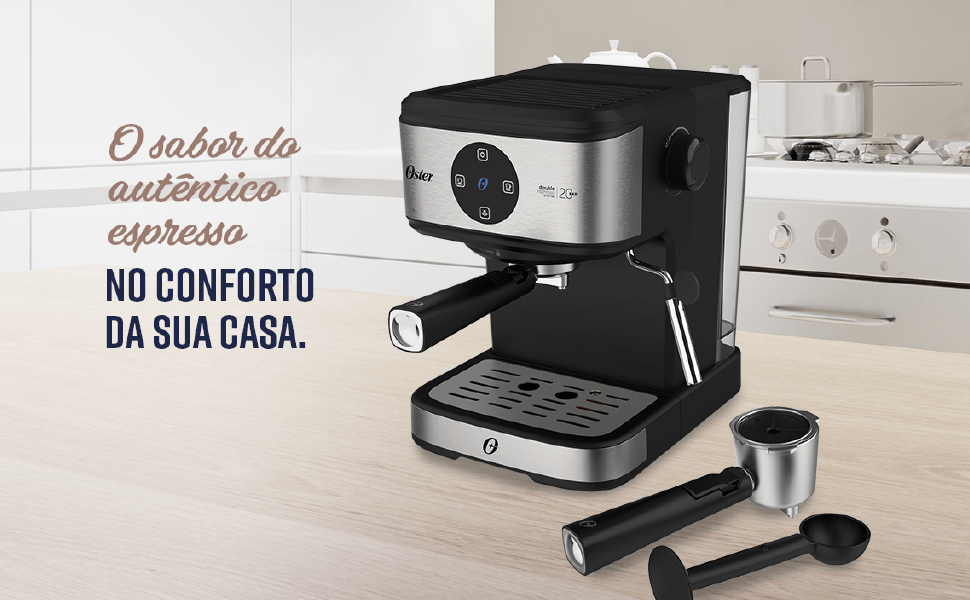
Plis paseview of key features: 1.6L capacity, anti-heating system, 1100W power, milk and water frother, single/double espresso portafilter, and 4 pre-programmed/customizable functions.
Enstalasyon ak Premye Itilizasyon
- Debake: Retire tout materyèl anbalaj yo avèk prekosyon epi asire w ke tout pyès yo la.
- Netwayaj inisyal: Before first use, wash the water tank, portafilters, and drip tray with warm, soapy water. Rinse thoroughly and dry. Wipe the exterior of the machine with a damp twal.
- Ranpli tank dlo: Fill the removable water tank with fresh, cold water up to the MAX level indicator. Ensure the tank is properly seated in the machine.
- Koneksyon pouvwa: Branche kòd kouran an nan yon priz elektrik 220V ki gen koneksyon ak tè.
- Operasyon Panèl Digital:
- Remove any protective sticker from the digital control panel.
- To turn on the machine, simply touch the power command button (usually the top button).
- To turn off the machine, press and hold the power command button for 5 seconds.
- Premye ponp lan: Before making coffee, run a cycle with only water to prime the pump and rinse the internal components. Place a cup under the coffee outlet, select a coffee function (without coffee), and let water flow through.
Visual guide for operating the digital panel: removing the sticker, turning on with a simple touch, and turning off by pressing for 5 seconds.
Enstriksyon Operasyon
Making Espresso with Ground Coffee
- Ensure the machine is on and the water tank is filled.
- Select the appropriate filter basket for single or double espresso and place it into the portafilter.
- Add finely ground espresso coffee to the filter basket. Do not overfill; the coffee level should be slightly below the rim to ensure proper sealing.
- Lejèman tamp the coffee grounds with the measuring spoon's flat end.
- Tache pòtfiltè a ak tèt brasaj la lè w aliyen li epi vire l byen fèm adwat jiskaske li byen sere.
- Place your espresso cup(s) on the drip tray under the portafilter spouts.
- Select your desired espresso shot (single or double) from the digital control panel. The machine will begin brewing.
- Once brewing is complete, carefully remove the portafilter. Always remove the portafilter with the coffee grounds immediately after use to prevent steam buildup and potential damage to electronic components.
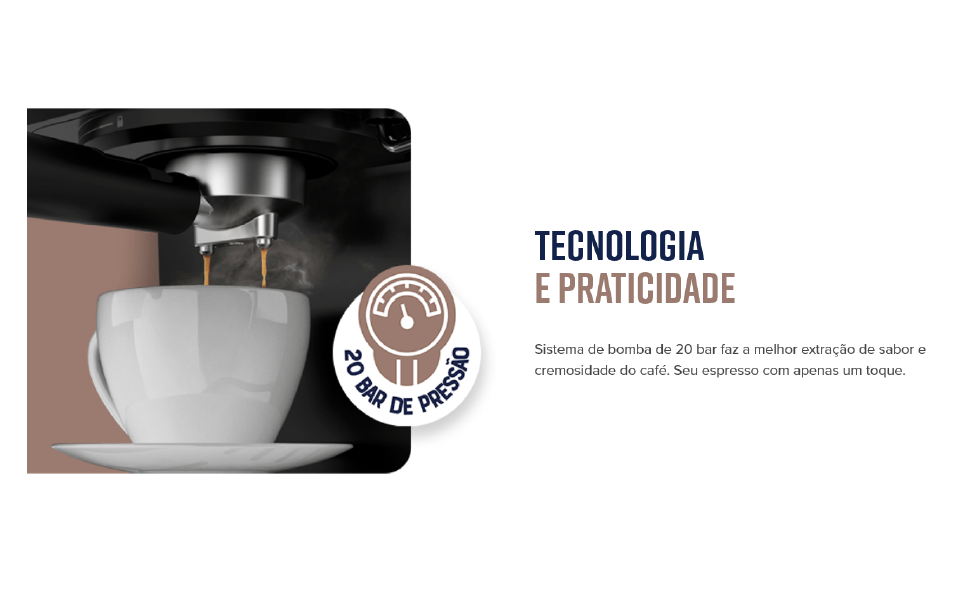
The Oster OCAF900 brewing a rich espresso shot into a cup, demonstrating the 20-bar pressure extraction.
Using Nespresso-Compatible Capsules
- Ensure the machine is on and the water tank is filled.
- Insert the capsule adapter into the portafilter.
- Place a Nespresso-compatible capsule into the adapter.
- Tache pòtfiltè a ak tèt brasaj la lè w aliyen li epi vire l byen fèm adwat jiskaske li byen sere.
- Place your cup under the portafilter spout.
- Select your desired coffee shot from the digital control panel.
- Once brewing is complete, carefully remove the portafilter and dispose of the used capsule.

Illustration of the machine's 2-in-1 compatibility, allowing use of both ground coffee and Nespresso-compatible capsules.
Frothing Milk / Hot Water Dispensing
- Ensure the machine is on and has reached operating temperature.
- Fill a frothing pitcher with cold milk (dairy or non-dairy) to just below the spout.
- Mete baton vapè a nan lèt la, jis anba sifas lèt la.
- Turn the steam control knob to the steam/hot water position.
- Move the pitcher up and down to create foam. Once desired foam is achieved, turn off the steam.
- For hot water, place a cup under the steam wand and turn the steam control knob to the hot water position.
- After frothing, always clean the steam wand immediately by wiping it with a damp twal epi lage yon ti tanasing steam to clear any milk residue.

The Oster OCAF900 using its steam wand to froth milk, creating a creamy texture for lattes and cappuccinos.
Videyo Demonstrasyon
This video demonstrates the general operation and features of the Oster OCAF900 Digital Espresso Coffee Machine, including brewing espresso and frothing milk. Note: This is a preview videyo.
Swen ak Antretyen
Netwayaj chak jou
- Pòtafiltè: After each use, remove the portafilter and discard the coffee grounds. Rinse the portafilter and filter basket under warm water.
- Baton vapè: Touswit apre ou fin fè mous lèt la, siye baton vapè a ak yon ti dlo.amp cloth. Briefly activate the steam function to clear any internal milk residue.
- Degoute Plato: Empty and clean the drip tray regularly to prevent overflow and bacterial growth.
- Tank dlo: Empty and rinse the water tank daily. Refill with fresh water for each use.
- Eksteryè: Siye eksteryè machin nan ak yon mou, damp twal. Pa sèvi ak pwodui netwayaj abrazif oswa épurateur.
Detartraj
Over time, mineral deposits (limescale) can build up in your machine, affecting performance and coffee taste. Descale your machine regularly, depending on your water hardness and frequency of use (e.g., every 2-3 months).
- Prepare a descaling solution according to the descaler manufacturer's instructions (or use a mixture of white vinegar and water).
- Ranpli tank dlo a ak solisyon detartrage a.
- Place a large container under the coffee spout and steam wand.
- Run several brewing cycles (without coffee) and steam cycles until the water tank is empty.
- Rense tank dlo a byen epi ranpli l ak dlo fre.
- Run several cycles with fresh water to rinse out any remaining descaling solution.
Depanaj
| Pwoblèm | Kòz posib | Solisyon |
|---|---|---|
| Coffee does not brew or flows slowly. |
|
|
| Kafe gou boule. |
|
|
| Touch panel issues (e.g., turns off randomly). |
|
|
| Lèt la pa fè kim byen. |
|
|
Espesifikasyon
| Karakteristik | Detay |
|---|---|
| Modèl | OCAF900 |
| Mak | Oster |
| Voltage | 220 Volts |
| Pouvwa | 1100 Watts |
| Presyon | 20 Bar |
| Kapasite tank dlo | 1.6 lit |
| Materyèl | Nerjaveèi asye |
| Koulè | Nwa Inox |
| Dimansyon (pwodwi) | 28.9P x 21.8L x 27.3A cm (28.9 x 21.8 x 27.3 cm) |
| Karakteristik espesyal | Cup warmer, Milk frother, Permanent filter, Automatic cleaning function, Programmable |
| GTIN | 7898742840014 |
Enfòmasyon sou Garanti
Your Oster OCAF900 Digital Espresso Coffee Machine comes with a standard manufacturer's warranty. Please refer to the warranty card included with your product for specific terms and conditions, including the warranty period and coverage details.
Extended warranty options may be available for purchase. For more information on extended warranty plans, please consult your retailer or the Oster official websit.
Sipò pou Kliyan
If you encounter any issues not covered in the troubleshooting section, or require further assistance, please contact Oster customer support. You can find contact information on the official Oster websit la oubyen sou anbalaj pwodwi w la.
When contacting support, please have your product model (OCAF900) and serial number (if applicable) ready.