
1. Entwodiksyon
This manual provides detailed instructions for the safe and effective operation of your Andoer Mini WiFi Action Camera L11. This compact digital video camera is designed for capturing high-quality 1080P video at 30 frames per second, featuring a 0.96-inch LCD screen, built-in rechargeable battery, motion detection, and versatile mounting options. Please read this manual thoroughly before using the device.
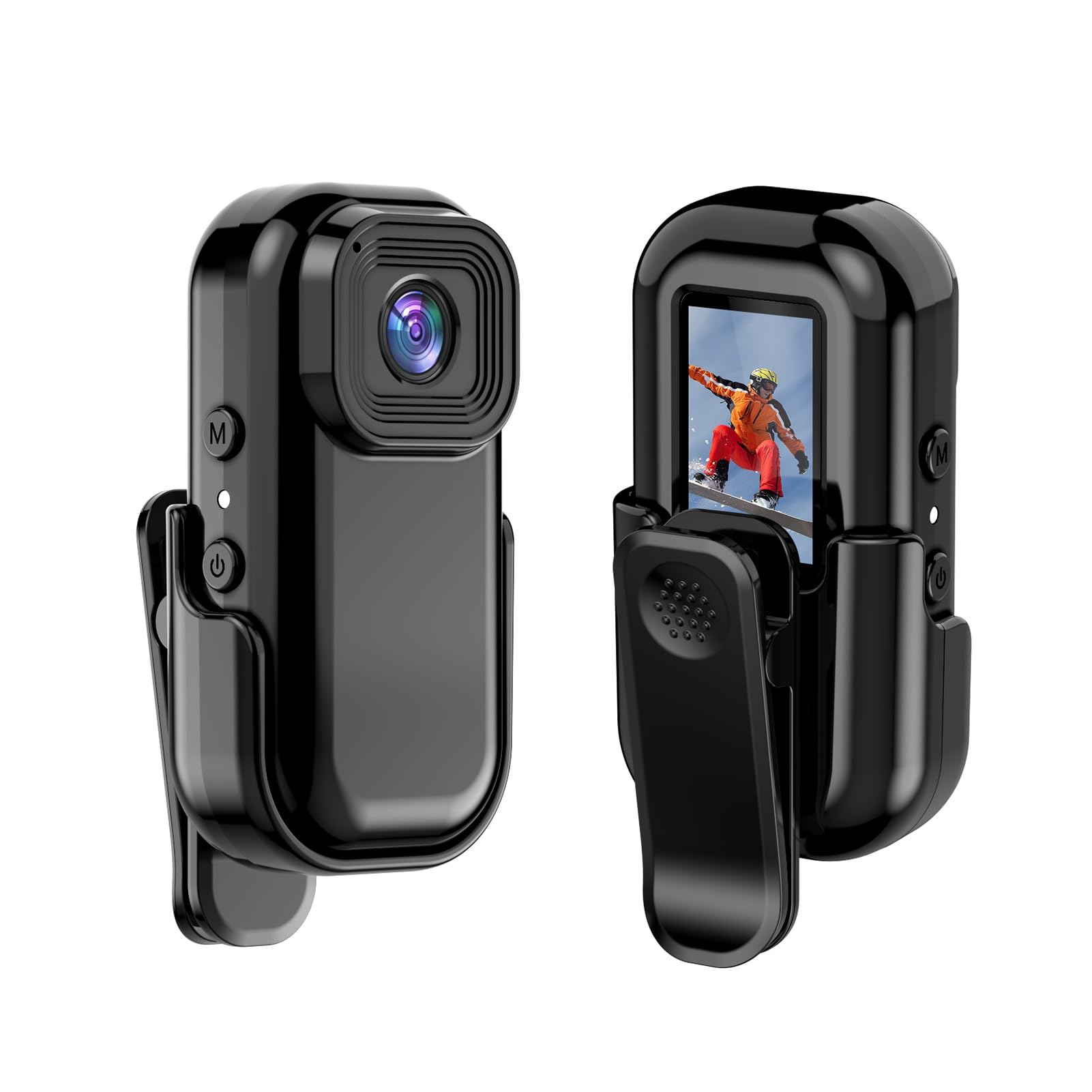
Imaj: Devan ak dèyè view of the Andoer Mini WiFi Action Camera L11, showing the lens and the 0.96-inch LCD screen.
2. Pake kontni
Verifye ke tout atik ki nan lis anba a yo enkli nan pakè ou a. Si gen nenpòt atik ki manke oswa ki domaje, tanpri kontakte sèvis kliyan.
- 1 x Andoer Mini WiFi Action Camera L11
- 1 x kouvèti pwoteksyon
- 1 x 1/4in Adapter Mount
- 1 x Back Clip Mount
- 1 x lektè kat
- 1 x Kalite-C Kab
- 1 x Manyèl Itilizatè (dokiman sa a)
3. Pwodwi Features
- Videyo bon jan kalite: Records in 1080P at 30 frames per second, suitable for various applications including live broadcasting and video conferencing.
- Kontra enfòmèl ant ak pòtab: Super mini size allows for easy portability and discreet placement.
- Magnetic Body: Features a magnetic base for secure attachment to smooth metal surfaces.
- Seamless WiFi Connectivity: Connects wirelessly to a dedicated app for live view ak kontwòl.
- Montaj versatile: Includes a 1/4-inch adapter mount and a back clip mount for diverse installation options.

Imaj: Egzamples of application scenarios for the camera, including parachute jumping, cycling, parent-child activities, and skiing.

Image: The camera being used as a portable video recorder in various outdoor activities like camping, cycling, climbing, and sports.
4. Enstalasyon
4.1 Chaje batri a
Before first use, fully charge the camera's built-in 400mAh battery. Connect the provided Type-C cable to the camera's USB port and the other end to a standard USB power adapter (5V, ≥1A). The charging indicator light will typically show the charging status and turn off or change color when fully charged.
4.2 Mete yon kat memwa
The camera supports TF (Micro SD) cards up to 128GB. Ensure the card is formatted to FAT32 for optimal performance. Gently insert the TF card into the designated slot until it clicks into place. To remove, press the card in slightly until it springs out.
Note: A memory card is required for recording video and taking photos.
4.3 Limen/Etenyen
- Pou limen: Press and hold the Power button (usually marked with a power symbol) for a few seconds until the screen illuminates.
- Pou etenn: Press and hold the Power button again for a few seconds until the screen turns off.
5. Operasyon Enstriksyon
5.1 Operasyon debaz
The 0.96-inch color display provides visual feedback for modes and settings. Use the navigation buttons (if present, typically 'M' for Mode and another for selection/shutter) to cycle through options and confirm selections.
5.2 Anrejistreman Videyo
In video mode, press the Shutter/Record button to start recording. Press it again to stop. Videos are saved in AVI format at 1920x1080P resolution. The camera supports loop recording with 3-minute segments.

Image: The camera's screen displaying a family scene, indicating video recording at 1920x1080P resolution.
5.3 Pran Foto
Switch to photo mode using the Mode button. Press the Shutter button to capture a still image. Photos are saved in JPG format.

Image: Icons representing photo, video, and audio recording modes, illustrating the camera's ability to capture various moments.
5.4 Deteksyon Mouvman
The camera features motion detection capabilities. Refer to the on-screen menu or the dedicated app for instructions on how to activate and configure this feature. When enabled, the camera will automatically begin recording when motion is detected within its field of view.
6. WiFi Koneksyon
The Andoer L11 camera supports wireless WiFi connectivity for remote control and live viewing via a smartphone application. Follow these general steps:
- Download the official Andoer camera app from your device's app store (iOS or Android).
- Power on the camera and activate its WiFi mode (refer to the camera's on-screen menu).
- On your smartphone, go to WiFi settings and connect to the camera's WiFi network (SSID and password will be displayed on the camera screen or in the app).
- Open the Andoer app. You should now see a live view from the camera and be able to control recording and settings remotely.

Image: A smartphone displaying a live view from the camera, demonstrating the WiFi connectivity feature.
7. Montaj Opsyon
The Andoer L11 offers flexible mounting solutions:
- Mòn mayetik: The camera body has a magnetic feature, allowing it to be securely attached to smooth metal surfaces like refrigerator doors or metal poles.
- 1/4-inch Adapter Mount: Use the included 1/4-inch adapter mount to attach the camera to standard tripods, monopods, or other accessories with a 1/4-inch screw.
- Back Clip Mount: The back clip mount allows you to attach the camera to clothing, backpacks, or other thin objects for hands-free recording.
8. Antretyen
- Netwayaj: Sèvi ak yon twal mou epi sèk pou netwaye kò kamera a. Pou lantiy la, sèvi ak yon twal espesyal ak yon solisyon pou netwaye lantiy. Evite pwodui chimik ki agresif.
- Depo: Sere kamera a nan yon kote ki fre epi sèk, lwen limyè solèy dirèk ak tanperati ekstrèm.
- Swen batri: For long-term storage, charge the battery to about 50% every few months to maintain its health.
- Mizajou mikrolojisyèl: Check the official Andoer webVizite sit la detanzantan pou nenpòt mizajou firmwèr ki disponib pou asire pèfòmans optimal ak nouvo fonksyonalite.
NAN. Depanaj
| Pwoblèm | Solisyon posib |
|---|---|
| Kamera a pa limen. | Ensure the battery is fully charged. Connect to a power source and try again. |
| Pa ka anrejistre videyo/pran foto. | Check if a TF card is inserted and properly formatted. Ensure there is sufficient storage space. |
| Pwoblèm koneksyon WiFi. | Ensure WiFi is enabled on the camera and your smartphone. Restart both devices. Verify the correct app is installed. |
| Move kalite videyo/imaj. | Ensure the lens is clean. Check lighting conditions. Verify camera settings are correct (e.g., resolution). |
| Kamera a bloke oswa li pa reponn. | Perform a soft reset by holding the power button until it turns off, then restart. If persistent, remove and reinsert the memory card. |
10. Espesifikasyon
| Karakteristik | Detay |
|---|---|
| Kalite machin | L11 |
| Ang lantiy | 140 degre |
| TFT Display | 0.96 pous Koulè Display |
| Rezolisyon videyo | 1920 * 1080P |
| Batri | 400mAh |
| Videyo File Fòma | AVI |
| Fòma foto | JPG |
| Bouk Videyo | 3 minit |
| Anrejistreman File Fòma | WAV (Audio) |
| Travay imidite | 30% |
| Tanperati Fonksyònman | -25 a + 75 ° C (-13 a + 167 ° F) |
| Pwovizyon pou pouvwa | USB voltage 5V, aktyèl ≥1A |
| Kat memwa | Kat TF, sipòte jiska 128G |
| Koneksyon Teknoloji | Wi-Fi |
| Faktè fòm | Kontra enfòmèl ant |
| Pwa atik | 4.2 ons (apeprè 119g) |
| Dimansyon pake | 3.94 x 2.36 x 1.97 pous |
11. Enfòmasyon sou Sekirite
- Do not expose the camera to extreme temperatures outside the specified operating range (-25°C to +75°C).
- Avoid operating the camera in humidity levels exceeding 30%.
- Keep the device away from water and other liquids unless explicitly stated as waterproof.
- Do not attempt to disassemble or modify the camera, as this will void the warranty and may cause damage.
- Use only the specified power supply (USB 5V, ≥1A) for charging.
- Kenbe soti nan atenn timoun yo.